
Apple announced the fourth-generation Apple TV 4K earlier this week, introducing the A19 chip, built-in microphones for hands-free Siri, four-speaker HomePod surround sound, and an updated Siri Remote. It replaces the third-generation model introduced in 2022, bringing a number of internal changes while retaining the same basic design and most of the same entertainment features.
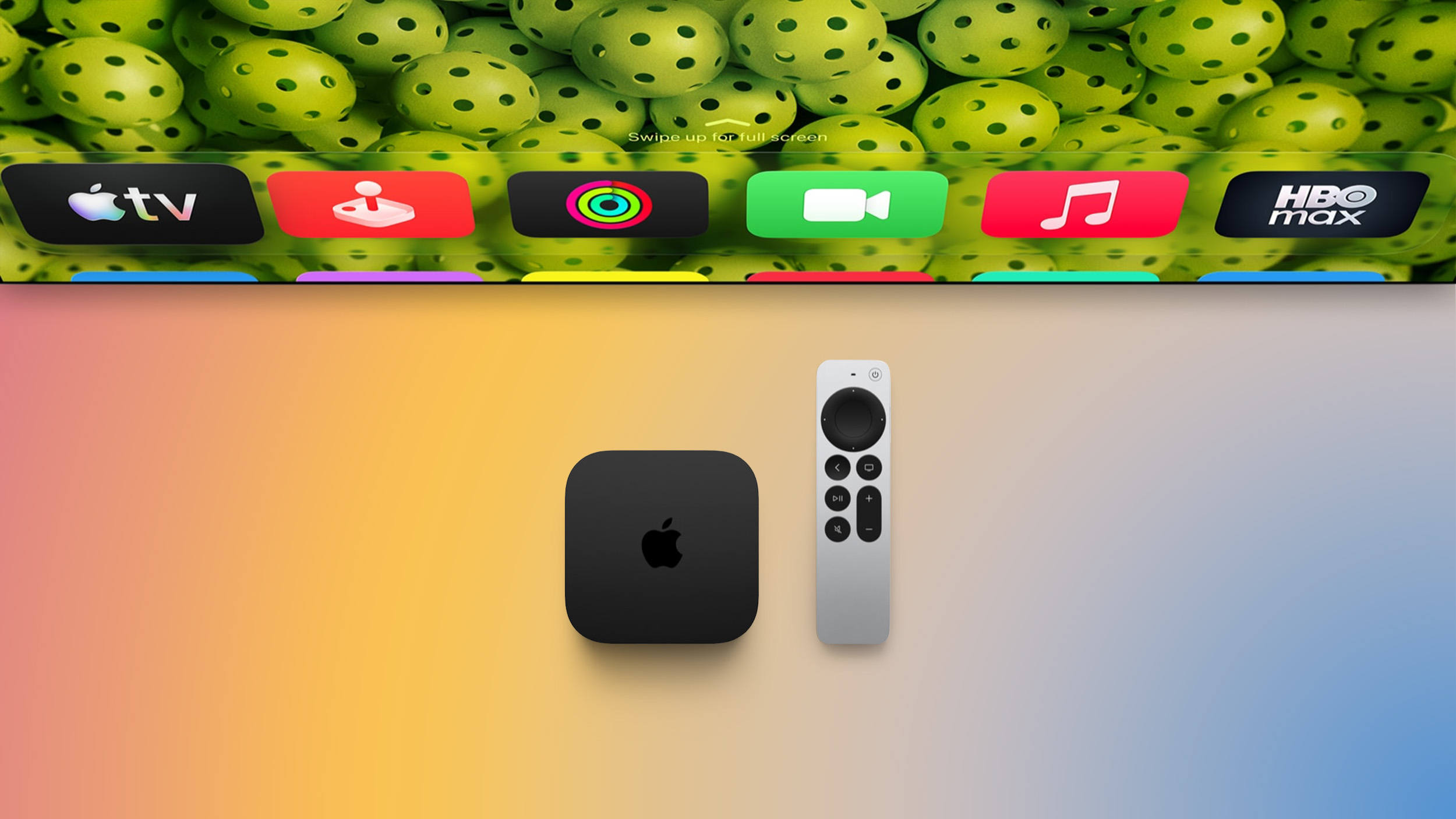
The new model costs $299 and comes with 128GB of storage. Siri AI is also coming to the third-generation model, and the new remote can be purchased separately for existing devices. Apple says the assistant will be available in beta with tvOS 27.2 on second-generation and later Apple TV 4K models, including conversational entertainment searches, follow-up questions, and personal context through a compatible paired device.
The new model’s distinctive hardware benefit is direct voice input through the box’s microphones; access to the voice assistant itself is shared. Whether you should upgrade therefore comes down to which hardware changes you will actually use.
Configurations, Connectivity, and Price
The differences in configurations, connectivity, and pricing between the third- and fourth-generation Apple TV 4K are as follows:
| Apple TV 4K (3rd Generation) | Apple TV 4K (4th Generation) |
|---|---|
| 64GB model: Wi-Fi only 128GB model: Wi-Fi and Ethernet |
Single 128GB configuration with Wi-Fi and Ethernet |
| Wi-Fi 6 (802.11ax) | Wi-Fi 7 (802.11be) |
| Bluetooth 5.0 | Bluetooth 6 |
| Gigabit Ethernet on the 128GB model only | Gigabit Ethernet as standard |
| Thread networking on the 128GB model only | Thread networking as standard |
| Original U.S. launch prices: $129 for 64GB; $149 for 128GB | U.S. launch price: $299 for 128GB |
| Final prices before replacement: $199 for 64GB; $249 for 128GB | $299 for 128GB |
| Now discontinued | Available to pre-order |
| Released November 4, 2022 | Available November 13, 2026 |
Apple raised the older model’s prices in June 2026, so comparing the new model exclusively with its predecessor’s original launch pricing misses an intervening increase. Against the final price of the equivalent 128GB model, the new Apple TV costs $50 more. Against the previous entry-level configuration, it costs $100 more and includes twice the storage, Ethernet, and Thread connectivity.
A15 Bionic vs. A19
The A19 chip brings a substantially newer chip architecture to the Apple TV. Apple says the fourth-generation Apple TV 4K delivers the following improvements over the third-generation model:
- Up to 50% faster CPU performance.
- Up to twice the GPU performance.
The table below lists capabilities of two chip architectures.
| A15 Bionic Chip | A19 Chip |
|---|---|
| Made with TSMC’s 5nm (N5P) process | Made with TSMC’s third-generation 3nm (N3P) process |
| Dynamic Caching | |
| Software-based ray tracing | Hardware-accelerated ray tracing |
| Mesh shading without the newer dedicated hardware acceleration | Hardware-accelerated mesh shading |
| Dedicated Neural Accelerators in each GPU core | |
| 16-core Neural Engine | Updated 16-core Neural Engine architecture |
| Display engine and image signal processor | Updated display engine and image signal processor |
| Dedicated AV1 hardware decoder | |
| Up to 4x multisample anti-aliasing | Up to 8x multisample anti-aliasing |
| Maximum 1D, 2D, and cube-map texture dimensions of 16,384 pixels | Maximum 1D, 2D, and cube-map texture dimensions of 32,768 pixels |
| Universal texture compression | |
| MetalFX denoised upscaling capability | |
| Depth bounds testing |
The A19 chip has a substantially better GPU than the A15 Bionic. Dynamic Caching manages fast on-chip GPU memory according to the workload. Hardware-accelerated ray tracing and mesh shading provide more advanced graphics-processing capabilities, while GPU Neural Accelerators supply dedicated hardware for machine learning calculations.
While GPU improvements will be particularly useful for gaming, it is unclear just how much the full breadth of the chip architecture improvements will make a meaningful difference to the Apple TV.
Hands-Free Siri and HomePod Audio
The new microphones and expanded HomePod support provide some of the clearest functional differences between the two devices:
| Apple TV 4K (3rd Generation) | Apple TV 4K (4th Generation) |
|---|---|
| No built-in microphone array in the box; microphone only in the Siri Remote | Three built-in far-field microphones with voice isolation, alongside the microphone in the Siri Remote |
| Siri voice input through the remote or another compatible device | Direct hands-free activation using “Siri” or “Hey Siri,” with echo cancellation while audio is playing |
| HomePod TV audio through a single speaker or stereo pair | Four-speaker HomePod surround sound using matching front and rear pairs |
| Automatic positioning, timing, and level calibration for the four-speaker setup | |
| Whole Room Audio mode distributes sound across four HomePod speakers |
The four-speaker configuration requires HomePod mini 2 or second-generation full-sized HomePod speakers. You can use four matching speakers or combine two matching front speakers with a different matching rear pair. For example, two full-sized HomePods can serve as the front speakers and two HomePod mini 2 units as the rear speakers.
First-generation full-sized HomePods and original HomePod mini speakers are excluded from this new four-speaker configuration. Existing owners should account for any speaker replacements or additions when considering the cost of upgrading.
Whole Room Audio serves a different purpose from directional home theater sound, distributing audio more evenly around the room for music, sports, and more.
Hands-free Siri support also has its own language requirements. Apple lists Mandarin Chinese, Dutch, English, Finnish, French, German, Hebrew, Norwegian, and Swedish, subject to regional availability.
Siri Remote Differences
The fourth-generation Siri Remote retains the familiar design and controls while making a misplaced remote easier to find:
| Siri Remote (3rd Generation) | Siri Remote (4th Generation) |
|---|---|
| Bluetooth 5.0 | Bluetooth 6 |
| Nearby finding through iPhone, with proximity guidance | Find My with Precision Finding on a compatible iPhone |
| Bluetooth Channel Sounding for precise location tracking | |
| Built-in speaker for playing a sound to locate the remote | |
| 66 grams | 69.6 grams |
The older remote already supported nearby finding with an iPhone. The new remote’s additional benefits are precise location guidance and an audible alert. Precision Finding uses Bluetooth Channel Sounding, providing precise tracking without requiring a UWB chip.
Precision Finding requires an iPhone 17 or later, excluding the iPhone 17e, or an iPhone Air or iPhone Duo running the latest software. You can also ask Siri to find the remote through the Apple TV’s built-in microphones and have the remote play a sound.
The new Siri Remote is available separately for $59 and works with the third-generation Apple TV 4K, every earlier Apple TV 4K, and even the Apple TV HD.
Design, Dimensions, and Weight
Both generations retain the compact black enclosure and Apple logo. The principal visible changes are the microphone hardware and the repositioned front light.
| Apple TV 4K (3rd Generation) | Apple TV 4K (4th Generation) | |
|---|---|---|
| Width | 93 mm | 93.24 mm |
| Depth | 93 mm | 93.24 mm |
| Weight | Wi-Fi: 208g Wi-Fi + Ethernet: 214g |
217g |
| Status light | Positioned toward the right | Positioned in the center |
| Packaging | At least 90% fiber-based packaging | 100% fiber-based packaging |
The new box weighs three grams more than the previous Ethernet model and nine grams more than the Wi-Fi-only model. The centered front light also indicates when the built-in microphones are listening for commands.
Should You Upgrade From the Third-Generation Apple TV 4K?
Most third-generation Apple TV 4K owners should keep their existing device. For ordinary streaming through television speakers, a soundbar, or an AV receiver, the new model does not add new capabilities. The maximum viewing resolution and HDR support remains the same. Siri AI’s availability on the older hardware further reduces the need to replace a working device.
The strongest reason to upgrade is a planned four-speaker HomePod system. If you already own two second-generation full-sized HomePods and want dedicated rear speakers, the new Apple TV enables a specific setup your existing model cannot provide. Include the cost of additional or replacement speakers when judging the upgrade.
Hands-free control is another practical reason if you regularly use Siri and want to speak directly to the device. It is likely to be more useful when the Apple TV is directly in the viewing room than when it is installed in a separate equipment cupboard or rack.
AV1 hardware decoding may justify the upgrade for a particular media library or playback workflow. Gaming enthusiasts may also value the newer GPU architecture, but the benefit depends on the games available for tvOS and how developers use the hardware.
If locating the remote is a source of frustration, buying the $59 Siri Remote separately costs $240 less than replacing the entire Apple TV. That purchase supplies the new remote features while retaining your existing device.
Should You Buy the Third- or Fourth-Generation Model?
For a new purchase, the fourth-generation Apple TV 4K is the stronger choice when the price difference is modest or you intend to use its exclusive features. Compared with the older 128GB model’s final $249 Apple price, the $50 premium is easier to justify than the much larger difference suggested by comparing original launch prices.
That being said, a discounted third-generation model remains a sensible purchase. The older model is particularly appealing when the saving is substantial and you are not interested in a four-speaker HomePod sound system.
If you need Ethernet or want the Apple TV itself to provide Thread networking, choose the third-generation 128GB model or the fourth-generation model. A sufficiently large saving on the older 128GB configuration can outweigh improvements with the latest model that you would rarely use.
This article, "Apple TV 4K 2022 vs. 2026 Buyer's Guide: All Differences Compared" first appeared on MacRumors.com
Discuss this article in our forums
Forrás: macrumors.com- Pixelated 120: The Definitive Pixel Tier List
- Two October Apple events and more Home Hub leaks on the AppleInsider Podcast
- Apple’s October 13th Event Confirmed: Home Hub, Apple TV & HomePod Mini Incoming?
- Apple’s MacBook Ultra Launching in a Few Weeks? Here’s What We Know
- We FINALLY Got a Googlebook (It’s a Real Laptop)
- iPad Mini 8: Apple Has Tested Both 60Hz and 120Hz ProMotion Displays
- Apple TV 4K 2022 vs. 2026 Buyer's Guide: All Differences Compared
- Apple CEO John Ternus on Early Foldables: 'Kind of Cheap and Crappy'
- Greg Joswiak Says Apple Isn't Focused on Making AI for 'Lunatic Fringe'
- Amazon Offers $120 Discount on AirPods Max 2, $50 Off AirPods Pro 3