
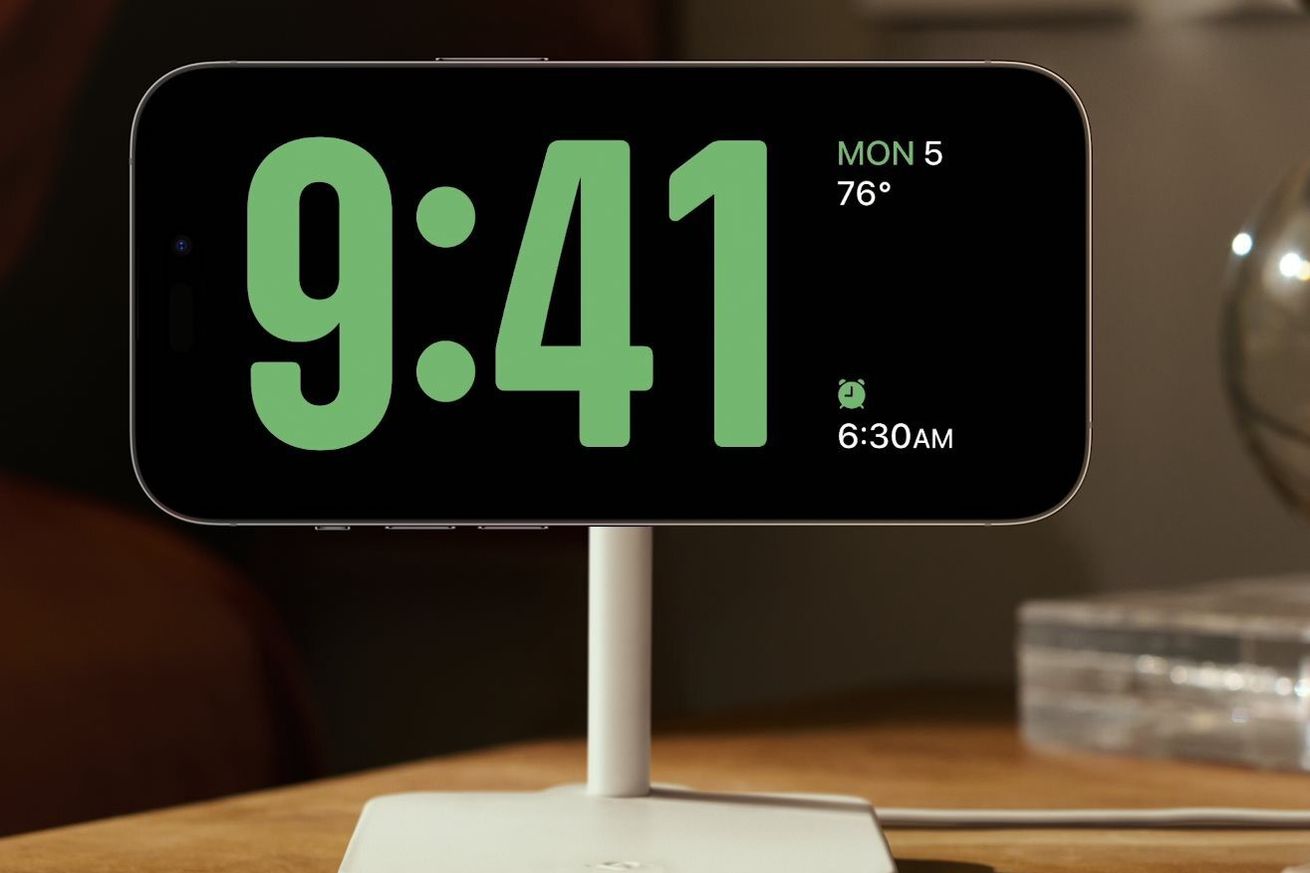
Apple has announced StandBy — a new feature that turns the iPhone into a sort of smart display when it’s docked on its side. The company announced this new trick onstage at WWDC 2023 while debuting iOS 17, which is expected to arrive this fall.
StandBy comes with iOS 17 and kicks in automatically when your iPhone is charging and on its side. It’s designed to be seen from a distance and can display the time with customizable clock faces, Apple Home controls, the weather, music controls, app smart stacks, and other features. At night, StandBy adapts the screen to lowlight, taking on a red tone to avoid being disruptive at night.
Apple says StandBy will auto-surface the right info at the right time, such as showing you your schedule before your meeting starts. It also adds another way to use Siri hands-free, acting like a smart speaker; you can ask Siri to play music as you would on a HomePod, and in StandBy, the phone will show visual results when you ask the voice assistant questions.
Basically, it feels like StandBy is turning your smartphone into a smart display. It can even display your photos as a digital photo frame — something both Amazon’s Echo Show and Google’s Nest Hub smart displays already do. When you pop it on a MagSafe charger, StandBy will remember your favorite view, or you can tap the screen to conjure it. On iPhone 14 Pro, it can be on all the time, thanks to the Always-On display.
/cdn.vox-cdn.com/uploads/chorus_asset/file/24703912/lcimg_b1e6bca3_a4c1_4eab_9fbe_0cbcd40959c3.jpeg)
Photo by Dan Seifert / The Verge
It doesn’t look like StandBy is coming to the iPad, where it would be really effective as a smart display. But Apple did announce it’s bringing interactive widgets to the iPad with iPadOS 17 — you will be able to control things like smart lights directly from the Apple Home widget. Whether this will work for the iPhone widgets, too, we don’t know yet, but it’s a feature I personally really want to see.
Live Activities from iOS 16 are also coming to the iPad lock screen, letting you take advantage of its other new ability: multiple timers. This could be handy for the kitchen, a popular spot for smart displays and sticky iPads.
/cdn.vox-cdn.com/uploads/chorus_asset/file/24704425/Apple_WWDC23_iPadOS_17_Lock_Screen_Live_Activities_230605.jpg)
Image: Apple
/cdn.vox-cdn.com/uploads/chorus_asset/file/24704398/Apple_WWDC23_iPadOS_17_Widgets_230605.jpg)
Image: Apple
Apple Home users have been asking for a dedicated smart display from Apple for years. The company is the only major smart home platform without one. A smart display is loosely defined as a communal touchscreen interface for the home that’s easily accessed by anyone in the house.
While an Apple smart display has been rumored for a while, it has yet to surface. StandBy on the iPhone and interactive widgets on the iPad certainly feel like a stop-gap solution slash test for how a dedicated smart display might work in Apple’s ecosystem. But none of this effectively addresses the communal aspect of a smart display — a device anyone in the home can easily use. This is something Google showed off with its new Pixel tablet, also designed to be a home tablet. Apple, the ball is in your court.

