
With iOS 16, iPadOS 16, and macOS Ventura last year, Apple introduced Lockdown Mode, an optional security setting designed to protect the "very small number" of users who may be
With iOS 16, iPadOS 16, and macOS Ventura last year, Apple introduced Lockdown Mode, an optional security setting designed to protect the "very small number" of users who may be at risk of "highly targeted cyberattacks" from companies developing state-sponsored spyware, such as journalists, activists, and government employees.
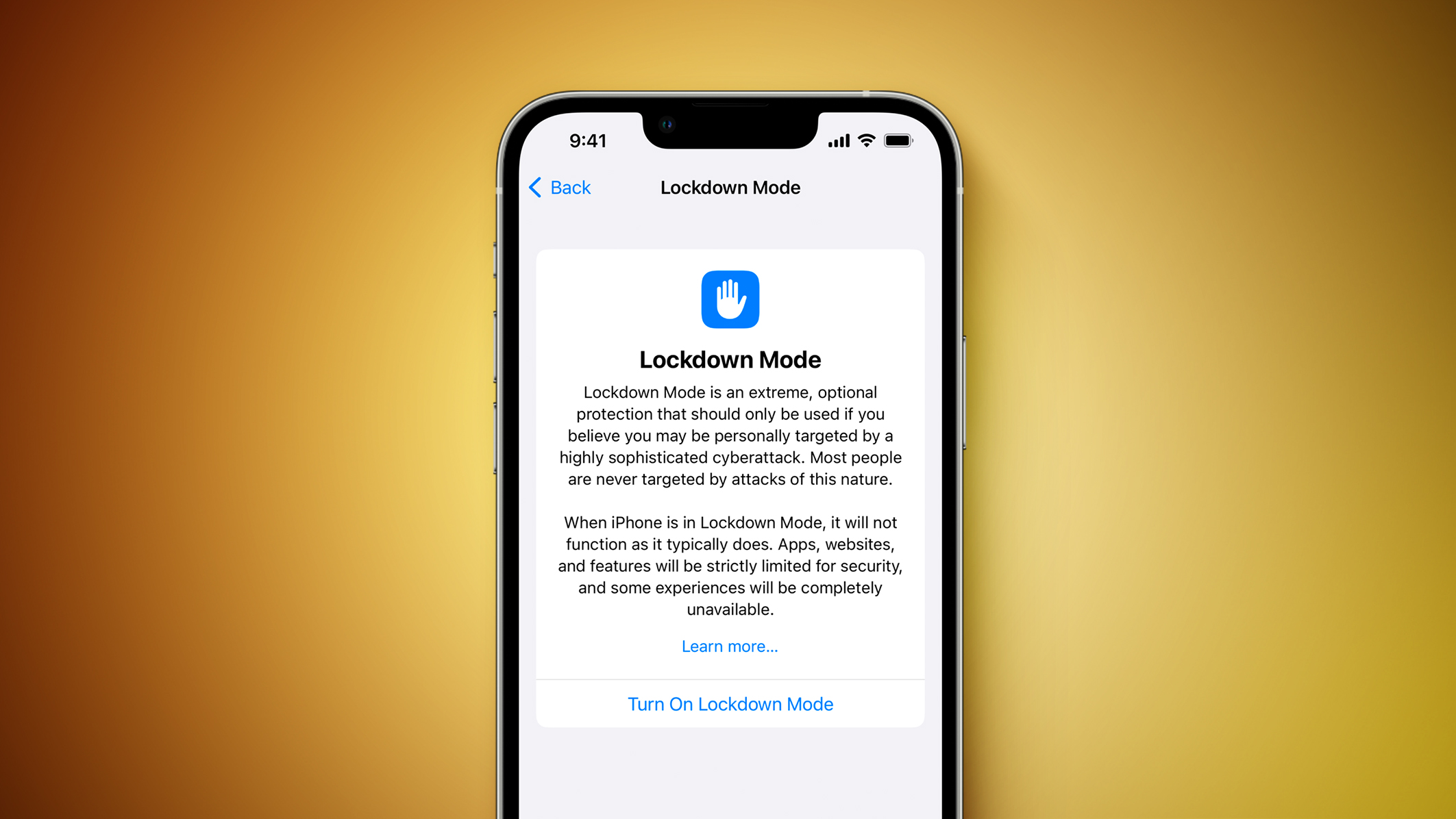

Starting with iOS 17 and watchOS 10, enabling Lockdown Mode on an iPhone also turns on Lockdown Mode on a paired Apple Watch. Apple says Lockdown Mode provides an "extreme" level of security, with strict limitations on apps, websites, and features.

At launch, Lockdown Mode included the following protections:
  • In the Messages app, most message attachment types other than images are blocked, and some features like link previews are unavailable.

  • Incoming FaceTime calls from people you have not previously called are blocked. Incoming invitations for other Apple services from people you have not previously invited are also blocked.

  • In Safari and other WebKit browsers, some complex web technologies and browsing features, including just-in-time (JIT) JavaScript compilation, are disabled unless the user excludes a trusted site from Lockdown Mode.

  • Shared albums are removed in the Photos app, and shared album invitations are blocked.

  • When a device is locked, wired connections with other devices/accessories are blocked.

  • Configuration profiles cannot be installed, and the device cannot enroll into mobile device management (MDM), while Lockdown Mode is turned on.
In a press release last week, Apple said it is expanding Lockdown Mode's protections to encompass "safer wireless connectivity defaults, media handling, media sharing defaults, sandboxing, and network security optimizations."
Related Roundup: Apple Watch Series 8
Buyer's Guide: Apple Watch (Caution)
Related Forum: Apple Watch

This article, "Lockdown Mode Expanding to Apple Watch With watchOS 10" first appeared on MacRumors.com

Discuss this article in our forums

original link


You may also be interested in this

Macworld Podcast: WWDC23 …

Macworld The biggest Apple event of the year is a few days away! So in this episode of the Macworld Podcast, we preview what’s in store at WWDC! Operating system

Apple’s latest iOS,…

On Thursday, Apple's updates to all of its operating systems included some new features — but more importantly, a severe security flaw that was actively being exploited was stopped in

watchOS 10 beta 1 now rol…

Just as rumors predicted, watchOS 10 was announced on Monday with a new interface that takes advantage of the larger screens of the latest Apple Watch models. Multiple apps have

Apple Confirms Government…

Unidentified governments are surveilling smartphone users by tracking push notifications that move through Google's and Apple's servers, a US senator warned on Wednesday (via Reuters). In a letter to the

What Intel Macs aren̵…

As Apple prioritizes features for Apple Silicon, Intel machines are going to be left behind. For macOS Sonoma, there are five key features missing for Intel Macs.macOS SonomaWWDC is underway,

Apple iPhone increases it…

Apple’s indomitable iPhone increased its U.S smartphone market share to 53% in Q1 2023 from 49% in Q1 2022, according to Counterpoint Technology Market Research. Apple’s iPhone 14 and iPhone

New Hampshire man pleads …

A Nashua, New Hampshire man has pleaded guilty to transporting stolen Apple products in federal court. Guangwei “William” Wu, 30, pleaded guilty to the interstate transportation of stolen property on

Stop Videos From Looping …

Have you noticed your iPhone videos keep playing on repeat in the Photos app? Since Apple's iOS 18.2 update, the stock Photos app automatically replays videos until you manually pause
X

A whimsical homage to the days in black and white, celebrating the magic of Mac OS. Dress up your blog with retro, chunky-grade pixellated graphics to evoke some serious computer nostalgia. Supports a custom menu, custom header image, custom background, two footer widget areas, and a full-width page template. I updated Stuart Brown's 2011 masterpiece to meet the needs of the times, made it responsive , got dark mode, custom search widget and more.You can download it from tigaman.com, where you can also find more useful code snippets and plugins to get even more out of wordpress.
