
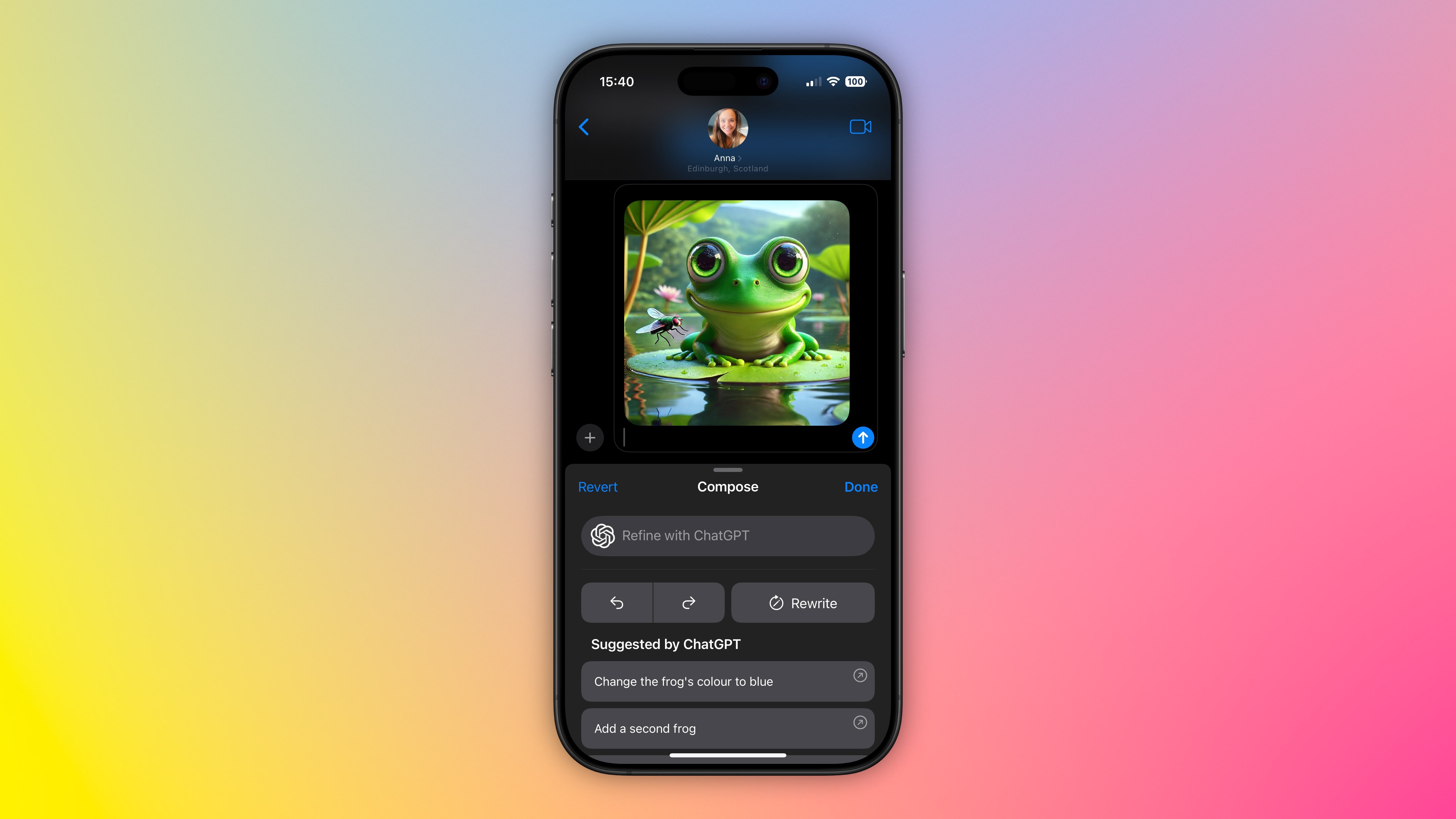
With iOS 18.2, Apple introduced ChatGPT integration with Apple Intelligence to expand the range of AI capabilities accessible to users on supported iPhone models. One skill in particular that you may not be aware of is the ability to generate images in the Messages app, ready for sharing. ChatGPT leverages DALL·E to generate the images, and the results are almost invariably better than Apple’s Image Playground. Keep reading to learn how it’s done.
Set Up ChatGPT on Your iPhone
If you have Apple Intelligence enabled on an iPhone 15 Pro or iPhone 16, setting up ChatGPT integration requires just a few steps, and you can begin without even having a ChatGPT account. You can always start with the basic setup and upgrade to a connected account later if needed, although in our tests there isn’t too much difference between them when used within the context of daily iPhone usage.
- Open Settings.
- Tap Apple Intelligence & Siri.
- Under “Extensions,” tap ChatGPT.
- Toggle on the switch next to Use ChatGPT.
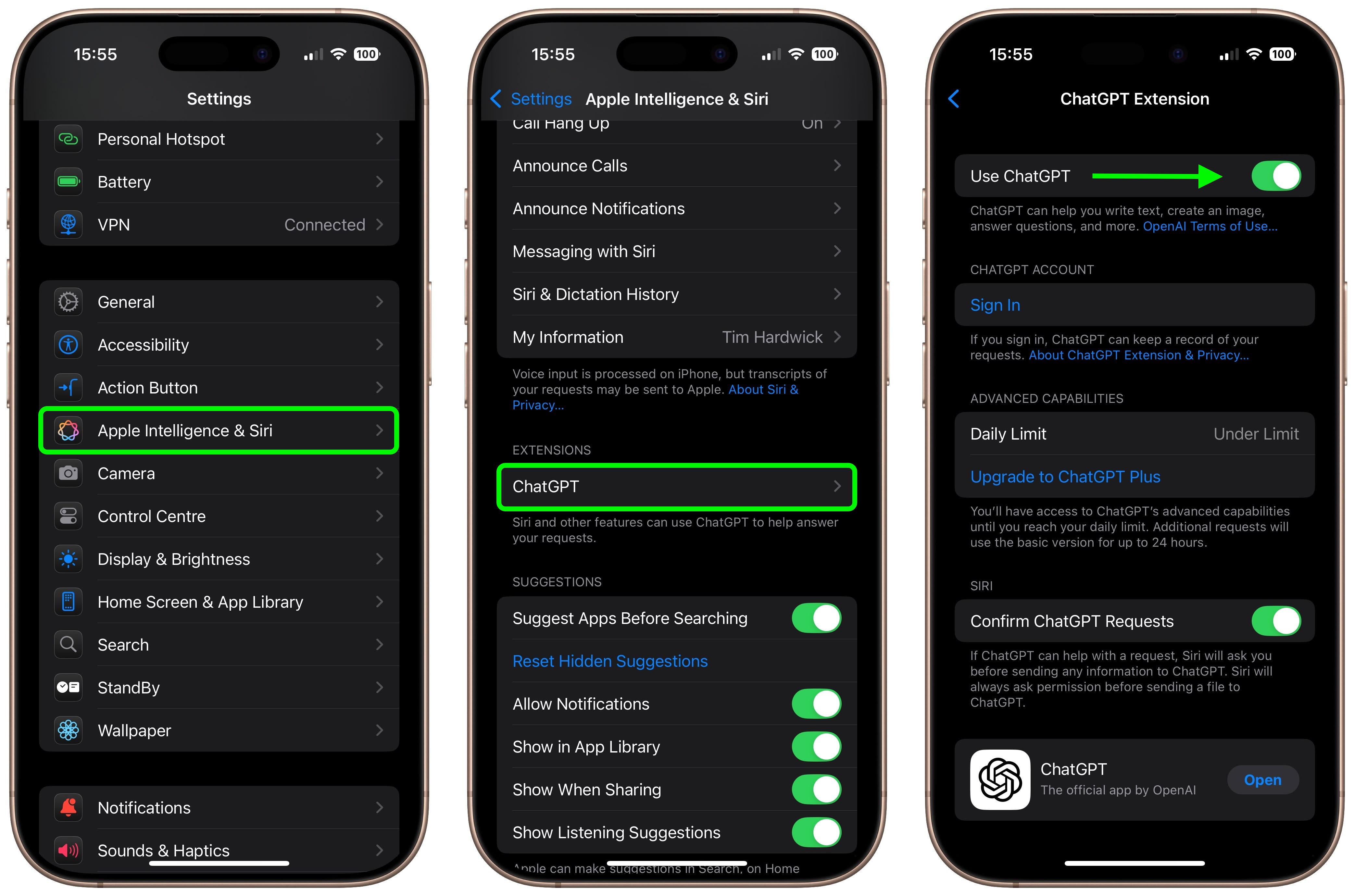
If you have a ChatGPT account (free or paid), you can optionally Sign In from this last screen using your account credentials.
Generate Images in Messages
When ChatGPT integration is enabled, whenever you invoke Siri, the voice assistant analyzes your request to see if it’s something that needs to be answered by ChatGPT. However, you can specify that you want to use ChatGPT simply by starting a Siri query with “ChatGPT.”
So the next time you’re in a Messages conversation and want to express something with an image, tap inside the input field, hold down the Side button on your device to rouse Siri, then say something like, “ChatGPT, generate an image of a cat reading a book about fish.” Give it a few seconds to think, and ChatGPT will drop the image into the text field, ready for it to be shared in the conversation.
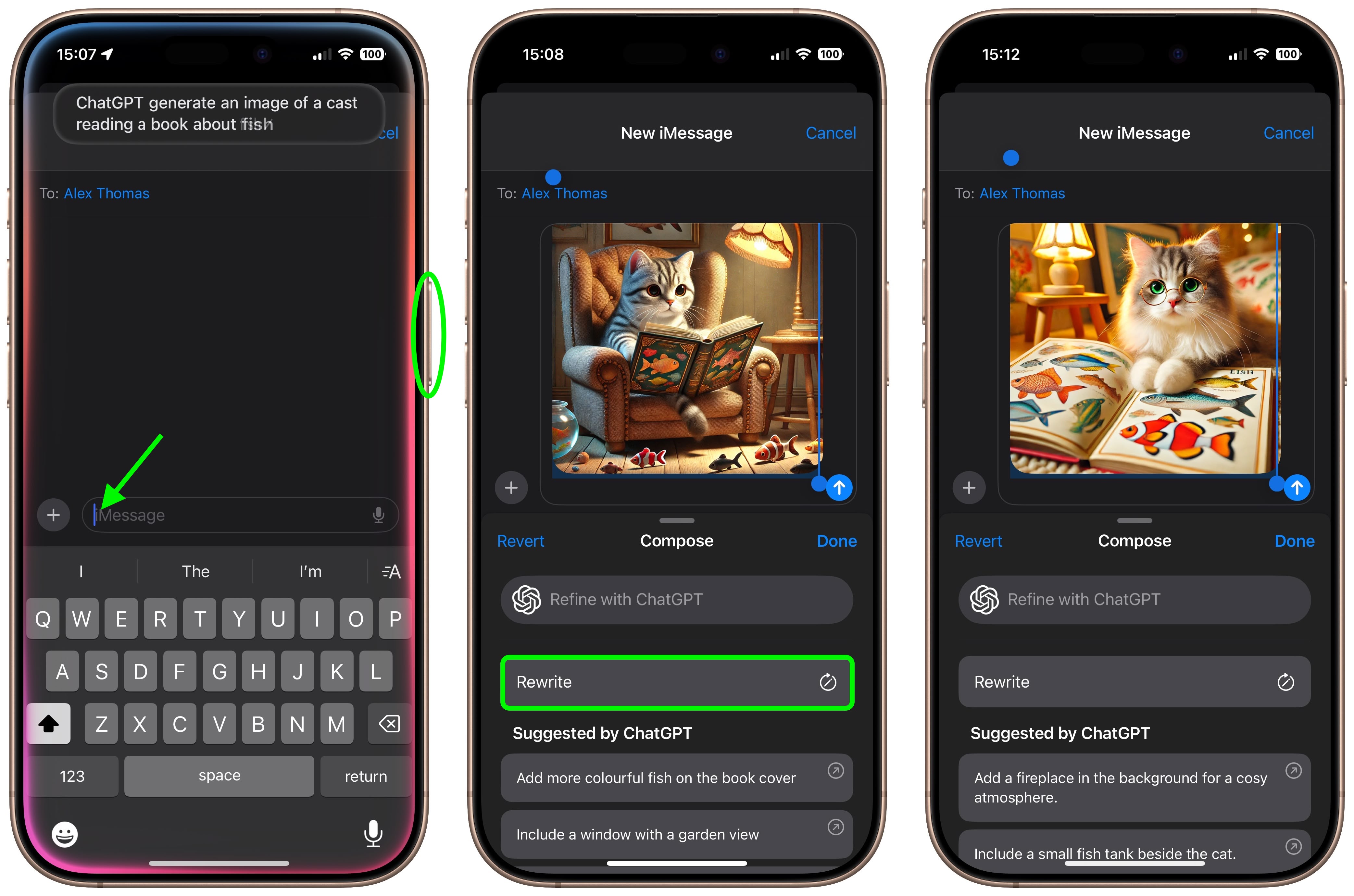
If you’re happy with the output, just tap the Send button to send it on its way. If the image doesn’t turn out quite how you hoped, you have a few options. You can tap Rewrite, and ChatGPT will re-generate from scratch a new image based on your prompt.
Alternatively, you can tap one of the provided suggestions from ChatGPT to add specific details to the image, or you can tap Refine with ChatGPT and type your own description for more exact detail requests. Simply hit the colored arrow button to send the prompt to ChatGPT, and it will work its magic.
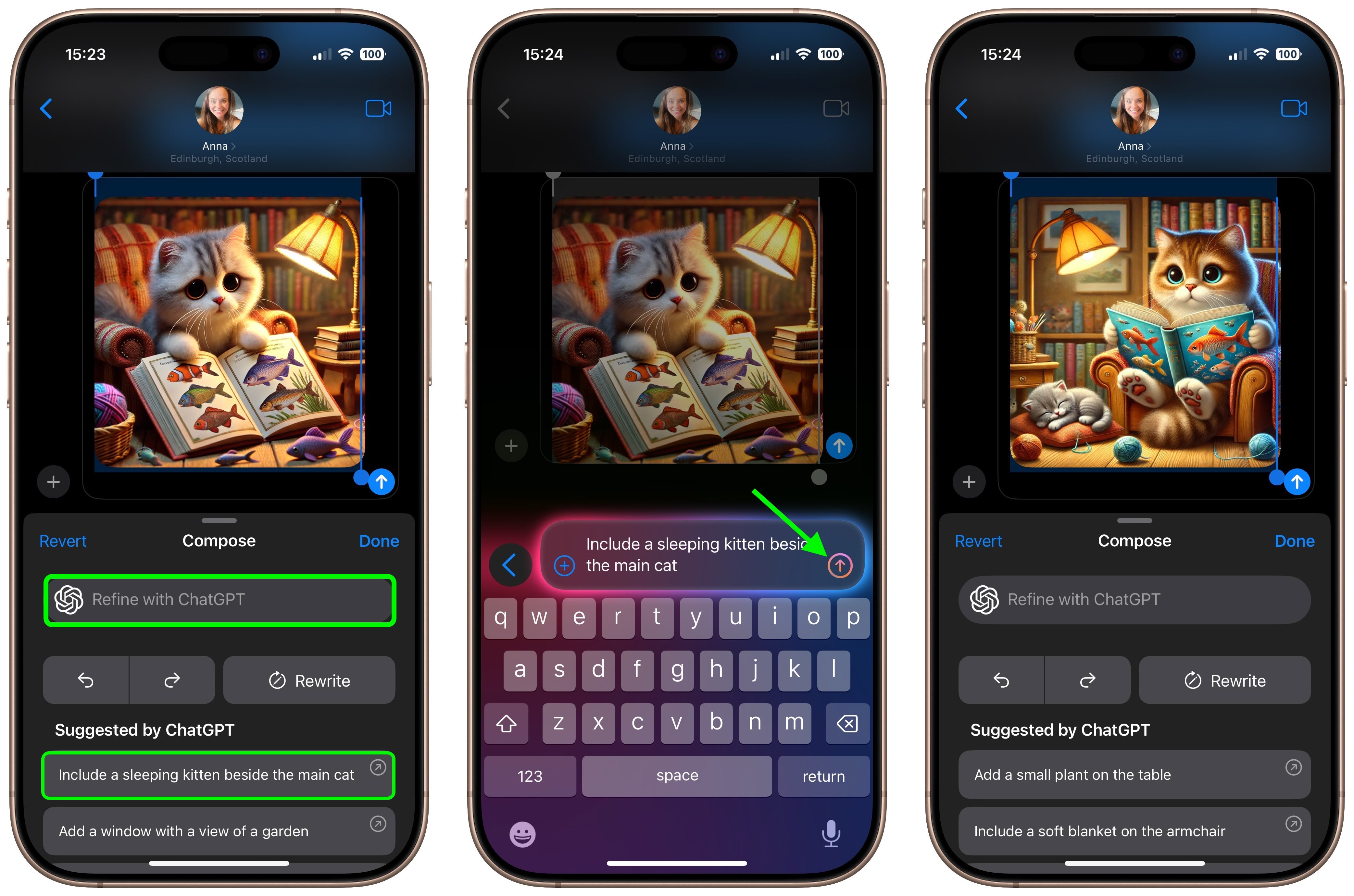
As you can see, the combination of Siri and ChatGPT easily enhances the voice assistant’s capabilities compared to what most iPhone users will be used to. The integration works well even for complex queries involving problem solving, writing assistance, detailed explanations, and step-by-step instructions. For everything you can do with ChatGPT in iOS 18.2 and later, be sure to check out our dedicated guide.
This article, "Generate Images in iPhone's Messages App Using DALL·E" first appeared on MacRumors.com
Discuss this article in our forums