
Missing the familiar Safari design from iOS 18? In iOS 26, currently in beta, Apple has learned from past criticism and made it easy to ditch the new Compact layout

Missing the familiar Safari design from iOS 18? In iOS 26, currently in beta, Apple has learned from past criticism and made it easy to ditch the new Compact layout in favor of the classic tab layouts you may well prefer.
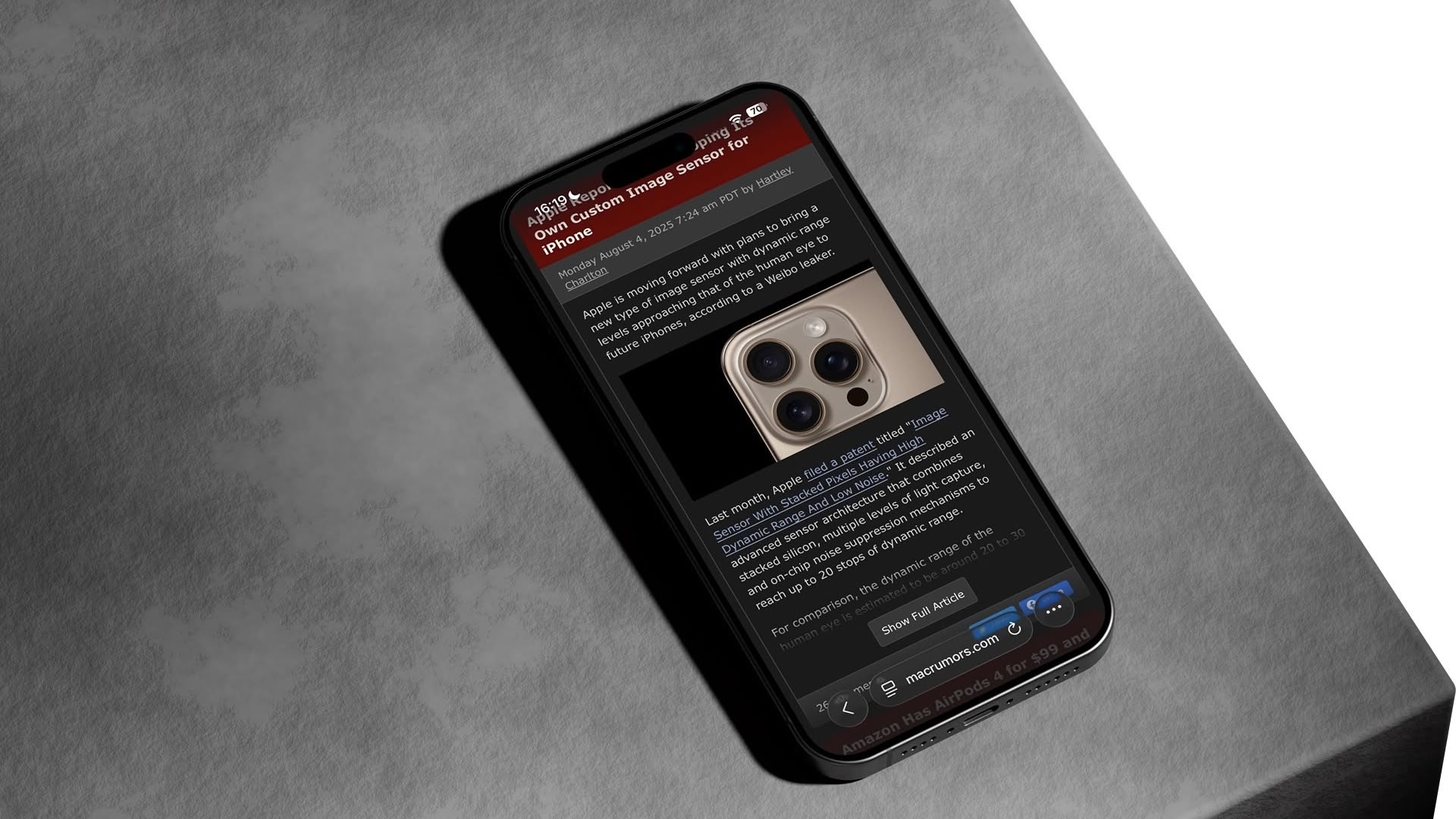


iOS 26 introduces a new “Compact” Safari design as the default, but Apple has included two additional layout options that essentially restore the iOS 18 experience. Here’s how to get your old Safari back in just a few taps.

How to Switch to the iOS 18 Layouts

  1. Open Settings on your iPhone.
  2. Scroll down and tap Apps, then locate and tap Safari in the alphabetical list.
  3. Scroll down to the “Tabs” section.
  4. Select either Bottom or Top instead of Compact.
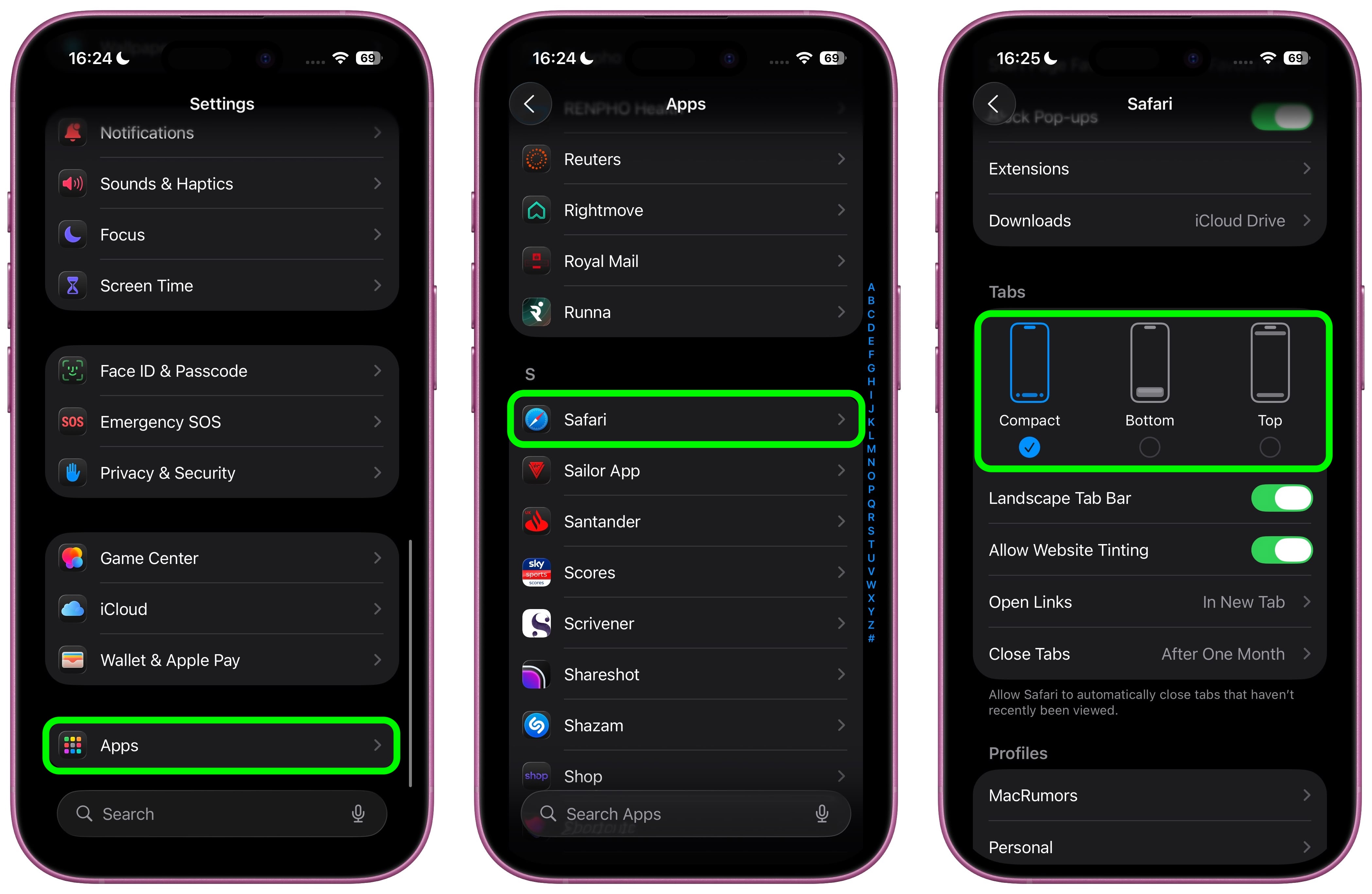
Both the Bottom and Top options function exactly like the Safari tab bar layouts from iOS 18, so you don’t need to relearn how to navigate between tabs or access your bookmarks.

What’s the Difference?

  • Compact Layout (Default): Hides the share, bookmark, and tab settings behind a three-dot button on the right side of the URL bar. It saves screen space but requires an extra tap to access frequently used features.
  • Bottom Layout: Places all Safari controls at the bottom of the screen, making them easily reachable with your thumb during one-handed use.
  • Top Layout: Keeps the traditional desktop-style layout with controls at the top of the browser.
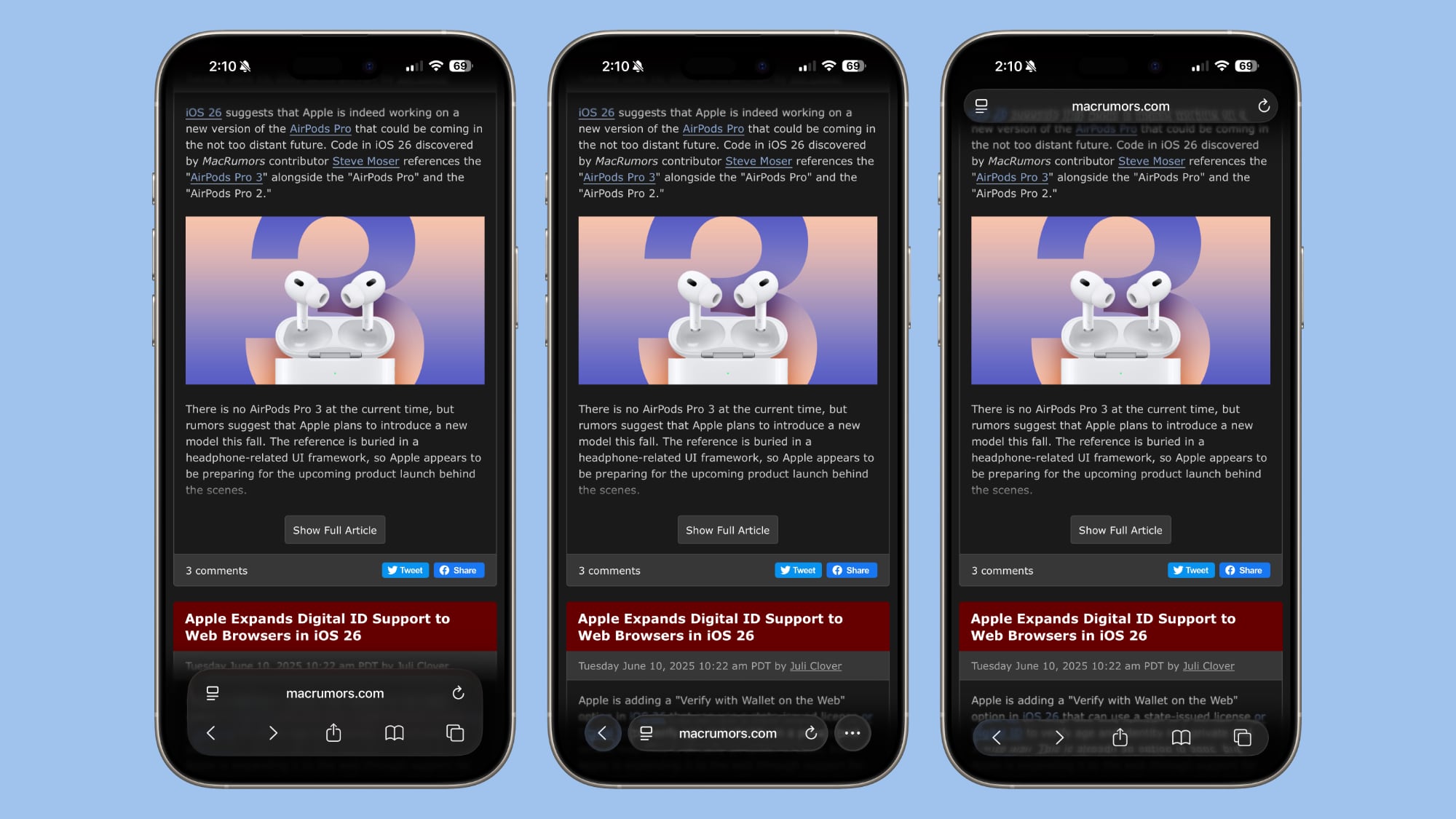
iOS 26’s three Tab options from left to right: Bottom, Compact, Top

All three options now feature Apple’s new Liquid Glass translucent design that blends the URL bar and buttons into the background of whatever webpage you’re viewing. The translucent effect works in both Light and Dark Mode, and auto-adapts to match the webpage’s color scheme.

Apple Learned From Its Mistake

This isn’t the first time Apple has rethought Safari’s design after user feedback. During iOS 15’s beta testing, Apple initially changed Safari’s design without providing layout alternatives and received full-throated negative feedback in return. It ultimately added options to revert to the original design. This time, Apple has gotten ahead of potential complaints by building choice directly into iOS 26, which will see a general release in September 2025.

Tag: Safari

This article, "iOS 26: Restore Safari's Old Layout From iOS 18" first appeared on MacRumors.com

Discuss this article in our forums


You may also be interested in this

Amazon Introduces Big Sal…

Amazon today has a few notable sales from popular brands like Satechi, Jackery, Anker, and Ecovacs. These include discounts on everything from MagSafe-compatible car chargers to portable power stations, Find

Final Cut Pro and Logic f…

Apple has now made Final Cut Pro and Logic Pro available to download to the iPad, with users able to buy a subscription to the video-editing and music apps.Just as

Memorial Day Apple Deals …

Amazon is hosting a big collection of discounts across multiple Apple products this week, including notable deals on AirPods, Apple Watch, iPad, Apple Pencil Pro, and MacBook Air. We're also

iOS 18.2: Everything You …

iOS 18.2 includes the first image generation technologies that are coming to Apple Intelligence, including Image Playground. Image Playground is Apple's dedicated image creation app that can build cartoon-like pictures

Apple Ending Support for …

In a support document published this week, Apple said it will be dropping support for Safari bookmark syncing on iPhones and iPads running iOS 10 or earlier, and on Macs

Apple champions user priv…

Apple’s Safari icon Apple has debuted a new ad – “Flock” – that highlights the robust security features built directly into Safari, Apple’s web browser. While some browsers may leave

Anker Kicks Off Massive B…

Anker today kicked off its big Black Friday sale, which is set to run through December 9. This sale includes notable discounts on portable chargers, USB-C hubs, cables, and more.

Apple’s EU App Stor…

Apple announced an overwhelming number of changes to the app ecosystem in the European Union yesterday, and with the flood of information, there may have been a few details that
X

A whimsical homage to the days in black and white, celebrating the magic of Mac OS. Dress up your blog with retro, chunky-grade pixellated graphics to evoke some serious computer nostalgia. Supports a custom menu, custom header image, custom background, two footer widget areas, and a full-width page template. I updated Stuart Brown's 2011 masterpiece to meet the needs of the times, made it responsive , got dark mode, custom search widget and more.You can download it from tigaman.com, where you can also find more useful code snippets and plugins to get even more out of wordpress.
