
iOS is at the heart of the iPhone experience. It’s the operating system on which everything else sits, while also delivering plenty of features and dedicated apps built by Apple itself.
Every year (usually in September) Apple adds new features to compatible iPhones with an update to iOS, and in the months that follow more features arrive. If you want to know what the latest version of iOS is, or if you’ve ever wondered about when versions came out and what features they brought, we will answer your questions. We also show you how to check which iOS you’re currently using and how to update to the latest iteration.
The latest version of iOS is iOS 26, which brings a brand new look and lots of new features. iOS 26 arrived in September 2025 and subsequent updates to iOS 26 have added new features. As of January 2026 we are at version iOS 26.2.1.
iOS version history: Every iOS and the features it brought
There are significant milestones scattered across the iOS timeline:
Apple
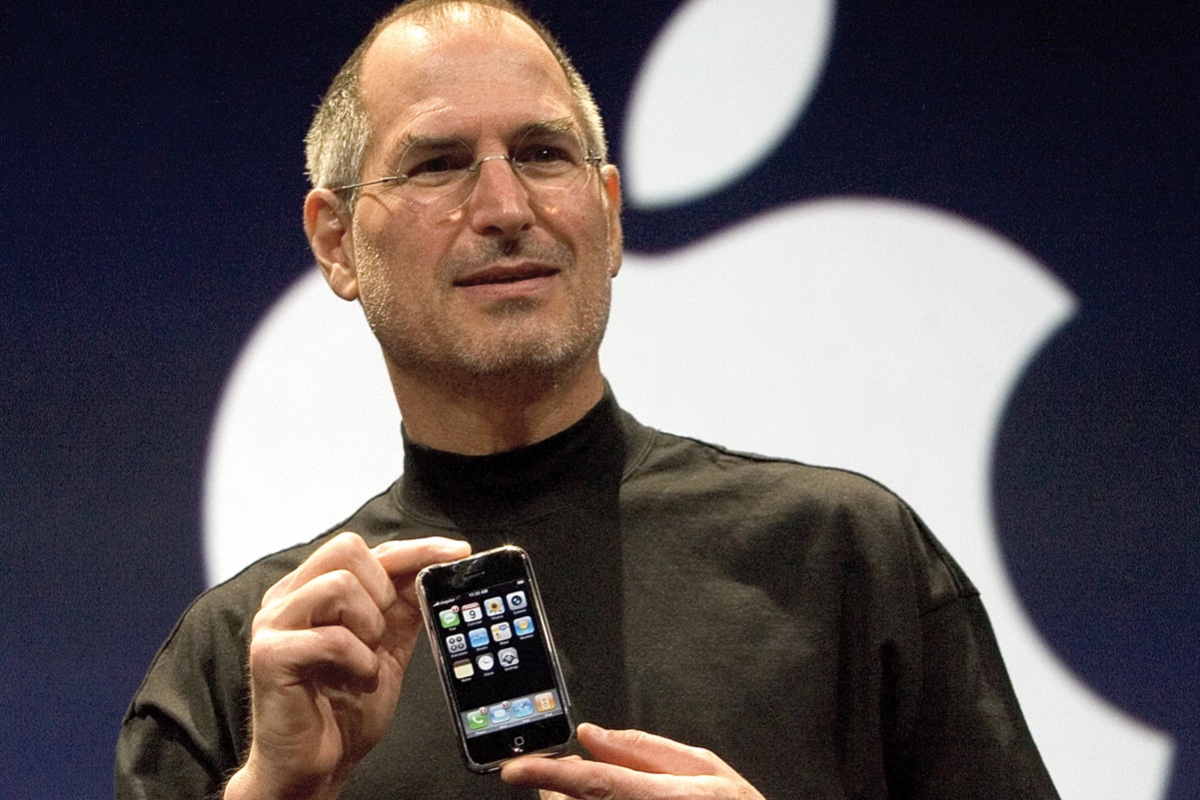
iPhone OS (2007): iOS made its debut in 2007 with the first iPhone. However, when Steve Jobs held the little device aloft revealing it to the world for the first time, it wasn’t running iOS 1. Instead, it was reported by Apple to be powered by OS X, the software for the Mac. Over time it was called iPhone OS, until finally gaining its now legendary name in the fourth generation of the software when it was shortened to iOS in 2010.
iPhone OS 2 (2008): The second major release of the iPhone software was groundbreaking because it brought third party apps and introduced the App Store.
iPhone OS 3 (2009): This update was designed to make it easier to find things, while at the same time adding the ability to have up to 11 pages to the Home Screen. Messages could support MMS, Video recording became possible and it was possible to save voice notes with the Voice Memos app.
iOS 4 (2010): Apple changed the name to iOS and added the ability to put apps in folders for a better organised Home screen with iOS 4. The FaceTime, iBooks and Game Centre apps also arrived. The iPad also joined the scene, sharing the same operating system as the iPhone.
iOS 5 (2011): iOS 5 was introduced along with the iPhone 4S in 2011, which saw the debut of Siri as a built-in part of the operating system. The Notification Centre was introduced and iCloud arrived bringing syncronisation between devices. This was the first time iOS could be installed directly on the iPhone without requiring a computer.
iOS 6 (2012): This is where Apple Maps came onto the scene. Podcasts and Passbook (now Wallet) apps also arrived. iCloud Photo Stream made it easier to share photos with family and friends. iOS 6 was the last with a skeuomorphic design.
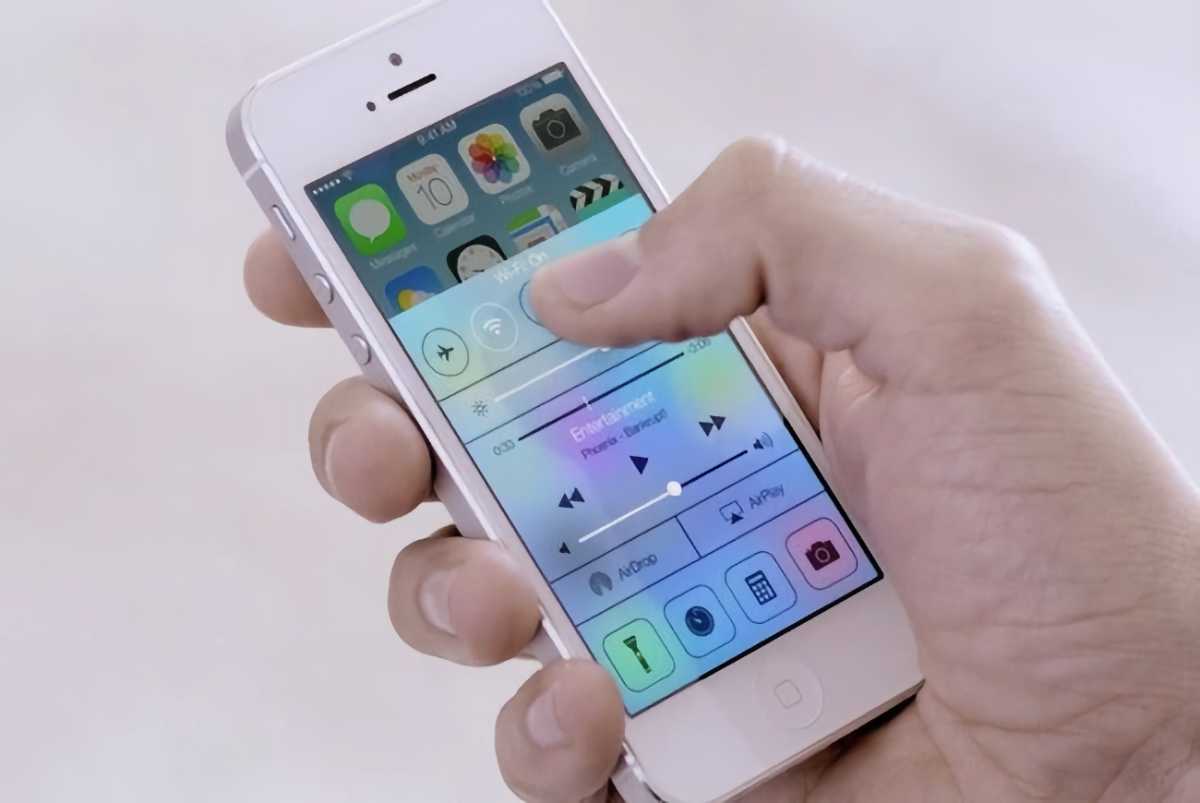
iOS 7 (2013): With iOS 7 iPhone users got a redesigned user interface, which looked a lot more modern with flatter icons. iOS 7 introduced AirDrop and CarPlay.
Apple
iOS 8 (2014): One of the features of iOS 8 was Continuity, which linked the iPhone, iPad and Mac together, so you could “handoff” tasks from one device to another. Family Sharing also arrived making it easier to manage a child’s iPhone.
iOS 9 (2015): iOS 9 improved the Notes app, added Apple News, and featured a new Night Shift mode that removed some of the blue light that can disturb circadian rhythms and stop someone sleeping.
iOS 10 (2016): There were updates to Messages and changes to the Photos app in iOS 10. A new Home app brought HomeKit control. Maps got a redesign. Universal Clipboard meant that users could copy something on a Mac and paste it on an iPhone, for example.
iOS 11 (2017): Things changed significantly in iOS 11 in 2017 as it brought the first touch and gesture interface, allowing the first iPhone without a Home button – the iPhone X. There was a new Files app making it easier to access content synced or saved in iCloud and the Control Centre got a redesign.
iOS 12 (2018): Screen Time, Memoji, Group FaceTime and Siri Shortcuts were new in iOS 12.
iOS 13 (2019): Another major shift came with iOS 13 in 2019, as Apple’s mobile operating system for the iPad split with the iPhone, with iPadOS powering new iPads. Updates to iOS included Dark Mode, new privacy features and the ability to Sign in with Apple and hide your email address. The Photos and Apple Maps apps got a redesign and a swipe-to-type keyboard was added.
iOS 14 (2020): One of the most notable additions was Back Tap, a feature that effectively turned the back of the iPhone into an extra button. Starting with iOS 14.2, music recognition was built directly into the operating system via a Shazam button.
Foundry
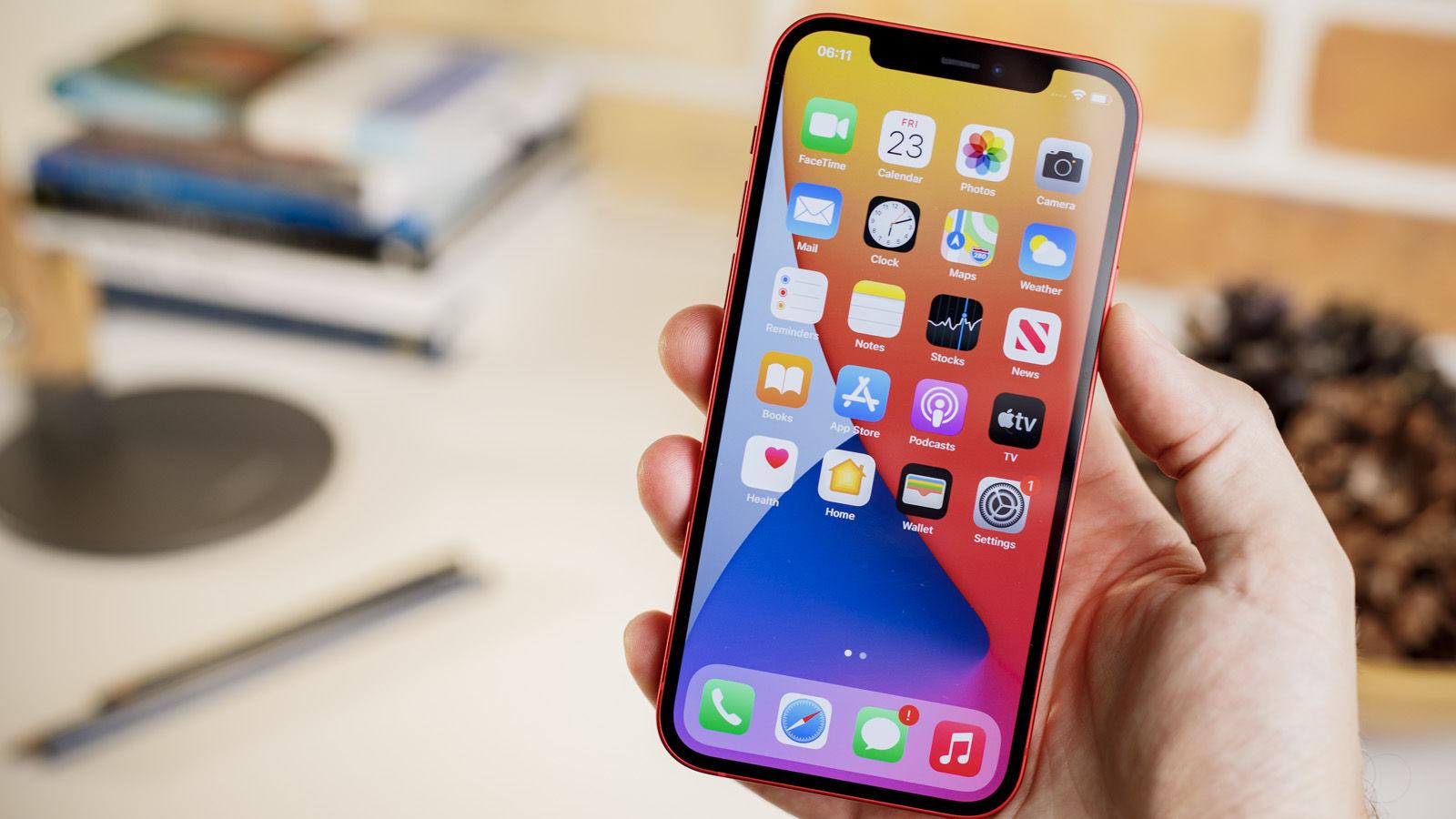
iOS 15 (2021): Focus Mode arrived in iOS 15 to help users manage the onslaught of notifications, Live Text and Visual Look up made it possible to interact with text within photos (Live Text) and use the camera to identify objects like plants and animals. The Safari browser received a major interface update as did Maps and the Weather app.
iOS 16 (2022): One of the most visible changes in iOS 16 was the complete overhaul of the Lock screen, which allowed users to add widgets for the first time to view data at a glance without unlocking their devices. Apple added Rapid Security Responses so that it could deliver important security patches outside of an iOS update.
iOS 17 (2023): NameDrop in iOS 17 made it possible to share information by bringing two iPhones together. Stolen Device Protection added a layer of security by requiring biometric authentication (Face ID or Touch ID) before an Apple ID password could be changed. Live Voicemail meant that iPhone users could get a live transaction of a message.
iOS 18 (2024): The iOS 18 update laid the groundwork for Apple’s subsequent AI initiatives. There was also a complete redesign of the Photos app, a dedicated Passwords app, Control Center Customization and Live Activities (so you could see when your dinner delivery is arriving).
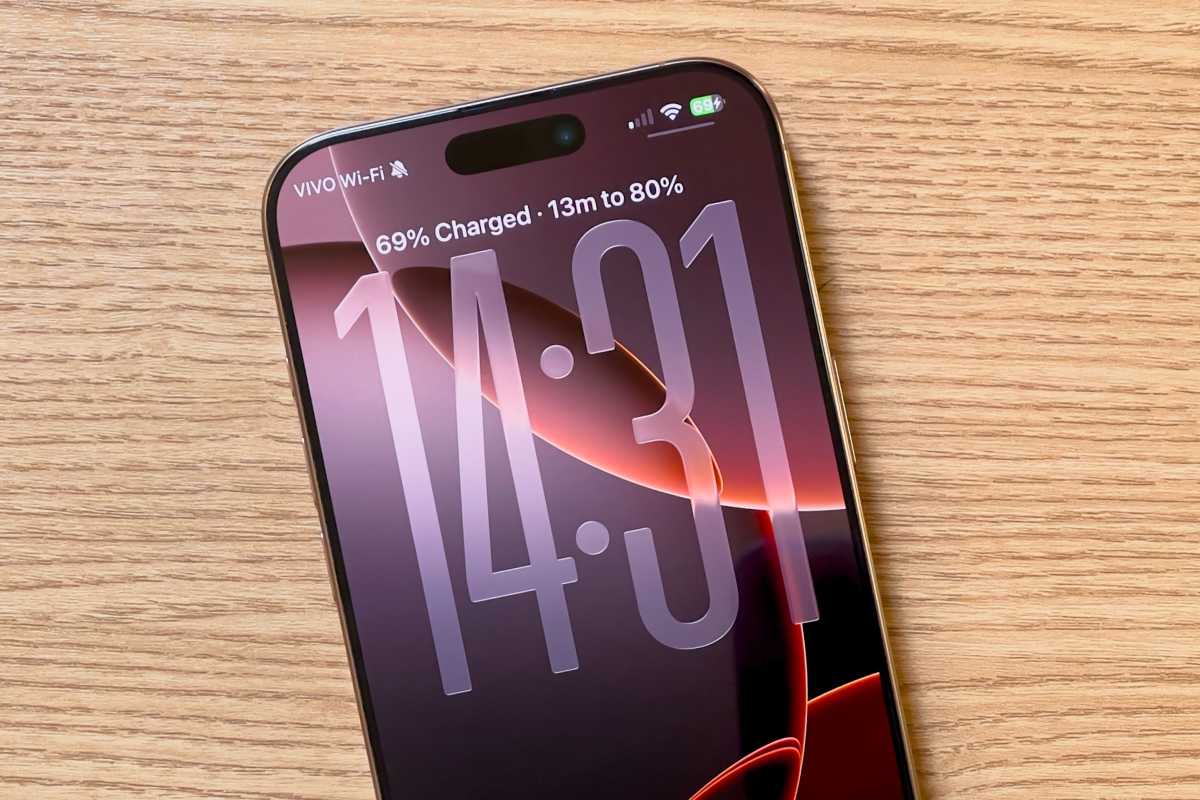
iOS 26 (2025): Rather than progress to iOS 19, Apple has aligned the numbering of all its operating systems according to the year with iOS 26. It wasn’t just a name change though, there was a significant visual and functional overhaul with a Liquid Glass design language. Big changes also came to the Phone app with Call Screening and Hold Assist. Live Transaltions make it easy to communicate with foreign friends and colleagues. The Camera app had a simplifying redesign and a Games app replaced Game Centre.
Foundry
Here’s how the latest two iOS versions compare: iOS 26 vs iOS 18.
List of iOS versions and latest versions
Here’s a breakdown of all the versions of iOS that have been released, when they were released, when they were last updated, and the latest iOS version.
| OS version | Release date | Latest version | Latest update date |
|---|---|---|---|
| iPhone OS 1 | June 29, 2007 | iOS 1.1.5 | July 15, 2008 |
| iPhone OS 2 | July 11, 2008 | iOS 2.2.1 | January 27, 2009 |
| iPhone OS 3 | June 17, 2009 | iOS 3.2.2 | August 11, 2010 |
| iOS 4 | June 22, 2010 | iOS 4.3.5 | July 25, 2011 |
| iOS 5 | October 12, 2011 | iOS 5.1.1 | May 7, 2012 |
| iOS 6 | September 19, 2012 | iOS 6.1.6 | February 21, 2014 |
| iOS 7 | September 18, 2013 | iOS 7.1.2 | June 30, 2014 |
| iOS 8 | September 17, 2014 | iOS 8.4.1 | August 13, 2015 |
| iOS 9 | September 16, 2015 | iOS 9.3.6 | July 22, 2019 |
| iOS 10 | September 13, 2016 | iOS 10.3.4 | July 22, 2019 |
| iOS 11 | September 19, 2017 | iOS 11.4.1 | July 9, 2018 |
| iOS 12 | September 17, 2018 | iOS 12.5.8 | January 26, 2025 |
| iOS 13 | September 19, 2019 | iOS 13.7 | September 1, 2020 |
| iOS 14 | September 17, 2020 | iOS 14.8.1 | October 26, 2021 |
| iOS 15 | September 24, 2021 | iOS 15.8.6 | January 26, 2026 |
| iOS 16 | September 12, 2022 | iOS 16.7.13 | January 26, 2026 |
| iOS 17 | September 18, 2023 | iOS 17.7.2 | November 19, 2024 |
| iOS 18 | September 16, 2024 | iOS 18.7.4 | January 26, 2026 |
| iOS 26 | September 15, 2025 | iOS 26.2.1 | January 26, 2026 |
Which iOS versions are currently supported by Apple?
In terms of new features, only iOS 26 is currently supported by Apple. When Apple introduced iOS 26 stopped development of new features for iOS 18.
The following iPhones support iOS 26:
- iPhone 17 Series – iPhone 17, 17 Pro, 17 Pro Max, iPhone Air (2025)
- iPhone 16 Series – iPhone 16, 16 Plus, 16 Pro, 16 Pro Max, iPhone 16e (2024)
- iPhone 15 Series – iPhone 15, 15 Plus, 15 Pro, 15 Pro Max (2023)
- iPhone 14 Series – iPhone 14, 14 Plus, 14 Pro, 14 Pro Max (2022)
- iPhone 13 Series – iPhone 13, 13 mini, 13 Pro, 13 Pro Max (2021)
- iPhone 12 Series – iPhone 12, 12 mini, 12 Pro, 12 Pro Max (2020)
- iPhone 11 Series – iPhone 11, 11 Pro, 11 Pro Max (2019)
- iPhone SE – iPhone SE (2nd gen, 2020), iPhone SE (3rd gen, 2022)
However, even when it stops development of an old version of iOS, Apple does continue to issue security updates for a little while longer. As we explain in How long does Apple support iPhones? Apple supports some iPhones that can’t run the latest version of iOS with security updates.
For example, in January 2026 the company issued a update to iOS 18 that addressed security flaws. That iOS 18 security patch was only available for iPhones that are unable to update to iOS 26, though, so there is an assumption that Apple wants those who have compatible iPhones to update to iOS 26 in order to get security related support.
A big surprise then came on January 26, 2026 when Apple issued updates to iOS 12, 15, 16 and 18. In that case the updates extended the certificate required by features such as iMessage, FaceTime, and device activation to continue working after January 2027. The iOS 16 update even provides some bug fixes.
These January 2026 updates are available for 2013’s iPhone 5S, and 2014’s iPhone 6 and iPhone 6 Plus.
Luckily, many iPhones are able to run supported versions of iOS. We run through which iPhone supports which version of iOS in a separate article: iOS compatibility: Find out the latest version your iPhone can run. You may also find this at a glance chart useful:
Which iPhone runs which iOS
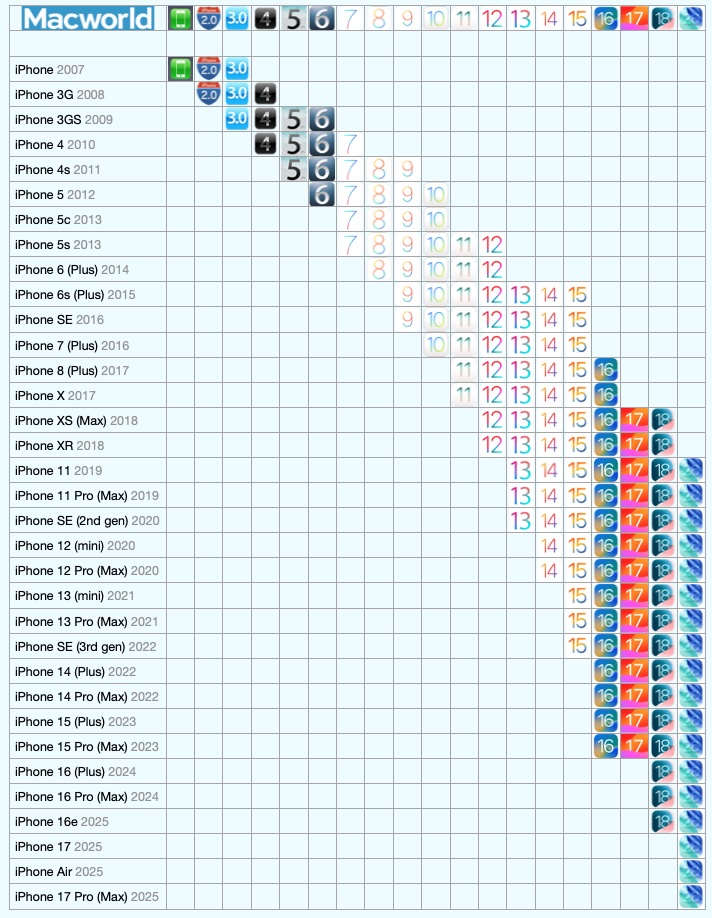
Every version of iOS and the phones supported.
Foundry
So, there it is. A potted history of iOS. Want to know about all the versions of macOS? Read: Mac OS X and macOS: Every version released so far. You can also find out what the latest version of macOS is.

