
01.28.2026
Apple today released Pixelmator Pro for the iPad, complete with a new touch-optimized workspace, full Apple Pencil support, the ability to work between iPad and Mac, and all of the
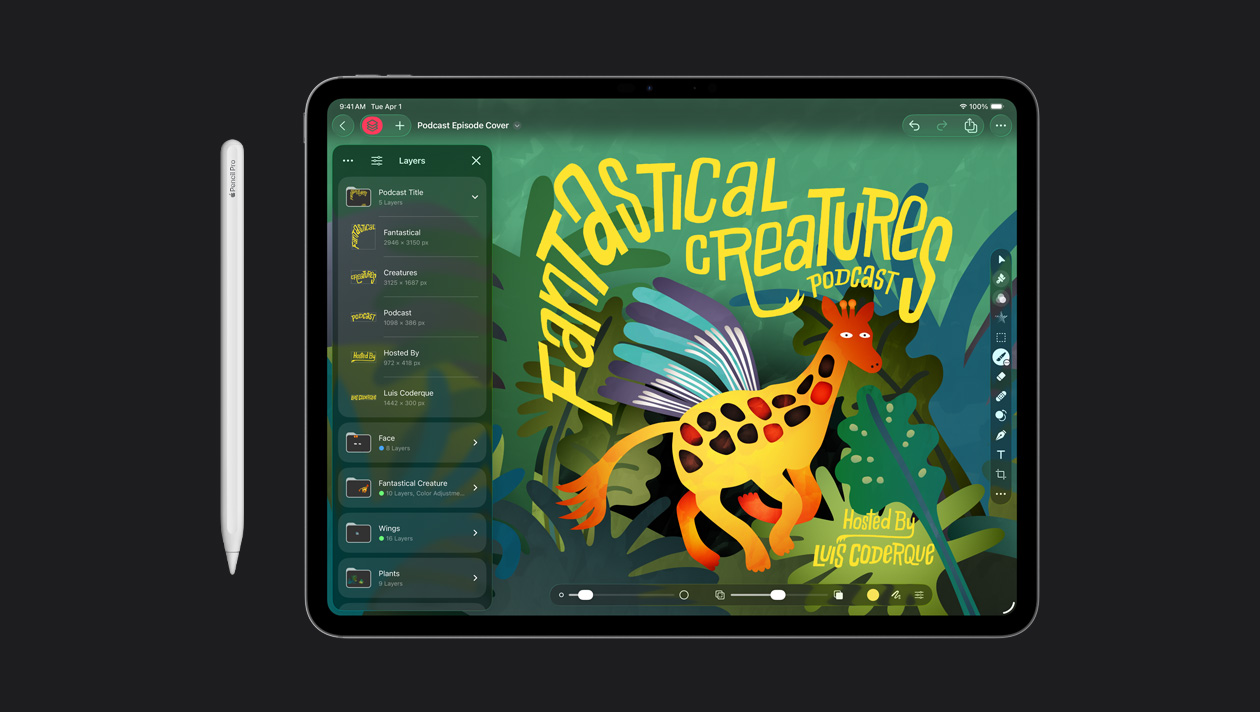
Pixelmator Pro is a popular image editing app that was acquired by Apple last year. There is already a more basic Pixelmator app available for the iPad and iPhone, but Apple says that app is "no longer being updated." To receive new features going forward, iPad users will need to move to the full-fledged Pixelmator Pro app.
Apple says Pixelmator Pro for iPad is compatible with iPad models equipped with the A16, A17 Pro, or M1 chip or later on iPadOS 26 or later.
Here are some of the Pixelmator Pro for iPad features highlighted by Apple:
- A full-featured Layers sidebar allows creators to use images, shapes, text, and video
- Smart selection tools for isolating and editing specific parts of images
- Advanced bitmap and vector masks
- Super Resolution for intelligently upscaling photos
- Deband for removing compression artifacts
- Auto Crop with automatic composition suggestions
- Apple Pencil support for pressure-sensitive brushing, plus hover, squeeze, and double tap
Some new "intelligent features" and "premium content" in Pixelmator Pro will only be available with an Apple Creator Studio subscription. For example, in both the iPad and Mac apps, Apple Creator Studio subscribers have access to a new Warp tool for twisting and shaping image layers. The one-time-purchase Mac app did not receive this feature.
Tags: Apple Creator Studio, Pixelmator
This article, "Pixelmator Pro Launches on iPad With Apple Pencil Support and More" first appeared on MacRumors.com
Discuss this article in our forums
You may also be interested in this
Apple acquires Pixelmator
11.01.2024
The Pixelmator Team on Friday announced they have signed an agreement to be acquired by Apple, subject to regulatory approval. Pixelmator Team: Today we have some important news to
How to get Photoshop for …
06.30.2023
Macworld Apple’s free Mac apps: Photos and Preview can get the basics of editing an image or photograph, but if you want to do anything more advanced you’ll need a
If Apple is worth $3 tril…
07.03.2023
Macworld Welcome to our weekly Apple Breakfast column, which includes all the Apple news you missed last week in a handy bite-sized roundup. We call it Apple Breakfast because we
Pixelmator Pro is Coming …
01.13.2026
Apple today announced that Pixelmator Pro is coming to the iPad, complete with a new touch-optimized workspace, full Apple Pencil support, the ability to work between iPad and Mac, and
Best free photo editing a…
06.30.2023
Macworld Apple includes the free Photos app on all Macs, iPhones and iPads, but this app is primarily intended for organizing your photo collection and only has a limited selection
Photomator Photo Editor N…
05.16.2023
Photomator 3.0 today got its official release on macOS, bringing Pixelmator's iPhone and iPad photo-editing app to MacBooks and Mac desktops for the first time. With an interface that will
Best photo editing softwa…
05.15.2023
Macworld If you’re a professional photographer or designer you need editing software that provides precision and control over your images, as well as support for editing RAW files and multi-layer
Photomator for Mac launch…
05.16.2023
Photomator for Mac is a powerful image-editing app that's just become a more affordable competitor for Photoshop. (via Cult of Mac - Tech and culture through an Apple lens)

