
At a glance
Expert's Rating
Pros
- 8 ports in compact body
- 3x 100W PD 3.0 ports
- Stand included
Cons
- Won’t fast-charge 16-inch MacBook Pro: no 140W PD 3.1 port
- 200W max output may limit
Our Verdict
You won’t find a desktop charger with this number of USB ports and certainly none that we’d trust at a price this competitive. It lacks a 140W PD 3.1 port so isn’t for owners of the 16-inch MacBook Pro, but is fine for 14-inch Pro or MacBook Air users, and of course iPad and iPhone charging.
Price When Reviewed
This value will show the geolocated pricing text for product undefined
Best Pricing Today
Best Prices Today: Ugreen Nexode 200W USB-C 8-Port Desktop Charger

Desktop chargers make tiny wall-based plugs look puny, although there are some wall-charger beasts available, such as the Anker Charger (140W, 4 Port) or Ugreen Nexode 100W USB-C GaN 4-Port Charger. Anything bigger would likely just fall out of the power socket.
While wall chargers are more portable, nothing beats a bruising desktop charger boasting a long array of charging ports connected to a power socket with its own solid cable and plug. Check out the most powerful: the 6-port Ugreen Nexode Desktop Charger behemoth with a maximum output of 500W.
Nothing, that is, aside from a USB-C power extender that adds new AC power sockets into the port mix. Again, Ugreen has our favorite of these: the 100W Power Strip DigiNest Pro that hosts four USB ports and three AC sockets.
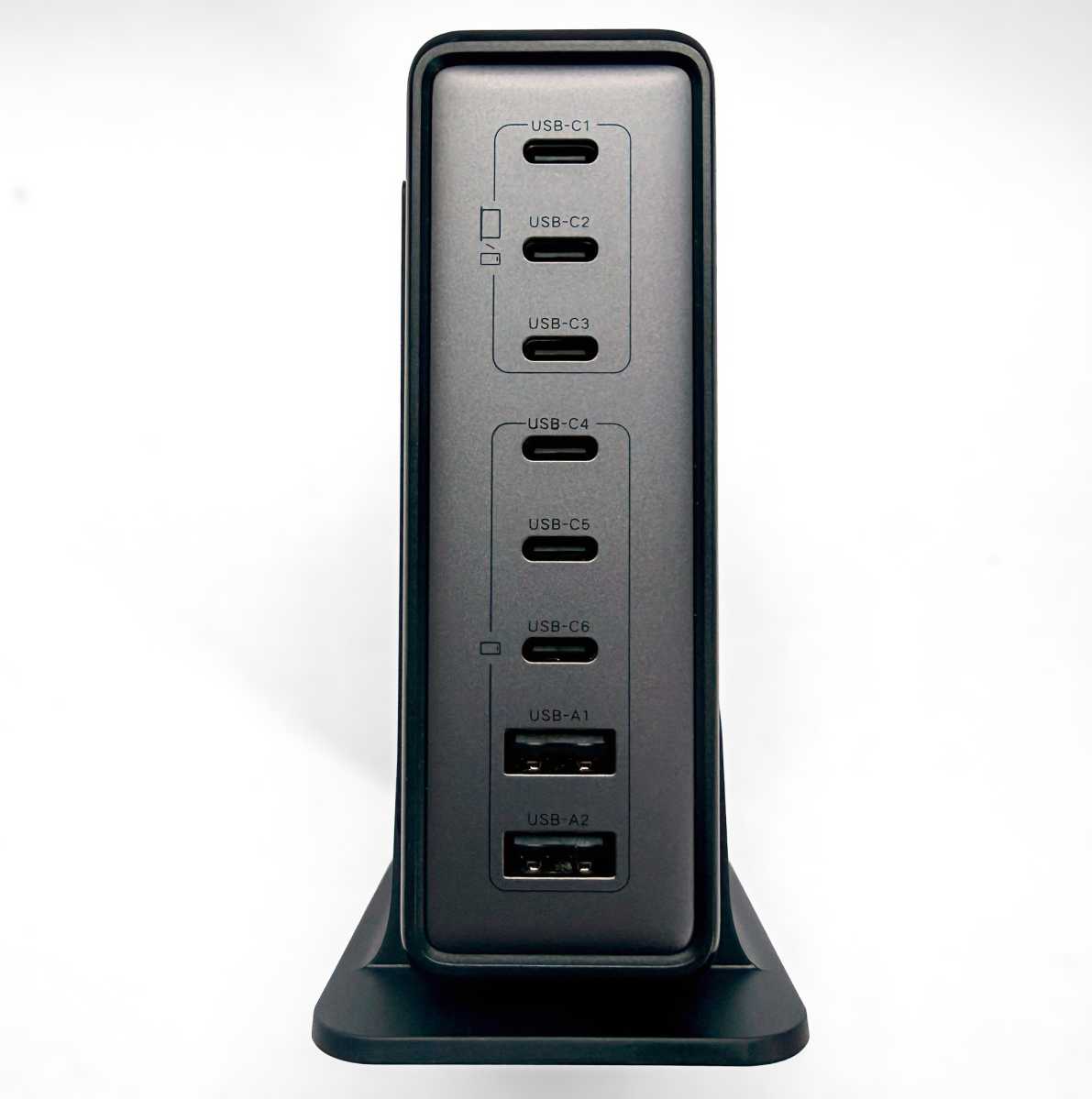
The company has another multi-device charger to satisfy all our desktop power needs, the Nexode 200W GaN USB-C Charging Station that bristles with an incredible eight ports.
Simon Jary
Multiple powers: What you can charge
- 3x USB-C (100W PD 3.0)
- 2x USB-C (30W)
- 2x USB-C (15W)
- 2x USB-A (15W)
Eight is a lot of ports, but we have seen more on a charger. The Plugable PS-10CC has ten, but with a maximum output of 100W, compared to the Ugreen’s 200W. That Plugable charger is a clever so and so, intelligently prioritizing real-time device charging in order of need.
With twice the max output the Ugreen desktop charger can spread its power between ports with maybe less agility but with more force.
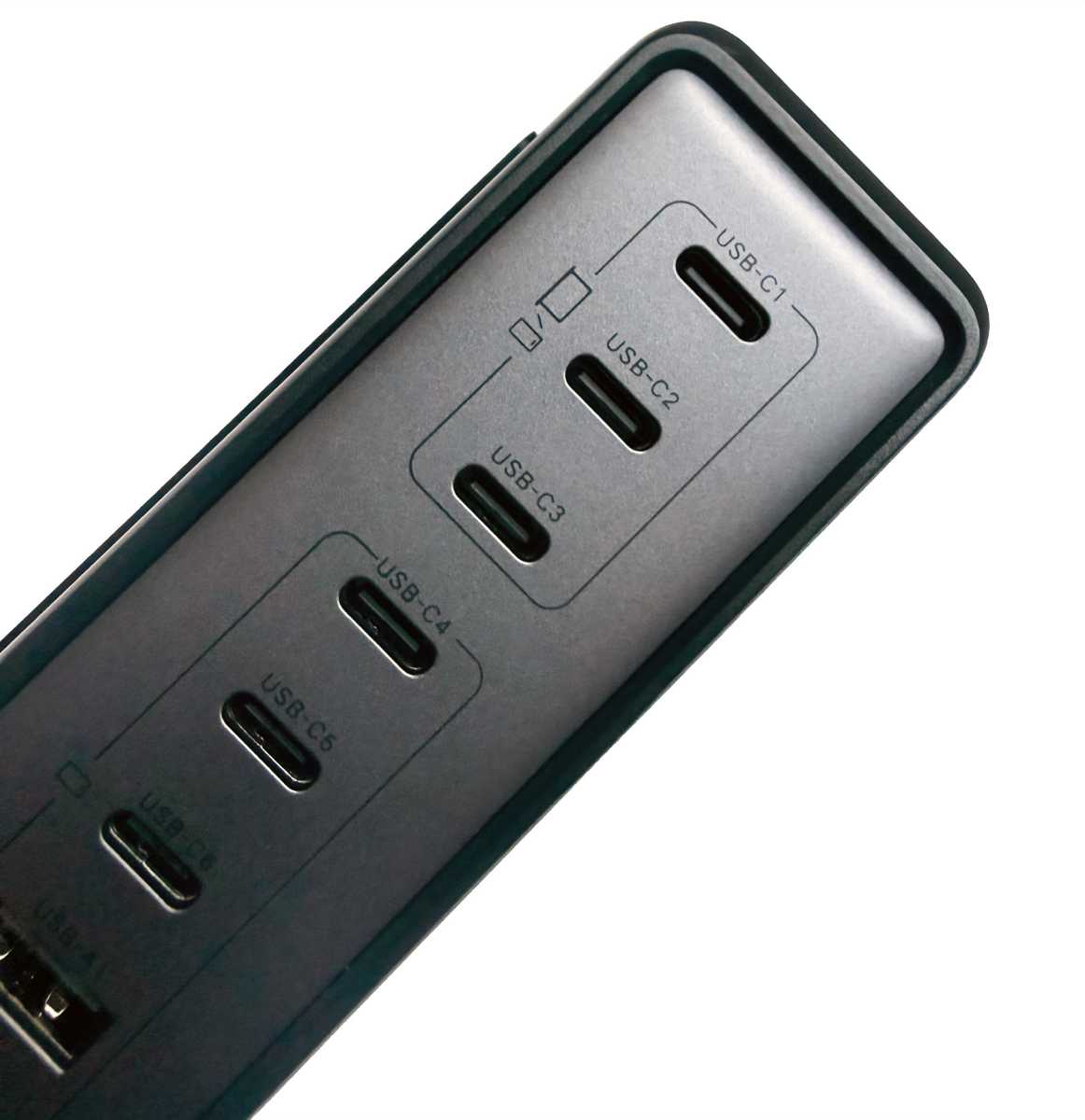
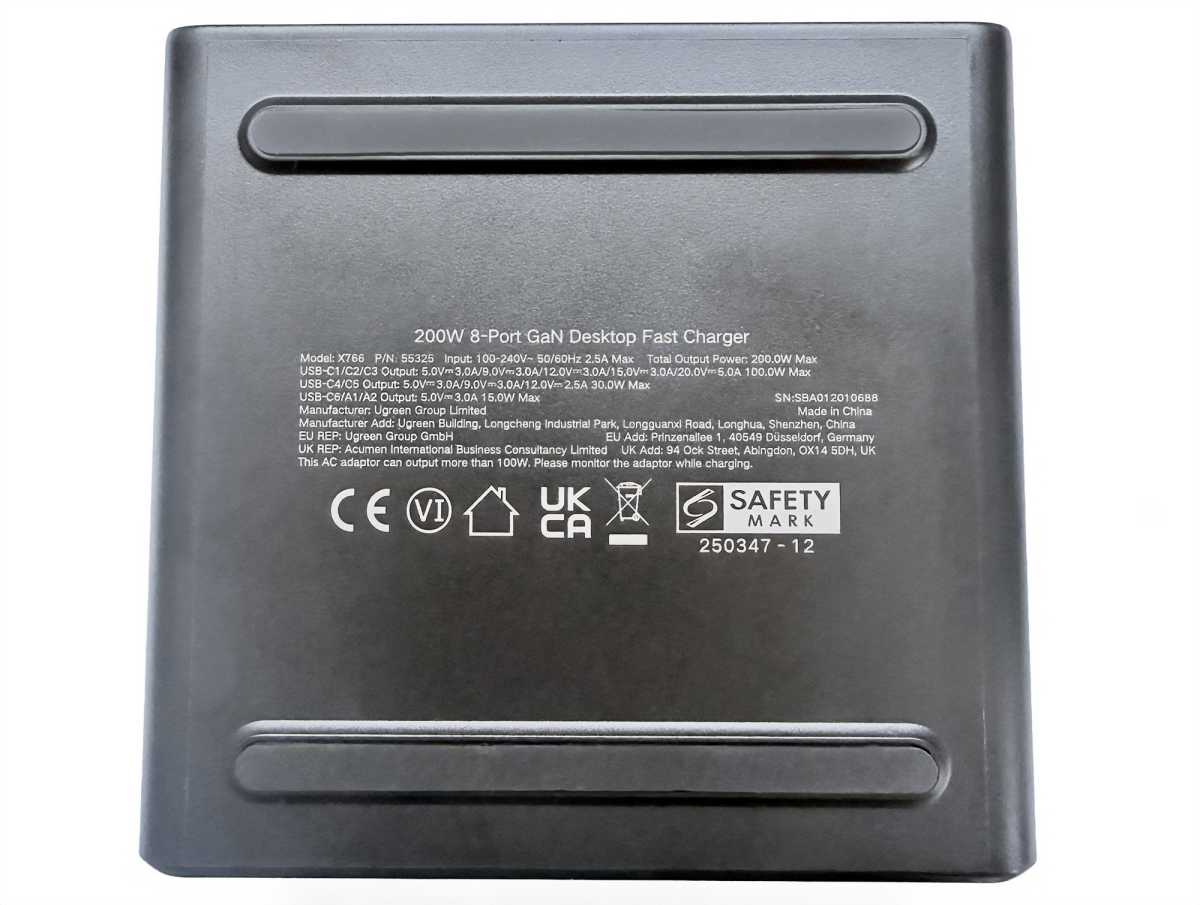
The first three USB-C ports (USB-C-C1, C2 and C3) can each output 100W. USB-C C4 and C5 have a top power rating of 30W each, while USB-C C6 and the two USB-A ports A1 and A2 can individually output 15W.
100W (Power Delivery 3.0) is enough to fast-charge every MacBook except the top-end 16-inch MacBook Pro. That laptop can operate well on a 100W charge but not power up to 100% as quickly as it would with 140W (Power Delivery 3.1) pumping in. If you are going to frequently use a desktop charger with the 16-inch MacBook Pro, we suggest you look for one with a 140W port.
30W is easily enough to fast-charge any iPhone or iPad or keep a MacBook Air going while in use. 15W will charge the iPhone or iPad, although at a more sedate pace than 30W. 15W is more than enough to fast-charge an AirPods case or Apple Watch.
Simon Jary
All eight ports can be used at the same time, but remember that the total output can’t exceed 200W. For more than that, you’ll need a 300W or 500W charger. 200W seems a lot until you try filling all eight ports at the same time. The six-port 500W Ugreen desktop charger is a bit of a misnomer as the first port hogs 240W of power and few desktop-based devices can take that amount of charge—as such, it’s more of a 400W charger in real terms, due to 100W of the 240W realistically not being used or released to the other ports.
With all eight ports in use at the same time you could achieve 65W in C1 and 45W each in C2 and C3, and then C4 and C5 sharing 15W and C6+A1+A2 sharing another 15W. That could be a great combination for one MacBook Pro, two MacBook Airs, an iPad and an iPhone.
If you just need to give power to a couple of MacBooks, use C1 at 100W and C2 at 85W. You could even keep four MacBooks going with 65W+45W+45W+30W. Ugreen lists all the possible configurations in the user manual.
The five-port 300W Ugreen Desktop Charger is the sweet spot for 16-inch MacBook Pro users. That could power configurations such as 140W+100W+60W or 140W+65W+65W+30W.
But if your needs stretch to eight devices, you won’t find more USB ports on a desktop charger.
Simon Jary
Compact design
The benefit of one mega-powered desktop charger is that you no longer need so many power points or individual wall chargers in use at the same time. This reduces desk clutter and eliminates writhing cable snakes slithering off the table to find a power outlet.
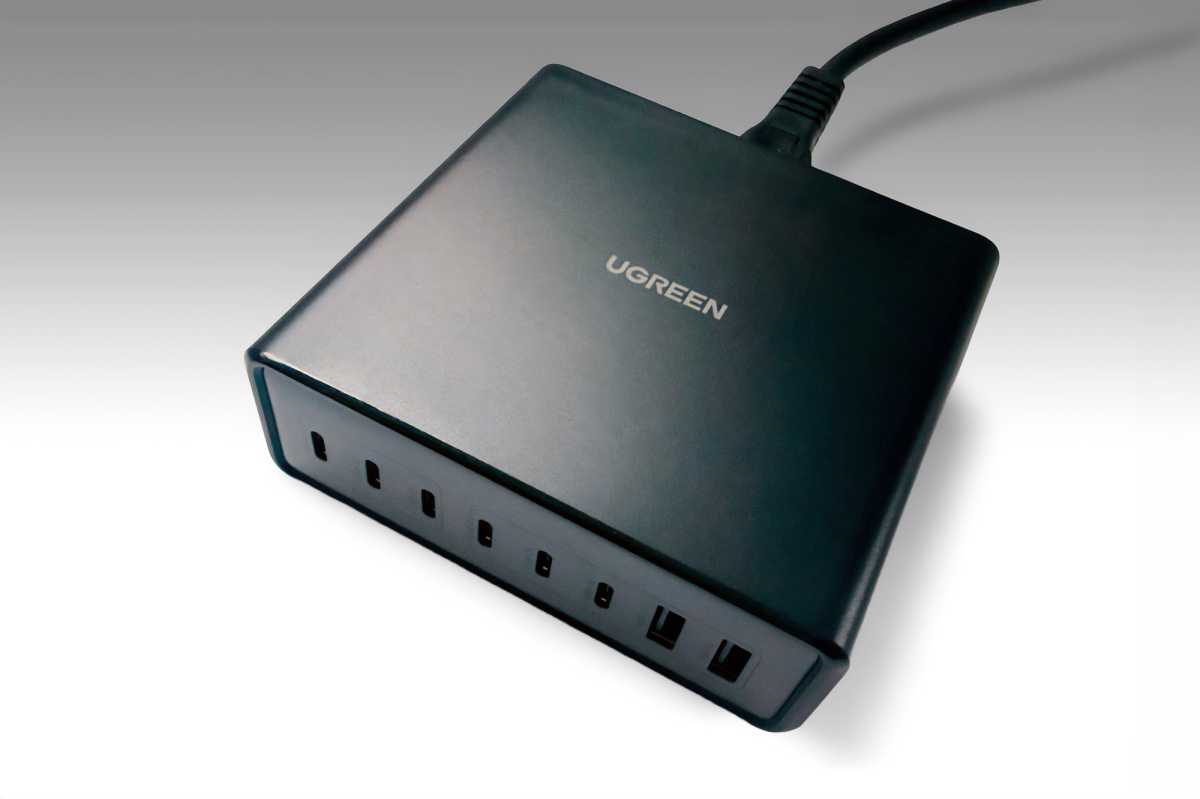
The Nexode 200W itself is more compact than you expect from an eight-port power unit. It measures 4.3 x 4.2 x 1.5 inches (10.9 x 10.6 x 3.8cm) and weighs 1.55lbs (702g). That compares to the Ugreen Nexode 300W Desktop Charger that has dimensions of 4.6 x 3.75 x 2.1 inches (11.6 x 9.5 x 5.3cm) and 1.85lbs (839g).
Simon Jary
You can lie it flat or place it vertically in the included stand. The base has anti-slip feet for added stability.
The power cord is 6.6 feet (2m) long.
There’s no flashy real-time smart display telling you how many watts are being delivered to devices, but you probably don’t need one. If you want a desktop charger with a digital display showing charging status and speed we’d recommend the $169 Anker Prime Charger that also boasts six ports but has a higher max power output of 250W.
Price and competition
The Ugreen Nexode 200W GaN USB C Charging Station is competitively priced at $99.99 in the U.S., £79.99 in the U.K., and €79.99 in the E.U.
It’s half the price of the 5-port Ugreen Nexode 300W Desktop Charger ($199 / £149), and $150 cheaper than the Nexode 500W Desktop Charger ($249 / £219).
If the 200W max configurations work for you, it’s a great deal for eight ports of power. If you need to simultaneously fast-charge three MacBook Pros or own a 16-inch MacBook Pro, look to the 300W model.
Rather than three or four MacBooks, a more likely scenario is a couple of MacBooks, iPads and iPhones plus an Apple Watch and AirPods. This Ugreen charger can cope with that scenario with ease.
The $149.99 Satechi 200W USB-C 6-port PD GaN Charger is the closest alternative (direct / Amazon). It boasts 140W PD 3.1 charging so will appeal to owners of the 16-inch Pro and has the same 200W maximum and six USB-C ports but lacks the Nexode’s two USB-A ports. The Satechi’s two MacBook configuration (100W+100W) compares to the Nexode 200W’s 100W+85W; its three-MacBook configuration (100W+45W+45W) compares to the Ugreen’s 65W+65W+45W, so the Ugreen works best if you have two MacBook Pros and one Air but the Satechi works fine on one Pro and two Airs.
If you don’t need USB-A ports, the Satechi looks the better deal, although it’s priced at half as much again as the Nexode. That’s a lot extra to pay not to have two USB-A ports but certainly worth it if you need the 140W PD 3.1 port.
The $129 Plugable PS-10CC desktop charger has ten USB-C ports and clever priority charging but is limited to just 100W of total simultaneous output.
Check out all our best USB-C charger recommendations.
Should you buy the Ugreen Nexode 200W GaN USB-C Charging Station?
You won’t find a desktop charger with this number of USB ports and certainly none that we’d trust at a price this competitive. The Satechi 200W 6-port PD Charger is its closest rival, but if you don’t need that charger’s 140W port, the Ugreen Nexode 200W represents remarkable value.

