
video released today, Apple has outlined several improvements coming to the Wallet app and Apple Pay with iOS 17. The software update is currently in beta and will be released to the public later this year for the iPhone XS and newer.

A major redesign for the Wallet app that was rumored ahead of WWDC never materialized, with only modest changes made in iOS 17.

Apple Pay order tracking is getting several enhancements, including Apple Maps support, receipts for transactions, the ability to add an order to the Wallet app from an email attachment, and a new "Track with Apple Wallet" button for apps and websites.

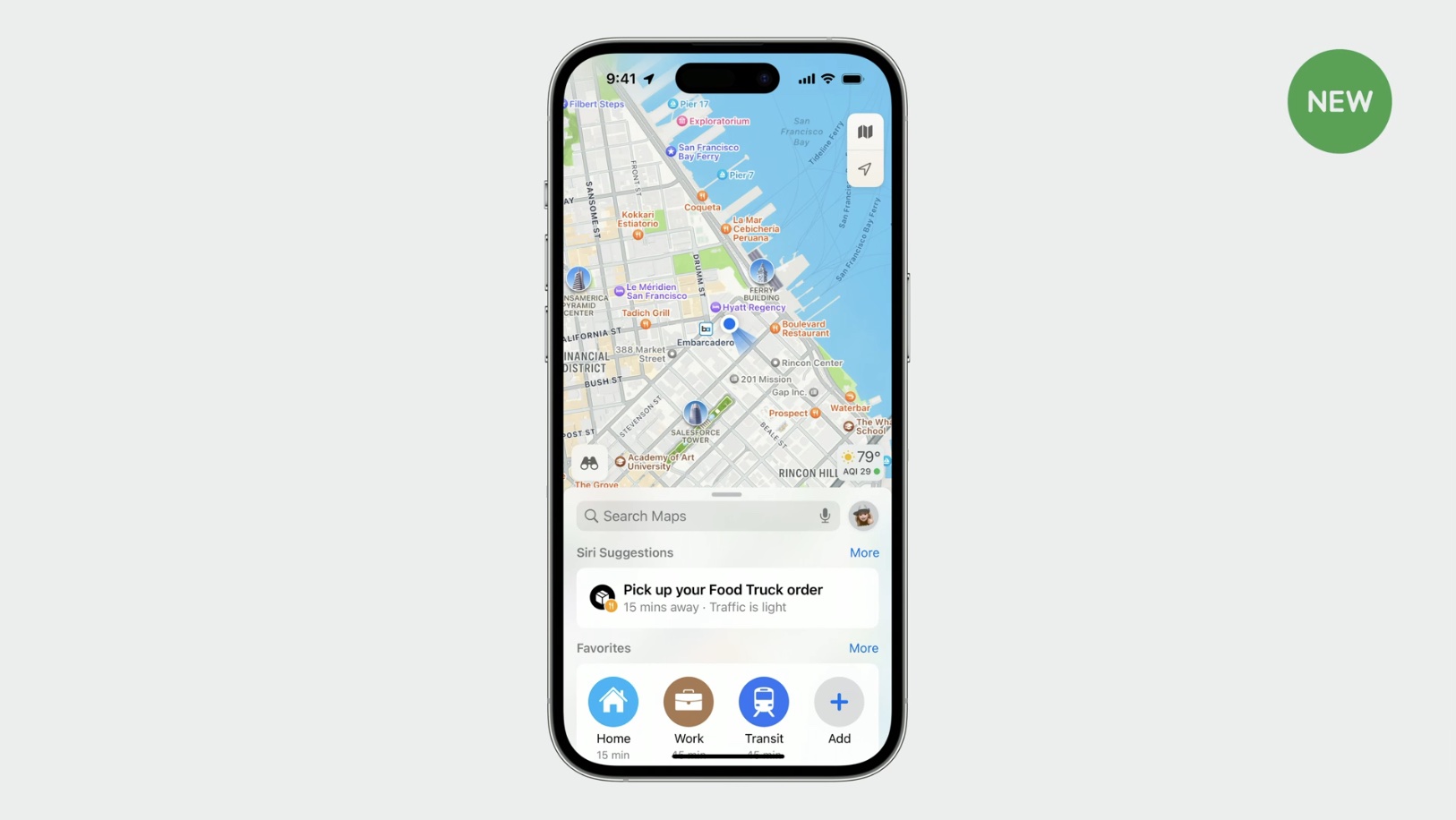
If a user is tracking an Apple Pay order with a specified pickup time and location, the Maps app will now proactively suggest it through Siri Suggestions.

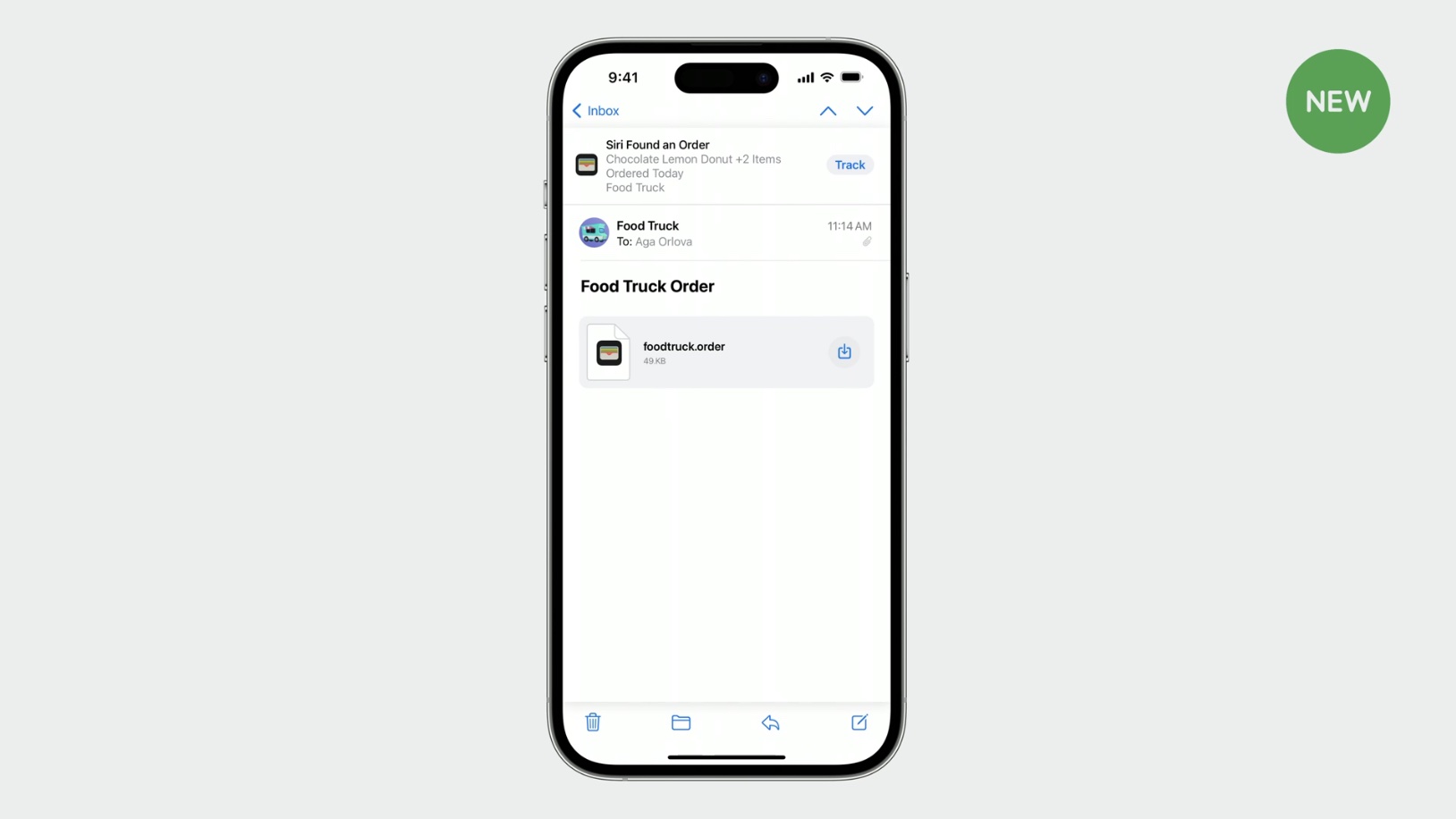
Merchants can now attach a receipt to Apple Pay orders as a PDF or image file, so the customer has a record of payment in the Wallet app. Merchants can also now attach Apple Pay orders to emails, such as the order confirmation email. The customer can then tap on the email attachment in the Mail app and add the order to the Wallet app.

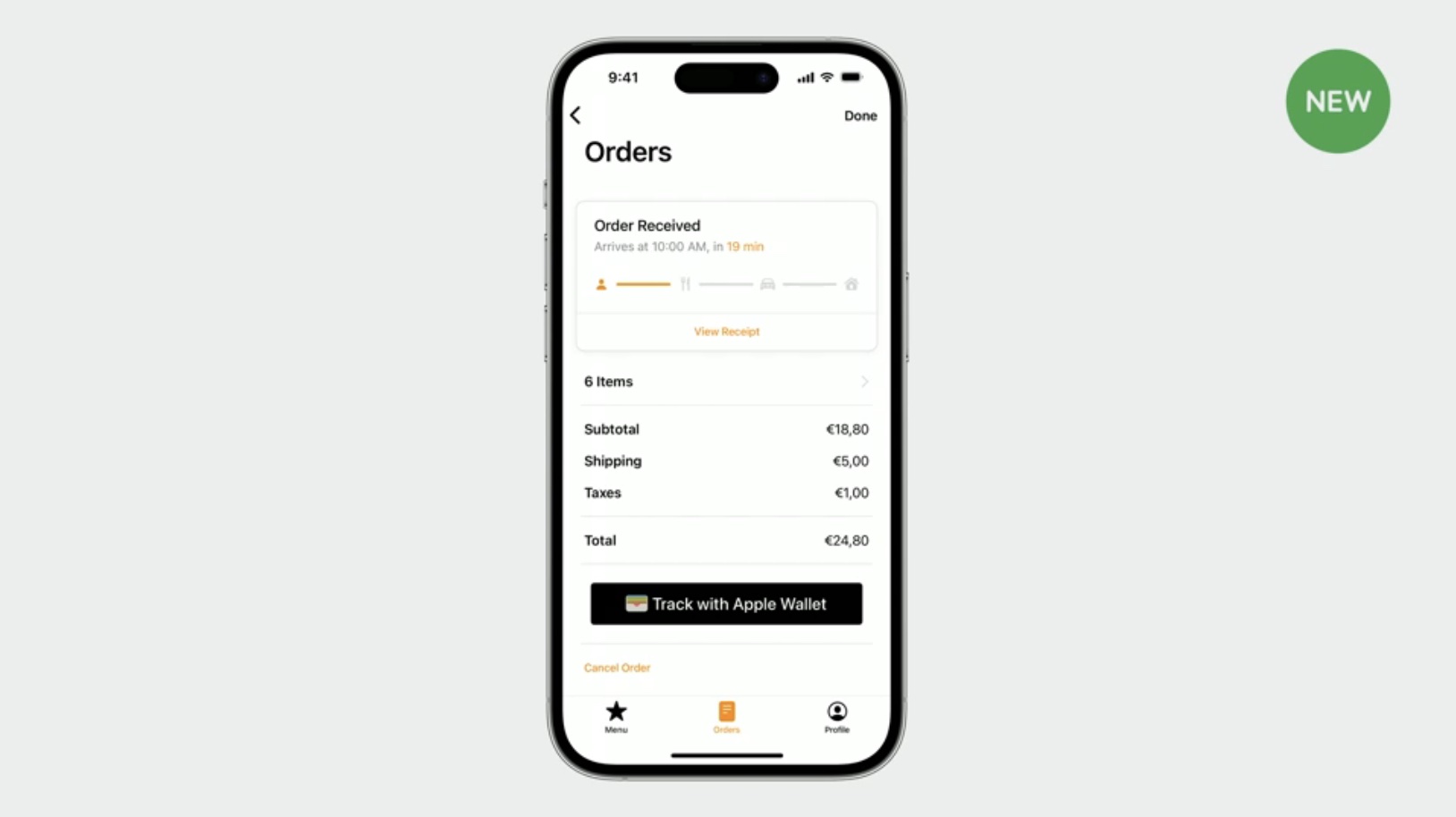
Apple has also introduced a new "Track with Apple Wallet" button that merchants can add within their iPhone apps and websites.


As previously announced by Apple, iPhone users will be able to present a driver's license or ID stored in the Wallet app at participating businesses and venues starting later this year. Users will simply hold their iPhone or Apple Watch near the business's iPhone to verify their age and identity for things like alcohol, rental cars, and more.


Apple calls this feature Tap to Present ID on iPhone and provides more details in its video.
Related Roundups: Apple Pay, iOS 17
Tag: Apple Wallet
Related Forum: Apple Music, Apple Pay/Card, iCloud, Fitness+

This article, "Here's What's New in iOS 17 for Wallet and Apple Pay" first appeared on MacRumors.com

Discuss this article in our forums
video released today, Apple has outlined several improvements coming to the Wallet app and Apple Pay with iOS 17. The software update is currently in beta and will be released to the public later this year for the iPhone XS and newer.


A major redesign for the Wallet app that was rumored ahead of WWDC never materialized, with only modest changes made in iOS 17.

Apple Pay order tracking is getting several enhancements, including Apple Maps support, receipts for transactions, the ability to add an order to the Wallet app from an email attachment, and a new "Track with Apple Wallet" button for apps and websites.

If a user is tracking an Apple Pay order with a specified pickup time and location, the Maps app will now proactively suggest it through Siri Suggestions.


Merchants can now attach a receipt to Apple Pay orders as a PDF or image file, so the customer has a record of payment in the Wallet app. Merchants can also now attach Apple Pay orders to emails, such as the order confirmation email. The customer can then tap on the email attachment in the Mail app and add the order to the Wallet app.


Apple has also introduced a new "Track with Apple Wallet" button that merchants can add within their iPhone apps and websites.


As previously announced by Apple, iPhone users will be able to present a driver's license or ID stored in the Wallet app at participating businesses and venues starting later this year. Users will simply hold their iPhone or Apple Watch near the business's iPhone to verify their age and identity for things like alcohol, rental cars, and more.


Apple calls this feature Tap to Present ID on iPhone and provides more details in its video.
Related Roundups: Apple Pay, iOS 17
Tag: Apple Wallet
Related Forum: Apple Music, Apple Pay/Card, iCloud, Fitness+

This article, "Here's What's New in iOS 17 for Wallet and Apple Pay" first appeared on MacRumors.com

Discuss this article in our forums
video released today, Apple has outlined several improvements coming to the Wallet app and Apple Pay with iOS 17. The software update is currently in beta and will be released to the public later this year for the iPhone XS and newer.


A major redesign for the Wallet app that was rumored ahead of WWDC never materialized, with only modest changes made in iOS 17.

Apple Pay order tracking is getting several enhancements, including Apple Maps support, receipts for transactions, the ability to add an order to the Wallet app from an email attachment, and a new "Track with Apple Wallet" button for apps and websites.

If a user is tracking an Apple Pay order with a specified pickup time and location, the Maps app will now proactively suggest it through Siri Suggestions.


Merchants can now attach a receipt to Apple Pay orders as a PDF or image file, so the customer has a record of payment in the Wallet app. Merchants can also now attach Apple Pay orders to emails, such as the order confirmation email. The customer can then tap on the email attachment in the Mail app and add the order to the Wallet app.


Apple has also introduced a new "Track with Apple Wallet" button that merchants can add within their iPhone apps and websites.


As previously announced by Apple, iPhone users will be able to present a driver's license or ID stored in the Wallet app at participating businesses and venues starting later this year. Users will simply hold their iPhone or Apple Watch near the business's iPhone to verify their age and identity for things like alcohol, rental cars, and more.


Apple calls this feature Tap to Present ID on iPhone and provides more details in its video.
Related Roundups: Apple Pay, iOS 17

This article, "Here's What's New in iOS 17 for Wallet and Apple Pay" first appeared on MacRumors.com

Discuss this article in our forums
video released today, Apple has outlined several improvements coming to the Wallet app and Apple Pay with iOS 17. The software update is currently in beta and will be released to the public later this year for the iPhone XS and newer.


A major redesign for the Wallet app that was rumored ahead of WWDC never materialized, with only modest changes made in iOS 17.

Apple Pay order tracking is getting several enhancements, including Apple Maps support, receipts for transactions, the ability to add an order to the Wallet app from an email attachment, and a new "Track with Apple Wallet" button for apps and websites.

If a user is tracking an Apple Pay order with a specified pickup time and location, the Maps app will now proactively suggest it through Siri Suggestions.


Merchants can now attach a receipt to Apple Pay orders as a PDF or image file, so the customer has a record of payment in the Wallet app. Merchants can also now attach Apple Pay orders to emails, such as the order confirmation email. The customer can then tap on the email attachment in the Mail app and add the order to the Wallet app.


Apple has also introduced a new "Track with Apple Wallet" button that merchants can add within their iPhone apps and websites.


As previously announced by Apple, iPhone users will be able to present a driver's license or ID stored in the Wallet app at participating businesses and venues starting later this year. Users will simply hold their iPhone or Apple Watch near the business's iPhone to verify their age and identity for things like alcohol, rental cars, and more.


Apple calls this feature Tap to Present ID on iPhone and provides more details in its video.
Related Roundups: Apple Pay, iOS 17

This article, "Here's What's New in iOS 17 for Wallet and Apple Pay" first appeared on MacRumors.com

Discuss this article in our forums
In a video released today, Apple has outlined several improvements coming to the Wallet app and Apple Pay with iOS 17. The software update is currently in beta and will

In a video released today, Apple has outlined several improvements coming to the Wallet app and Apple Pay with iOS 17. The software update is currently in beta and will be released to the public later this year for the iPhone XS and newer.


A major redesign for the Wallet app that was rumored ahead of WWDC never materialized, with only modest changes made in iOS 17.

Apple Pay order tracking is getting several enhancements, including Apple Maps support, receipts for transactions, the ability to add an order to the Wallet app from an email attachment, and a new “Track with Apple Wallet” button for apps and websites.

If a user is tracking an Apple Pay order with a specified pickup time and location, the Maps app will now proactively suggest it through Siri Suggestions.


Merchants can now attach a receipt to Apple Pay orders as a PDF or image file, so the customer has a record of payment in the Wallet app. Merchants can also now attach Apple Pay orders to emails, such as the order confirmation email. The customer can then tap on the email attachment in the Mail app and add the order to the Wallet app.


Apple has also introduced a new “Track with Apple Wallet” button that merchants can add within their iPhone apps and websites.


As previously announced by Apple, iPhone users will be able to present a driver’s license or ID stored in the Wallet app at participating businesses and venues starting later this year. Users will simply hold their iPhone or Apple Watch near the business’s iPhone to verify their age and identity for things like alcohol, rental cars, and more.
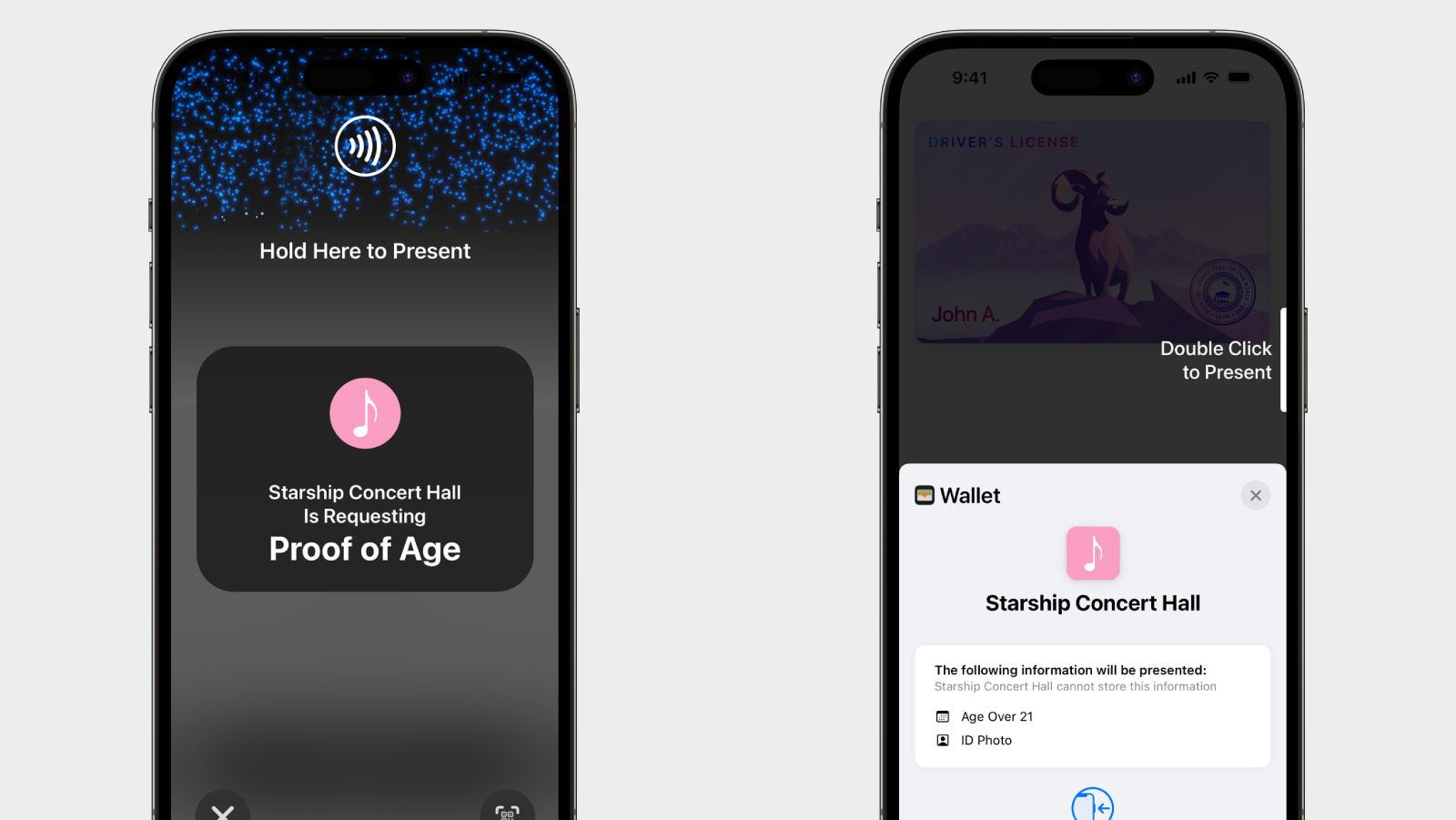


Apple calls this feature Tap to Present ID on iPhone and provides more details in its video.

Related Roundups: Apple Pay, iOS 17

This article, "Here's What's New in iOS 17 for Wallet and Apple Pay" first appeared on MacRumors.com

Discuss this article in our forums


You may also be interested in this

Apple reveals iPadOS 17 w…

Apple has shared what features are coming to iPadOS 17 in the fall, with a newly customizable Lock Screen, interactive Home Screen widgets, and more.iPadOS 17The WWDC keynote is underway,

Get an M1 Pro or M1 Max M…

Limited M1 Pro and M1 Max MacBook Pro models are still in stock, with deals knocking up to $1,300 off entry-level and loaded configurations.Save up to $1,300 on MacBook Pros.If

iOS 17 brings offline nav…

Once iOS 17 lands later this year, you can download Apple Maps for offline use on your iPhone and enjoy turn-by-turn navigation. (via Cult of Mac - Tech and culture

Once again, you’ll have t…

Macworld Welcome to our weekly Apple Breakfast column, which includes all the Apple news you missed last week in a handy bite-sized roundup. We call it Apple Breakfast because we

Apple issues fourth devel…

Following the third round of beta releases, Apple has recently introduced the fourth developer betas for watchOS 9.6 and tvOS 16.6.Developers can access a new beta of watchOS 9.6Developers enrolled

Here’s why the iPhone 17 …

Macworld We’re less than two months away from the official launch of the next-generation iPhones. If the rumors are true, there won’t be any drastic changes coming to this year’s

These are the best CarPla…

Updated to include Domino’s Pizza, News+, InRoute, Instapaper, LINE, Microsoft Teams, Panera Bread, Plexamp, VLC, and Weather on the Way. CarPlay is Apple’s feature that brings communication and entertainment functions to

Google releases affordabl…

At its annual I/O conference on Wednesday, Google unveiled several new items including the Pixel 7a that has some of the same features of the Pixel 7 while introducing new
X

A whimsical homage to the days in black and white, celebrating the magic of Mac OS. Dress up your blog with retro, chunky-grade pixellated graphics to evoke some serious computer nostalgia. Supports a custom menu, custom header image, custom background, two footer widget areas, and a full-width page template. I updated Stuart Brown's 2011 masterpiece to meet the needs of the times, made it responsive , got dark mode, custom search widget and more.You can download it from tigaman.com, where you can also find more useful code snippets and plugins to get even more out of wordpress.
