
With the advent of iOS 17 this coming fall, Apple Music is getting a handful of notable new features that should make using the Music app and the Apple Music streaming service in general a more immersive and enjoyable experience. Below, we run through all the changes and improvements that you can expect to arrive when iOS 17 is released later this year.

1. Collaborative Playlists
Perhaps one of the most requested features coming to Apple Music this year, Collaborative Playlists will give subscribers the ability to invite friends to add and edit songs in a shared playlist. Rival streaming services like Spotify have had similar features for a while now, so it’s good to see that Apple has finally read the room.
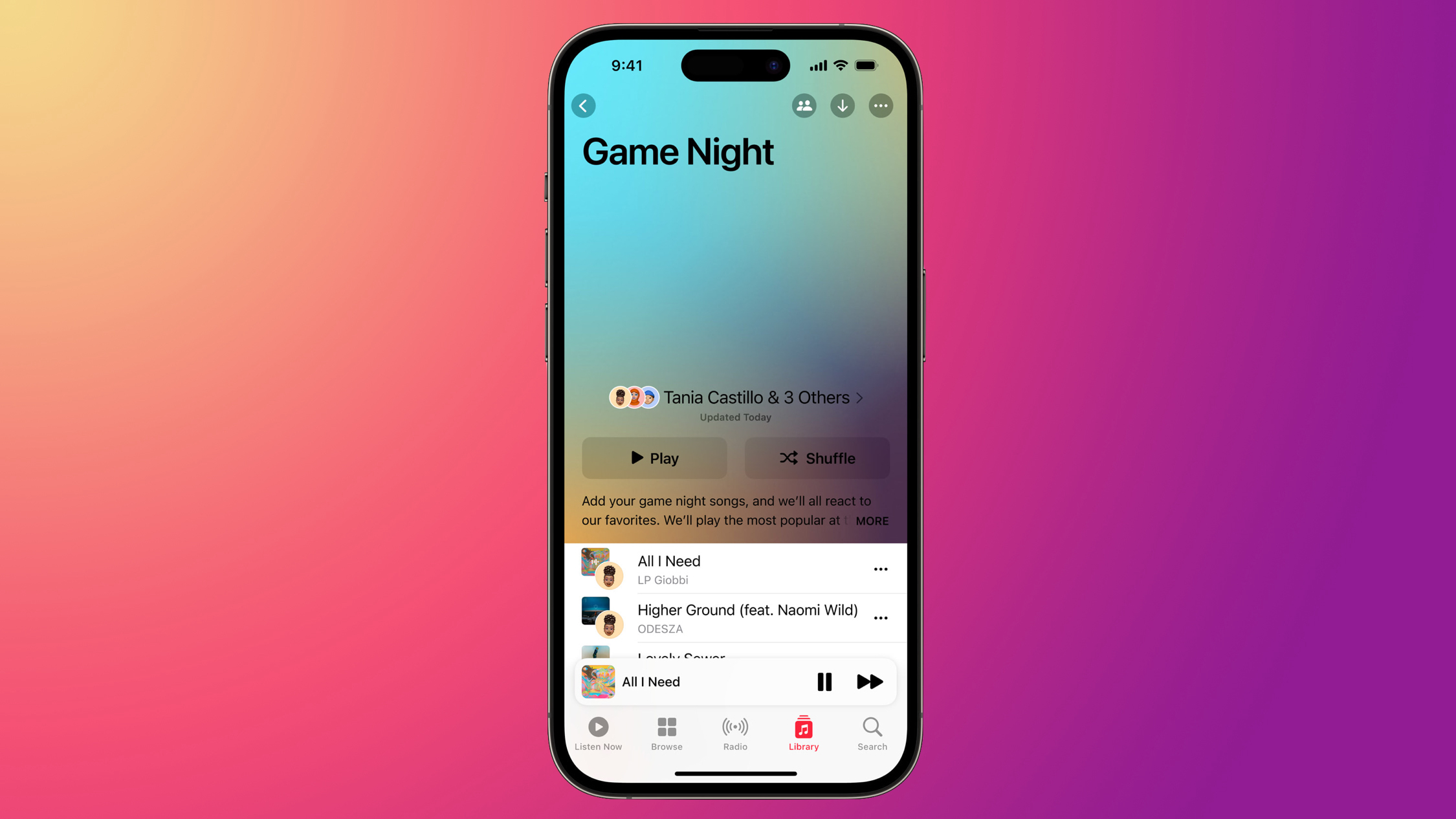
When a person adds a song to a Collaborative Playlist, their profile picture appears beside the track. People invited to the playlist will also be able to react to their favorite songs using emoji.
Apple says Collaborative Playlists will be available in an update later this year, so this feature may not be included when iOS 17 is released in the fall.
2. Crossfade
Another feature that rival music streaming services have had for some time is crossfade, and now it’s coming to Apple Music. That’s right – soon you’ll be able to smoothly transition between songs so the music never stops.
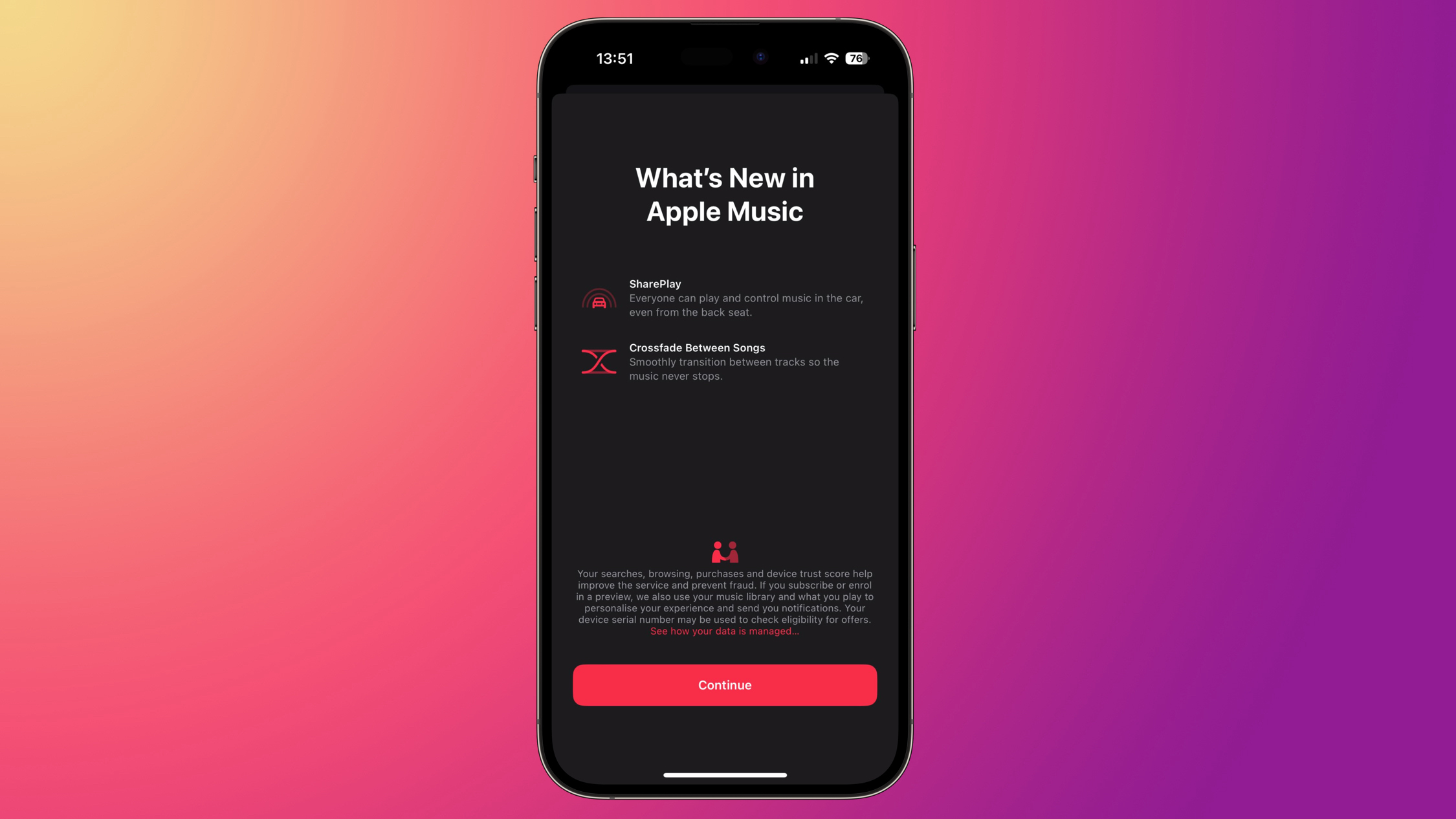
If you’re running the first iOS 17 developer beta, don’t try to enable Crossfade in Settings -> Music just yet – it invariably crashes the app. Apple clearly needs more time to iron out the creases in this feature.
3. SharePlay for CarPlay
In iOS 17, when you’re playing music via CarPlay, there’s a new SharePlay option that lets you play from an iPhone other than the one that’s connected to the car.
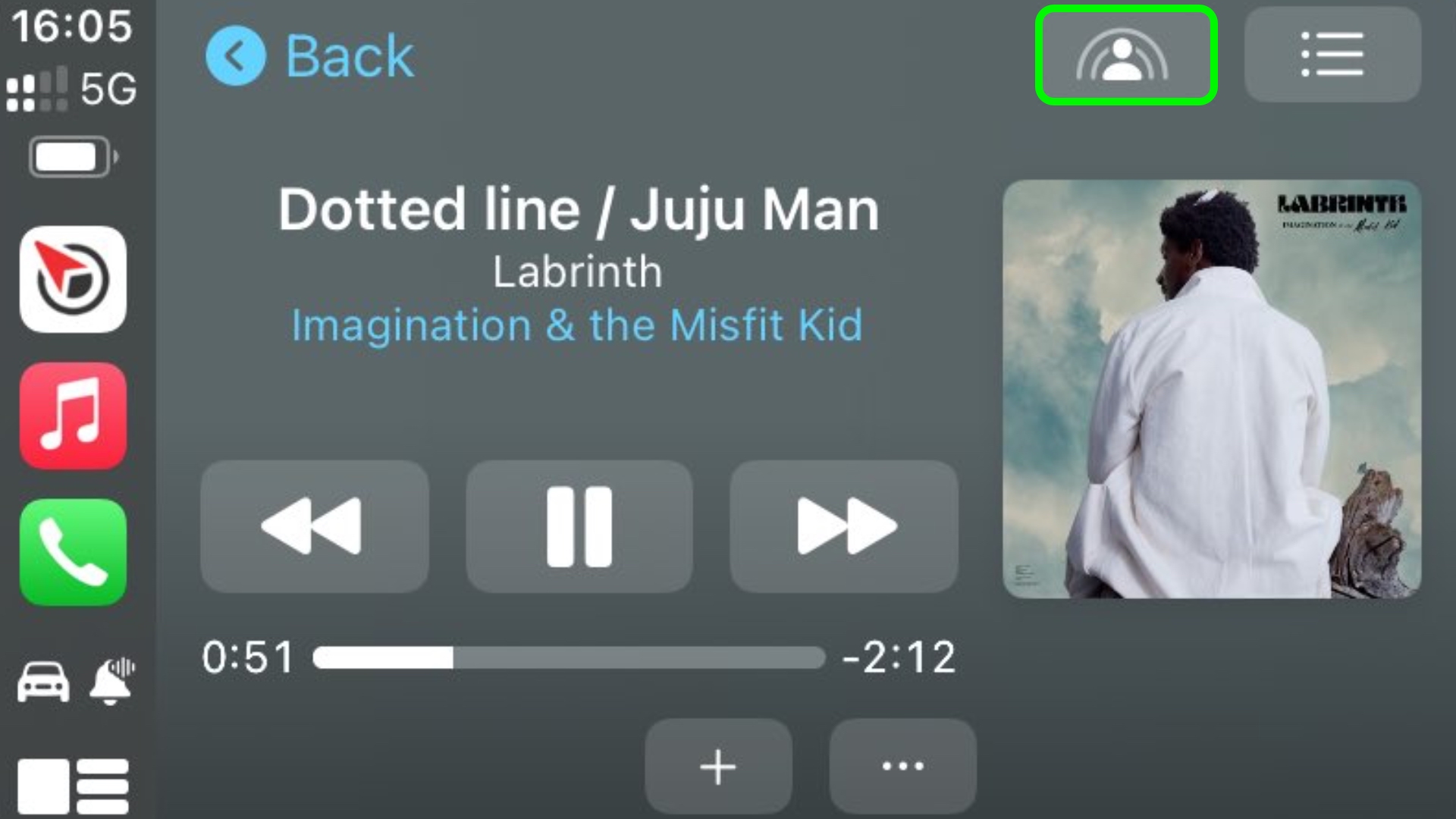
By accepting a notification or scanning a QR code, soon even passengers in the back seat will be able to play their favorite music and contribute to what’s playing.
4. Camera Support for Karaoke
If you’ve not used Apple Music Sing before, the feature basically uses the app’s built-in follow-along lyrics, while also adding a toggle to turn down the vocals of a song to replace them with your own.

In iOS 17, you’ll also be able to watch yourself perform your favorite hits at your own karaoke party. That’s because Apple Music Sing is getting support for Continuity Camera, which lets you wirelessly pair your iPhone or iPad with a Mac or Apple TV 4K and use it as a camera.
5. Redesigned UI
The Apple Music app user interface is receiving some nice quality of life improvements and design tweaks. The music player now features full-screen animated artwork on supported albums, allowing them to seamlessly blend into the media playback controls at the bottom.
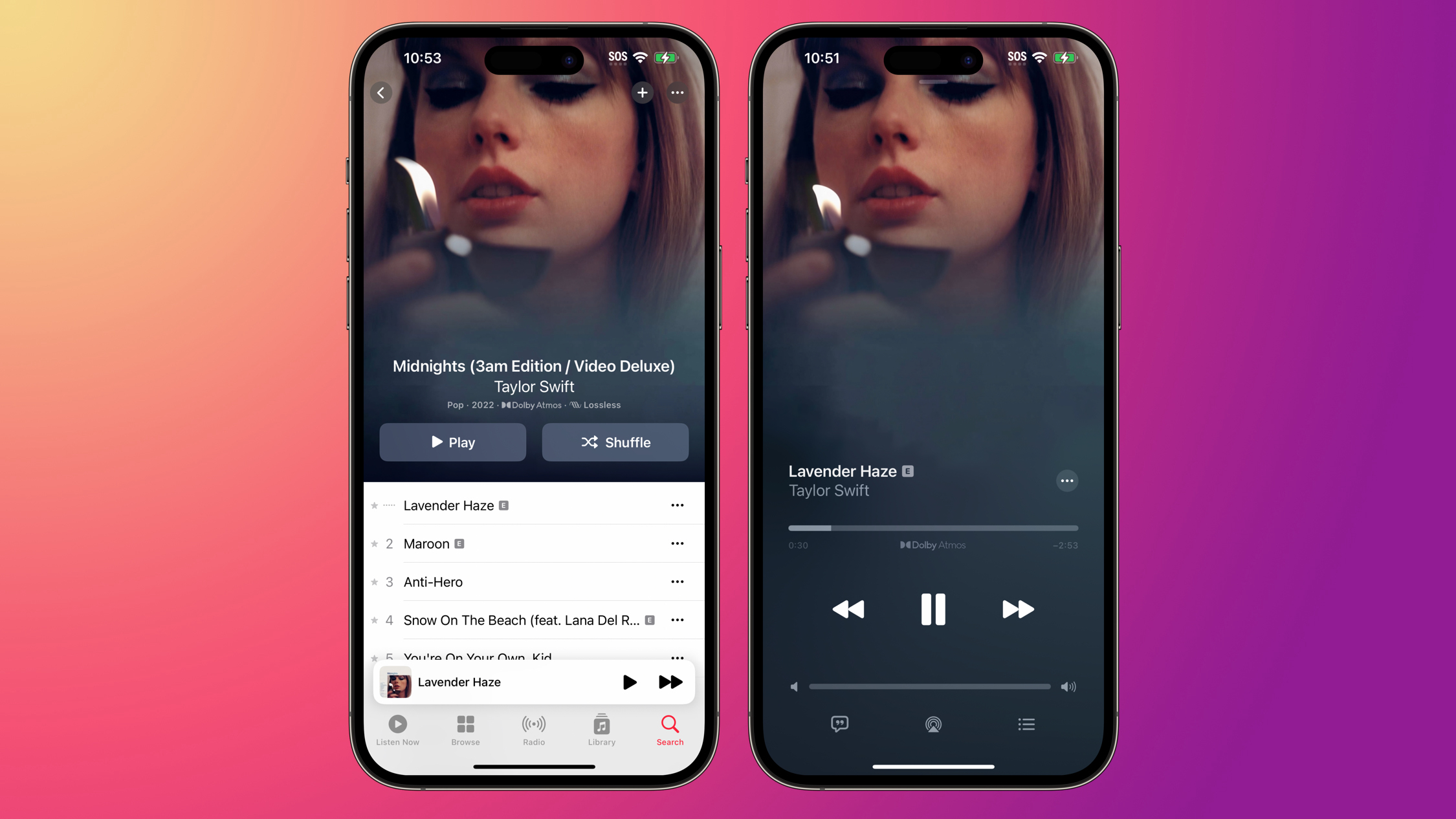
In addition, when you minimize the music player, it takes on a depth effect that makes it appear as though it’s hovering over the rest of the interface as you navigate through the app. Lastly, Apple is making non-synced lyrics easier to read by adopting a larger and more legible font.
Want to try the new Apple Music features for yourself? If you can’t wait for the official release – and you have a spare iPhone that isn’t your daily driver – the iOS 17 beta is now available to download on iPhones for free.
This article, "5 New Apple Music Features Coming This Year" first appeared on MacRumors.com
Discuss this article in our forums

