
Apple Vision Pro headset's visionOS operating system includes a feature called "Visual Search," which sounds like it is similar to the Visual Lookup feature on the iPhone and the iPad.


With Visual Search, users can use the Vision Pro headset to get information about an item, detect and interact with text in the world around them, copy and paste printed text from the real world into apps, translate text between 17 different languages, and more.

Real world text that includes contact information, webpages, and unit conversions and similar information can be acted upon in ‌visionOS‌. So, for example, if a printed handout has a website link in it, you can scan the link with the Vision Pro, opening up a Safari window to view the website. Or, if a recipe calls for grams and you need ounces, you can convert using the headset.

Real-time text translation will also be useful for traveling and other instances when you might want to quickly translate what you're seeing in the real world. The ‌Apple Vision Pro‌ headset will be able to automatically detect text and documents, similar to how the ‌iPhone‌ can detect text in photos and allow it to be interacted with.

The Visual Search function was found in ‌visionOS‌ by Steve Moser. ‌visionOS‌ can be accessed through the latest Xcode beta at the moment, as Apple released the first version of the software earlier today.
Related Roundups: Apple Vision Pro, visionOS
Related Forum: Apple Vision Pro

This article, "Apple Vision Pro 'Visual Search' Feature Can Identify Items, Copy Printed Text, Translate and More" first appeared on MacRumors.com

Discuss this article in our forums
Apple Vision Pro headset's visionOS operating system includes a feature called "Visual Search," which sounds like it is similar to the Visual Lookup feature on the iPhone and the iPad.


With Visual Search, users can use the Vision Pro headset to get information about an item, detect and interact with text in the world around them, copy and paste printed text from the real world into apps, translate text between 17 different languages, and more.

Real world text that includes contact information, webpages, and unit conversions and similar information can be acted upon in ‌visionOS‌. So, for example, if a printed handout has a website link in it, you can scan the link with the Vision Pro, opening up a Safari window to view the website. Or, if a recipe calls for grams and you need ounces, you can convert using the headset.

Real-time text translation will also be useful for traveling and other instances when you might want to quickly translate what you're seeing in the real world. The ‌Apple Vision Pro‌ headset will be able to automatically detect text and documents, similar to how the ‌iPhone‌ can detect text in photos and allow it to be interacted with.

The Visual Search function was found in ‌visionOS‌ by Steve Moser. ‌visionOS‌ can be accessed through the latest Xcode beta at the moment, as Apple released the first version of the software earlier today.
Related Roundups: Apple Vision Pro, visionOS
Related Forum: Apple Vision Pro

This article, "Apple Vision Pro 'Visual Search' Feature Can Identify Items, Copy Printed Text, Translate and More" first appeared on MacRumors.com

Discuss this article in our forums
Apple Vision Pro headset's visionOS operating system includes a feature called "Visual Search," which sounds like it is similar to the Visual Lookup feature on the iPhone and the iPad.


With Visual Search, users can use the Vision Pro headset to get information about an item, detect and interact with text in the world around them, copy and paste printed text from the real world into apps, translate text between 17 different languages, and more.

Real world text that includes contact information, webpages, and unit conversions and similar information can be acted upon in ‌visionOS‌. So, for example, if a printed handout has a website link in it, you can scan the link with the Vision Pro, opening up a Safari window to view the website. Or, if a recipe calls for grams and you need ounces, you can convert using the headset.

Real-time text translation will also be useful for traveling and other instances when you might want to quickly translate what you're seeing in the real world. The ‌Apple Vision Pro‌ headset will be able to automatically detect text and documents, similar to how the ‌iPhone‌ can detect text in photos and allow it to be interacted with.

The Visual Search function was found in ‌visionOS‌ by Steve Moser. ‌visionOS‌ can be accessed through the latest Xcode beta at the moment, as Apple released the first version of the software earlier today.
Related Roundups: Apple Vision Pro, visionOS
Related Forum: Apple Vision Pro

This article, "Apple Vision Pro 'Visual Search' Feature Can Identify Items, Copy Printed Text, Translate and More" first appeared on MacRumors.com

Discuss this article in our forums
Apple Vision Pro headset's visionOS operating system includes a feature called "Visual Search," which sounds like it is similar to the Visual Lookup feature on the iPhone and the iPad.


With Visual Search, users can use the Vision Pro headset to get information about an item, detect and interact with text in the world around them, copy and paste printed text from the real world into apps, translate text between 17 different languages, and more.

Real world text that includes contact information, webpages, and unit conversions and similar information can be acted upon in ‌visionOS‌. So, for example, if a printed handout has a website link in it, you can scan the link with the Vision Pro, opening up a Safari window to view the website. Or, if a recipe calls for grams and you need ounces, you can convert using the headset.

Real-time text translation will also be useful for traveling and other instances when you might want to quickly translate what you're seeing in the real world. The ‌Apple Vision Pro‌ headset will be able to automatically detect text and documents, similar to how the ‌iPhone‌ can detect text in photos and allow it to be interacted with.

The Visual Search function was found in ‌visionOS‌ by Steve Moser. ‌visionOS‌ can be accessed through the latest Xcode beta at the moment, as Apple released the first version of the software earlier today.
Related Roundups: Apple Vision Pro, visionOS
Related Forum: Apple Vision Pro

This article, "Apple Vision Pro 'Visual Search' Feature Can Identify Items, Copy Printed Text, Translate and More" first appeared on MacRumors.com

Discuss this article in our forums
The Apple Vision Pro headset's visionOS operating system includes a feature called "Visual Search," which sounds like it is similar to the Visual Lookup feature on the iPhone and the

The Apple Vision Pro headset’s visionOS operating system includes a feature called “Visual Search,” which sounds like it is similar to the Visual Lookup feature on the iPhone and the iPad.
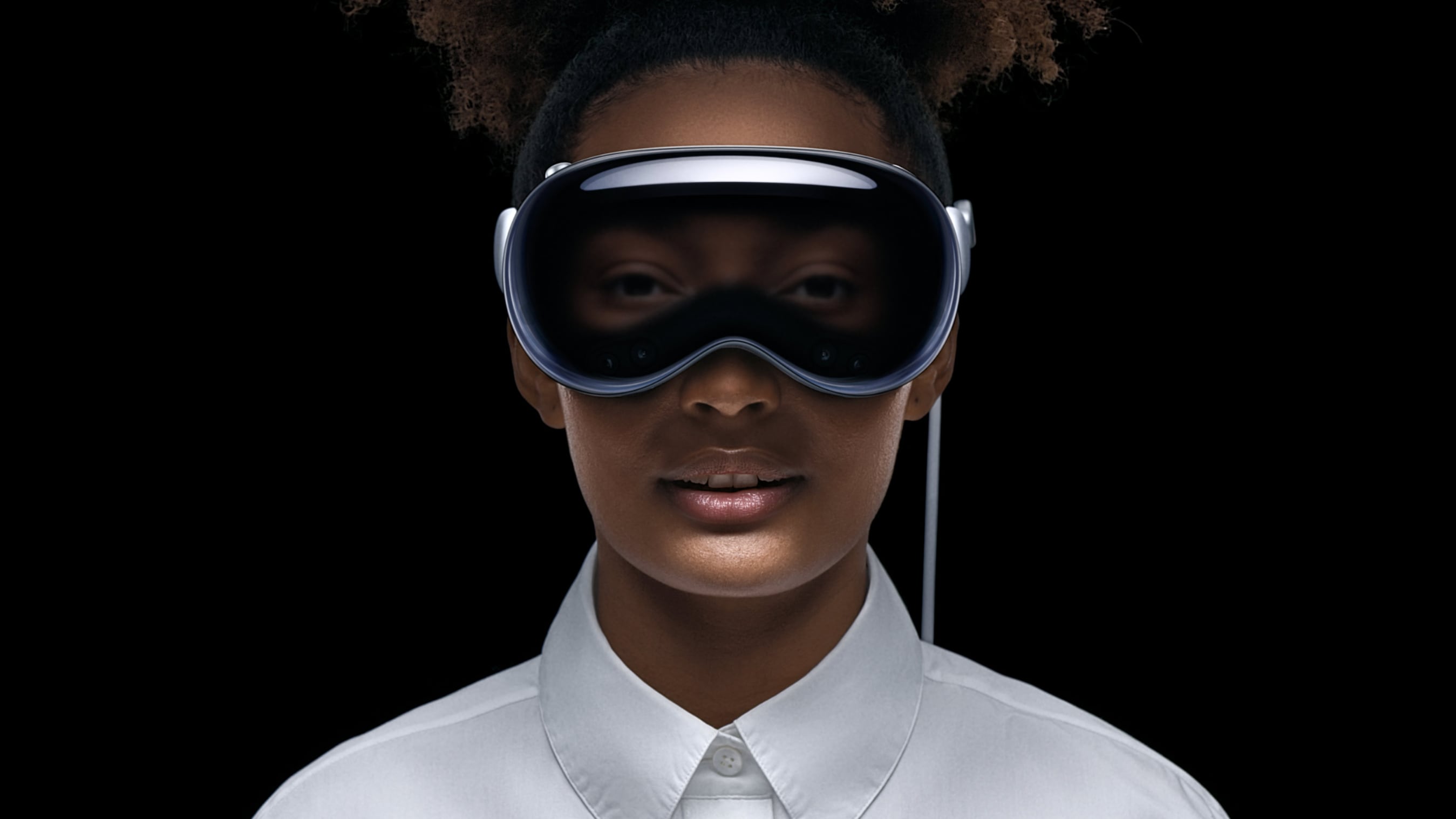


With Visual Search, users can use the Vision Pro headset to get information about an item, detect and interact with text in the world around them, copy and paste printed text from the real world into apps, translate text between 17 different languages, and more.

Real world text that includes contact information, webpages, and unit conversions and similar information can be acted upon in ‌visionOS‌. So, for example, if a printed handout has a website link in it, you can scan the link with the Vision Pro, opening up a Safari window to view the website. Or, if a recipe calls for grams and you need ounces, you can convert using the headset.

Real-time text translation will also be useful for traveling and other instances when you might want to quickly translate what you’re seeing in the real world. The ‌Apple Vision Pro‌ headset will be able to automatically detect text and documents, similar to how the ‌iPhone‌ can detect text in photos and allow it to be interacted with.

The Visual Search function was found in ‌visionOS‌ by Steve Moser. ‌visionOS‌ can be accessed through the latest Xcode beta at the moment, as Apple released the first version of the software earlier today.

Related Roundups: Apple Vision Pro, visionOS
Related Forum: Apple Vision Pro

This article, "Apple Vision Pro 'Visual Search' Feature Can Identify Items, Copy Printed Text, Translate and More" first appeared on MacRumors.com

Discuss this article in our forums


You may also be interested in this

His Majesty King Charles …

On Thursday, December 12, His Majesty King Charles III visited Apple’s Battersea office in London.

Here are the winners of t…

Every year, Apple nominates multiple apps available in the App Store to compete for the Apple Design Awards at WWDC. Following the keynote this morning, the company has now announced

Top Stories: iOS 18.1 Com…

It's hard to believe we're already into October with the iPhone 16 launch behind us, but there's lots more still to come from Apple this year on both the hardware

This 6-port Anker chargin…

Macworld Even if you don’t need a new Mac this Prime Day, you can still power up your existing one with a new monitor or dock. Like this one: the

Apple to Sell Series 9 an…

Apple Watch Series 9 and Apple Watch Ultra 2 models will be sold without the Blood Oxygen feature in the U.S. starting on January 18, according to 9to5Mac's Chance Miller,

macOS Sonoma Public Beta …

Apple today provided the first beta of the upcoming macOS Ventura update to its public beta testing group, allowing non-developers to test the new operating system ahead of its fall

Apple, Google to face UK …

The UK’s Competition and Markets Authority (CMA) has expressed concerns that Apple and Google’s dominance in the mobile ecosystem may be hindering innovation in smartphone browsers. The regulator is considering

iPhone 16 Lineup Will Fea…

All four iPhone 16 models will be equipped with A18-branded chips, according to Jeff Pu, an analyst who covers companies within Apple's supply chain. In a research note with investment
X

A whimsical homage to the days in black and white, celebrating the magic of Mac OS. Dress up your blog with retro, chunky-grade pixellated graphics to evoke some serious computer nostalgia. Supports a custom menu, custom header image, custom background, two footer widget areas, and a full-width page template. I updated Stuart Brown's 2011 masterpiece to meet the needs of the times, made it responsive , got dark mode, custom search widget and more.You can download it from tigaman.com, where you can also find more useful code snippets and plugins to get even more out of wordpress.
