
Missing the familiar Safari design from iOS 18? In iOS 26, currently in beta, Apple has learned from past criticism and made it easy to ditch the new Compact layout

Missing the familiar Safari design from iOS 18? In iOS 26, currently in beta, Apple has learned from past criticism and made it easy to ditch the new Compact layout in favor of the classic tab layouts you may well prefer.
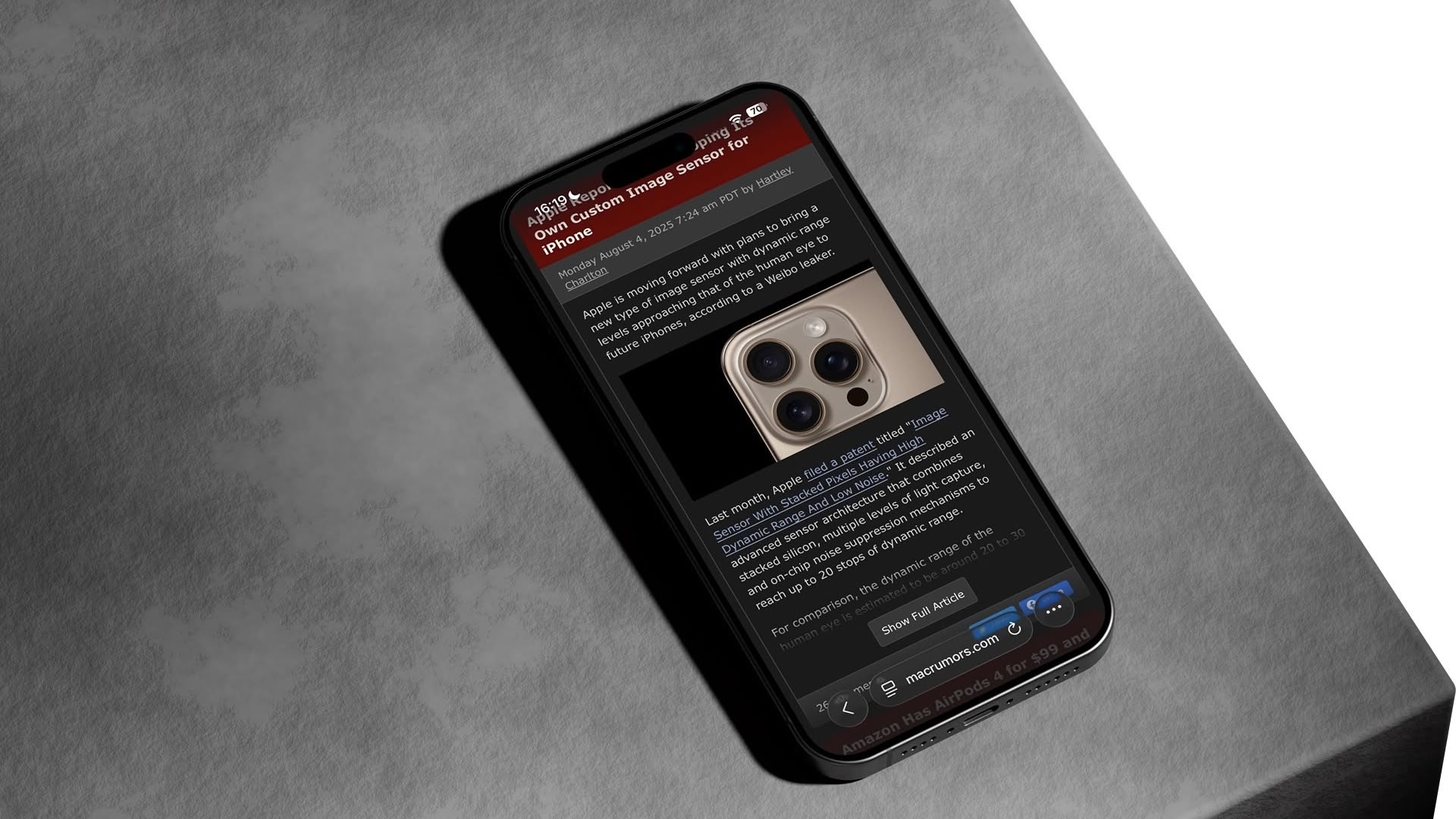


iOS 26 introduces a new “Compact” Safari design as the default, but Apple has included two additional layout options that essentially restore the iOS 18 experience. Here’s how to get your old Safari back in just a few taps.

How to Switch to the iOS 18 Layouts

  1. Open Settings on your iPhone.
  2. Scroll down and tap Apps, then locate and tap Safari in the alphabetical list.
  3. Scroll down to the “Tabs” section.
  4. Select either Bottom or Top instead of Compact.
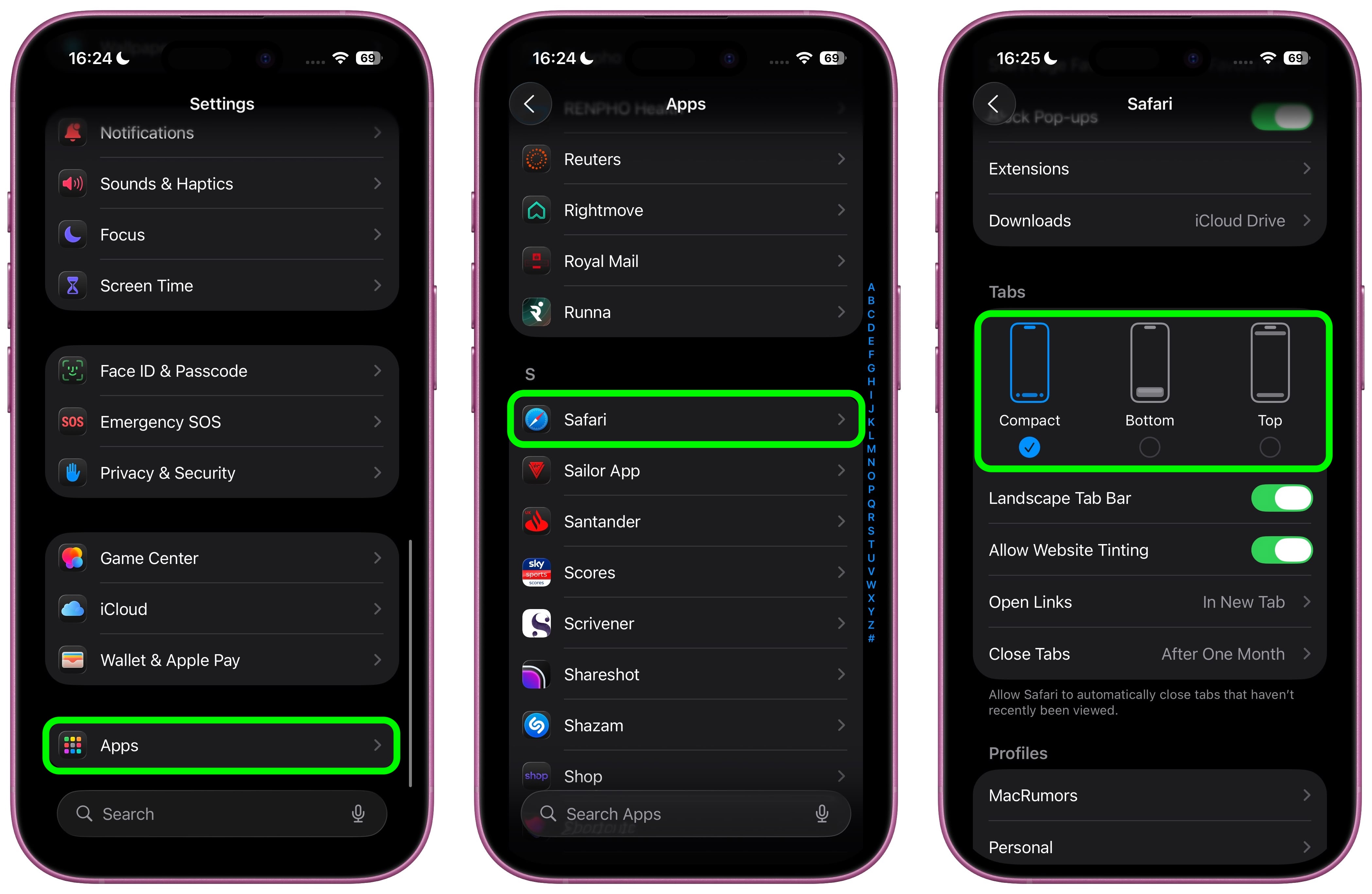
Both the Bottom and Top options function exactly like the Safari tab bar layouts from iOS 18, so you don’t need to relearn how to navigate between tabs or access your bookmarks.

What’s the Difference?

  • Compact Layout (Default): Hides the share, bookmark, and tab settings behind a three-dot button on the right side of the URL bar. It saves screen space but requires an extra tap to access frequently used features.
  • Bottom Layout: Places all Safari controls at the bottom of the screen, making them easily reachable with your thumb during one-handed use.
  • Top Layout: Keeps the traditional desktop-style layout with controls at the top of the browser.
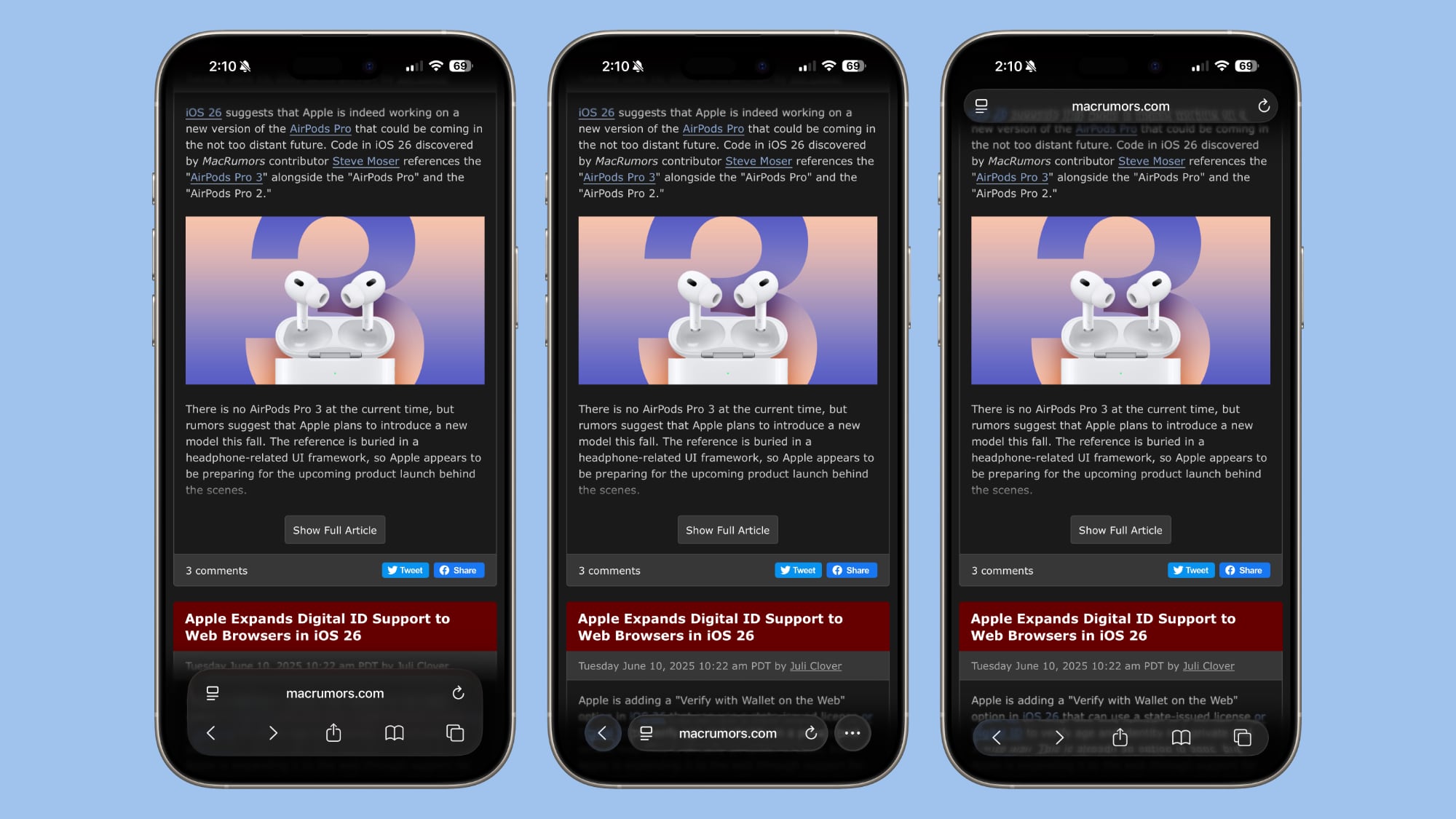
iOS 26’s three Tab options from left to right: Bottom, Compact, Top

All three options now feature Apple’s new Liquid Glass translucent design that blends the URL bar and buttons into the background of whatever webpage you’re viewing. The translucent effect works in both Light and Dark Mode, and auto-adapts to match the webpage’s color scheme.

Apple Learned From Its Mistake

This isn’t the first time Apple has rethought Safari’s design after user feedback. During iOS 15’s beta testing, Apple initially changed Safari’s design without providing layout alternatives and received full-throated negative feedback in return. It ultimately added options to revert to the original design. This time, Apple has gotten ahead of potential complaints by building choice directly into iOS 26, which will see a general release in September 2025.

Tag: Safari

This article, "iOS 26: Restore Safari's Old Layout From iOS 18" first appeared on MacRumors.com

Discuss this article in our forums


You may also be interested in this

Apple Experimenting With …

Apple is using 3D printers to make the chassis for some of the upcoming Apple Watch Series 9 models, according to Bloomberg's Mark Gurman. The new manufacturing process that Apple

iOS 26: Every Change to t…

The Messages app has the Liquid Glass redesign that's been introduced throughout iOS 26, but Apple also added several long-desired features that make for a better experience in both one-to-one

Latest iOS 18.4 Beta Lets…

iOS 18.4 includes a new Safari feature that puts your searches front and center, showing your recent search history whenever you open up a new Safari tab and tap into

Here’s How Thin the…

For the last several months, we've been hearing rumors about a redesigned version of the iPhone 17 that Apple might call the ‌iPhone 17‌ "Air," or something along those lines.

Top Stories: Vision Pro, …

As expected, Apple's WWDC keynote on Monday was jam-packed with announcements, headlined by a first look at the upcoming Vision Pro headset as well as some new Macs and the

OWC’s New Sale Incl…

OWC kicked off a new "Spring productivity event" this week, offering solid discounts on a variety of USB-C docks, memory cards, external drives and enclosures, and Mac accessories. Some of

Everything New in iOS 26.…

Apple provided developers with the third beta of an upcoming iOS 26.2 update, and there are still new features that are being added with each beta that we get. We've

Apple Releases iOS 17.5 W…

Apple today released iOS 17.5 and iPadOS 17.5, major updates to the iOS 17 and iPadOS 17 operating system updates that came out last September. The 17.5 updates come more
X

A whimsical homage to the days in black and white, celebrating the magic of Mac OS. Dress up your blog with retro, chunky-grade pixellated graphics to evoke some serious computer nostalgia. Supports a custom menu, custom header image, custom background, two footer widget areas, and a full-width page template. I updated Stuart Brown's 2011 masterpiece to meet the needs of the times, made it responsive , got dark mode, custom search widget and more.You can download it from tigaman.com, where you can also find more useful code snippets and plugins to get even more out of wordpress.
