
Apple has released multiple macOS versions over the years, each bringing new features, design changes, and hardware requirements. Whether you’re trying to identify the version on your Mac, decide if it’s time to upgrade, or understand which releases are still supported, this guide covers every macOS version from the original Mac OS X Cheetah to the latest macOS 26 Tahoe. Below, you’ll find a complete list of macOS versions in order, along with release dates, codenames, key details and support information.
What is the latest macOS version?
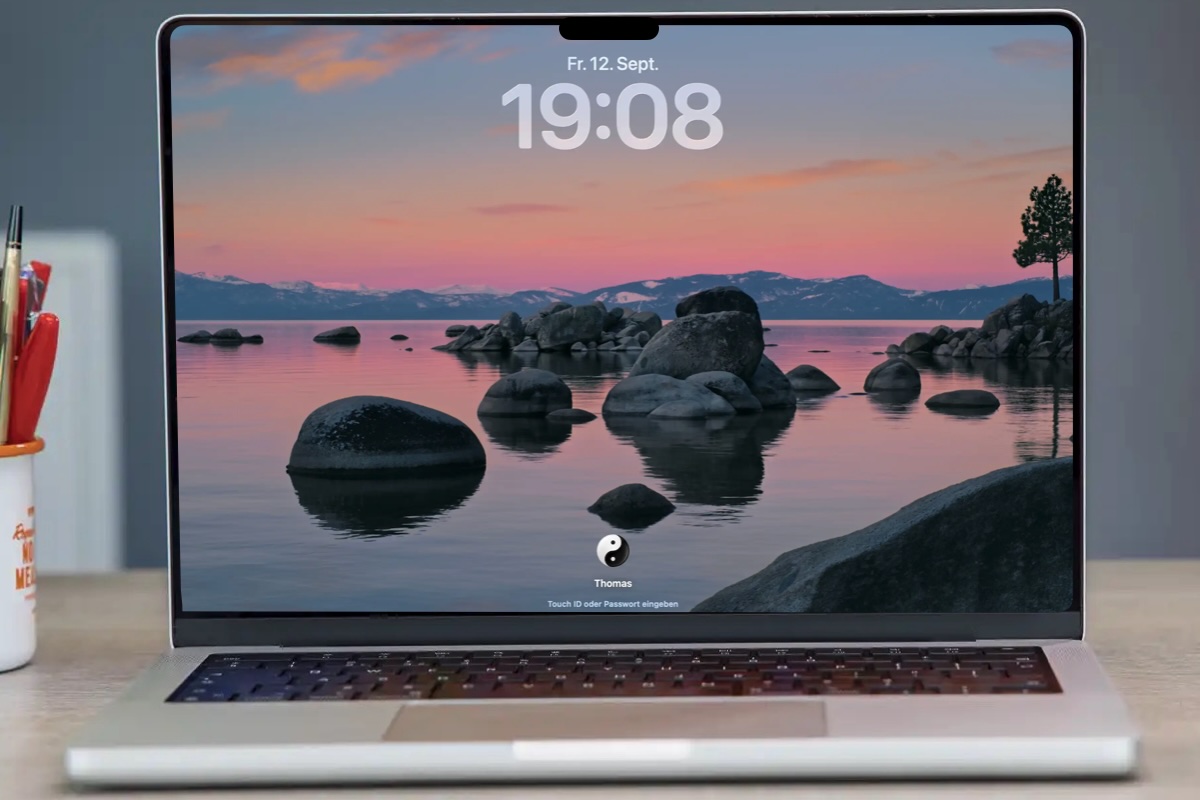
The latest version of macOS is called macOS Tahoe after the lake located in California. That version of macOS is also known as macOS 26 and it launched to the general public on September 15, 2025.
Tahoe has been updated a few times since it launched in September 2025. The latest version (as of January 28, 2026) is macOS Tahoe 26.2, which was introduced in December 2025.
macOS version history: Every macOS and Mac OS X version and the features it brought
macOS is Apple’s operating system for the Mac, in the same way iOS runs on the iPhone and iPadOS runs on the iPad. It provides the user interface and acts as the link between a Mac’s hardware and its software.
All Macs have run macOS – formerly known as Mac OS X – since its debut in 2001. Before that, Apple computers used Mac OS 9. macOS is based on Unix technology developed at NeXT, the company Steve Jobs founded before returning to Apple.
Since its launch on March 24, 2001, macOS has evolved significantly, gaining tighter integration with iOS devices, cloud services, and productivity features such as Time Machine, Quick Look, Exposé, Spaces, and Desktop Stacks.
Below is a complete overview of macOS versions, showing how Apple’s desktop operating system has developed over time, along with the official names and internal codenames used for each release.
Foundry
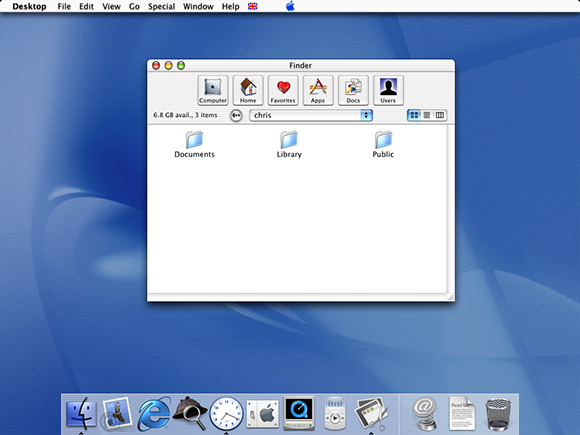
OS X 10 beta: Released in September 13, 2000, this preview version of OS X was codenamed Kodiak. It was based on technology from NeXT Computer, which was another company founded by Apple founder Steve Jobs and it introduced the Aqua user interface as well as protected memory and preemptive multitasking to stop crashes. This beta cost $29.95.
OS X 10.0: Code named Cheetah, this was the first major release of Mac OS X, arriving on March 14, 2001. It was Apple’s first OS built on a Unix-based foundation. Unfortunately it was slow and rough around the edges.
OS X 10.1: Just a few months ofter the first version of Mac OS X launched, Apple introduced the Puma update on September 15, 2001. This time is was stable and ready for everyday use, hardware support was better, and other issues with the fist version were addressed.
OS X 10.2: Jaguar arrived on August 14, 2002, significantly improving performance and usability, introducing Quartz Extreme for smoother graphics, a faster Finder, and better networking. iChat was one of the new features.
OS X 10.3: In October 2023 Apple introduced Panther which focused on speed, stability, and polish, delivering noticeably faster performance and a more responsive system. New features included: Exposé for managing windows, Fast User Switching, and FileVault disk encryption. Safari arrived as the default web browser.
OS X 10.4: Tiger arrived in April 2005 with new features like Spotlight search and Dashboard widgets.
OS X 10.5: In October 2007 Leopard arrived and added features like Time Machine for automated backups, Spaces for virtual desktops, and a redesigned Finder with Cover Flow. Time Machine also arrived as a simple way to back up a Mac.
OS X 10.6: Released in 2009, Snow Leopard focused on performance, stability, and efficiency rather than flashy new features.
OS X 10.7 Lion: Arriving in July 2011, Lion brought iPad-inspired features to the Mac, like Launchpad, full-screen apps, and multi-touch gestures. It also introduced system-wide Auto Save, Resume, and Versions so that users didn’t need to worry about manual saving.
OS X 10.8: A year later, in 2012 Mountain Lion brought more iOS features to the Mac including Messages, Reminders, Notes, Notification Center, and iCloud integration. Gatekeeper security was also emphasised.
Foundry
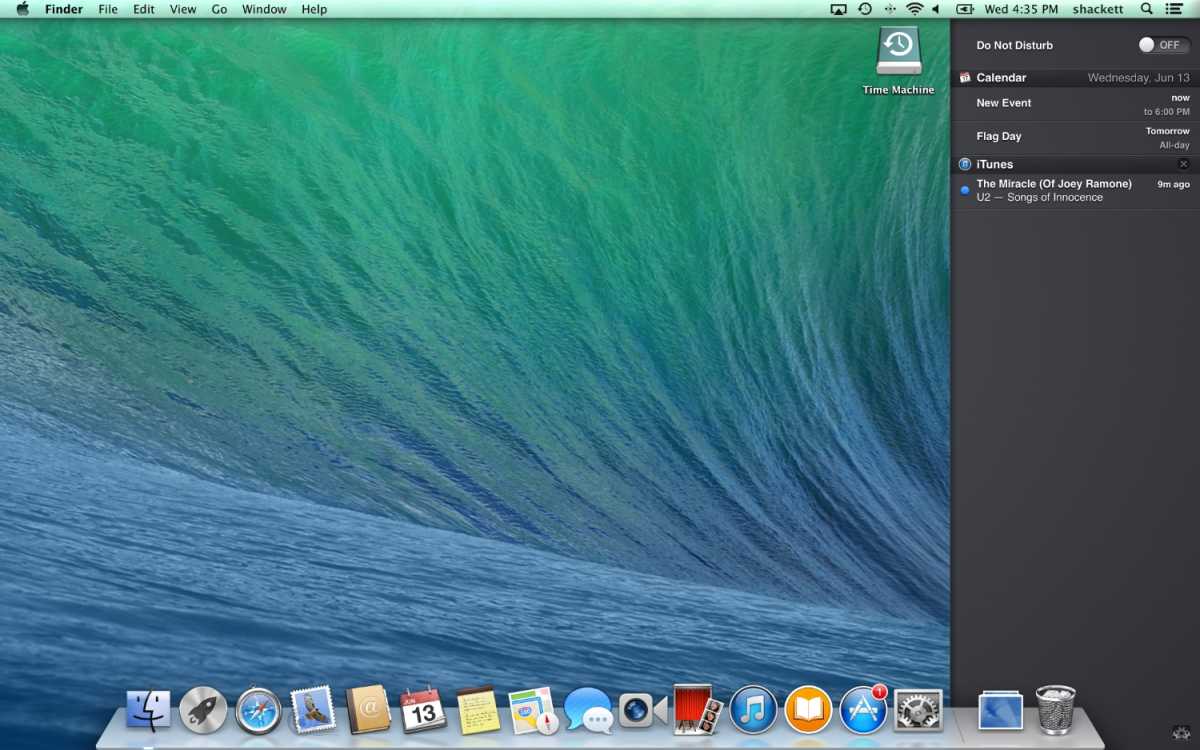
OS X 10.9: In October 2013 Apple stopped naming Mac OS X versions after big cats and switched to Californian landmarks, starting with Mavericks. It introduced features like Finder Tabs, Tags, and memory compression, making Macs faster and more responsive. It was also the first time Apple offered the Max OS X update for free.
OS X 10.10: Introduced in October 2014, Yosemite brought a major visual redesign with a cleaner, flatter interface, translucent elements, and a more modern look inspired by iOS (iOS 7 with its big redesign had been introduced in 2013). Continuity features from the iPhone and iPad included Handoff, iCloud Drive, and the ability to make and receive calls and texts from a Mac.
OS X 10.11: El Capitan arrived in September 2015 and, like Snow Leopard in 2007, focused more on refinement and stability. It brought improvements like better window management (Split View), smoother graphics, and performance boosts.
macOS 10.12: In September 2016 macOS Sierra was the first version to be referred to as macOS rather than Mac OS X, better aligning it with iOS, watchOS and tvOS. It brought Siri to the Mac and improved integration with iPhone and iPad with features like Universal Clipboard.
macOS 10.13: This was another update where the focus was on performance rather than flashy new features. High Sierra in September 2017 brought updates to core apps like Photos and Safari but mostly focused on security and efficiency updates.
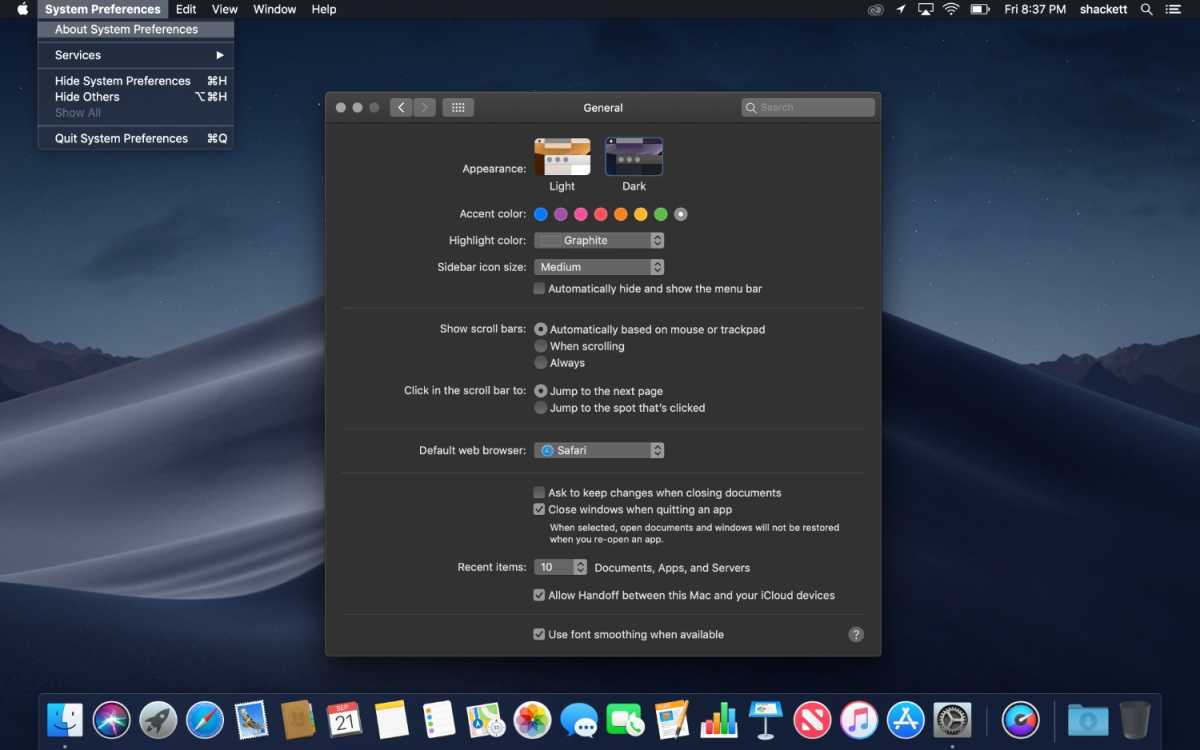
macOS 10.14: In September 2018, Mojave introduced a system-wide Dark Mode and introduced Desktop Stacks for better file organization.
Foundry
macOS 10.15: Arriving in October 2019, Catalina replaced iTunes with separate Music, TV, and Podcasts apps and introduced Sidecar so an iPad could be used as a second display for a Mac. It also ended support for 32-bit apps.
macOS 11: Big Sur was the first version to drop the ten, from Mac OS X, and start again at 11. Launched in November 2020 it was a major redesign of Apple’s Mac operating system, with a cleaner, more modern interface, updated icons, a refined Control Center, and closer visual alignment with iOS.
macOS 12: Arriving in October 2021, Monterey introduced Universal Control (one mouse/keyboard across Mac and iPad) and improved FaceTime.
macOS 13: macOS Ventura arrived in October 2022 and introduced Stage Manager for better multitasking, improved Continuity features (including using an iPhone as a webcam, and brought major updates to Mail, Safari, and Spotlight.
macOS 14: In September 2023 Sonoma made the desktop more immersive with animated wallpapers and desktop widgets you can interact with. There were game-focused improvements in Game Mode and video conferencing features like Presenter Overlay were added.
macOS 15: A year later in September 2024, Sequoia brought iPhone Mirroring and added Apple Intelligence features.
macOS 26: Tahoe arrived in September 2025 with a bold new Liquid Glass design with transparent, customizable interface elements and tighter integration with iPhone and iPad. As with iPhone and iPad, Apple unified version numbering, so the macOS jumped from macOS 15 to 26. Apple also expanded Apple Intelligence, improved Spotlight, improved the Phone related features, and added a new Games app. This is the final macOS version to support Intel-based Macs.
List of macOS versions and latest versions
Here’s an overview of every version of macOS and Mac OS X Apple has released. You’ll find a complete list of each version of OS X and macOS, along version code names, internal code names (if available) and the most recent version and when it was released.
macOS Tahoe.
Foundry
| Product version | Code name | Date of launch | Date of launch | Last update date |
|---|---|---|---|---|
| OS X 10 beta | Kodiak | September 13, 2000 | — | — |
| OS X 10.0 | Cheetah | March 14, 2001 | 10.0.4 | June 22, 2001 |
| OS X 10.1 | Puma | September 15, 2001 | 10.1.5 | June 6, 2002 |
| OS X 10.2 | Jaguar | August 14, 2002 | 10.2.8 | October 3, 2003 |
| OS X 10.3 | Panther (Pinot) | October 24, 2003 | 10.3.9 | April 15, 2005 |
| OS X 10.4 | Tiger (Merlot) | April 29, 2005 | 10.4.11 | November 14, 2007 |
| OS X 10.5 | Leopard (Chablis) | October 26, 2007 | 10.5.8 | August 13, 2009 |
| OS X 10.6 | Snow Leopard | August 28, 2009 | 10.6.8 | July 25, 2011 |
| OS X 10.7 | Lion (Barolo) | July 20, 2011 | 10.7.5 | October 4, 2012 |
| OS X 10.8 | Mountain Lion (Zinfandel) | July 25, 2012 | 10.8.5 | August 13, 2015 |
| OS X 10.9 | Mavericks (Cabernet) | October 22, 2013 | 10.9.5 | July 18, 2016 |
| OS X 10.10 | Yosemite (Syrah) | October 16, 2014 | 10.10.5 | July 19, 2017 |
| OS X 10.11 | El Capitan (Gala) | September 30, 2015 | 10.11.6 | July 9, 2018 |
| macOS 10.12 | Sierra (Fuji) | September 20, 2016 | 10.12.6 | September 26, 2019 |
| macOS 10.13 | High Sierra (Lobo) | September 25, 2017 | 10.13.6 | November 12, 2020 |
| macOS 10.14 | Mojave (Liberty) | September 24, 2018 | 10.14.6 | July 21, 2021 |
| macOS 10.15 | Catalina (Jazz) | October 7, 2019 | 10.15.7 | July 20, 2022 |
| macOS 11 | Big Sur (GoldenGate) | November 12, 2020 | 11.7.10 | September 11, 2023 |
| macOS 12 | Monterey (Star) | October 25, 2021 | 12.7.6 | July 29, 2024 |
| macOS 13 | Ventura (Rome) | October 24, 2022 | 13.7.8 | August 20, 2025 |
| macOS 14 | Sonoma (Sunburst) | September 26, 2023 | 14.8.3 | December 12, 2025 |
| macOS 15 | Sequoia (Glow) | September 18, 2024 | 15.7.3 | December 12, 2025 |
| macOS 26 | Tahoe (Cheer) | September 15, 2025 | 26.2 | December 12, 2025 |
FAQ
Which macOS versions are still supported?
Apple supplies regular features and security updates to the most recent version of macOS. In addition, it is generally the case that Apple will issue security updates and bug fixes to the previous two versions of macOS.
As of December 2025, macOS Tahoe, Sequoia and Sonoma were all receiving security updates.
See: How long do Macs and MacBooks last? We also have a full list of which Macs run which versions of macOS here.
How does Apple choose Mac OS X and macOS names?
As you can see from the list above, with the exception of the first OS X beta, all versions of the Mac operating system from 2001 to 2012 were named after big cats, from Cheetah to Panther to the final release, Mountain Lion. But while the public-facing builds were named after big cats, internally, they were named after wines (aside from OS X 10.6 which had no codename).
Even after Apple switched public-facing code names to places in California back in 2013, it carried on naming them after wines internally until 2014. In 2015, Apple decided to change the theme of internal code names from wines to types of apples.
In 2016, Apple took the plunge to unify the branding of its operating systems by rebranding Mac OS X to macOS, which sits nicely alongside iOS, tvOS, and watchOS and paved the way for macOS 11, the successor to Mac OS X, which arrived twenty years after the first beta of Mac OS X.
In 2025, Apple decided to sync up the numbering system between all its operating systems. macOS 26 Tahoe will live most its lifetime as the most recent version in the year 2026 before being replaced with macOS 27 at the end of 2026.
How do I check my macOS version?
You can tell which version of macOS you are running by clicking on the Apple logo in the top left and choosing About This Mac.
It will clearly show which version of macOS you are running along with the most recent version that your Mac has installed.
If you are looking for help installing macOS read: How to update macOS and Fixes for Macs that won’t update. We can also help with How to install macOS on an unsupported Mac.
Can I run the macOS beta?
You can install a beta version of macOS and test new features that haven’t yet launched. If you want to install the latest beta of macOS read about joining Apple’s beta program.
How can I install the latest version of macOS?
Some Macs will be set to update macOS automatically. If you want your Mac to update automatically follow these steps:
- Open System Settings.
- Click on General.
- Click on Software Update.
- Click on the “i” beside Automatic Updates and make sure that Check for updates, Download new updates when available, and Install macOS updates are selected. This way your Mac will automatically update to the latest version. If you would prefer not to have your Mac do this automatically you can deselect these options.
Read all about how to update your Mac here.
We also have a list of every version of iOS where you can see the latest versions and how long Apple supports iPhones for.

