
Apple is continuing to improve the AI Support Assistant that it is testing in the Apple Support app, introducing new functionality in the latest update. In addition to answering questions
Apple is continuing to improve the AI Support Assistant that it is testing in the Apple Support app, introducing new functionality in the latest update.


In addition to answering questions about Apple devices and services and providing device-specific help, Apple says the Support Assistant is able to help run diagnostics to show details about a device's health and performance.

The Apple Support app now has a more informative interface for the Support Assistant, and the tab for accessing the feature has an updated "Ask" label with a new icon instead of a "Chat" label. Apple is no longer calling the Support Assistant an "Early Preview," suggesting it is now available in a more official capacity.
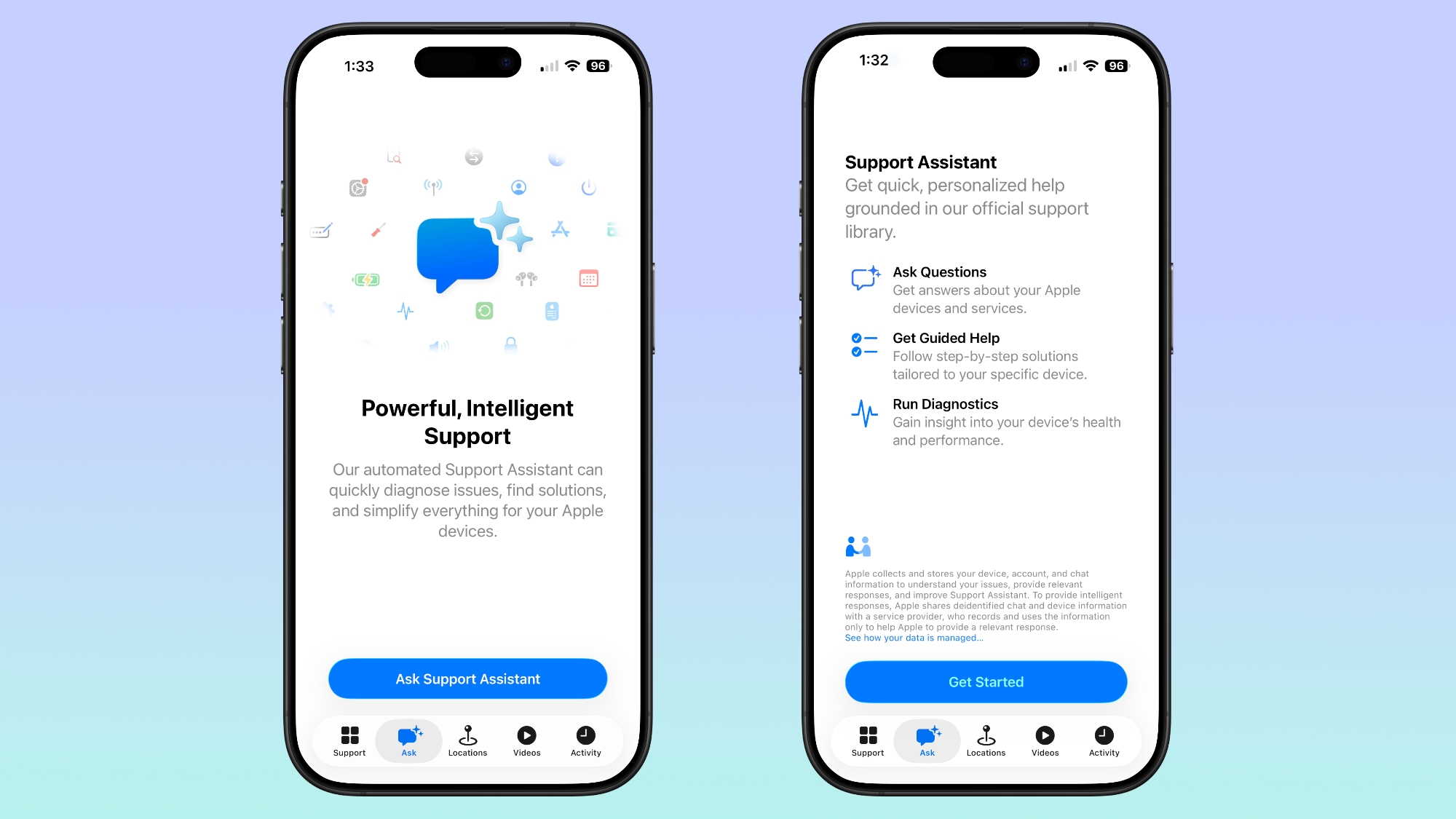

Despite the update, the Support Assistant remains limited, and it is not yet available to all users. It's possible that Apple has expanded the feature to a larger number of testers, but not everyone will see it yet.

Apple began testing the Support Assistant last August. The tool uses AI to answer questions related to Apple support, and it is able to walk users through step-by-step solutions for common problems.

If the Support Assistant is unable to solve a problem, users are able to escalate a request to Apple's support staff for further help.
This article, "Apple Continues Improving Apple Support App's AI Assistant" first appeared on MacRumors.com

Discuss this article in our forums

original link


You may also be interested in this

Apple blows away Wall Str…

Apple has reported its financials for the first quarter of 2025, and as promised it was record-breaking, with growth in nearly every market segment, and every hardware category.Apple CEO Tim

Apple’s fourth era is abo…

Macworld Welcome to our weekly Apple Breakfast column, which includes all the Apple news you missed last week in a handy bite-sized roundup. We call it Apple Breakfast because we

New breakthrough brings t…

When Apple debuted the M4 iPad Pro, it touted the unique tandem OLED technology as powering ‘the world’s most advanced display.’ Now, that same tandem OLED tech has been brought

Klarna becomes official A…

Klarna, which offers monthly payment plans as a service, is now an official Apple reseller. Customers can purchase iPhone, AirPods, Apple Watch, iPad, Mac and more directly from Klarna’s app

Apple Says Final Intel Ma…

Apple today added the final 13-inch MacBook Air powered by Intel processors, the Apple Watch Series 5, and additional products to its vintage products list. The iPhone 11 Pro was

Got iPhone, Apple Watch o…

The comprehensive new Apple Health Study aims to better understand how technology and physical and mental well-being intersect. (via Cult of Mac - Apple news, rumors, reviews and how-tos)

Three Days Until iOS 26 L…

iOS 26 is coming in just three days, and it brings a new Liquid Glass design with translucent UI elements, rounded menu bars, simplified navigation, pop out menus, and more.

How to reset HomePod and …

If your HomePod isn't working, there's a way to reboot it or reset it back to factory defaults. Here's how to reset HomePod and HomePod mini with or without an
X

A whimsical homage to the days in black and white, celebrating the magic of Mac OS. Dress up your blog with retro, chunky-grade pixellated graphics to evoke some serious computer nostalgia. Supports a custom menu, custom header image, custom background, two footer widget areas, and a full-width page template. I updated Stuart Brown's 2011 masterpiece to meet the needs of the times, made it responsive , got dark mode, custom search widget and more.You can download it from tigaman.com, where you can also find more useful code snippets and plugins to get even more out of wordpress.
