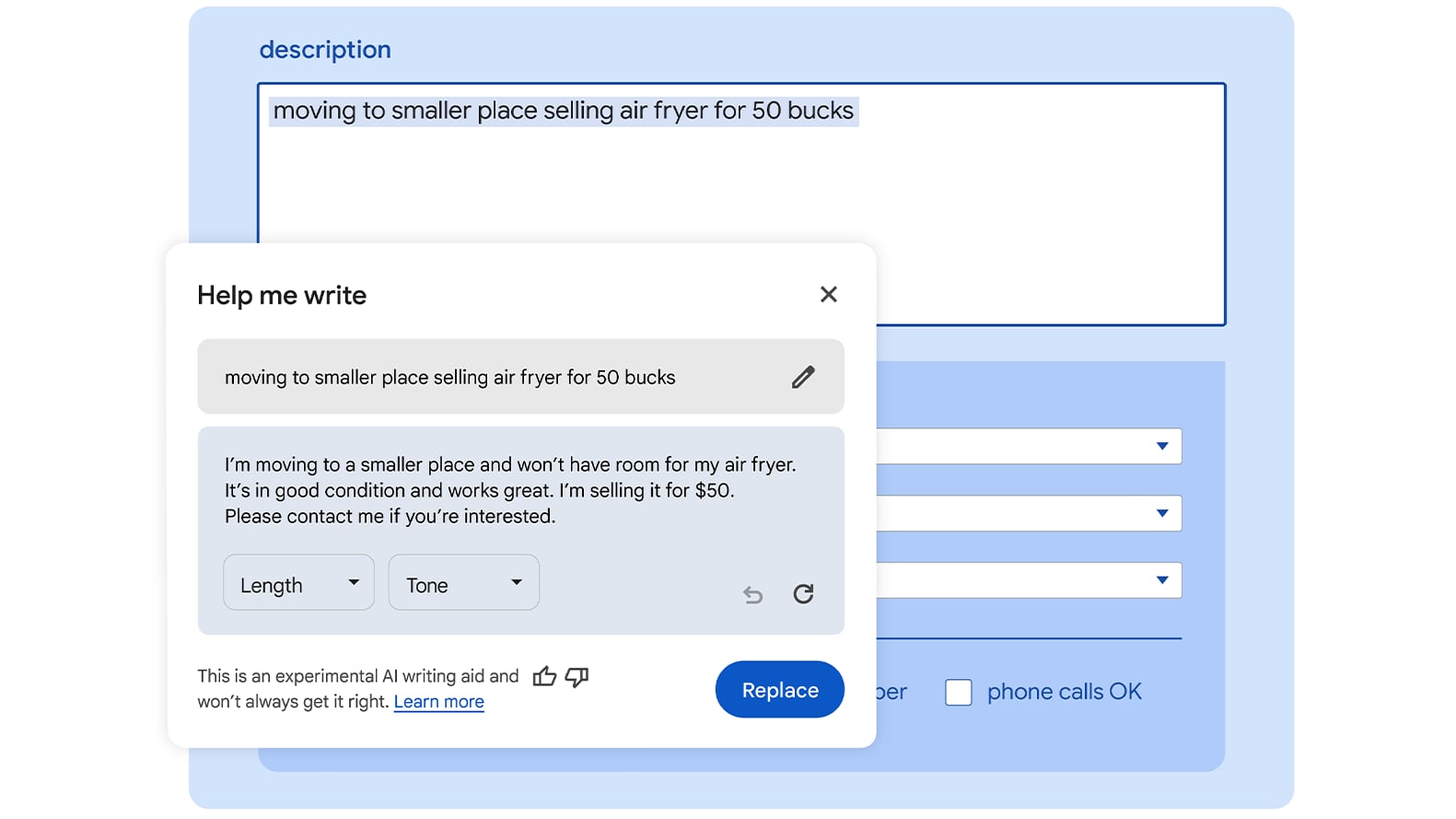
Help me Write uses the Gemini model that Google announced back in December. At the time, Google said that Gemini was its most capable and general model to date, created through large-scale collaborative efforts by teams across Google.

According to Google, the Help me Write feature can be used for everything from online reviews to support requests to product listings. The AI model is able to understand the context of the webpage that the user is on to provide suggestions for relevant content.
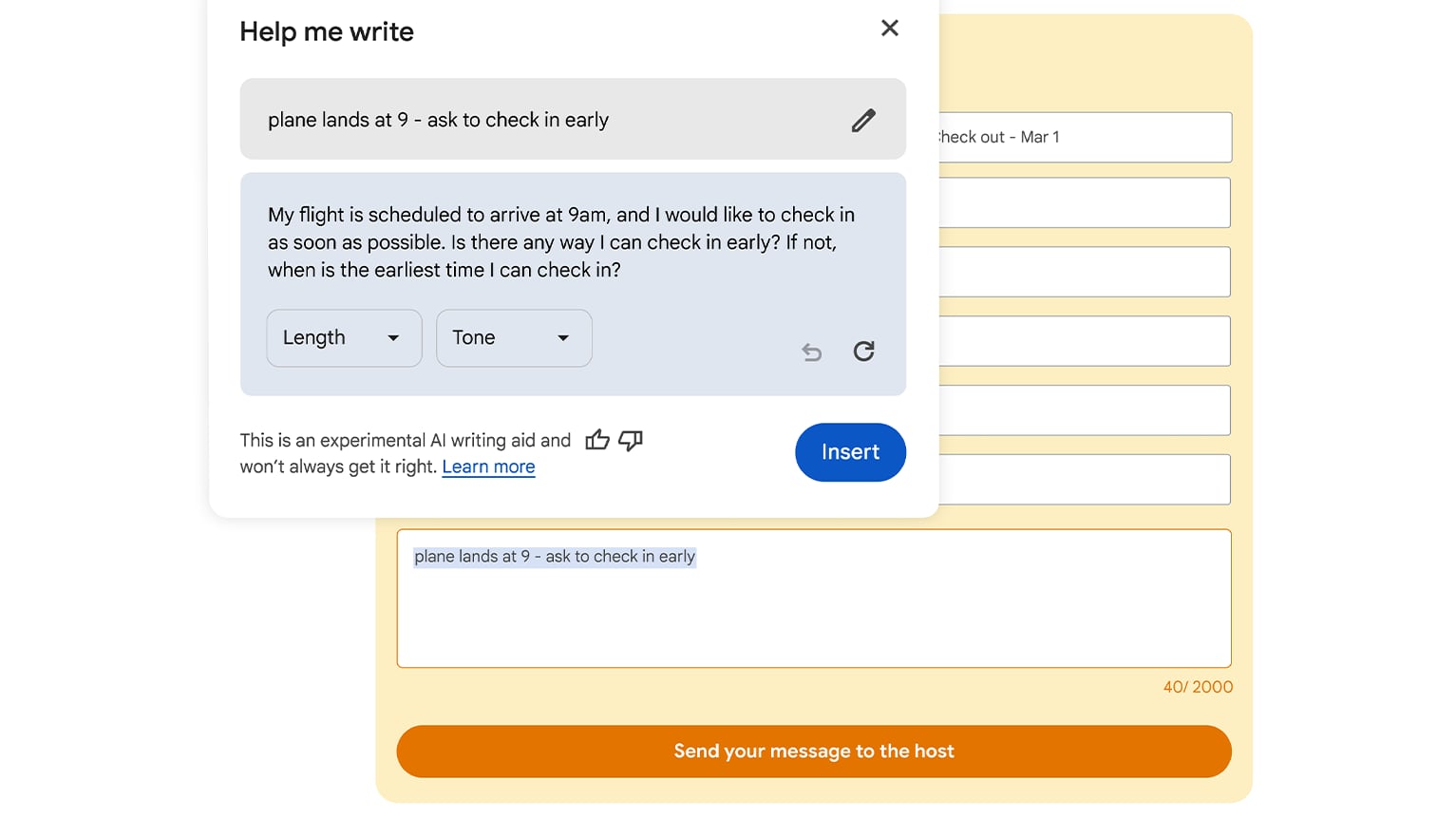

As an example, a person writing a review for a pair of shoes might see suggestions that include key features from the product page that support the user's opinion to make a review more valuable. For an online listing of something that's being sold on eBay or another site, users can write a quick outline and have the Help me Write feature provide a more well-written summary. The same goes for online support inquiries.

Hep me Write is available in Chrome M122, and it can be used in the United States in English. The feature can be enabled by signing into Chrome, selecting the Settings option from the three-dot menu, and navigating to the Experimental AI page. To use it, right click on any open text field in Chrome and choose the Help me Write option.
Tags: Google, Chrome

This article, "Chrome for Mac Gains 'Help Me Write' Generative AI Feature" first appeared on MacRumors.com

Discuss this article in our forums


Help me Write uses the Gemini model that Google announced back in December. At the time, Google said that Gemini was its most capable and general model to date, created through large-scale collaborative efforts by teams across Google.

According to Google, the Help me Write feature can be used for everything from online reviews to support requests to product listings. The AI model is able to understand the context of the webpage that the user is on to provide suggestions for relevant content.


As an example, a person writing a review for a pair of shoes might see suggestions that include key features from the product page that support the user's opinion to make a review more valuable. For an online listing of something that's being sold on eBay or another site, users can write a quick outline and have the Help me Write feature provide a more well-written summary. The same goes for online support inquiries.

Hep me Write is available in Chrome M122, and it can be used in the United States in English. The feature can be enabled by signing into Chrome, selecting the Settings option from the three-dot menu, and navigating to the Experimental AI page. To use it, right click on any open text field in Chrome and choose the Help me Write option.
Tags: Google, Chrome

This article, "Chrome for Mac Gains 'Help Me Write' Generative AI Feature" first appeared on MacRumors.com

Discuss this article in our forums


Help me Write uses the Gemini model that Google announced back in December. At the time, Google said that Gemini was its most capable and general model to date, created through large-scale collaborative efforts by teams across Google.

According to Google, the Help me Write feature can be used for everything from online reviews to support requests to product listings. The AI model is able to understand the context of the webpage that the user is on to provide suggestions for relevant content.


As an example, a person writing a review for a pair of shoes might see suggestions that include key features from the product page that support the user's opinion to make a review more valuable. For an online listing of something that's being sold on eBay or another site, users can write a quick outline and have the Help me Write feature provide a more well-written summary. The same goes for online support inquiries.

Hep me Write is available in Chrome M122, and it can be used in the United States in English. The feature can be enabled by signing into Chrome, selecting the Settings option from the three-dot menu, and navigating to the Experimental AI page. To use it, right click on any open text field in Chrome and choose the Help me Write option.
Tags: Google, Chrome

This article, "Chrome for Mac Gains 'Help Me Write' Generative AI Feature" first appeared on MacRumors.com

Discuss this article in our forums


Help me Write uses the Gemini model that Google announced back in December. At the time, Google said that Gemini was its most capable and general model to date, created through large-scale collaborative efforts by teams across Google.

According to Google, the Help me Write feature can be used for everything from online reviews to support requests to product listings. The AI model is able to understand the context of the webpage that the user is on to provide suggestions for relevant content.


As an example, a person writing a review for a pair of shoes might see suggestions that include key features from the product page that support the user's opinion to make a review more valuable. For an online listing of something that's being sold on eBay or another site, users can write a quick outline and have the Help me Write feature provide a more well-written summary. The same goes for online support inquiries.

Hep me Write is available in Chrome M122, and it can be used in the United States in English. The feature can be enabled by signing into Chrome, selecting the Settings option from the three-dot menu, and navigating to the Experimental AI page. To use it, right click on any open text field in Chrome and choose the Help me Write option.
Tags: Google, Chrome

This article, "Chrome for Mac Gains 'Help Me Write' Generative AI Feature" first appeared on MacRumors.com

Discuss this article in our forums
Google today announced the launch of a new "Help me Write" feature that is available for the Chrome browser on both Macs and Windows PCs. It is a tool that
Google today announced the launch of a new "Help me Write" feature that is available for the Chrome browser on both Macs and Windows PCs. It is a tool that is able to help users start writing something, or refine something that's already been written.


Help me Write uses the Gemini model that Google announced back in December. At the time, Google said that Gemini was its most capable and general model to date, created through large-scale collaborative efforts by teams across Google.

According to Google, the Help me Write feature can be used for everything from online reviews to support requests to product listings. The AI model is able to understand the context of the webpage that the user is on to provide suggestions for relevant content.


As an example, a person writing a review for a pair of shoes might see suggestions that include key features from the product page that support the user's opinion to make a review more valuable. For an online listing of something that's being sold on eBay or another site, users can write a quick outline and have the Help me Write feature provide a more well-written summary. The same goes for online support inquiries.

Hep me Write is available in Chrome M122, and it can be used in the United States in English. The feature can be enabled by signing into Chrome, selecting the Settings option from the three-dot menu, and navigating to the Experimental AI page. To use it, right click on any open text field in Chrome and choose the Help me Write option.
Tags: Google, Chrome

This article, "Chrome for Mac Gains 'Help Me Write' Generative AI Feature" first appeared on MacRumors.com

Discuss this article in our forums

original link


You may also be interested in this

The buzzword Apple didn’t…

Macworld Did you see the Keynote?! Tim Cook said the thing! The “one more thing” thing! Congratulations, Apple Keynote bingo players around the world. Now, we could talk about Vision

Google paid Apple $18 bil…

The New York Times on Thursday reports that Alphabet-subsidiary Google paid Apple “around $18 billion” to be Safari’s default search engine in 2021. Nico Grant for The New York Times:

Apple to Pay Google $1 Bi…

According to a new report from Bloomberg’s Mark Gurman, Apple is finalizing a deal to pay Google roughly… The post Apple to Pay Google $1 Billion a Year to Use

Arc browser brings MySpac…

Web browsers that aren’t Safari have long offered the ability to customize their look with themes. For example, the frame and buttons from Chrome and Firefox can look different with

How to use Google Authent…

Beyond just making Twitter safer, here's how to shift away from SMS-based two-factor authentications and secure your online life properly, by using Google Authenticator on your iPhone.Google Authenticator is available

Google Lens brings Androi…

Google is adding Circle to Search-like gesture support for on-screen search to its Search and Chrome app on iOS. (via Cult of Mac - Apple news, rumors, reviews and how-tos)

Samsung abandons plans to…

Samsung has decided to stop its internal assessment that explored the possibility of switching the default search engine on its smartphones to Microsoft's Bing.Samsung continues with GoogleOpenAI's technology has been

9to5Mac Daily: May 18, 20…

Listen to a recap of the top stories of the day from 9to5Mac. 9to5Mac Daily is available on iTunes and Apple’s Podcasts app, Stitcher, TuneIn, Google Play, or through our
X

A whimsical homage to the days in black and white, celebrating the magic of Mac OS. Dress up your blog with retro, chunky-grade pixellated graphics to evoke some serious computer nostalgia. Supports a custom menu, custom header image, custom background, two footer widget areas, and a full-width page template. I updated Stuart Brown's 2011 masterpiece to meet the needs of the times, made it responsive , got dark mode, custom search widget and more.You can download it from tigaman.com, where you can also find more useful code snippets and plugins to get even more out of wordpress.