
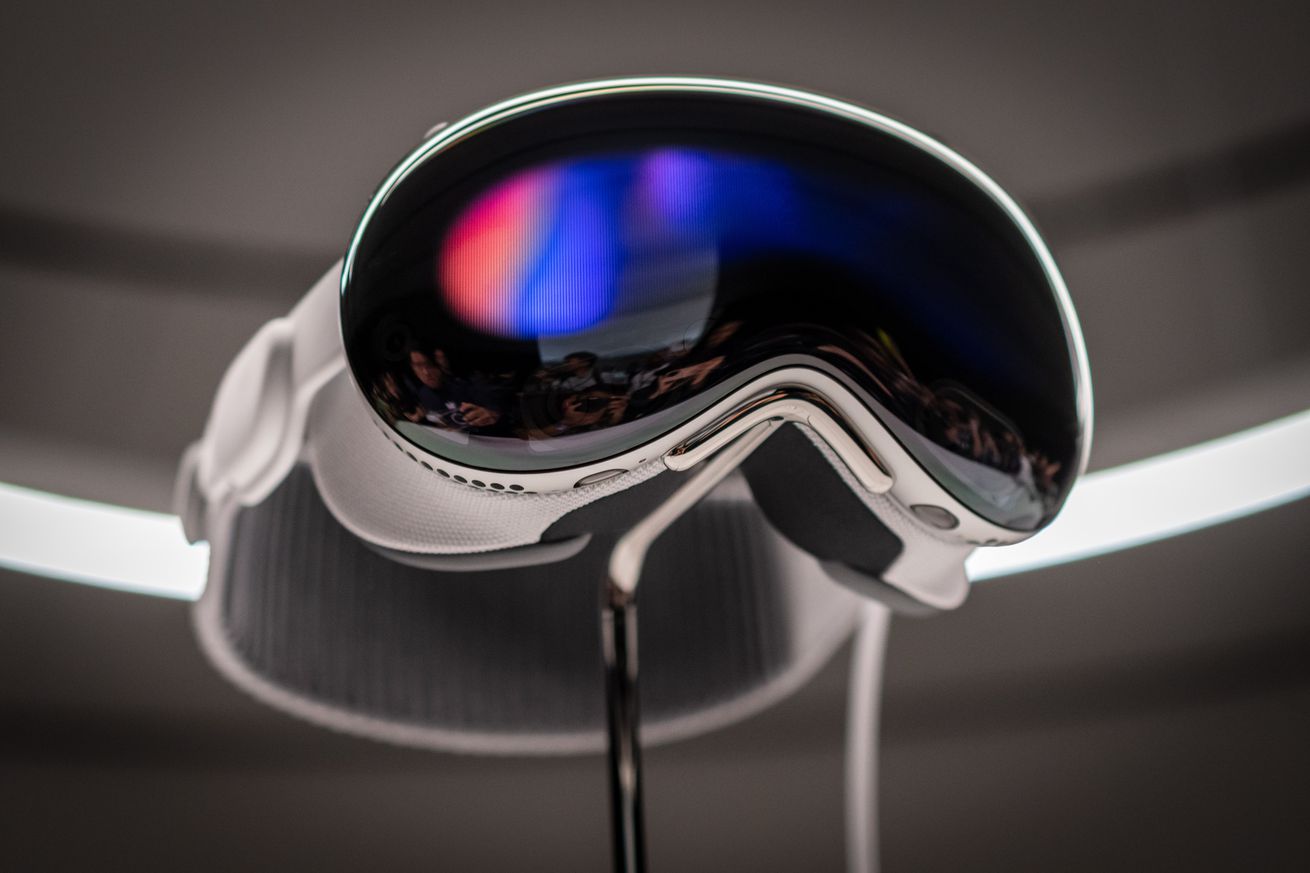
What does the Apple Vision Pro look like? Imagine a pair of ski goggles. The fanciest, most sci-fi ski goggles you’ve ever seen. There, you’ve got it.
Apple just announced the Vision Pro headset at its WWDC developer conference, during which executives spent a long time detailing both how the hardware works and how you’re meant to use it. After the event, we were able to take a brief look at the $3,499 Vision Pro itself — we couldn’t use it or even touch it, but we could gaze upon its metallic wonders in a demo room at the Steve Jobs Theater.
Based on the little bit we’ve seen, it’s a dramatically better-looking device than any other AR or VR headset we’ve seen. The actual headset itself is quite thin, and most of the device’s heft and size is from the fabricky shield around it and the big, plushy band around the back. The goggles are slightly curved and should wrap around most faces fairly nicely. The whole thing is a nice silvery color, down to the cable coming out the left side and the iPhone-sized battery pack at the bottom that provides its two hours of battery life.
The small bumps you see on the sides of the Vision Pro’s band are where the built-in audio lives. (Spatial audio is one of the big selling points of the device.) Most of its other sensors and cameras are housed just under the front-facing glass; at just the right angle, you can see some of the cameras pointing outwards from the headset. The cheese grater-style vent runs underneath both eyes, presumably to push all the processor’s hot air down onto your cheeks.
/cdn.vox-cdn.com/uploads/chorus_asset/file/24704519/DSC_0911.jpg)
The Vision Pro’s front-facing display was gently pulsing with light, which will be the indication that someone is in the headset but can’t see out; we weren’t able to see the other view, in which the wearer’s eyes are projected through that front screen. That view will either be innovative or horrifying. We’ll see.
The big question, of course, will be how it feels in use. With no overhead band, will it sit too heavily on your nose? Will the cable attached to your left temple, running down to the battery pack, be annoying? Will it get hot after a few minutes? And how will it look from the inside? Apple spent a long time talking about how you could use the Vision Pro to replace your television or computer monitor, but doing that well on your face requires a huge amount of processing power and display prowess. Even the 4K displays Apple announced might not be enough.
/cdn.vox-cdn.com/uploads/chorus_asset/file/24704528/DSC_0931.jpg)
/cdn.vox-cdn.com/uploads/chorus_asset/file/24704631/DSC_0907.jpg)
And, of course, there’s the “what is this for?” debate. Unlike when the company launched the Apple Watch or even AirPods, there’s not a huge existing market for mixed reality devices; there’s the Meta Quest, a bunch of barely successful prototypes like Microsoft’s HoloLens and the Magic Leap, and not much else. Most people have little or no idea how these headsets work, and little about how they should work seems to have been settled.
Ultimately, the headset’s software and user interface will be more important than the gadget itself. And there’s a lot left to figure out before the Vision Pro launches next year. But based on a brief look at the device in a hands-on area at Apple Park, Apple’s off to a fairly strong start on the hardware front.
/cdn.vox-cdn.com/uploads/chorus_asset/file/24704550/IMG_4641.jpg)
/cdn.vox-cdn.com/uploads/chorus_asset/file/24704633/DSC_0928.jpg)

