
With the release of the first iOS 17 beta in the hands of developers, early adopters continue to discover smaller changes in the new version of Apple’s mobile operating system. Below are some of the more notable differences that have come to light since Monday’s WWDC keynote.
Ping Apple Watch
If you have an Apple Watch paired to your iPhone, Apple has added an optional button in Control Center that enables you to ping your watch if you have misplaced it. (H/T Aaron.)
New in iOS 17: you can now ping your Apple Watch from the control center pic.twitter.com/IPjfcNd6Vg
— Aaron (@aaronp613) June 5, 2023
Improved Spotlight Siri Suggestions
When pulling down on the Home Screen to access search, you’ll see some neat new contextual tricks have been added to Siri Suggestions, like the suggestion to create a timer or a new note if you’ve used those apps recently. When you search for a specific app like Photos, you’ll also get app shortcuts to your next action, allowing you to jump right into your Favorites album, for example.
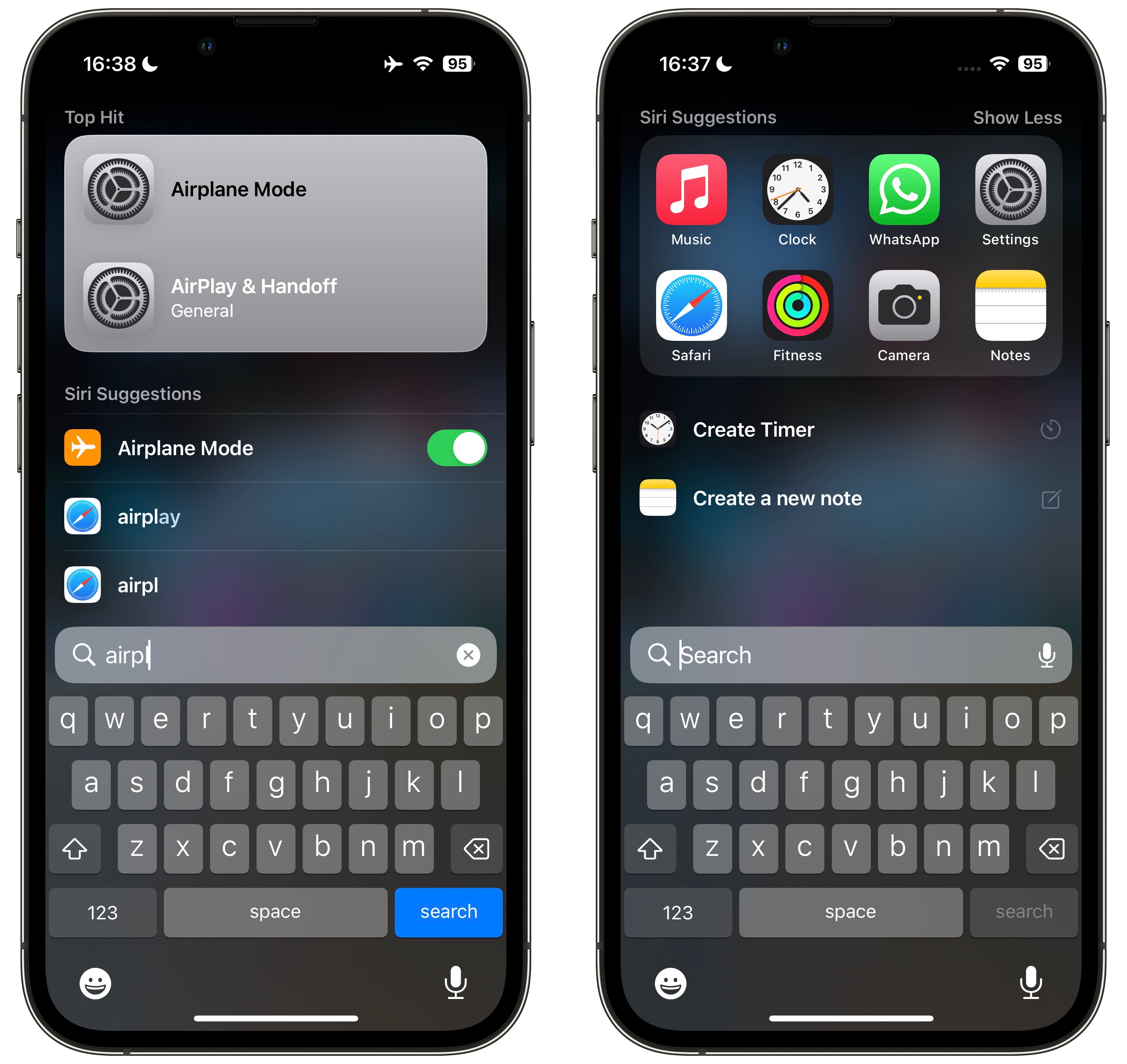
You can now also toggle certain system settings directly from within Siri Suggestions results. You can, for example, enable a Focus, turn on Airplane Mode, or disable your iPhone 14 Pro‘s Always On Display.
Multiple Timers
It’s taken this long, but iOS finally supports multiple timers.
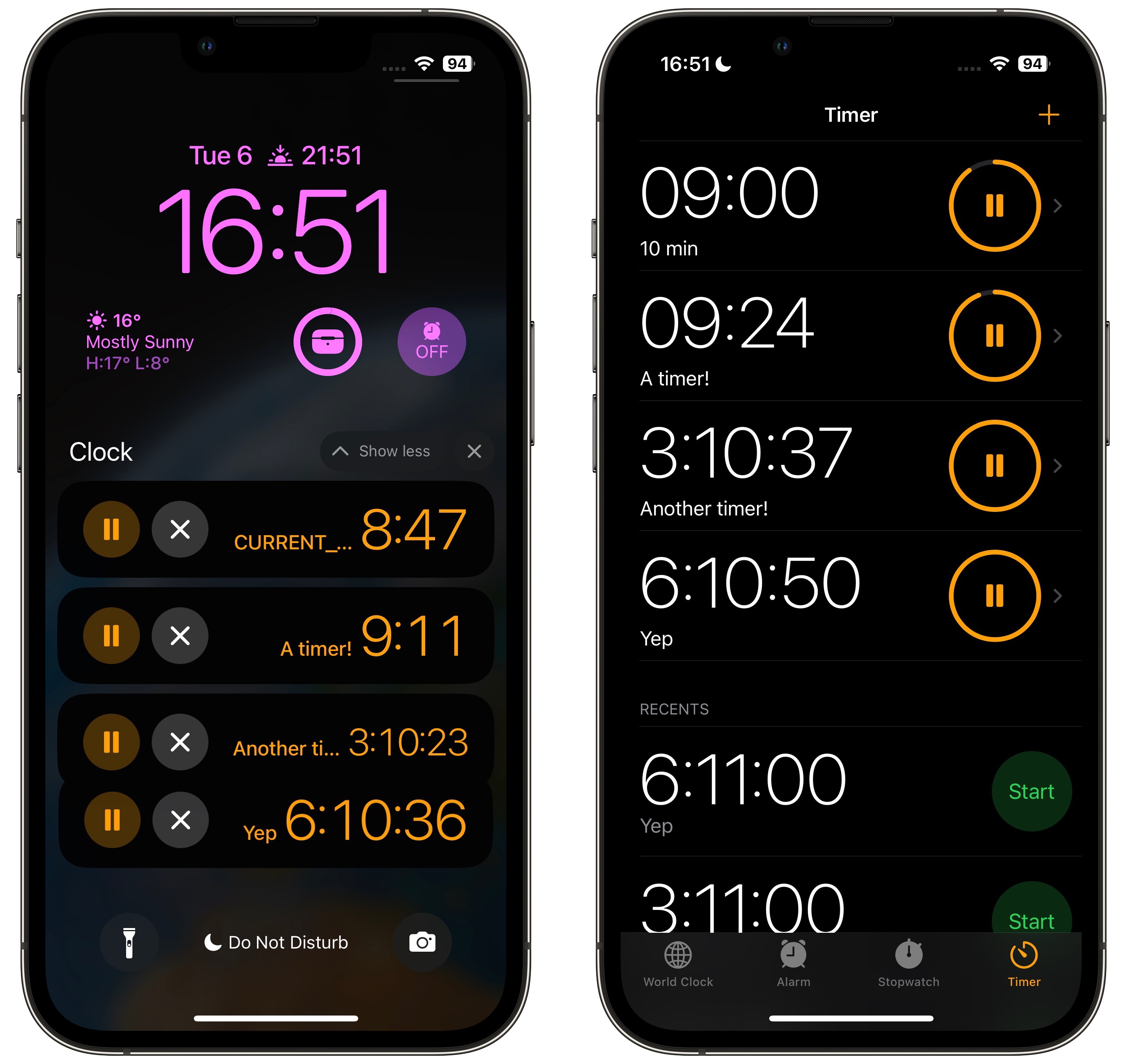
Each timer you set can be given a label, which helps you identify it in a list. For added convenience, the list will also include any recent completed timers that you used. When several timers are running simultaneously, all of them will be listed on the Lock Screen, and the last one you set will appear in the Dynamic Island.
Safari “Listen to Page” Feature
In Safari, Apple has added a new “Listen to Page” option to the aA menu in the address bar. Tap it, and Siri will read the contents of the currently loaded webpage out loud.
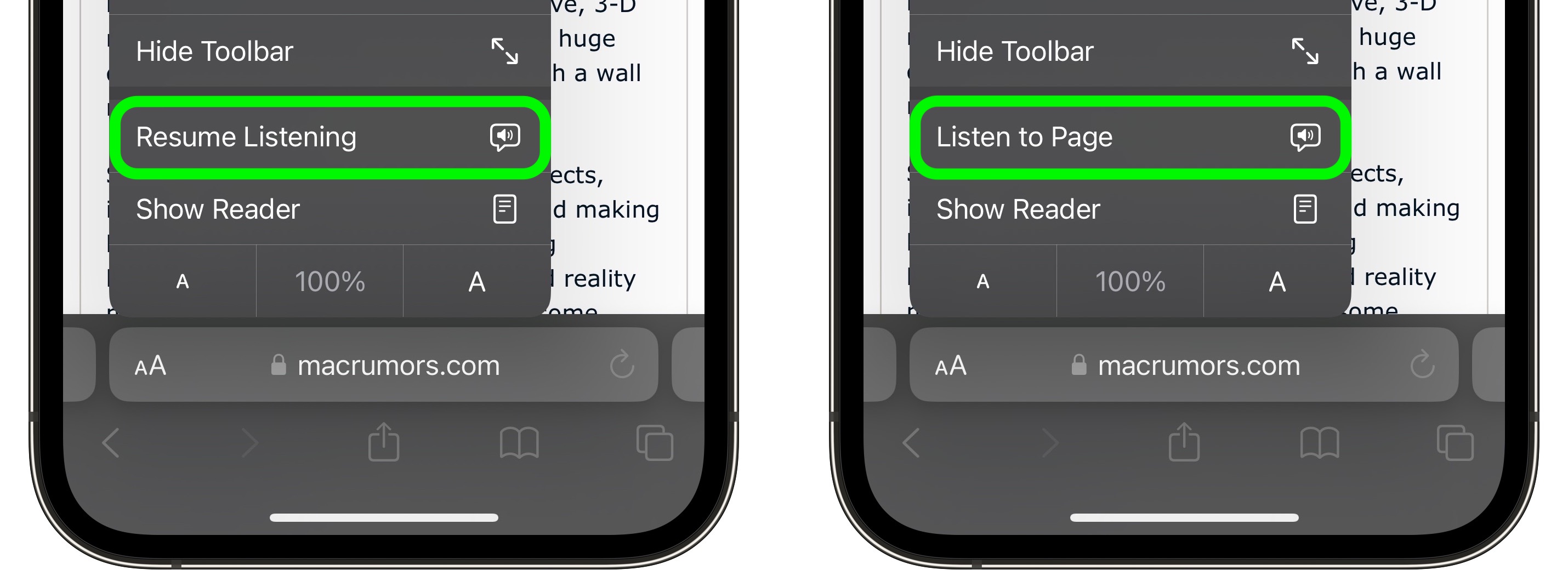
When Siri is reading it to you, the same option changes to “Pause Listening,” and if you choose to pause, it switches to “Resume Listening” so you can pick up where you left off.
Visual Lookup for Meals
When viewing photos, Apple has enhanced Visual Look Up in a few ways, the most notable being the ability to find recipes for similar dishes when meals are recognized in the picture.
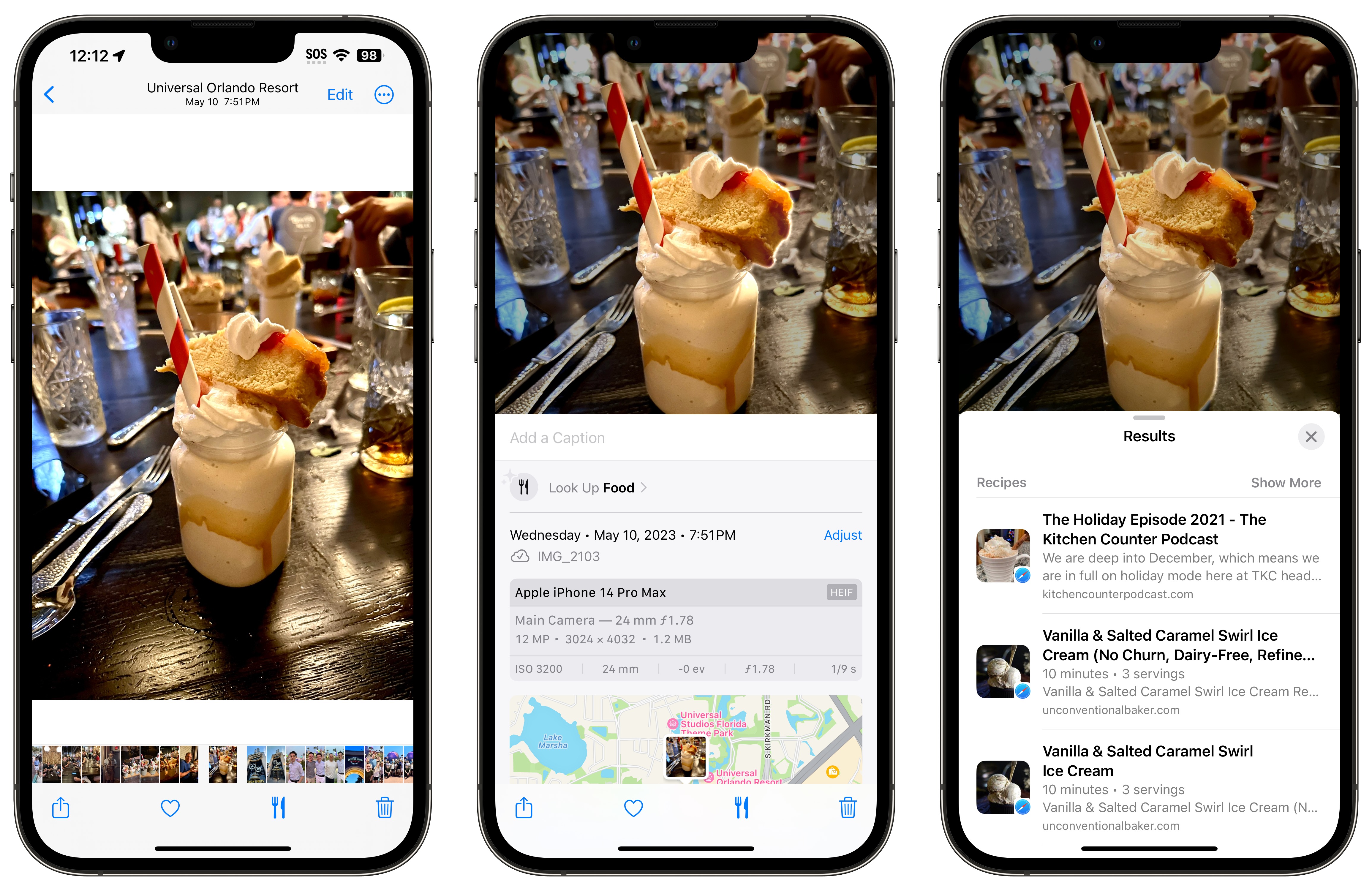
In addition, you can now look up information from a subject you just lifted from a photo, and you can also pause video on any frame to look up info on a subject.
Fitness+ Custom Plans
Fitness+ includes a new feature called Custom Plans, where you can create your own weekly workout and meditation schedule to enhance your motivation.
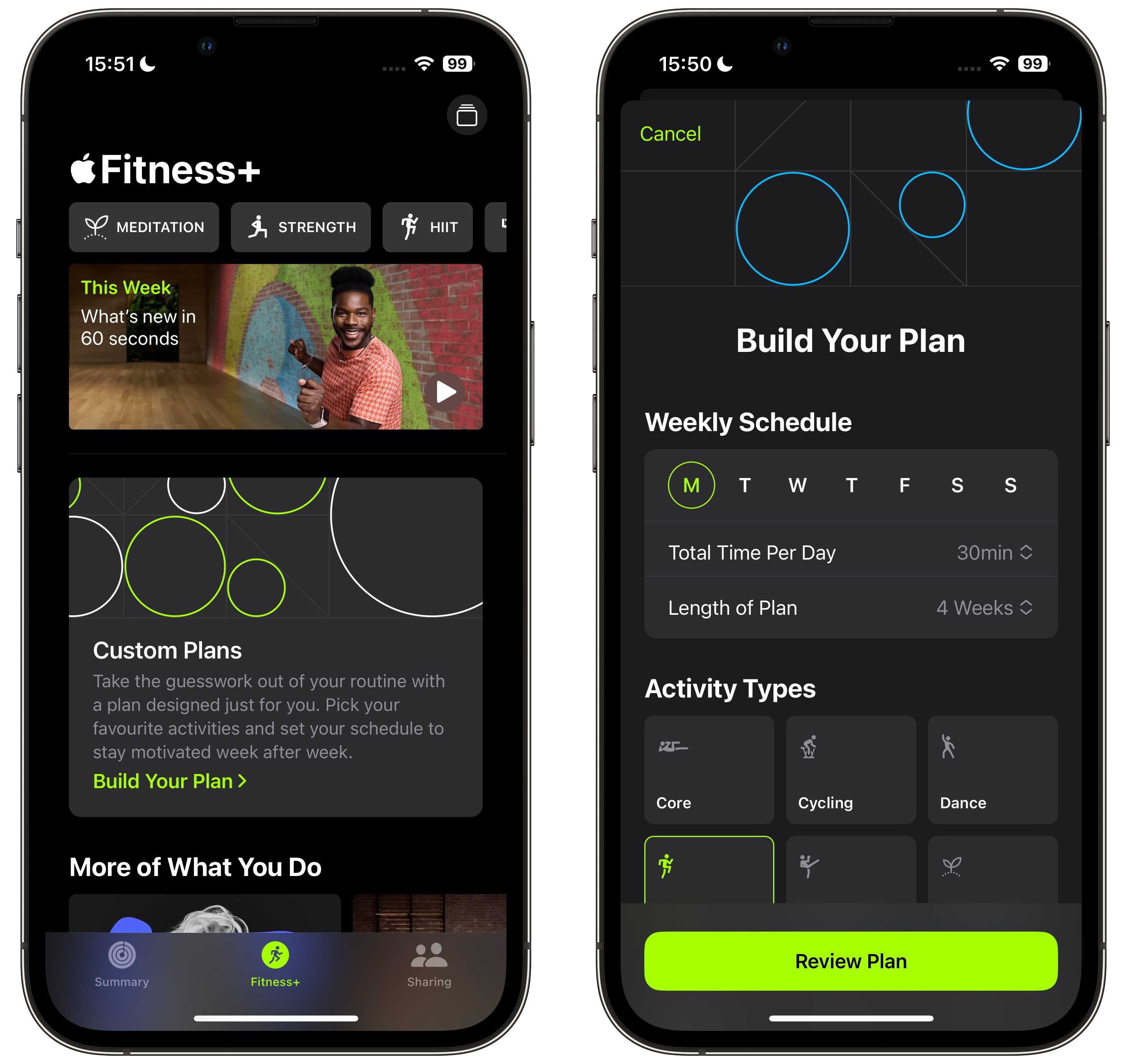
Plan options include the ability to set a total workout/meditation time per day, set a plan length, and choose your activity types. You can also select preferred Fitness+ trainers and the type of music that you want in your plan.
Other Features and Tidbits
- Apple News+ crossword puzzles
- New Control Center slider animations
- Interrupt Siri and make back-to-back requests without reactivation
- Enhanced spam call filtering
- Dark Mode version of AirPods popup card
Developers are still discovering what’s changed in iOS 17, so be sure to check back with more coverage here on MacRumors.
This article, "iOS 17 Tidbits: Enhanced Siri Suggestions, Multiple Timers, Recipe Visual Look Up, and More" first appeared on MacRumors.com
Discuss this article in our forums

