
06.05.2023
Prior to the launch of the latest Apple TV 4K, there were rumors that Apple planned to build Find My functionality into the Siri Remote to make it easier to
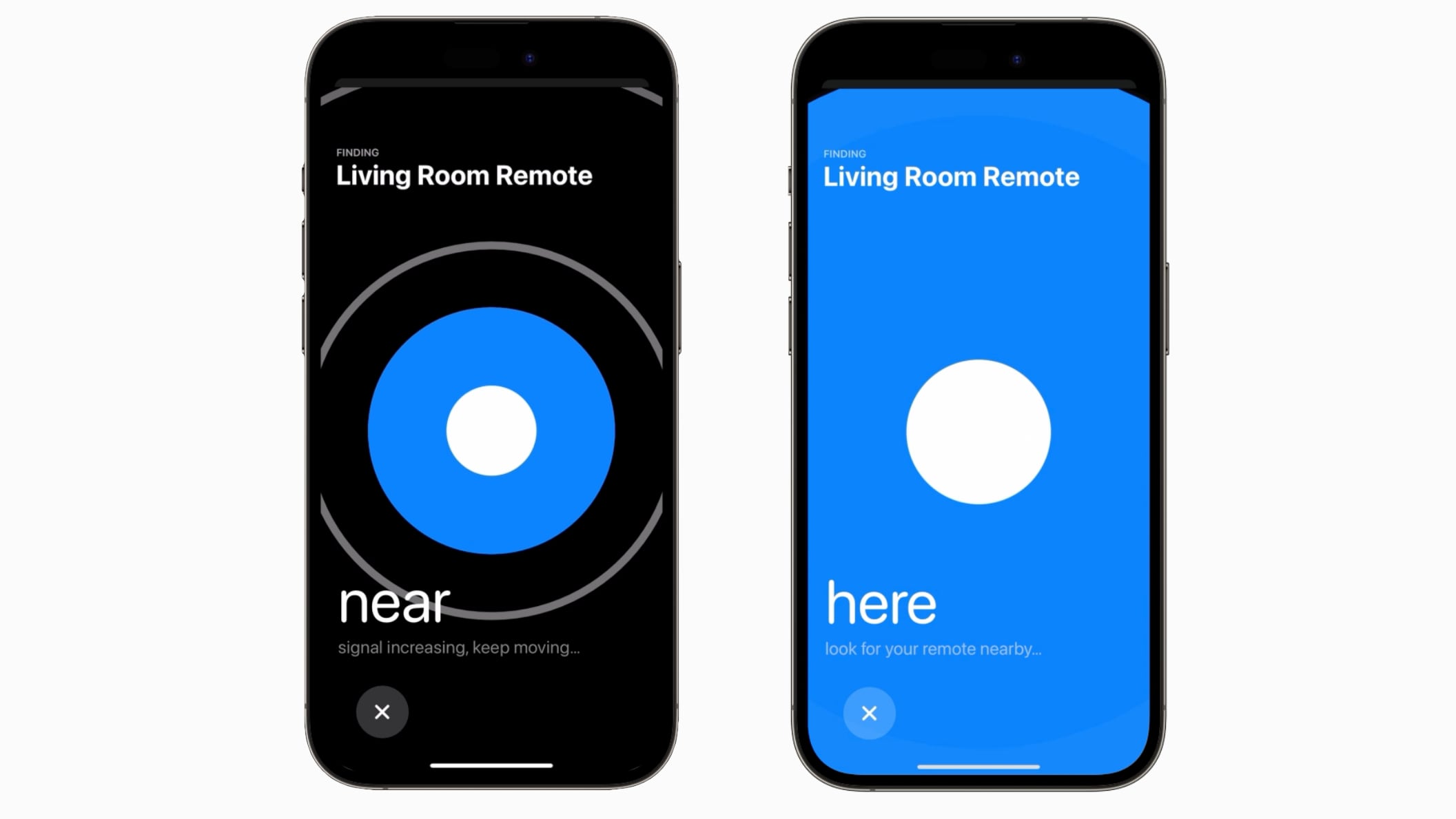
If the Siri Remote becomes lost, tvOS 17 users can open up the Apple TV remote on the Control Center on a linked iPhone to locate their Siri Remote. There is a Find My-like interface that will guide them toward the remote, with the size of the onscreen circle growing to guide movement.
The feature for locating a Siri Remote works with the second-generation or later version of the device, and tvOS 17 is required as well.
The Remote location feature is likely possible due to deeper integration between the iPhone and iPad and the Apple TV. Apple has also introduced a FaceTime app for the Apple TV that uses a connected iPhone or iPad as the camera source.
Other new tvOS 17 features include updated screen savers that use your photos, an option to immediately switch to your profile when you use the Apple TV with your iPhone remote, and a revamped Control Center that makes it easier for you to access key settings and information.
Related Roundup: Apple TV
Buyer's Guide: Apple TV (Buy Now)
Related Forum: Apple TV and Home Theater
This article, "tvOS 17 Lets You Use Your iPhone to Find a Lost Siri Remote" first appeared on MacRumors.com
Discuss this article in our forums
You may also be interested in this
This AI tool is the Swiss…
06.20.2023
Let AI create words and images for you forever. Grab a lifetime subscription to the Taskio AI productivity tool for just $49.99 (reg. $540). (via Cult of Mac - Tech and culture
CarPlay in iOS 17: Apple …
06.08.2023
iOS 17 is now available in beta for developers, and the pre-release version of the iPhone update includes a few changes for CarPlay. An update to Apple Music is the
You’ll be able to use you…
06.08.2023
You’ll be able to use your AirPods on United flights when using the in-flight entertainment (IFE) system to watch movies and TV shows, or to listen to the provided music.
AI more important to inve…
06.04.2023
Investors are less interested in Apple's headset than they are about AI, analyst Ming-Chi Kuo claims ahead of Monday's packed WWDC keynote.Siri, Apple's main public-facing machine learning featureThe WWDC keynote
App Store Connect adds vi…
06.23.2023
Apple unveiled its mixed reality headset called Vision Pro earlier this month. As of this week, developers have been able to access the necessary tools to create apps for visionOS.
Apple Seeds First Beta of…
05.19.2023
Apple today seeded the first beta of an upcoming watchOS 9.6 update to developers for testing purposes, with the software update coming a day after the launch of watchOS 9.5.
Star Wars Jedi: Survivor …
05.19.2023
Cue the lightsaber noises. | Image: EA Today, in sales figures that should surprise no one: Star Wars Jedi: Survivor became April’s bestselling video game within two days of release.
Google’s Pixel AI I…
08.22.2024
Google last week introduced the Pixel 9 smartphone lineup, with a selection of new devices that are focused on AI. All of the Pixel 9 phones support Gemini AI, and

