Prior to the launch of the latest Apple TV 4K, there were rumors that Apple planned to build Find My functionality into the Siri Remote to make it easier to

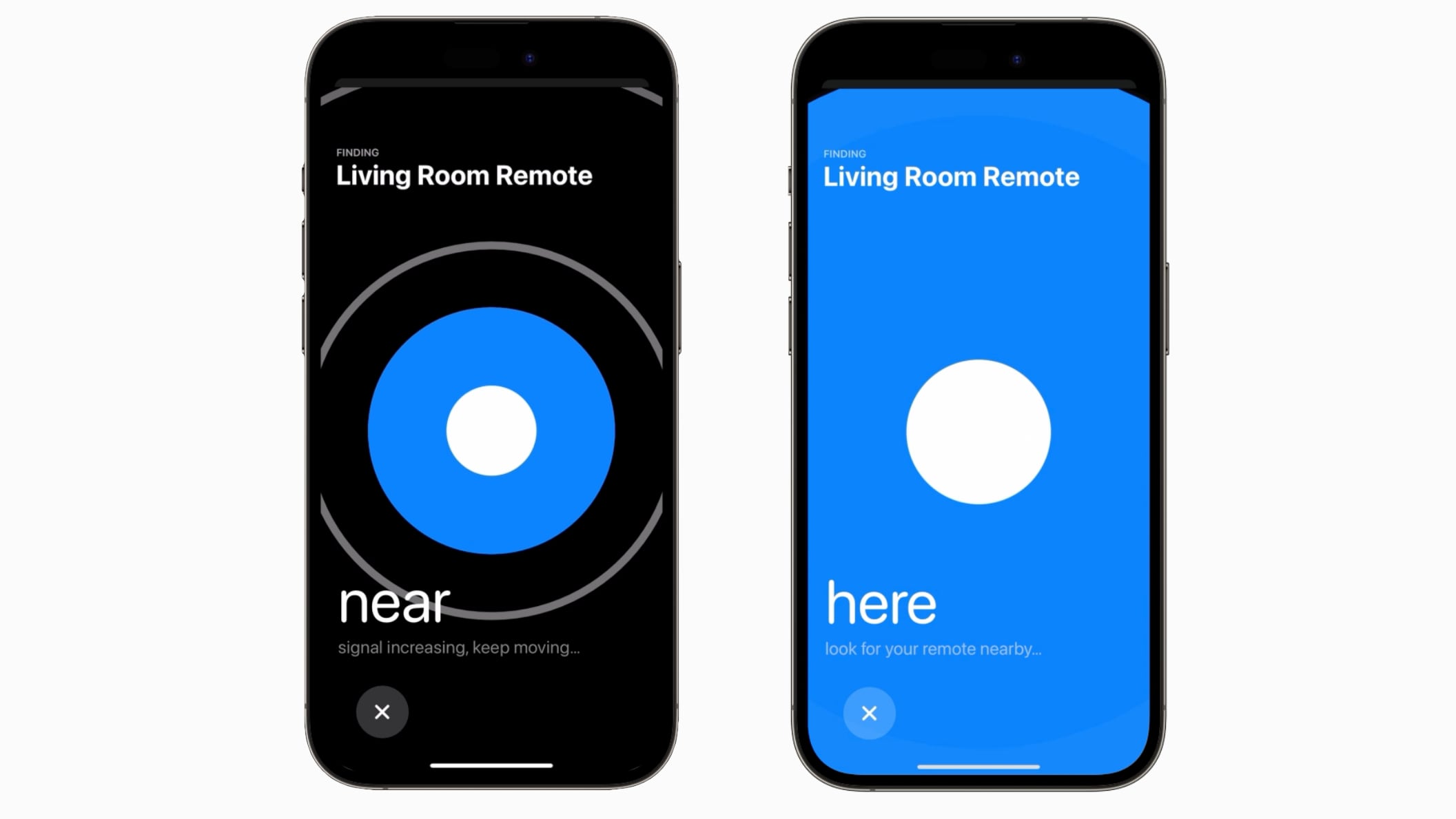
Prior to the launch of the latest Apple TV 4K, there were rumors that Apple planned to build Find My functionality into the Siri Remote to make it easier to find. That never happened, but Apple is introducing a similar location function for the ‌Siri‌ Remote in tvOS 17.


If the ‌Siri‌ Remote becomes lost, tvOS 17 users can open up the ‌Apple TV‌ remote on the Control Center on a linked iPhone to locate their ‌Siri‌ Remote. There is a Find My-like interface that will guide them toward the remote, with the size of the onscreen circle growing to guide movement.

The feature for locating a ‌Siri‌ Remote works with the second-generation or later version of the device, and tvOS 17 is required as well.

The Remote location feature is likely possible due to deeper integration between the ‌iPhone‌ and iPad and the ‌Apple TV‌. Apple has also introduced a FaceTime app for the ‌Apple TV‌ that uses a connected ‌iPhone‌ or ‌iPad‌ as the camera source.

Other new tvOS 17 features include updated screen savers that use your photos, an option to immediately switch to your profile when you use the ‌Apple TV‌ with your ‌iPhone‌ remote, and a revamped Control Center that makes it easier for you to access key settings and information.

Related Roundup: Apple TV
Buyer’s Guide: Apple TV (Buy Now)

This article, "tvOS 17 Lets You Use Your iPhone to Find a Lost Siri Remote" first appeared on MacRumors.com

Discuss this article in our forums


You may also be interested in this

Apple’s live events…

This year's WWDC keynote was another shiny, practiced, and well-oiled presentation for a bunch of new things coming down the pipe. It's a clear sign that Apple's is probably done

Daily Deals: $1,300 off M…

Today's hottest deals include 82% off iBasics Elite audio FM radio wireless headphones, $400 off an M2 Max MacBook Pro, up to 73% off bObsweep PetHair Vision robot vacuums, and

Best Apple headphones for…

Content creators can use Apple headphones seamlessly within the Apple ecosystem, including the latest iOS 17 features. Here are the best choices for videographers, music-makers, and more.Best Apple and Beats

AirTag foils $1.1 million…

Two Chicago men were arrested for a $1.1 million armored truck armed robbery after being tracked down via an AirTag hidden amongst the money.AirTag tracker helps find robbersThe AirTag is

U.S. DOJ charges Apple ex…

The U.S. Justice Department on Tuesday said it has charged former Apple engineer Weibao Wang with attempting to steal the firm’s technology related to autonomous systems, including self-driving cars, and

WWDC Feature Roundup, App…

On the latest Homekit Insider podcast, your hosts roundup the WWDC changes, go hands on with the Aqara U100 lock, and cover more smart home news.HomeKit InsiderAs usual, we roundup

How to use StandBy with i…

StandBy may be Apple's first attempt at a true smart display. With tons of features packed in, we walk you through this new way to turn your iPhone into a

Use Edge Light for Better…

Apple in macOS Tahoe 26.2 introduced Edge Light, a clever new feature that turns your Mac's display into a virtual ring light during video calls. Instead of fumbling with external
X

A whimsical homage to the days in black and white, celebrating the magic of Mac OS. Dress up your blog with retro, chunky-grade pixellated graphics to evoke some serious computer nostalgia. Supports a custom menu, custom header image, custom background, two footer widget areas, and a full-width page template. I updated Stuart Brown's 2011 masterpiece to meet the needs of the times, made it responsive , got dark mode, custom search widget and more.You can download it from tigaman.com, where you can also find more useful code snippets and plugins to get even more out of wordpress.