
MacBook Air joins the 13-inch model introduced last year, offering almost all of the same hardware with a significantly larger display, yet there are still some key differences that are important to consider when purchasing one of the machines.
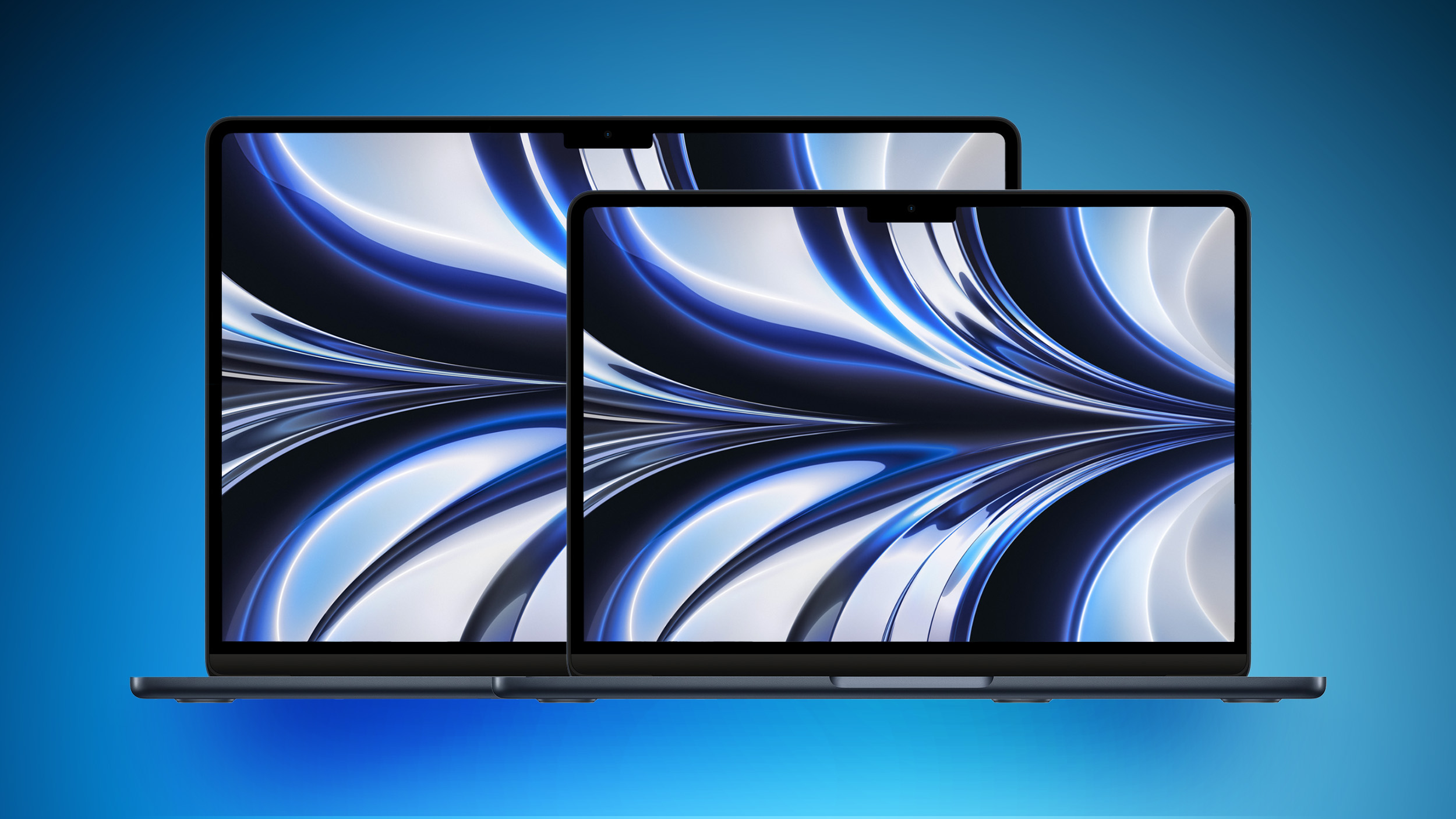

The 13- and 15-inch ‌MacBook Air‌ models are almost exactly the same in terms of feature set and design, both sporting high-resolution Liquid Retina displays, the M2 chip, Touch ID, two Thunderbolt ports, and much more. Both machines can be configured with the exact same amounts of memory and storage, and they are both available in the same color options. This simplifies purchasing decisions to just a few important aspects.

Key Differences


13-inch ‌MacBook Air‌ 15-inch ‌MacBook Air‌
13.6-inch Liquid Retina display 15.3-inch Liquid Retina display
Starts with 8-Core GPU Starts with 10-Core GPU
Four-speaker sound system Six-speaker sound system with force-cancelling woofers
Integrated 52.6-watt-hour lithium-polymer battery Integrated 66.5-watt-hour lithium-polymer battery
30W USB-C Power Adapter (with ‌M2‌ with 8-core GPU) or 35W Dual Port Compact Power Adapter 35W Dual Port Compact Power Adapter
Starts at $1,099 Starts at $1,299


It is important to note that while the 15-inch ‌MacBook Air‌ has a battery that is 13.9-watt-hours larger than the 13-inch model, both machines have the same 18-hour battery life. This is likely due to the increased power consumption of the larger display.

If you plan to heavily use your laptop's built-in speakers, the 15-inch model offers a worthwhile reason to get the larger model, offering two extra speakers inside the larger chassis. The smaller ‌MacBook Air‌ also misses out on the force-cancelling woofers that are present in the 15-inch model.

Since size is the main difference between the two ‌MacBook Air‌ models, prospective customers may wish to drill into the specific dimensions and weight of the machines. The 15-inch model adds 0.6 pounds (0.27 kg) and may be more difficult to get into a bag or backpack due to its larger footprint.

Dimensions


13-inch ‌MacBook Air‌ 15-inch ‌MacBook Air‌
Height 0.44 inch (1.13 cm) 0.45 inch (1.15 cm)
Width 11.97 inches (30.41 cm) 13.40 inches (34.04 cm)
Depth 8.46 inches (21.5 cm) 9.35 inches (23.76 cm)
Weight 2.7 pounds (1.24 kg) 3.3 pounds (1.51 kg)


While the 13-inch ‌MacBook Air‌ starts at $1,099, making it $200 cheaper than the 15-inch model, if you choose the 13-inch ‌MacBook Air‌ with a 10-core GPU, this price difference shrinks to $100. If you add the 35W Dual Port Compact Power Adapter, the difference shrinks to just $80. With this in mind, most users should opt for the 15-inch model since it provides much more screen real-estate and better speakers.

You should only buy the 13-inch ‌MacBook Air‌ if you specifically want a lighter, more portable device and are concerned about having to carry a device as large as the 15-inch model around. Likewise, the 13-inch ‌MacBook Air‌ is a better buy if you are price-conscious and don't need anything more than an 8-core GPU and the 30W USB-C Power Adapter. The $1,099 13-inch model is still quite a bit more affordable than the 15-inch ‌MacBook Air‌, with virtually no compromises in terms of features.
Related Roundup: MacBook Air
Buyer's Guide: MacBook Air (Buy Now)
Related Forum: MacBook Air

This article, "13-Inch vs. 15-Inch M2 MacBook Air Buyer's Guide" first appeared on MacRumors.com

Discuss this article in our forums

MacBook Air joins the 13-inch model introduced last year, offering almost all of the same hardware with a significantly larger display, yet there are still some key differences that are important to consider when purchasing one of the machines.


The 13- and 15-inch ‌MacBook Air‌ models are almost exactly the same in terms of feature set and design, both sporting high-resolution Liquid Retina displays, the M2 chip, Touch ID, two Thunderbolt ports, and much more. Both machines can be configured with the exact same amounts of memory and storage, and they are both available in the same color options. This simplifies purchasing decisions to just a few important aspects.

Key Differences


13-inch ‌MacBook Air‌ 15-inch ‌MacBook Air‌
13.6-inch Liquid Retina display 15.3-inch Liquid Retina display
Starts with 8-Core GPU Starts with 10-Core GPU
Four-speaker sound system Six-speaker sound system with force-cancelling woofers
Integrated 52.6-watt-hour lithium-polymer battery Integrated 66.5-watt-hour lithium-polymer battery
30W USB-C Power Adapter (with ‌M2‌ with 8-core GPU) or 35W Dual Port Compact Power Adapter 35W Dual Port Compact Power Adapter
Starts at $1,099 Starts at $1,299


It is important to note that while the 15-inch ‌MacBook Air‌ has a battery that is 13.9-watt-hours larger than the 13-inch model, both machines have the same 18-hour battery life. This is likely due to the increased power consumption of the larger display.

If you plan to heavily use your laptop's built-in speakers, the 15-inch model offers a worthwhile reason to get the larger model, offering two extra speakers inside the larger chassis. The smaller ‌MacBook Air‌ also misses out on the force-cancelling woofers that are present in the 15-inch model.

Since size is the main difference between the two ‌MacBook Air‌ models, prospective customers may wish to drill into the specific dimensions and weight of the machines. The 15-inch model adds 0.6 pounds (0.27 kg) and may be more difficult to get into a bag or backpack due to its larger footprint.

Dimensions


13-inch ‌MacBook Air‌ 15-inch ‌MacBook Air‌
Height 0.44 inch (1.13 cm) 0.45 inch (1.15 cm)
Width 11.97 inches (30.41 cm) 13.40 inches (34.04 cm)
Depth 8.46 inches (21.5 cm) 9.35 inches (23.76 cm)
Weight 2.7 pounds (1.24 kg) 3.3 pounds (1.51 kg)


While the 13-inch ‌MacBook Air‌ starts at $1,099, making it $200 cheaper than the 15-inch model, if you choose the 13-inch ‌MacBook Air‌ with a 10-core GPU, this price difference shrinks to $100. If you add the 35W Dual Port Compact Power Adapter, the difference shrinks to just $80. With this in mind, most users should opt for the 15-inch model since it provides much more screen real-estate and better speakers.

You should only buy the 13-inch ‌MacBook Air‌ if you specifically want a lighter, more portable device and are concerned about having to carry a device as large as the 15-inch model around. Likewise, the 13-inch ‌MacBook Air‌ is a better buy if you are price-conscious and don't need anything more than an 8-core GPU and the 30W USB-C Power Adapter. The $1,099 13-inch model is still quite a bit more affordable than the 15-inch ‌MacBook Air‌, with virtually no compromises in terms of features.
Related Roundup: MacBook Air
Buyer's Guide: MacBook Air (Buy Now)
Related Forum: MacBook Air

This article, "13-Inch vs. 15-Inch M2 MacBook Air Buyer's Guide" first appeared on MacRumors.com

Discuss this article in our forums

MacBook Air joins the 13-inch model introduced last year, offering almost all of the same hardware with a significantly larger display, yet there are still some key differences that are important to consider when purchasing one of the machines.


The 13- and 15-inch ‌MacBook Air‌ models are almost exactly the same in terms of feature set and design, both sporting high-resolution Liquid Retina displays, the M2 chip, Touch ID, two Thunderbolt ports, and much more. Both machines can be configured with the exact same amounts of memory and storage, and they are both available in the same color options. This simplifies purchasing decisions to just a few important aspects.

Key Differences


13-inch ‌MacBook Air‌ 15-inch ‌MacBook Air‌
13.6-inch Liquid Retina display 15.3-inch Liquid Retina display
Starts with 8-Core GPU Starts with 10-Core GPU
Four-speaker sound system Six-speaker sound system with force-cancelling woofers
Integrated 52.6-watt-hour lithium-polymer battery Integrated 66.5-watt-hour lithium-polymer battery
30W USB-C Power Adapter (with ‌M2‌ with 8-core GPU) or 35W Dual Port Compact Power Adapter 35W Dual Port Compact Power Adapter
Starts at $1,099 Starts at $1,299


It is important to note that while the 15-inch ‌MacBook Air‌ has a battery that is 13.9-watt-hours larger than the 13-inch model, both machines have the same 18-hour battery life. This is likely due to the increased power consumption of the larger display.

If you plan to heavily use your laptop's built-in speakers, the 15-inch model offers a worthwhile reason to get the larger model, offering two extra speakers inside the larger chassis. The smaller ‌MacBook Air‌ also misses out on the force-cancelling woofers that are present in the 15-inch model.

Since size is the main difference between the two ‌MacBook Air‌ models, prospective customers may wish to drill into the specific dimensions and weight of the machines. The 15-inch model adds 0.6 pounds (0.27 kg) and may be more difficult to get into a bag or backpack due to its larger footprint.

Dimensions


13-inch ‌MacBook Air‌ 15-inch ‌MacBook Air‌
Height 0.44 inch (1.13 cm) 0.45 inch (1.15 cm)
Width 11.97 inches (30.41 cm) 13.40 inches (34.04 cm)
Depth 8.46 inches (21.5 cm) 9.35 inches (23.76 cm)
Weight 2.7 pounds (1.24 kg) 3.3 pounds (1.51 kg)


While the 13-inch ‌MacBook Air‌ starts at $1,099, making it $200 cheaper than the 15-inch model, if you choose the 13-inch ‌MacBook Air‌ with a 10-core GPU, this price difference shrinks to $100. If you add the 35W Dual Port Compact Power Adapter, the difference shrinks to just $80. With this in mind, most users should opt for the 15-inch model since it provides much more screen real-estate and better speakers.

You should only buy the 13-inch ‌MacBook Air‌ if you specifically want a lighter, more portable device and are concerned about having to carry a device as large as the 15-inch model around. Likewise, the 13-inch ‌MacBook Air‌ is a better buy if you are price-conscious and don't need anything more than an 8-core GPU and the 30W USB-C Power Adapter. The $1,099 13-inch model is still quite a bit more affordable than the 15-inch ‌MacBook Air‌, with virtually no compromises in terms of features.
Related Roundup: MacBook Air
Buyer's Guide: MacBook Air (Buy Now)
Related Forum: MacBook Air

This article, "13-Inch vs. 15-Inch M2 MacBook Air Buyer's Guide" first appeared on MacRumors.com

Discuss this article in our forums
MacBook Air joins the 13-inch model introduced last year, offering almost all of the same hardware with a significantly larger display, yet there are still some key differences that are important to consider when purchasing one of the machines.


The 13- and 15-inch ‌MacBook Air‌ models are almost exactly the same in terms of feature set and design, both sporting high-resolution Liquid Retina displays, the M2 chip, Touch ID, two Thunderbolt ports, and much more. Both machines can be configured with the exact same amounts of memory and storage, and they are both available in the same color options. This simplifies purchasing decisions to just a few important aspects.

Key Differences


13-inch ‌MacBook Air‌ 15-inch ‌MacBook Air‌
13.6-inch Liquid Retina display 15.3-inch Liquid Retina display
Starts with 8-Core GPU Starts with 10-Core GPU
Four-speaker sound system Six-speaker sound system with force-cancelling woofers
Integrated 52.6-watt-hour lithium-polymer battery Integrated 66.5-watt-hour lithium-polymer battery
30W USB-C Power Adapter (with ‌M2‌ with 8-core GPU) or 35W Dual Port Compact Power Adapter 35W Dual Port Compact Power Adapter
Starts at $1,099 Starts at $1,299


It is important to note that while the 15-inch ‌MacBook Air‌ has a battery that is 13.9-watt-hours larger than the 13-inch model, both machines have the same 18-hour battery life. This is likely due to the increased power consumption of the larger display.

If you plan to heavily use your laptop's built-in speakers, the 15-inch model offers a worthwhile reason to get the larger model, offering two extra speakers inside the larger chassis. The smaller ‌MacBook Air‌ also misses out on the force-cancelling woofers that are present in the 15-inch model.

Since size is the main difference between the two ‌MacBook Air‌ models, prospective customers may wish to drill into the specific dimensions and weight of the machines. The 15-inch model adds 0.6 pounds (0.27 kg) and may be more difficult to get into a bag or backpack due to its larger footprint.

Dimensions


13-inch ‌MacBook Air‌ 15-inch ‌MacBook Air‌
Height 0.44 inch (1.13 cm) 0.45 inch (1.15 cm)
Width 11.97 inches (30.41 cm) 13.40 inches (34.04 cm)
Depth 8.46 inches (21.5 cm) 9.35 inches (23.76 cm)
Weight 2.7 pounds (1.24 kg) 3.3 pounds (1.51 kg)


While the 13-inch ‌MacBook Air‌ starts at $1,099, making it $200 cheaper than the 15-inch model, if you choose the 13-inch ‌MacBook Air‌ with a 10-core GPU, this price difference shrinks to $100. If you add the 35W Dual Port Compact Power Adapter, the difference shrinks to just $80. With this in mind, most users should opt for the 15-inch model since it provides much more screen real-estate and better speakers.

You should only buy the 13-inch ‌MacBook Air‌ if you specifically want a lighter, more portable device and are concerned about having to carry a device as large as the 15-inch model around. Likewise, the 13-inch ‌MacBook Air‌ is a better buy if you are price-conscious and don't need anything more than an 8-core GPU and the 30W USB-C Power Adapter. The $1,099 13-inch model is still quite a bit more affordable than the 15-inch ‌MacBook Air‌, with virtually no compromises in terms of features.
Related Roundup: MacBook Air
Buyer's Guide: MacBook Air (Buy Now)
Related Forum: MacBook Air

This article, "13-Inch vs. 15-Inch M2 MacBook Air Buyer's Guide" first appeared on MacRumors.com

Discuss this article in our forums
Apple's new 15-inch MacBook Air joins the 13-inch model introduced last year, offering almost all of the same hardware with a significantly larger display, yet there are still some key

Apple’s new 15-inch MacBook Air joins the 13-inch model introduced last year, offering almost all of the same hardware with a significantly larger display, yet there are still some key differences that are important to consider when purchasing one of the machines.


The 13- and 15-inch ‌MacBook Air‌ models are almost exactly the same in terms of feature set and design, both sporting high-resolution Liquid Retina displays, the M2 chip, Touch ID, two Thunderbolt ports, and much more. Both machines can be configured with the exact same amounts of memory and storage, and they are both available in the same color options. This simplifies purchasing decisions to just a few important aspects.

Key Differences

13-inch ‌MacBook Air‌ 15-inch ‌MacBook Air‌
13.6-inch Liquid Retina display 15.3-inch Liquid Retina display
Starts with 8-Core GPU Starts with 10-Core GPU
Four-speaker sound system Six-speaker sound system with force-cancelling woofers
Integrated 52.6-watt-hour lithium-polymer battery Integrated 66.5-watt-hour lithium-polymer battery
30W USB-C Power Adapter (with ‌M2‌ with 8-core GPU) or 35W Dual Port Compact Power Adapter 35W Dual Port Compact Power Adapter
Starts at $1,099 Starts at $1,299

It is important to note that while the 15-inch ‌MacBook Air‌ has a battery that is 13.9-watt-hours larger than the 13-inch model, both machines have the same 18-hour battery life. This is likely due to the increased power consumption of the larger display.

If you plan to heavily use your laptop’s built-in speakers, the 15-inch model offers a worthwhile reason to get the larger model, offering two extra speakers inside the larger chassis. The smaller ‌MacBook Air‌ also misses out on the force-cancelling woofers that are present in the 15-inch model.

Since size is the main difference between the two ‌MacBook Air‌ models, prospective customers may wish to drill into the specific dimensions and weight of the machines. The 15-inch model adds 0.6 pounds (0.27 kg) and may be more difficult to get into a bag or backpack due to its larger footprint.

Dimensions

13-inch ‌MacBook Air‌ 15-inch ‌MacBook Air‌
Height 0.44 inch (1.13 cm) 0.45 inch (1.15 cm)
Width 11.97 inches (30.41 cm) 13.40 inches (34.04 cm)
Depth 8.46 inches (21.5 cm) 9.35 inches (23.76 cm)
Weight 2.7 pounds (1.24 kg) 3.3 pounds (1.51 kg)

While the 13-inch ‌MacBook Air‌ starts at $1,099, making it $200 cheaper than the 15-inch model, if you choose the 13-inch ‌MacBook Air‌ with a 10-core GPU, this price difference shrinks to $100. If you add the 35W Dual Port Compact Power Adapter, the difference shrinks to just $80. With this in mind, most users should opt for the 15-inch model since it provides much more screen real-estate and better speakers.

You should only buy the 13-inch ‌MacBook Air‌ if you specifically want a lighter, more portable device and are concerned about having to carry a device as large as the 15-inch model around. Likewise, the 13-inch ‌MacBook Air‌ is a better buy if you are price-conscious and don’t need anything more than an 8-core GPU and the 30W USB-C Power Adapter. The $1,099 13-inch model is still quite a bit more affordable than the 15-inch ‌MacBook Air‌, with virtually no compromises in terms of features.

Related Roundup: MacBook Air
Buyer’s Guide: MacBook Air (Buy Now)
Related Forum: MacBook Air

This article, "13-Inch vs. 15-Inch M2 MacBook Air Buyer's Guide" first appeared on MacRumors.com

Discuss this article in our forums


You may also be interested in this

The second-gen Apple Penc…

The Apple Pencil is great for drawing and sketching, but it’s also handy for photo and video editing. | Photo by Amelia Holowaty Krales / The Verge If you own

OLED iPad Pro: What the r…

Apple is planning to overhaul its iPad lineup with OLED displays starting sometime next year. This transition will come with some changes in terms of features, prices, and more. Here’s

Strava announces integrat…

The popular fitness tracker for iPhone and Apple Watch Strava has announced a major new partnership with Nike. As a result, for the first time, Strava users will be able

Best Buy Details Black Fr…

With Halloween just around the corner, Best Buy this week is detailing its sale plans for the holiday, as well as the rest of the year. This includes a special

AirTag foils $1.1 million…

Two Chicago men were arrested for a $1.1 million armored truck armed robbery after being tracked down via an AirTag hidden amongst the money.AirTag tracker helps find robbersThe AirTag is

Apple iPhone 15 chip manu…

Apple is reportedly considering a switch to a more affordable manufacturing process for the upcoming iPhone 15 Pro chip, which could reduce efficiency but improve overall performance.Apple might switch to

Apple Seeds Fourth Betas …

Apple today seeded the fourth betas of upcoming iOS 16.5 and iPadOS 16.5 updates to developers for testing purposes, with the software coming a week after the launch of the

‘Monarch: Legacy of Monst…

ScreenTimes‘ Sigmund Judge reports this week that the live-action Godzilla series currently filming is being shot with 3D cameras in Apple’s Spatial Video for the Apple Vision Pro. Apple TV+
X

A whimsical homage to the days in black and white, celebrating the magic of Mac OS. Dress up your blog with retro, chunky-grade pixellated graphics to evoke some serious computer nostalgia. Supports a custom menu, custom header image, custom background, two footer widget areas, and a full-width page template. I updated Stuart Brown's 2011 masterpiece to meet the needs of the times, made it responsive , got dark mode, custom search widget and more.You can download it from tigaman.com, where you can also find more useful code snippets and plugins to get even more out of wordpress.