
Rumors about Apple's Vision Pro headset have been circulating for years, but something that was never quite clear was how it would be controlled. There were some early rumors of

Rumors about Apple’s Vision Pro headset have been circulating for years, but something that was never quite clear was how it would be controlled. There were some early rumors of control devices, which eventually faded away as leaks focused more on gesture control, and as it turns out, that’s the way Apple went.
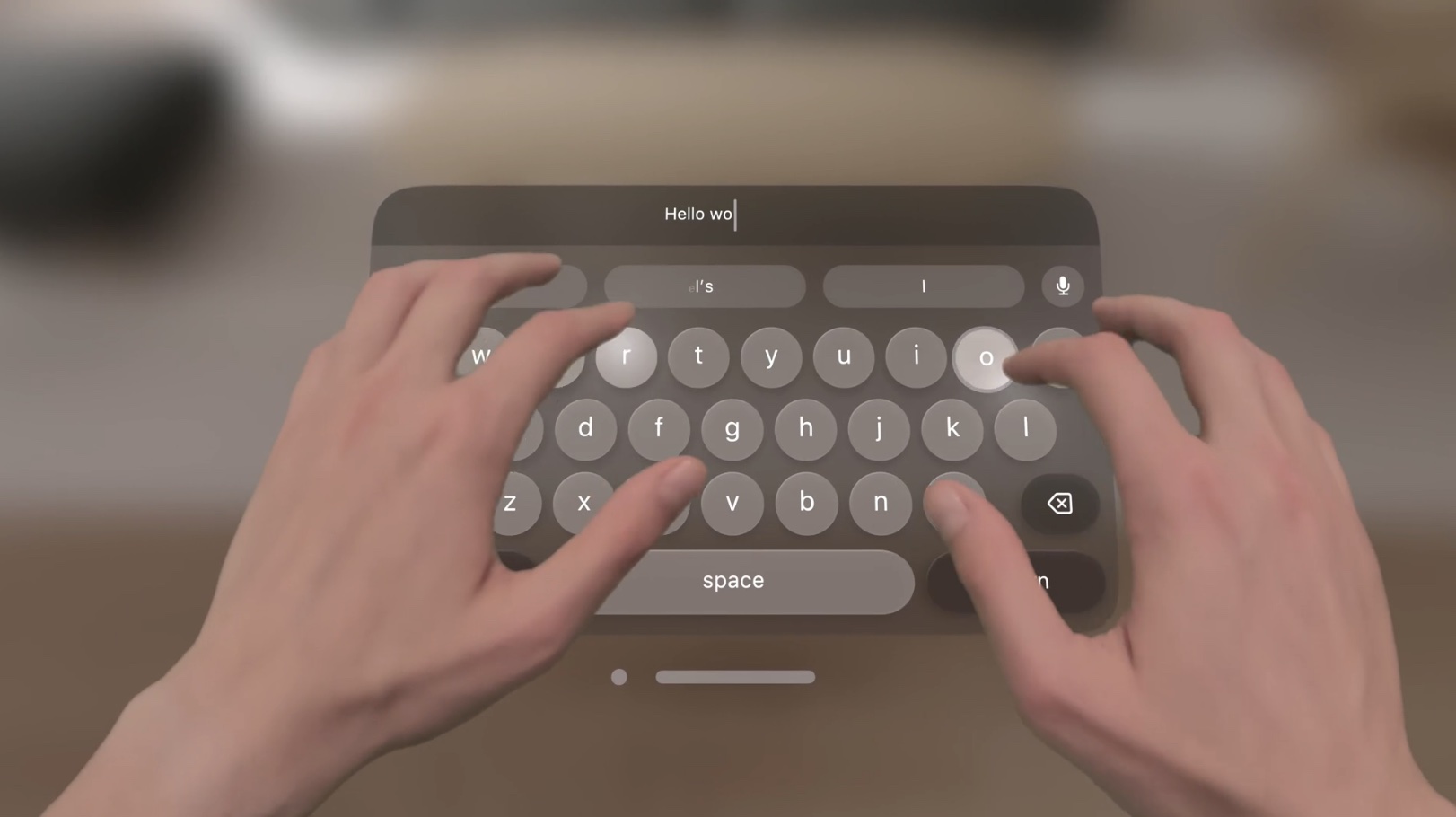


The Apple Vision Pro uses hand gestures, eye movements, and spoken commands for navigation. You can choose something on the display by looking at it, for example, and then select it by tapping your fingers together. Scrolling is done with a quick flick, and only small movements are required. You can look at the microphone button in a search field and then start speaking in order to dictate text, and Siri voice commands can be used to open and close apps, play songs, and more.

Reviewers have said that the Vision Pro navigation experience takes time to get used to, so there will be an adjustment period. Most other headsets on the market use some kind of handheld control mechanism, so the gesture-based control system will be unfamiliar to almost everyone.

Typing can be done with a connected iPhone or Bluetooth keyboard, but there’s also a virtual keyboard to type on, and dictation can be used as an alternative as well.

The interface won’t be easy to get used to for many, but on the plus side, the app layout and navigation will be immediately recognizable to those who have used an ‌iPhone‌ or an iPad. Apps are arranged in a “Home View” that’s similar to the Home Screen so not everything will be unfamiliar.

Related Roundup: AR/VR Headset
Related Forum: Apple Vision Pro

This article, "Apple Vision Pro Supports Virtual Typing, Navigation Through Hand Gestures and Eye Movements" first appeared on MacRumors.com

Discuss this article in our forums


You may also be interested in this

Craig Federighi outlines …

Along with the software and hardware announcements at WWDC, Apple executive Craig Federighi emphasized the company's ongoing commitment to privacy, exemplified by features such as "Check In," and why he

Take a look at the iPhone…

Macworld In about two months, Apple will take the wraps off the iPhone 17, and the debate over which one to buy can begin. But until then, there will be

OpenAI launches free Chat…

OpenAI has announced that it is releasing a dedicated iPhone app for its ChatGPT service. The app, which is available via the App Store, gives users the ability to use

Apple to discontinue Appl…

Apple is making a big change to its Apple Card Monthly Installment purchase option for iPhone buyers. Starting in August, Apple says that it will no longer allow customers to

iPhone 15 Pro Max Again R…

As widely rumored, the iPhone 15 Pro Max will exclusively feature an upgraded Telephoto lens with periscope technology, according to Twitter account @URedditor. In a tweet today, the leaker said

Rare Apple Earthquake Sur…

The Apple Earthquake Survival Kit from 1986 gave critical safety instructions to employees — and it could probably still be used for advice today.Apple Earthquake Survival KitConsisting of three scans

Post-apocalyptic cat plat…

The Mac game train continues onward. Just one year after the announcement, No Man’s Sky dropped on the Mac this week. The title will likely appear on the Apple headset

Pack light this summer wi…

Bluetti's newest and most portable power station, the AC60, hits shelves just in time for summer adventures, supplying hours of charge to keep all your favorite essential devices running.Take advantage
X

A whimsical homage to the days in black and white, celebrating the magic of Mac OS. Dress up your blog with retro, chunky-grade pixellated graphics to evoke some serious computer nostalgia. Supports a custom menu, custom header image, custom background, two footer widget areas, and a full-width page template. I updated Stuart Brown's 2011 masterpiece to meet the needs of the times, made it responsive , got dark mode, custom search widget and more.You can download it from tigaman.com, where you can also find more useful code snippets and plugins to get even more out of wordpress.