
The Messages app on the iPhone and iPad has supported stickers for several years now, but Apple in iOS 17 is overhauling the sticker experience to make them more important.
The Messages app on the iPhone and iPad has supported stickers for several years now, but Apple in iOS 17 is overhauling the sticker experience to make them more important.


All emoji are now considered stickers and can be used in the Messages app like stickers, with emoji listed right alongside Memoji stickers and sticker packs that you’ve downloaded from the App Store.

In addition, you can make your own stickers using the remove subject from background tool that Apple added for images in iOS 16.

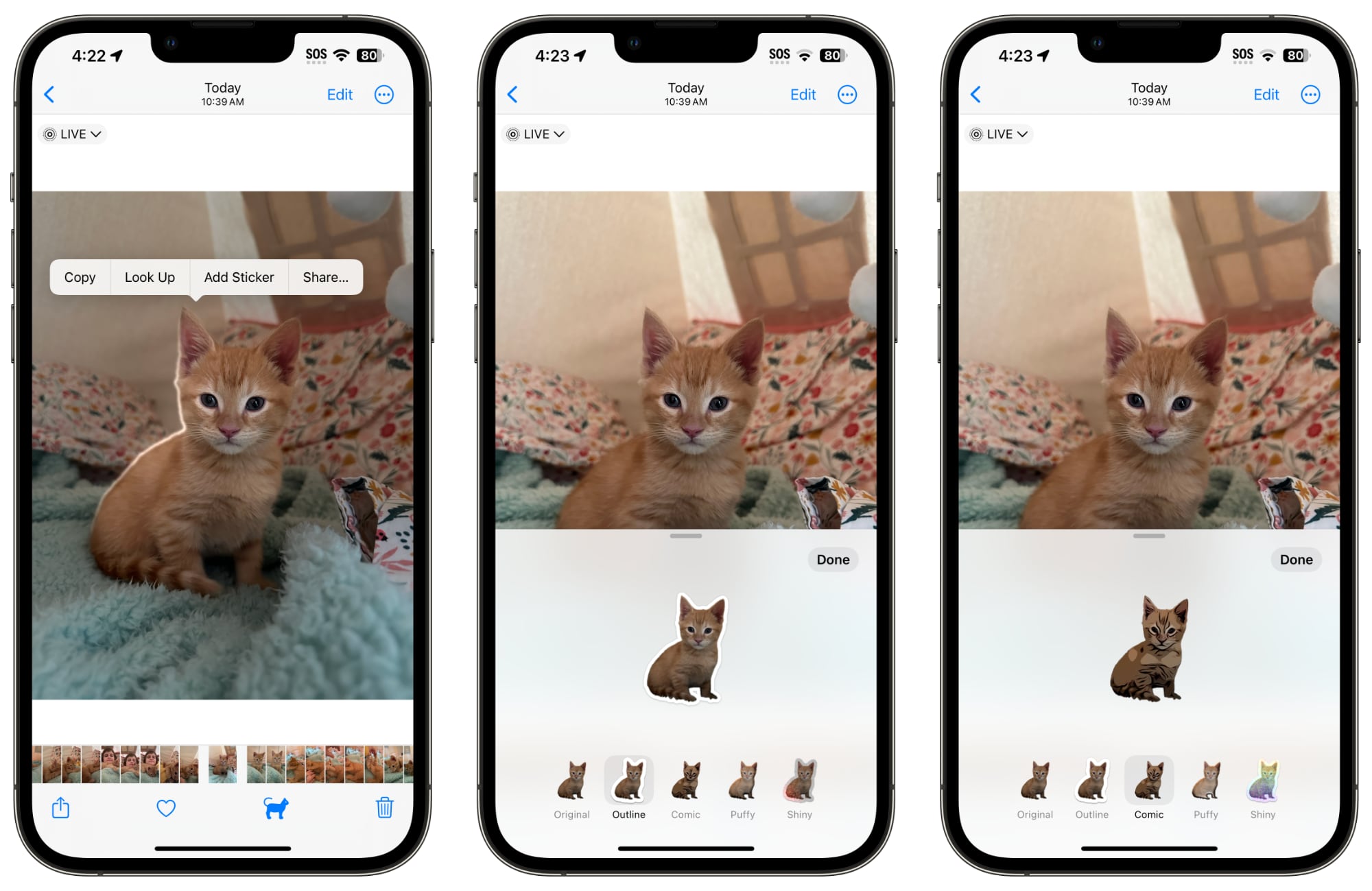
In any of your images in Photos (or images from Safari or another location), you can long press on the subject of the photo to highlight it and to bring up an options interface.


Choosing the “Add Sticker” option ports the selected subject into the sticker interface. From there, you can add an effect or delete it. Effects include adding a white sticker outline, a “puffy” sticker effect, a glittery effect, and more. Subjects pulled from Live Photos have the option of animating.

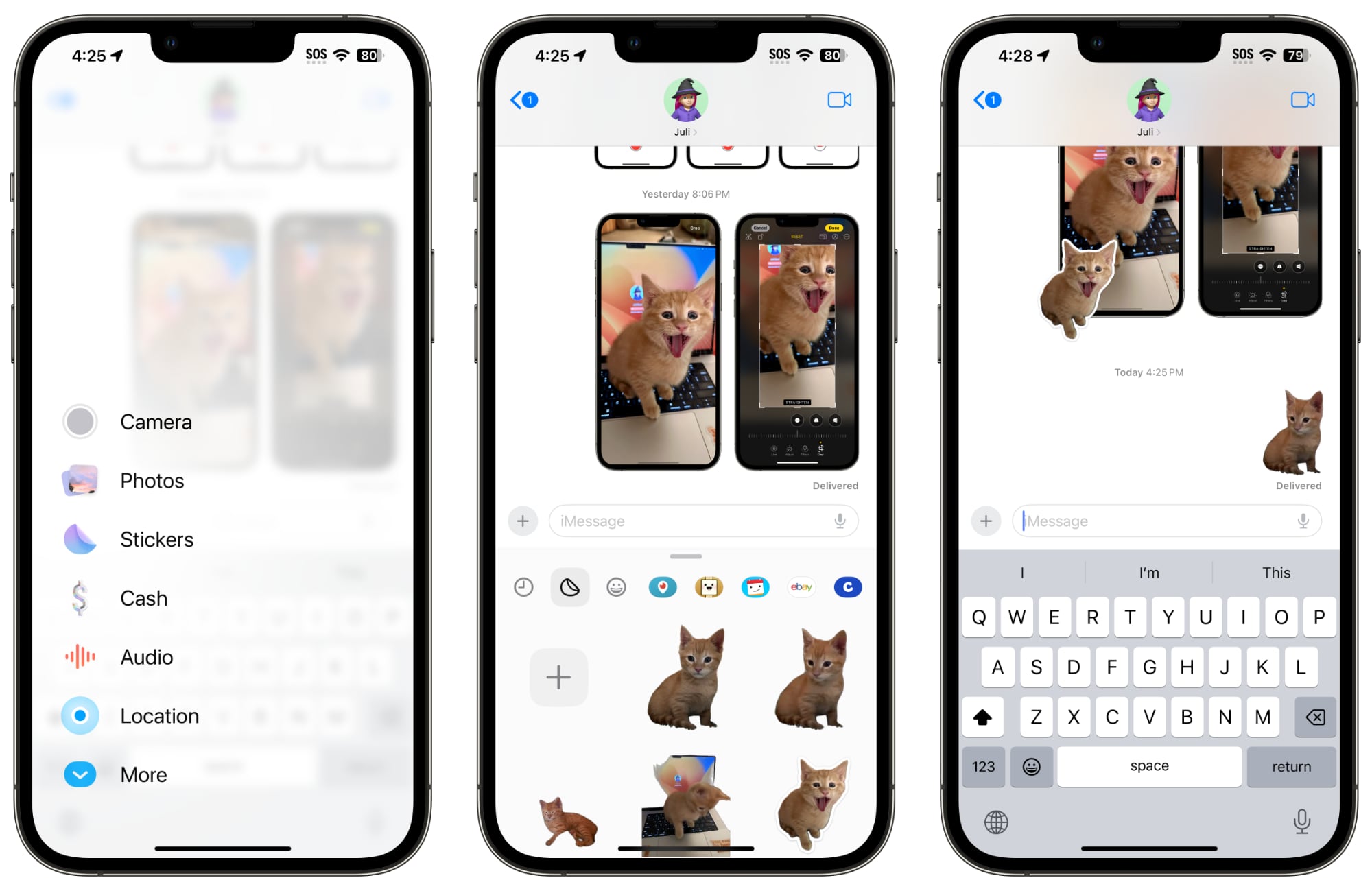
Stickers that you have created can be used through the sticker interface in the Messages app, accessible by tapping on the “+” button and then “Stickers.” You can insert stickers as single images, or add them to messages and photos, which is how stickers have worked since the feature was introduced.

Related Roundup: iOS 17

This article, "You Can Turn Your Photos Into Animated Stickers With iOS 17" first appeared on MacRumors.com

Discuss this article in our forums


You may also be interested in this

These Are Apple’s O…

For over two decades, the MacRumors Buyer's Guide has served as a valuable resource for keeping track of when Apple products were last updated. Below, we have highlighted five current-generation

Apple’s secret weapon for…

In macOS Sonoma, coming this fall, Apple introduces Game Mode which automatically gives games top priority on the CPU and GPU of your Mac, lowering usage for background tasks. And

Grab a 4-pack of AirTags …

Macworld Apple’s AirTags are a great way to track anything that isn’t an Apple product—keys, wallets, luggage, etc. And today you can get four of them for just $20 each:

YouTube Working on ‘…

YouTube appears to be developing a new gaming service called "Playables," according to The Wall Street Journal. The service allows users to play games on mobile devices or desktop computers,

‘iPhone 17 Slim’ could be…

Get the latest details on the super-slim iPhone 17, reportedly Apple's thinnest handset ever, including its specs and its anticipated price. (via Cult of Mac - Apple news, rumors, reviews

Apple shares hit record h…

In the last hours before WWDC's opening keynote presentation, shares in Apple got a boost from early trading to hit an all-time record high.An Apple Store logoShares and market valuation

If you can believe it, Ap…

Macworld We really shouldn’t be surprised, but Apple’s iPhone Pocket is a hot commodity. Shortly after it went on sale earlier today, it appears to be selling out.  A check

Apple issues release cand…

Apple has doled out release candidate developer beta versions for tvOS 16.5 and watchOS 9.5, as well as for HomePod.New watchOS beta for developersThese updates are available for developers via
X

A whimsical homage to the days in black and white, celebrating the magic of Mac OS. Dress up your blog with retro, chunky-grade pixellated graphics to evoke some serious computer nostalgia. Supports a custom menu, custom header image, custom background, two footer widget areas, and a full-width page template. I updated Stuart Brown's 2011 masterpiece to meet the needs of the times, made it responsive , got dark mode, custom search widget and more.You can download it from tigaman.com, where you can also find more useful code snippets and plugins to get even more out of wordpress.
