
WWDC session for developers, Apple has provided more details about these features.

Pointer Control

Pointer Control will allow the Vision Pro to be controlled based on head, wrist, or index finger position rather than eye tracking. Users will be able to adjust movement sensitivity to further fit their individual needs.

Dwell Control will provide on-screen options for Tap, Scroll, Long Press, and Drag, allowing for users to interact with the interface without using their hands.

Dwell Control

There's also Guided Access, an accessibility feature that will promote focus by restricting visionOS to a single app at one time. Apple says the feature aims to minimize distractions by backgrounding other apps, removing non-essential UI elements, and suppressing hardware button events that could be distracting.

Guided Access

Apple's screen reader VoiceOver will be available on the Vision Pro. Users will be able to set up a VoiceOver shortcut in the Settings app on visionOS that allows for the feature to be activated with a triple press of the Digital Crown.

Vision Pro is launching in early 2024 in the U.S. for $3,499, and more details about the headset are available in our Vision Pro roundup. For more details about the accessibility features, check out Apple's WWDC session.
Related Roundup: Apple Vision Pro
Related Forum: Apple Vision Pro

This article, "Apple Highlights Vision Pro's Accessibility Features with Head, Wrist, and Index Finger Controls" first appeared on MacRumors.com

Discuss this article in our forums
WWDC session for developers, Apple has provided more details about these features.

Pointer Control

Pointer Control will allow the Vision Pro to be controlled based on head, wrist, or index finger position rather than eye tracking. Users will be able to adjust movement sensitivity to further fit their individual needs.

Dwell Control will provide on-screen options for Tap, Scroll, Long Press, and Drag, allowing for users to interact with the interface without using their hands.

Dwell Control

There's also Guided Access, an accessibility feature that will promote focus by restricting visionOS to a single app at one time. Apple says the feature aims to minimize distractions by backgrounding other apps, removing non-essential UI elements, and suppressing hardware button events that could be distracting.

Guided Access

Apple's screen reader VoiceOver will be available on the Vision Pro. Users will be able to set up a VoiceOver shortcut in the Settings app on visionOS that allows for the feature to be activated with a triple press of the Digital Crown.

Vision Pro is launching in early 2024 in the U.S. for $3,499, and more details about the headset are available in our Vision Pro roundup. For more details about the accessibility features, check out Apple's WWDC session.
Related Roundup: Apple Vision Pro
Related Forum: Apple Vision Pro

This article, "Apple Highlights Vision Pro's Accessibility Features with Head, Wrist, and Index Finger Controls" first appeared on MacRumors.com

Discuss this article in our forums
WWDC session for developers, Apple has provided more details about these features.

Pointer Control

Pointer Control will allow the Vision Pro to be controlled based on head, wrist, or index finger position rather than eye tracking. Users will be able to adjust movement sensitivity to further fit their individual needs.

Dwell Control will provide on-screen options for Tap, Scroll, Long Press, and Drag, allowing for users to interact with the interface without using their hands.

Dwell Control

There's also Guided Access, an accessibility feature that will promote focus by restricting visionOS to a single app at one time. Apple says the feature aims to minimize distractions by backgrounding other apps, removing non-essential UI elements, and suppressing hardware button events that could be distracting.

Guided Access

Apple's screen reader VoiceOver will be available on the Vision Pro. Users will be able to set up a VoiceOver shortcut in the Settings app on visionOS that allows for the feature to be activated with a triple press of the Digital Crown.

Vision Pro is launching in early 2024 in the U.S. for $3,499, and more details about the headset are available in our Vision Pro roundup. For more details about the accessibility features, check out Apple's WWDC session.
Related Roundup: Apple Vision Pro
Related Forum: Apple Vision Pro

This article, "Apple Highlights Vision Pro's Accessibility Features with Head, Wrist, and Index Finger Controls" first appeared on MacRumors.com

Discuss this article in our forums
WWDC session for developers, Apple has provided more details about these features.

Pointer Control

Pointer Control will allow the Vision Pro to be controlled based on head, wrist, or index finger position rather than eye tracking. Users will be able to adjust movement sensitivity to further fit their individual needs.

Dwell Control will provide on-screen options for Tap, Scroll, Long Press, and Drag, allowing for users to interact with the interface without using their hands.

Dwell Control

There's also Guided Access, an accessibility feature that will promote focus by restricting visionOS to a single app at one time. Apple says the feature aims to minimize distractions by backgrounding other apps, removing non-essential UI elements, and suppressing hardware button events that could be distracting.

Guided Access

Apple's screen reader VoiceOver will be available on the Vision Pro. Users will be able to set up a VoiceOver shortcut in the Settings app on visionOS that allows for the feature to be activated with a triple press of the Digital Crown.

Vision Pro is launching in early 2024 in the U.S. for $3,499, and more details about the headset are available in our Vision Pro roundup. For more details about the accessibility features, check out Apple's WWDC session.
Related Roundup: Apple Vision Pro
Related Forum: Apple Vision Pro

This article, "Apple Highlights Vision Pro's Accessibility Features with Head, Wrist, and Index Finger Controls" first appeared on MacRumors.com

Discuss this article in our forums
Apple's new Vision Pro headset is controlled with eye and hand movements by default. For those with accessibility needs, however, features like VoiceOver, Pointer Control, and Dwell Control will allow

Apple’s new Vision Pro headset is controlled with eye and hand movements by default. For those with accessibility needs, however, features like VoiceOver, Pointer Control, and Dwell Control will allow users to interact with visionOS in other ways. In a WWDC session for developers, Apple has provided more details about these features.
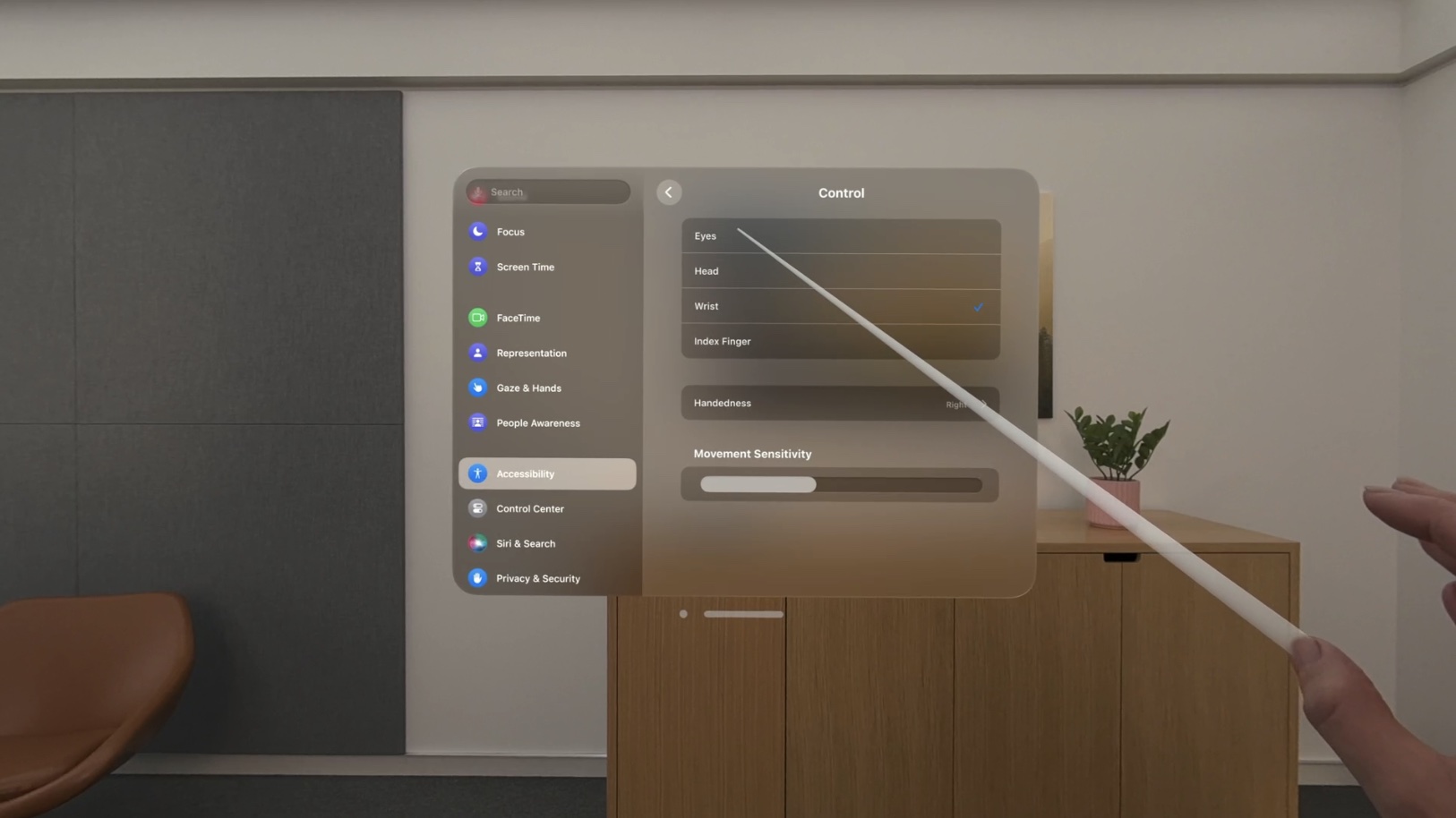
Pointer Control

Pointer Control will allow the Vision Pro to be controlled based on head, wrist, or index finger position rather than eye tracking. Users will be able to adjust movement sensitivity to further fit their individual needs.

Dwell Control will provide on-screen options for Tap, Scroll, Long Press, and Drag, allowing for users to interact with the interface without using their hands.
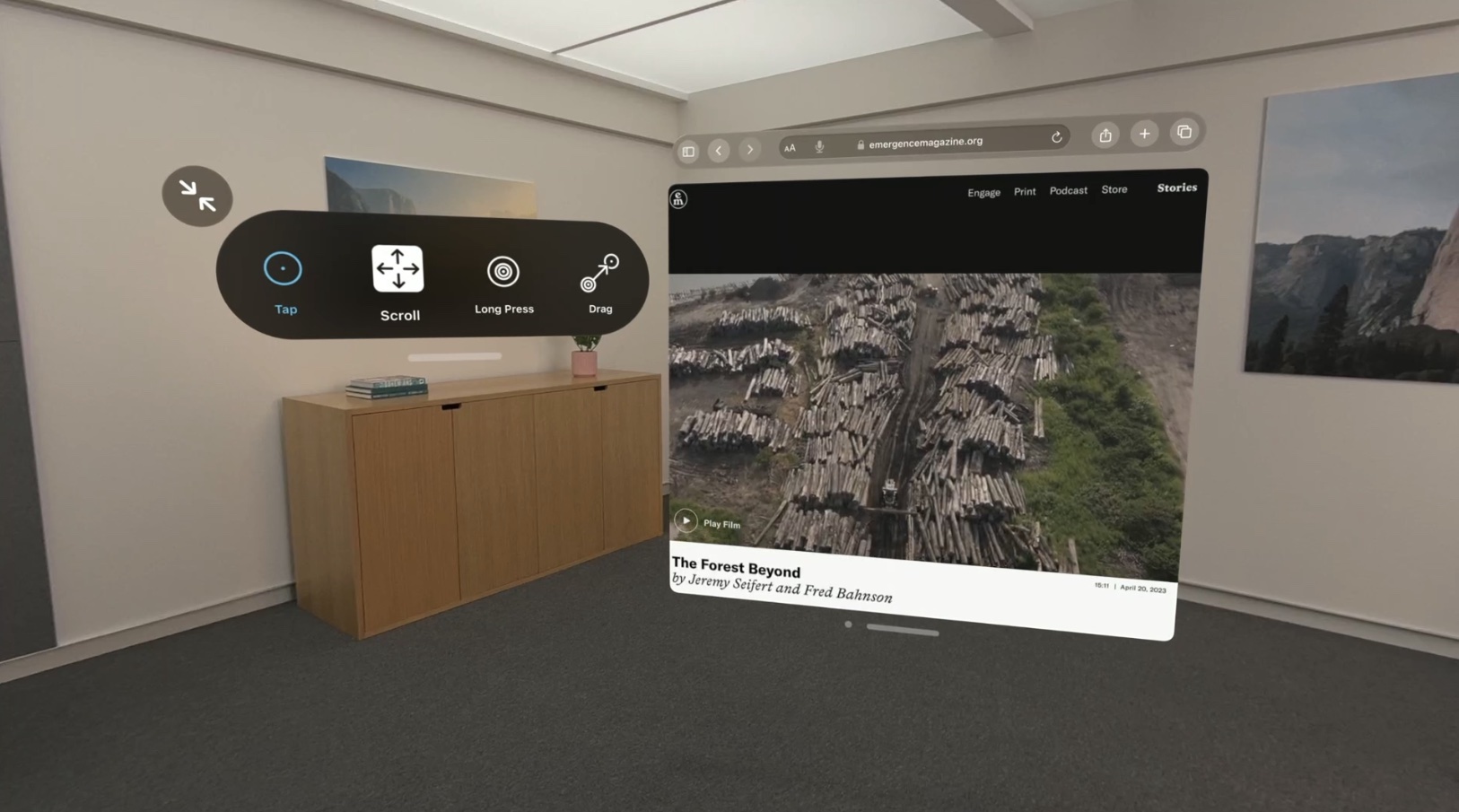
Dwell Control

There’s also Guided Access, an accessibility feature that will promote focus by restricting visionOS to a single app at one time. Apple says the feature aims to minimize distractions by backgrounding other apps, removing non-essential UI elements, and suppressing hardware button events that could be distracting.
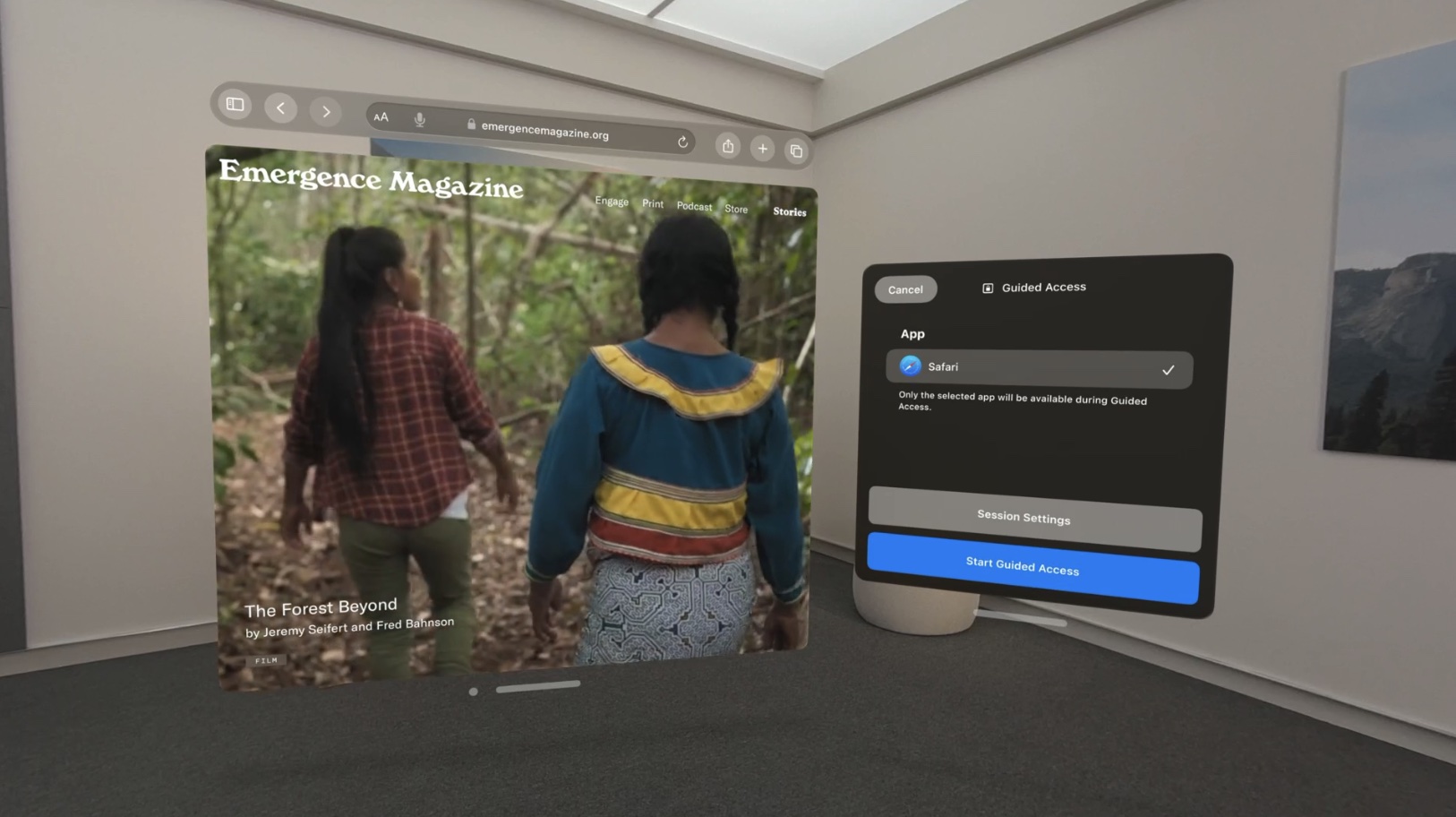
Guided Access

Apple’s screen reader VoiceOver will be available on the Vision Pro. Users will be able to set up a VoiceOver shortcut in the Settings app on visionOS that allows for the feature to be activated with a triple press of the Digital Crown.

Vision Pro is launching in early 2024 in the U.S. for $3,499, and more details about the headset are available in our Vision Pro roundup. For more details about the accessibility features, check out Apple’s WWDC session.

Related Roundup: Apple Vision Pro
Related Forum: Apple Vision Pro

This article, "Apple Highlights Vision Pro's Accessibility Features with Head, Wrist, and Index Finger Controls" first appeared on MacRumors.com

Discuss this article in our forums


You may also be interested in this

Apple brings Final Cut Pr…

Apps introduce powerful features designed for iPad to deliver the ultimate mobile studio for video and music creators.

Best Thunderbolt and USB-…

Macworld Plug your MacBook in and out of a multi-port docking station to swiftly add devices and external displays to your laptop. We tested a bunch to find the best

U.S. Solicitor General ur…

The U.S. solicitor general on Tuesday urged the U.S. Supreme Court to reject an appeal by Apple and Broadcom stemming from their $1.1 billion trial loss to the California Institute

Apple restarts beta cycle…

Apple has restarted the beta program with macOS Ventura 13.5, which is now available to download for developer testing.Apple releases new macOS betaDevelopers who are part of the beta program

Lululook 360 Rotating Fol…

Lululook's 360 Rotating Foldable Laptop Stand is a pricey yet convenient laptop stand for a variety of setups and uses.Coming in Apple-appropriate space gray and silver, the laptop stand has

EU Warns Apple About Limi…

Last year, the EU passed legislation that will require the iPhone and many other devices with wired charging to be equipped with a USB-C port in order to be sold

Among many successes this…

Apple security and privacy engineers thwarted Pegasus. It was just one of their successes this year. Fast Company’s Harry McCracken speaks with Apple engineers who are creating innovative ways to

Polestar 2 Software Updat…

Swedish automaker Polestar today announced that it is releasing a software update to all existing Polestar 2 vehicles to add new Apple CarPlay features, including full-screen Apple Maps in the
X

A whimsical homage to the days in black and white, celebrating the magic of Mac OS. Dress up your blog with retro, chunky-grade pixellated graphics to evoke some serious computer nostalgia. Supports a custom menu, custom header image, custom background, two footer widget areas, and a full-width page template. I updated Stuart Brown's 2011 masterpiece to meet the needs of the times, made it responsive , got dark mode, custom search widget and more.You can download it from tigaman.com, where you can also find more useful code snippets and plugins to get even more out of wordpress.
