
iOS 17 is adding a new feature to iOS that is designed to automatically block incoming messages and files that may have sensitive content like nudity.
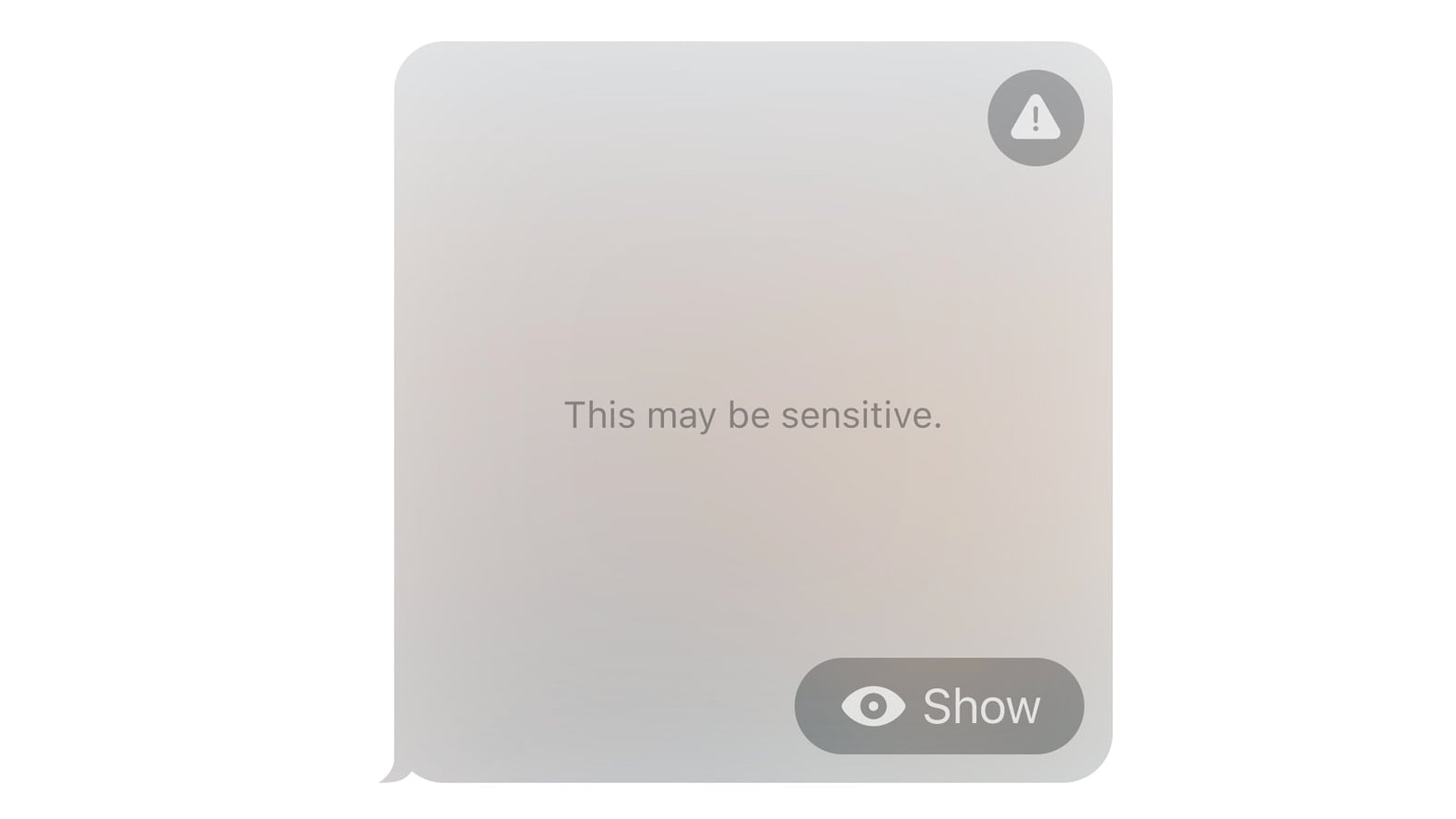

Opt-in blurring can be applied to sensitive images sent in Messages, AirDrop, Contact Posters for the Phone app, FaceTime messages, and third-party apps. The feature will prevent adult iPhone users from being subjected to unwanted imagery. All nudity will be blocked, but can be viewed by tapping the "Show" button.

Sensitive Content Warnings work like the Communication Safety functionality that Apple added for children, with all detection done on device so Apple does not see the content that's being shared. Sensitive Content Warnings are an expansion of the Communication Safety options that Apple introduced for children last year.

Communication Safety detects and blocks nude images before children can view them, and with ‌iOS 17‌, this too will expand to encompass AirDrop, the systemwide photo picker, ‌FaceTime‌ messages, and third-party apps.
Related Roundup: iOS 17

This article, "iOS 17 Can Automatically Block Unsolicited Nude Photos With 'Sensitive Content Warnings'" first appeared on MacRumors.com

Discuss this article in our forums

iOS 17 is adding a new feature to iOS that is designed to automatically block incoming messages and files that may have sensitive content like nudity.


Opt-in blurring can be applied to sensitive images sent in Messages, AirDrop, Contact Posters for the Phone app, FaceTime messages, and third-party apps. The feature will prevent adult iPhone users from being subjected to unwanted imagery. All nudity will be blocked, but can be viewed by tapping the "Show" button.

Sensitive Content Warnings work like the Communication Safety functionality that Apple added for children, with all detection done on device so Apple does not see the content that's being shared. Sensitive Content Warnings are an expansion of the Communication Safety options that Apple introduced for children last year.

Communication Safety detects and blocks nude images before children can view them, and with ‌iOS 17‌, this too will expand to encompass AirDrop, the systemwide photo picker, ‌FaceTime‌ messages, and third-party apps.
Related Roundup: iOS 17

This article, "iOS 17 Can Automatically Block Unsolicited Nude Photos With 'Sensitive Content Warnings'" first appeared on MacRumors.com

Discuss this article in our forums

iOS 17 is adding a new feature to iOS that is designed to automatically block incoming messages and files that may have sensitive content like nudity.


Opt-in blurring can be applied to sensitive images sent in Messages, AirDrop, Contact Posters for the Phone app, FaceTime messages, and third-party apps. The feature will prevent adult iPhone users from being subjected to unwanted imagery. All nudity will be blocked, but can be viewed by tapping the "Show" button.

Sensitive Content Warnings work like the Communication Safety functionality that Apple added for children, with all detection done on device so Apple does not see the content that's being shared. Sensitive Content Warnings are an expansion of the Communication Safety options that Apple introduced for children last year.

Communication Safety detects and blocks nude images before children can view them, and with ‌iOS 17‌, this too will expand to encompass AirDrop, the systemwide photo picker, ‌FaceTime‌ messages, and third-party apps.
Related Roundup: iOS 17

This article, "iOS 17 Can Automatically Block Unsolicited Nude Photos With 'Sensitive Content Warnings'" first appeared on MacRumors.com

Discuss this article in our forums
iOS 17 is adding a new feature to iOS that is designed to automatically block incoming messages and files that may have sensitive content like nudity.


Opt-in blurring can be applied to sensitive images sent in Messages, AirDrop, Contact Posters for the Phone app, FaceTime messages, and third-party apps. The feature will prevent adult iPhone users from being subjected to unwanted imagery. All nudity will be blocked, but can be viewed by tapping the "Show" button.

Sensitive Content Warnings work like the Communication Safety functionality that Apple added for children, with all detection done on device so Apple does not see the content that's being shared. Sensitive Content Warnings are an expansion of the Communication Safety options that Apple introduced for children last year.

Communication Safety detects and blocks nude images before children can view them, and with ‌iOS 17‌, this too will expand to encompass AirDrop, the systemwide photo picker, ‌FaceTime‌ messages, and third-party apps.
Related Roundup: iOS 17

This article, "iOS 17 Can Automatically Block Unsolicited Nude Photos With 'Sensitive Content Warnings'" first appeared on MacRumors.com

Discuss this article in our forums
Apple in iOS 17 is adding a new feature to iOS that is designed to automatically block incoming messages and files that may have sensitive content like nudity. Opt-in blurring

Apple in iOS 17 is adding a new feature to iOS that is designed to automatically block incoming messages and files that may have sensitive content like nudity.


Opt-in blurring can be applied to sensitive images sent in Messages, AirDrop, Contact Posters for the Phone app, FaceTime messages, and third-party apps. The feature will prevent adult iPhone users from being subjected to unwanted imagery. All nudity will be blocked, but can be viewed by tapping the “Show” button.

Sensitive Content Warnings work like the Communication Safety functionality that Apple added for children, with all detection done on device so Apple does not see the content that’s being shared. Sensitive Content Warnings are an expansion of the Communication Safety options that Apple introduced for children last year.

Communication Safety detects and blocks nude images before children can view them, and with ‌iOS 17‌, this too will expand to encompass AirDrop, the systemwide photo picker, ‌FaceTime‌ messages, and third-party apps.

Related Roundup: iOS 17

This article, "iOS 17 Can Automatically Block Unsolicited Nude Photos With 'Sensitive Content Warnings'" first appeared on MacRumors.com

Discuss this article in our forums


You may also be interested in this

Apple releases iOS 16.5 a…

Apple has released iOS 16.5 and iPadOS 16.5 to the public, with the new updates now installable on iPhones and iPads.As WWDC 2023 and the introduction of iOS 17 looms,

Apple brings Final Cut Pr…

With powerful and intuitive tools designed for the portability, performance, and touch-first interface of iPad, Final Cut Pro and Logic Pro are the ultimate mobile studio for video and music

WWDC 2023: iOS 17 and mac…

WWDC 2023 is so close, I can see it from my house. What better way to kill time than think about last minute feature requests for iOS 17 and macOS

Apple brings Beats Studio…

A month after their initial launch in the US, Apple's Beats Studio Buds + have now been released across Europe, with more countries due soon.In May 2023, Apple subsidiary Beats

You can now use text prom…

Artists and designers can now use text prompts in Adobe Illustrator to help explore new color palettes for their creative projects.Image Credit: AdobeGenerative Recolor, a new AI-powered recolor feature, has

Macworld Podcast: What to…

Macworld “Glowtime” is next week! What will Apple showcase at its event? It’s all about the new iPhone and we’re talking about what we expect with the iPhone 16 lineup,

Mark Zuckerberg says the …

Meta CEO Mark Zuckerberg says that Apple's newly announced Apple Vision Pro does not offer the future of computing he wants.Days before the Vision Pro mixed-reality headset was announced, Meta

Grab Apple’s Mac mi…

Exclusive savings offer the lowest prices on Apple's 2023 Mac mini, including the M2 model with a 512GB SSD. Plus, enjoy a bonus discount on three years of AppleCare.Save on
X

A whimsical homage to the days in black and white, celebrating the magic of Mac OS. Dress up your blog with retro, chunky-grade pixellated graphics to evoke some serious computer nostalgia. Supports a custom menu, custom header image, custom background, two footer widget areas, and a full-width page template. I updated Stuart Brown's 2011 masterpiece to meet the needs of the times, made it responsive , got dark mode, custom search widget and more.You can download it from tigaman.com, where you can also find more useful code snippets and plugins to get even more out of wordpress.