
The first macOS Sonoma beta was released to developers and early adopters this week, and changes in the newest version of Apple’s macOS operating system are still being unearthed. Below are just a handful of notable differences that may have passed you by.
System Settings
In macOS Ventura, Apple replaced System Preferences with System Settings to align it with iOS and iPadOS, but the way controls were organized left many users wanting.
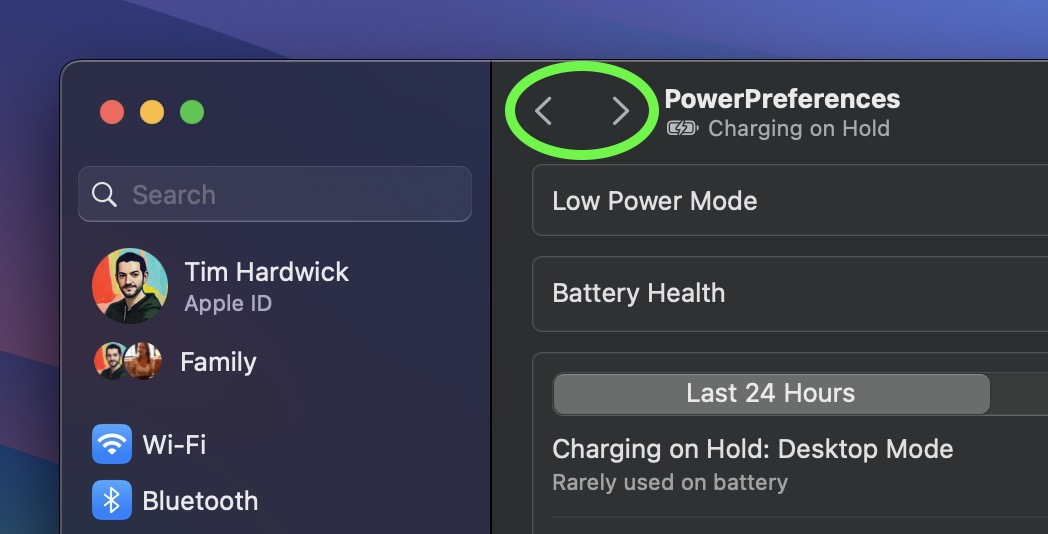
The same System Settings interface remains in macOS Sonoma, but it is now easier to navigate through different menu screens you have visited without continually scrolling through the side bar, thanks to the addition of backward and forward buttons.
FaceTime UI and Reactions
Apple has changed the way FaceTime integrates with the menu bar. The video effects options no longer appear in the Control Center, and instead have a new home in a dedicated green FaceTime menu bar item, which also includes a mini webcam view and buttons to trigger Reactions.
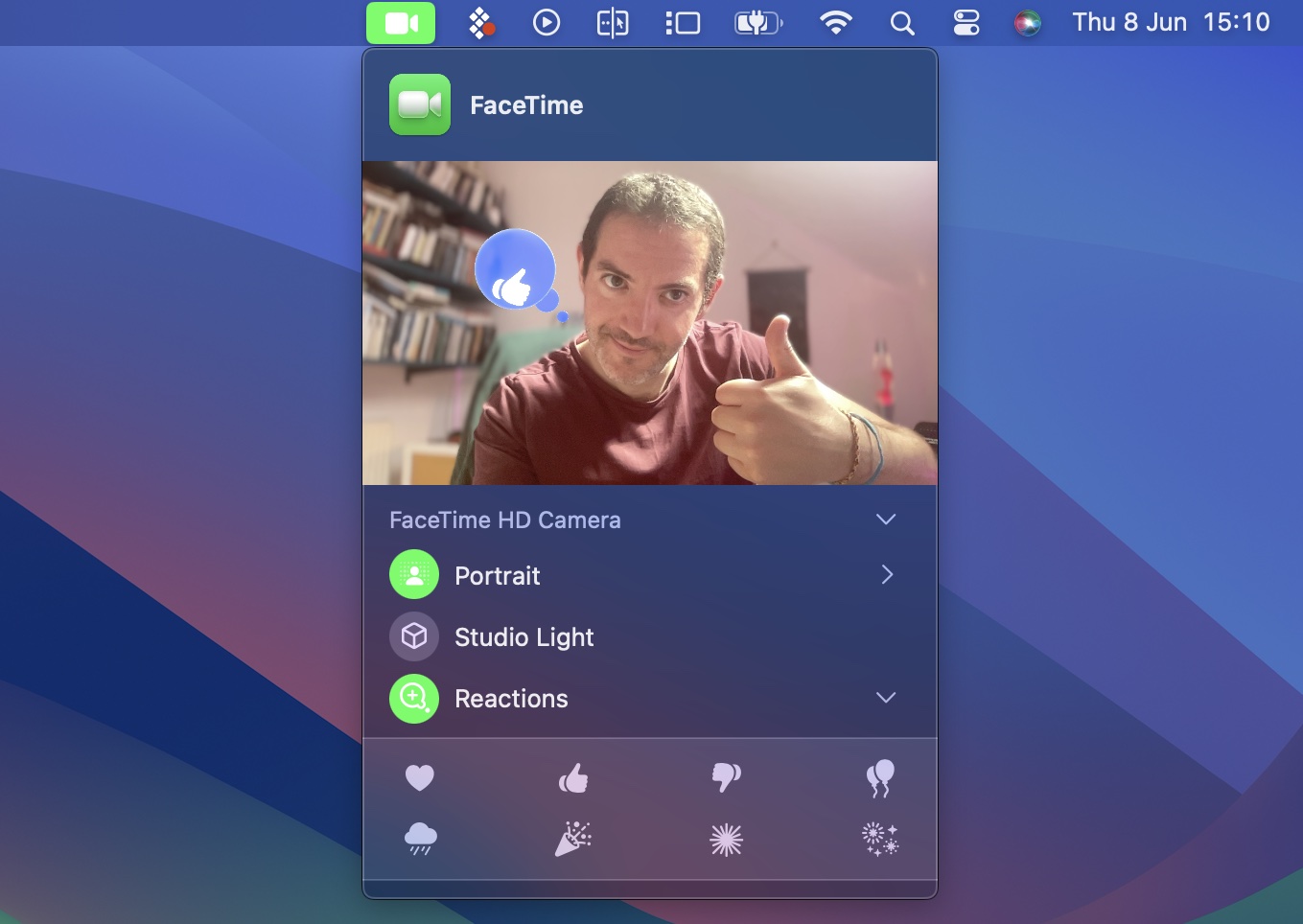
Reactions include Love, Like, Dislike, Balloons, Rain, Confetti, Lasers, and Fireworks. Some reactions are even triggered automatically by the user’s physical actions: One thumb up triggers a Like, and two thumbs up are attended by Fireworks. Similarly, one thumb down counts as a dislike, and two thumbs down initiates a rain shower.
Safari Profiles
Safari has gained a new feature called Profiles, which is designed to help keep your browsing separate for topics like Work, School, or Personal.
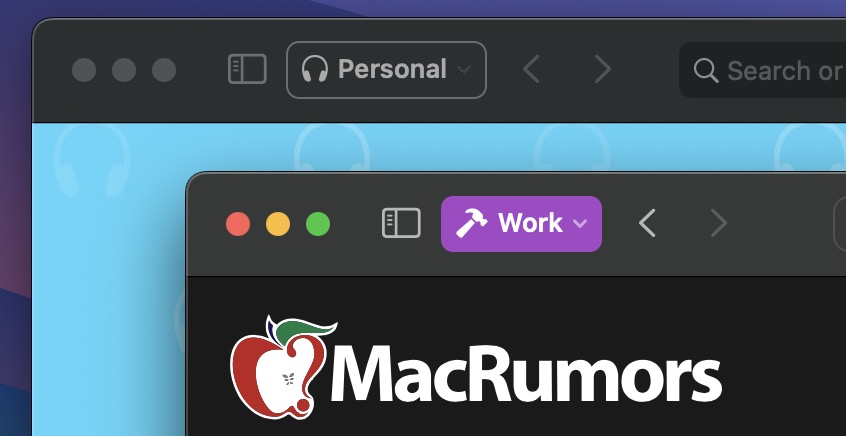
Each profile gets its own icon and silos your history, Tab Groups, favorites, and cookies. You can even assign specific extensions to different profiles to optimize your browsing experience based on the task at hand.
Seamless Keyboard Input and Dictation
macOS Sonoma supports simultaneous use of keyboard input and Dictation, without any disruption in your flow of thought.
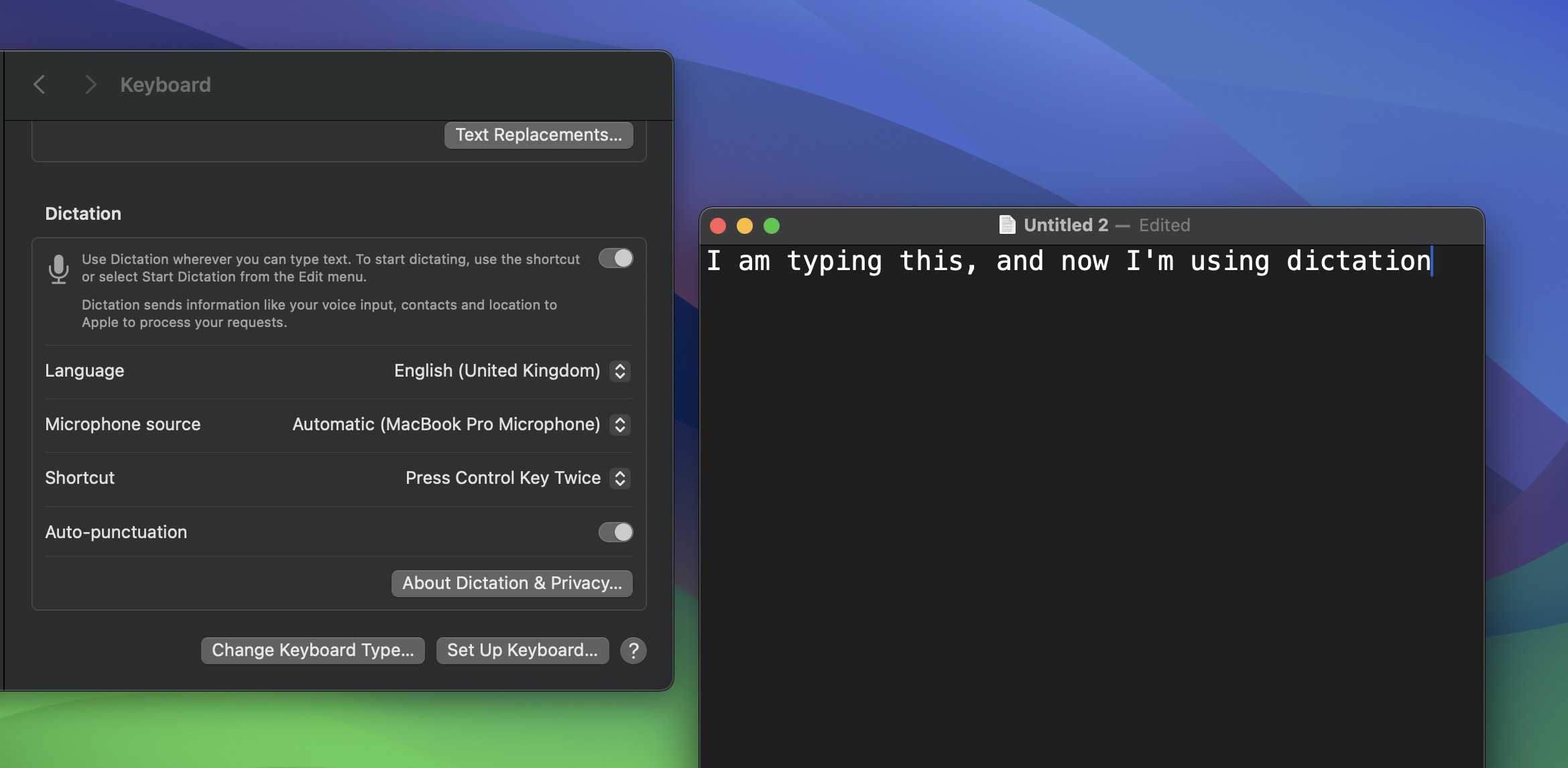
In other words, you can keep typing after hitting the Dictation shortcut. So whenever your fingers need a rest, you can complete the sentence you were just typing by saying it out loud.
Screen Sharing Improvements
When you’re in a FaceTime or Zoom call, click-hold the green traffic light in the corner of an open app window and you’ll see a screen sharing option, and a new Presenter Overlay feature can be used to keep you on screen and better able to point to details.
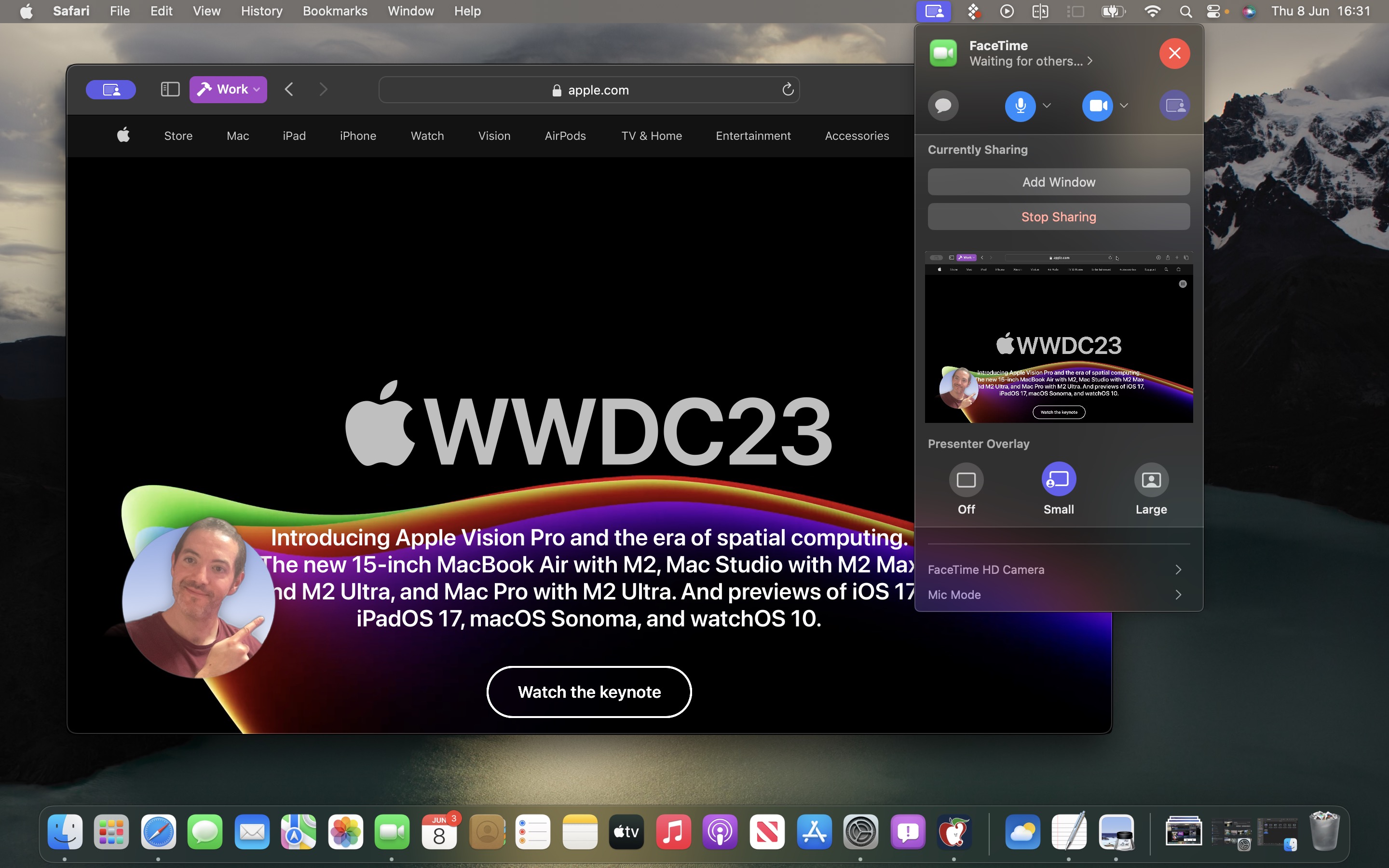
When on a video call, you can either place yourself inside a movable bubble in the corner of the window or desktop that you’re sharing, or you can bring on-screen content into the background of your own environment so that it looks as if you’re standing just in front of it.
Docked Web Apps
Thanks to a new option in Safari, you can now create independent web apps that can be added to your Dock.
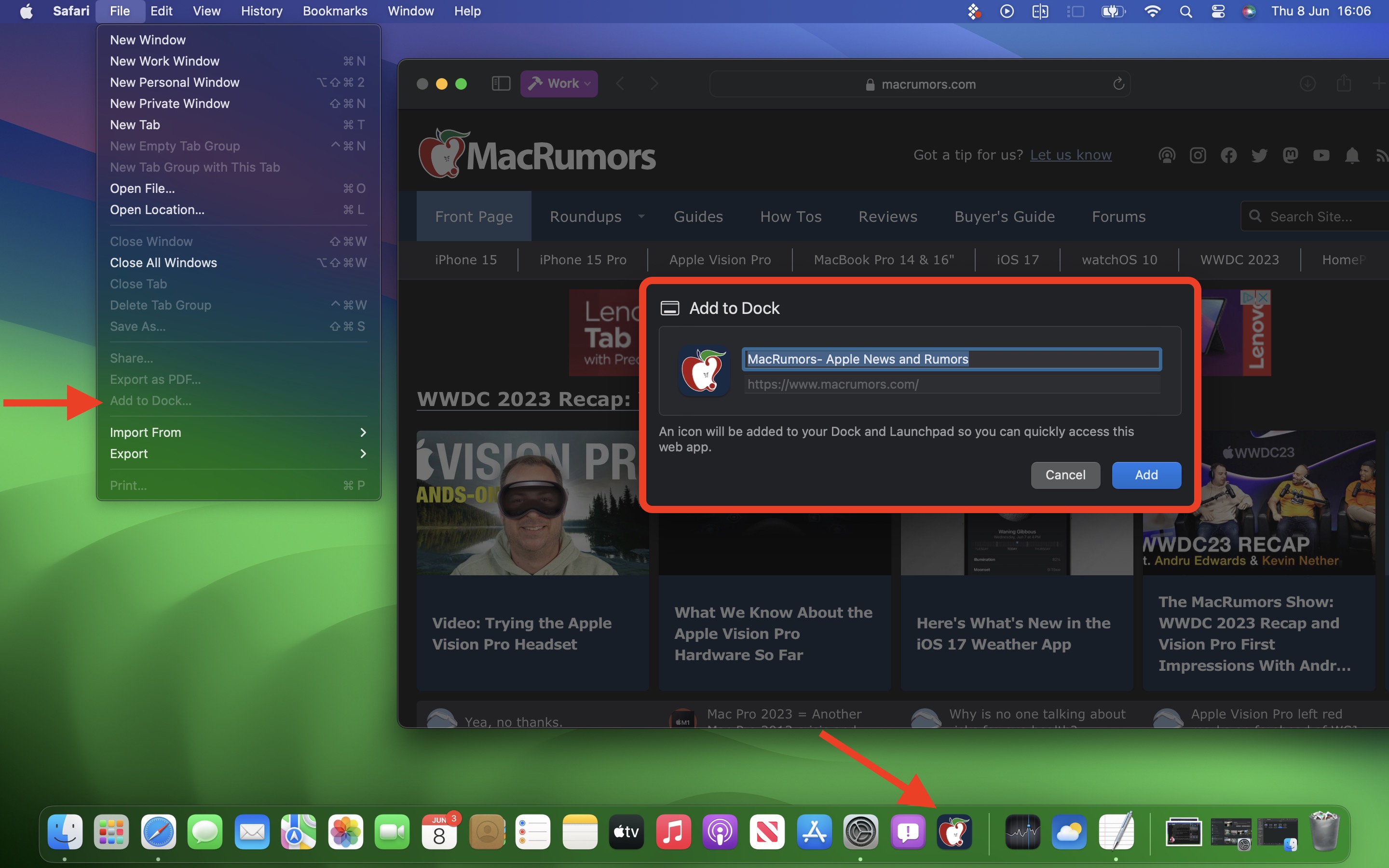
All you have to do is visit a website and select File -> Add to Dock…. You can then give the web app a name and even change its icon. When you open a docked web app, it will open in its own separate window that includes back and forward buttons for simple navigation.
Other Notable Tidbits
- New visual Caps Lock indicator
- Mail search prioritizes upcoming travel-related emails
- Use the Share button to send a note in Notes into Pages.
- New Zoom and Pan controls for Continuity Camera
Developers are still learning what else has changed in macOS Sonoma, so be sure to check back for more coverage here on MacRumors.
This article, "macOS Sonoma Tidbits: New FaceTime UI, Safari Profiles, Screen Sharing Improvements, and More" first appeared on MacRumors.com
Discuss this article in our forums

