
Starting with iOS 17, iPadOS 17, and macOS Sonoma, users with an Apple ID will automatically be assigned a passkey, allowing them to sign into their Apple ID with Face

Starting with iOS 17, iPadOS 17, and macOS Sonoma, users with an Apple ID will automatically be assigned a passkey, allowing them to sign into their Apple ID with Face ID or Touch ID instead of their password on various Apple sign-in pages, including icloud.com, appleid.apple.com, appstoreconnect.apple.com, and more.
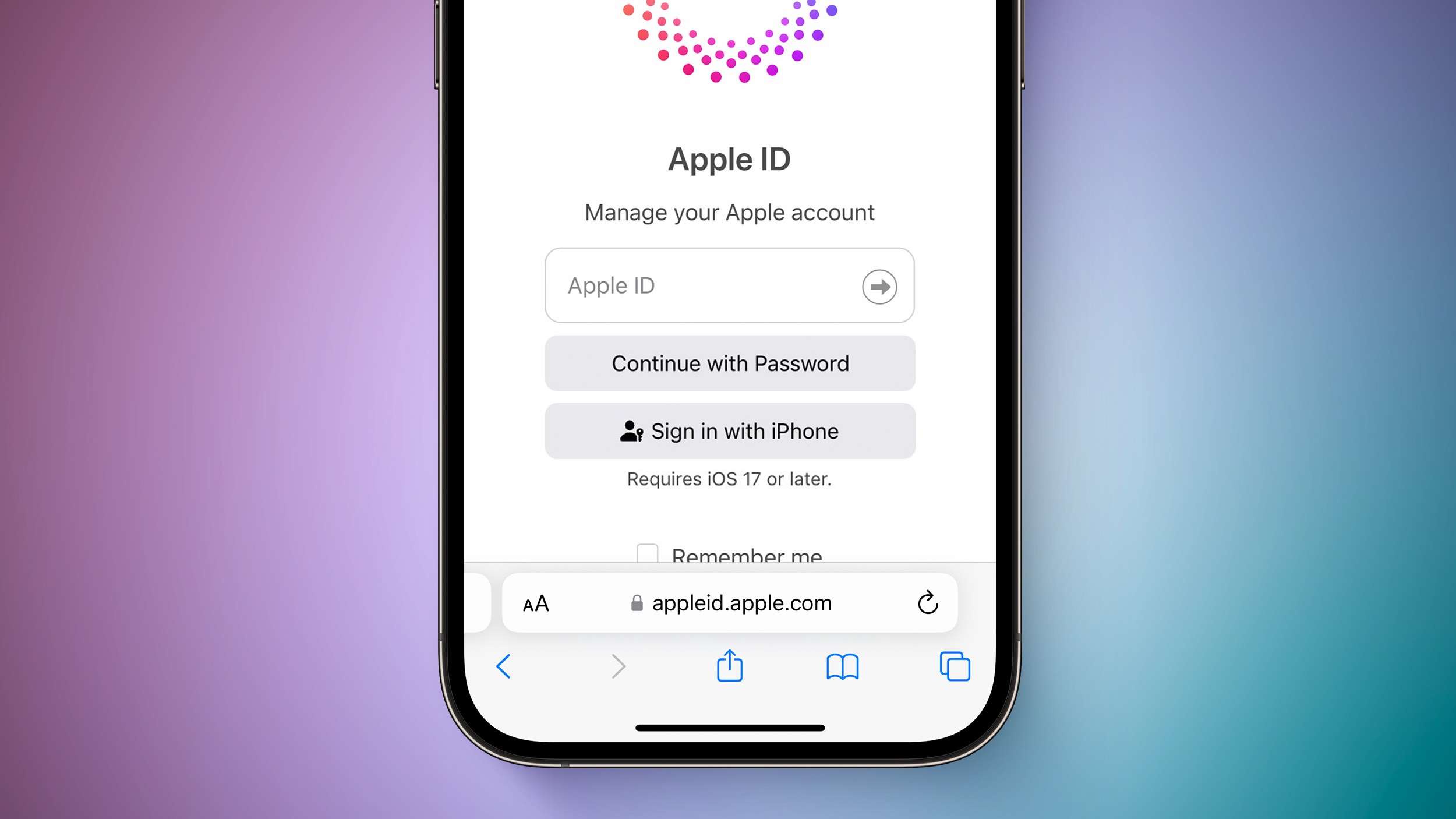


Passkeys are a more secure alternative to passwords. Apple explains:

A passkey is a cryptographic entity that’s not visible to you, and it’s used in place of a password. A passkey consists of a key pair, which—compared to a password—profoundly improves security. One key is public, registered with the website or app you’re using. The other key is private, held only by your devices.

Passkey support for Apple IDs will also be available for third-party apps and websites that support the “Sign in with Apple” feature.

Users running beta versions of iOS 17, iPadOS 17, and macOS Sonoma can test this functionality on supported Apple sign-in pages starting today, but it does not yet appear to be available for everyone. All users with an Apple ID will be able to sign in with a passkey once the software updates are released to the public later this year.

Passkey support on the Apple ID page was spotted earlier by Twitter user @aaronp613.

Related Roundups: iOS 17, iPadOS 17, macOS Sonoma
Related Forums: iOS 17, iPadOS 17, macOS Sonoma

This article, "iOS 17 and macOS Sonoma Add Passkey Support to Your Apple ID" first appeared on MacRumors.com

Discuss this article in our forums


You may also be interested in this

macOS Quick Tip: Screensh…

There are several ways you can take screenshots on a Mac. Preview offers the option from its File menu. There's also a little screen capture app in the macOS Utilities

5 Things You Need to Know…

Apple announced its biggest addition to the MacBook Air with a lot of fanfare. The larger display on… The post 5 Things You Need to Know About the New 15-inch

Apple adds ‘reality…

More trademark filings related to Apple's mixed-reality headset have surfaced, with realityproOS' joining a growing list of terms for the inbound VR-AR ecosystem.A render of a potential Apple headset [AppleInsider]Early

Apple awarded U.S. tradem…

Apple’s Reality Composer Pro A Virginia federal judge has directed the U.S. Patent and Trademark Office to grant Apple federal trademarks for its augmented reality software-development tools, “Reality Composer” and

Deals: $949 off M1 16-inc…

Today's top discounts include a $27.99 AirTag, $160 off Apple Studio Display, and discounted Logitech MX Keys S bundles.Save $949 on the M1 16-inch MacBook ProThe AppleInsider team scours the

Apple Vision Pro still ha…

The Apple Vision Pro still has a lot to be worked on before the hardware is released, with many features announced at WWDC to receive lots of attention in the

Daily deals: M2 Mac mini …

Today's top deals include a M1 Pro 14-inch MacBook Pro from $1,390, a Ninja digital air fry 10-in-1 XL Smart oven for $76, 43% off an Insignia 50" LED 4K

Apple Music now has a ded…

One of the differences between Apple Music Classical and the main app is that the Classical app highlights the song credits. And after many users have asked for that feature
X

A whimsical homage to the days in black and white, celebrating the magic of Mac OS. Dress up your blog with retro, chunky-grade pixellated graphics to evoke some serious computer nostalgia. Supports a custom menu, custom header image, custom background, two footer widget areas, and a full-width page template. I updated Stuart Brown's 2011 masterpiece to meet the needs of the times, made it responsive , got dark mode, custom search widget and more.You can download it from tigaman.com, where you can also find more useful code snippets and plugins to get even more out of wordpress.
