
Apple is now allowing Mac users running macOS Ventura and macOS Monterey to try out its latest Safari 17 browser before it officially launches alongside macOS Sonoma in the fall. Keep reading to learn what’s new and how to download it.
Last month, Apple quietly began making beta versions of Safari 17 available to download as a standalone package. Prior to this, the only way to try out the revamped version of Safari was to install the macOS Sonoma Beta, but now anyone running macOS Ventura or macOS Monterey can try out Safari 17 without having to install Apple’s latest beta operating system on their Mac.
What’s New in Safari 17 for macOS
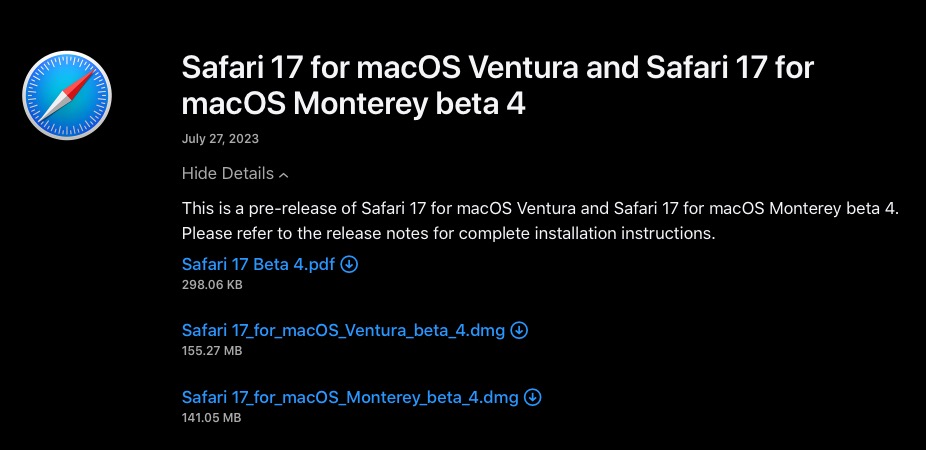
As of writing, Safari 17 for macOS Ventura and Monterey has reached its fourth beta. Not only is it snappier with faster search responsiveness, it also has more relevant search suggestions – and easier-to-read suggestions. Here’s what else is new:
- Locked Private Browsing: Private browsing windows in Safari can now be locked when not in use, and require secondary authentication via Touch ID or your Mac’s password to unlock and access for added privacy.
- One-Time Code AutoFill from Mail: One-time verification codes you receive in Apple Mail now autofill in Safari, making it easy to log in without leaving the browser.
- Multi-Tab Selection: You can now select multiple open tabs at once to move them around the tab bar or create a Tab Group for them.
- Favicons in the Favorites Bar: You can now identify sites in the Favorites bar more easily with favicons.
- Reading List Widget: You can now add your Safari Reading List to your Mac’s Notification Center for quick access.
- Privacy Protections for App Extensions: You can now set per-site privacy settings for app extensions in addition to web extensions.
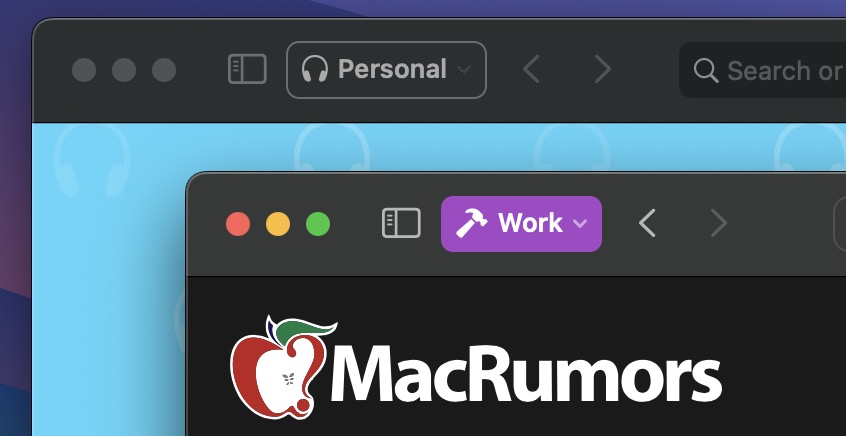
- Safari Profiles: Safari has gained a new feature called Profiles, which is designed to help keep your browsing separate for topics like Work, School, or Personal. Each profile gets its own icon and silos your history, Tab Groups, favorites, and cookies. You can even assign specific extensions to profiles to optimize your browsing experience based on the task at hand.
How to Install Safari 17 on macOS Ventura/Monterey
In an unexpected change for 2023, anyone who signs in to Apple’s developer account website with their Apple ID gets access to developer beta releases as well, even if they are not a paying member of Apple’s Developer Program. So if you’re still interested in trying out Safari 17, simply follow the steps below.
Note that Safari 17 Beta 4 requires macOS Ventura 13.4 or macOS Monterey 12.5 to run, and that installing it will overwrite your current Safari version. Also, bear in mind that this is beta software, so you may potentially experience bugs and issues that negatively impact your browsing. Having said that, beta 4 is very stable in our experience.
- Open Safari on your Mac and go to Apple’s developer website.
- Under “Sign in to Apple Developer,” enter and submit your Apple ID and password using the arrow buttons, then if required, enter the two-factor authentication code sent to your Apple devices.
- Now click through to the Safari Beta Downloads page.
- Under Safari 17, click View Details, then click the Safari 17 Beta DMG link to download the installation package applicable to your macOS version.
- Once the package is downloaded to your Mac, double-click it and follow the onscreen instructions to complete installation.
Wrapping Up
When Safari 17 is officially released to the public as part of macOS Sonoma, users can expect some additional features, including the ability to save your favorite websites to the Dock as streamlined Web Apps, as well as the ability to share website passwords and passkeys with trusted contacts.
This article, "How to Download Safari 17 Beta for macOS Ventura and Monterey" first appeared on MacRumors.com
Discuss this article in our forums

