
Apple is rumored to be on the verge of integrating OpenAI’s ChatGPT technology into iOS 18. We’re expecting to learn more about the partnership at WWDC on June 10, but until then, here’s a way to interact with ChatGPT on your iPhone, whatever you’re doing on it.
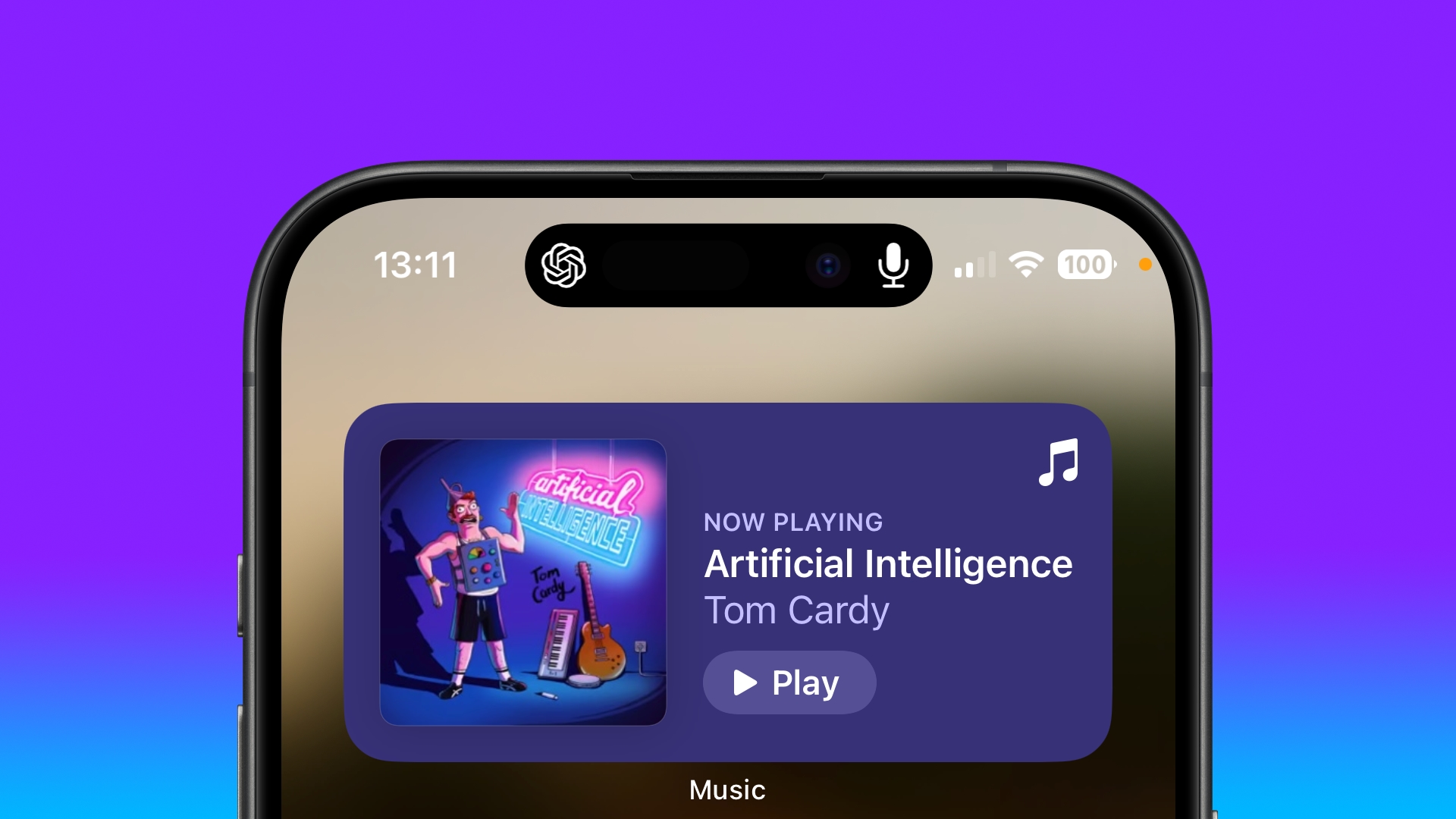
Last year, OpenAI launched its free-to-use ChatGPT app for iPhone and iPad. Using the app, you can interact with the AI chatbot via text input and voice, allowing you to make the most of its generative artificial intelligence to get answers to questions and receive advice on all manner of subjects. OpenAI says that ChatGPT can help with all of the following:
- Instant answers: Get precise information without sifting through ads or multiple results.
- Tailored advice: Seek guidance on cooking, travel plans, or crafting thoughtful messages.
- Creative inspiration: Generate gift ideas, outline presentations, or write the perfect poem.
- Professional input: Boost productivity with idea feedback, note summarization, and technical topic assistance.
- Learning opportunities: Explore new languages, modern history, and more at your own pace.
History is synced across devices, so you can see your ChatGPT interactions both on the web and on iOS devices, and it integrates the Whisper speech recognition system.
One of the lesser known features in the app is its Background Conversations feature. Basically, it allows ChatGPT to continue processing and responding to your queries even when the app is not actively open on the screen. This means you can switch to other apps or perform other tasks on your iPhone without interrupting the conversation. Here’s how to fire it up.
Talk With ChatGPT in the Background on iPhone
- Download the ChatGPT app for iPhone.
- Launch the app, then log in to your OpenAI account or create a new one.
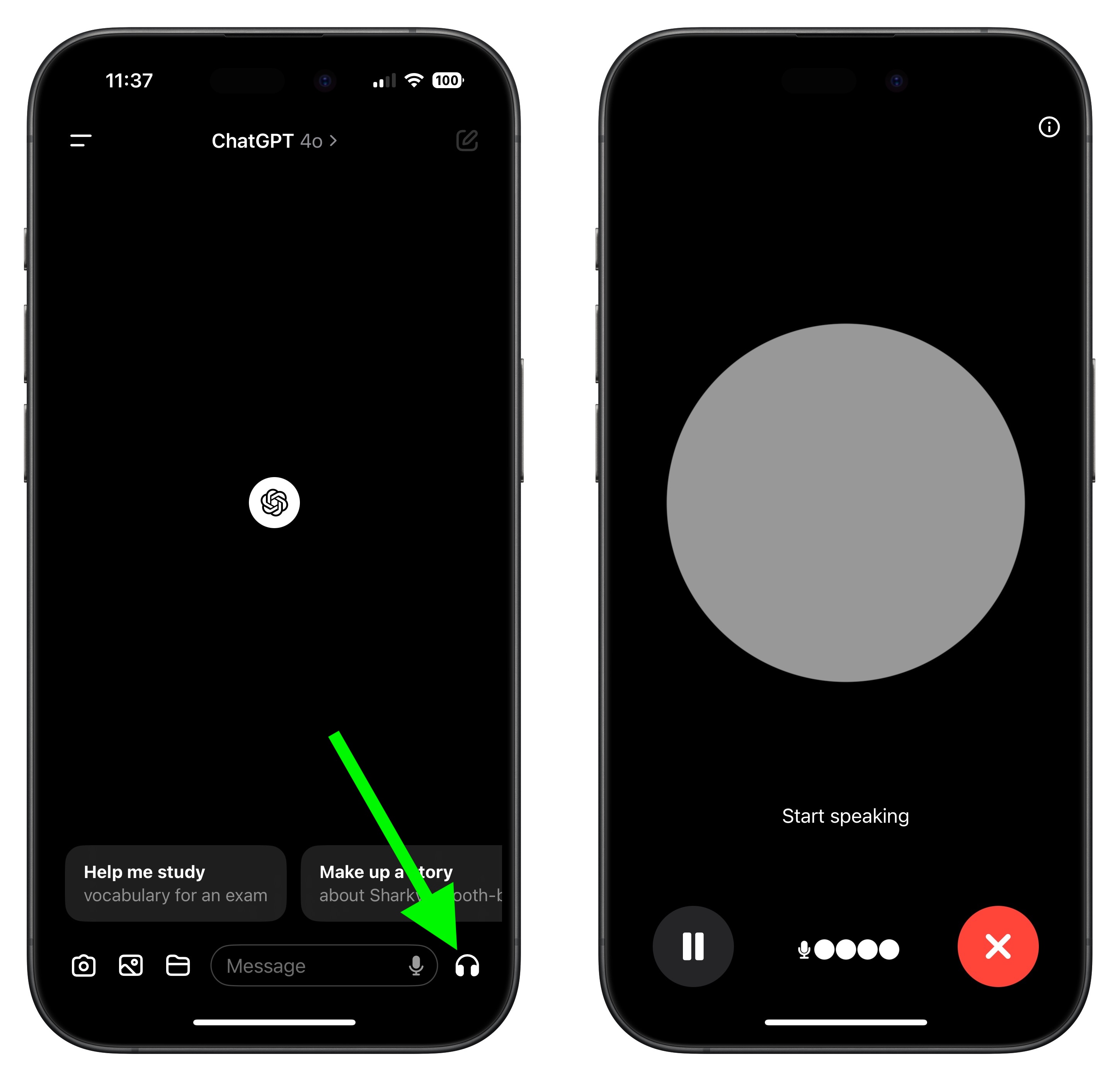
- When the main screen appears, tap the headphones icon in the bottom-right corner to enter Voice Mode.
- Allow ChatGPT to connect to Voice. After that, you can start interacting right away. There are manual controls which allow you to pause, resume, and exit the voice conversation. When you want to do something else on your iPhone, simply swipe out of the app to enable Background Conversations mode.
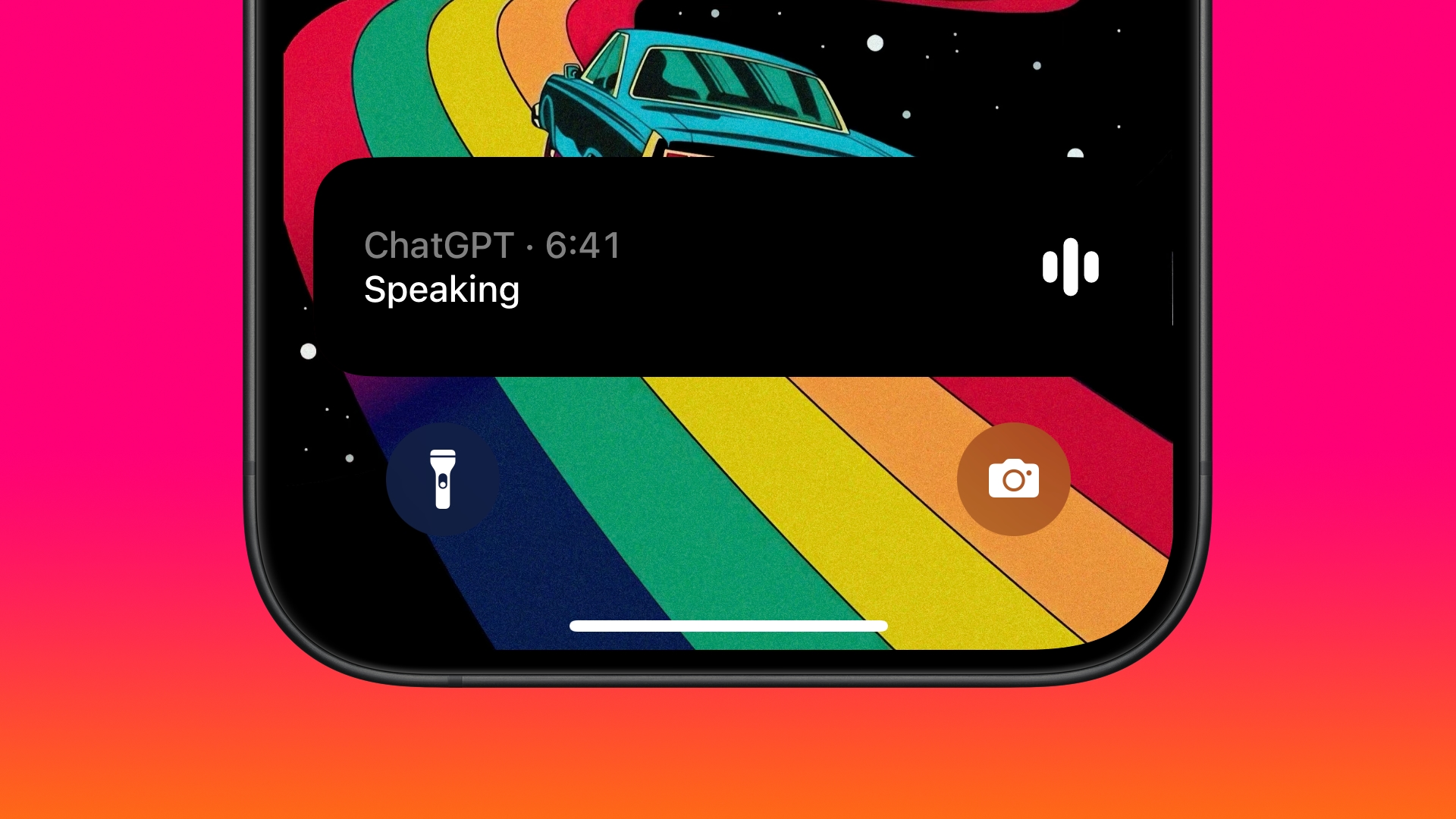
ChatGPT is now actively listening in the background, and all you need to do is start speaking to pick up where you left off. If you have an iPhone with Dynamic Island, you’ll see the ChatGPT symbol and a microphone icon, indicating that it’s listening and ready to chat.
If you lock your iPhone, Background Conversations mode will remain active, and it will appear as a Live Activity card on your Lock Screen. This means that you can continue to talk with ChatGPT while you’re busy doing something else, as long as your iPhone is nearby. OpenAI says the Background Conversations feature is designed to be battery-efficient, and minimizes the impact on battery life by optimizing background processes and reducing unnecessary usage.
Change the Voice
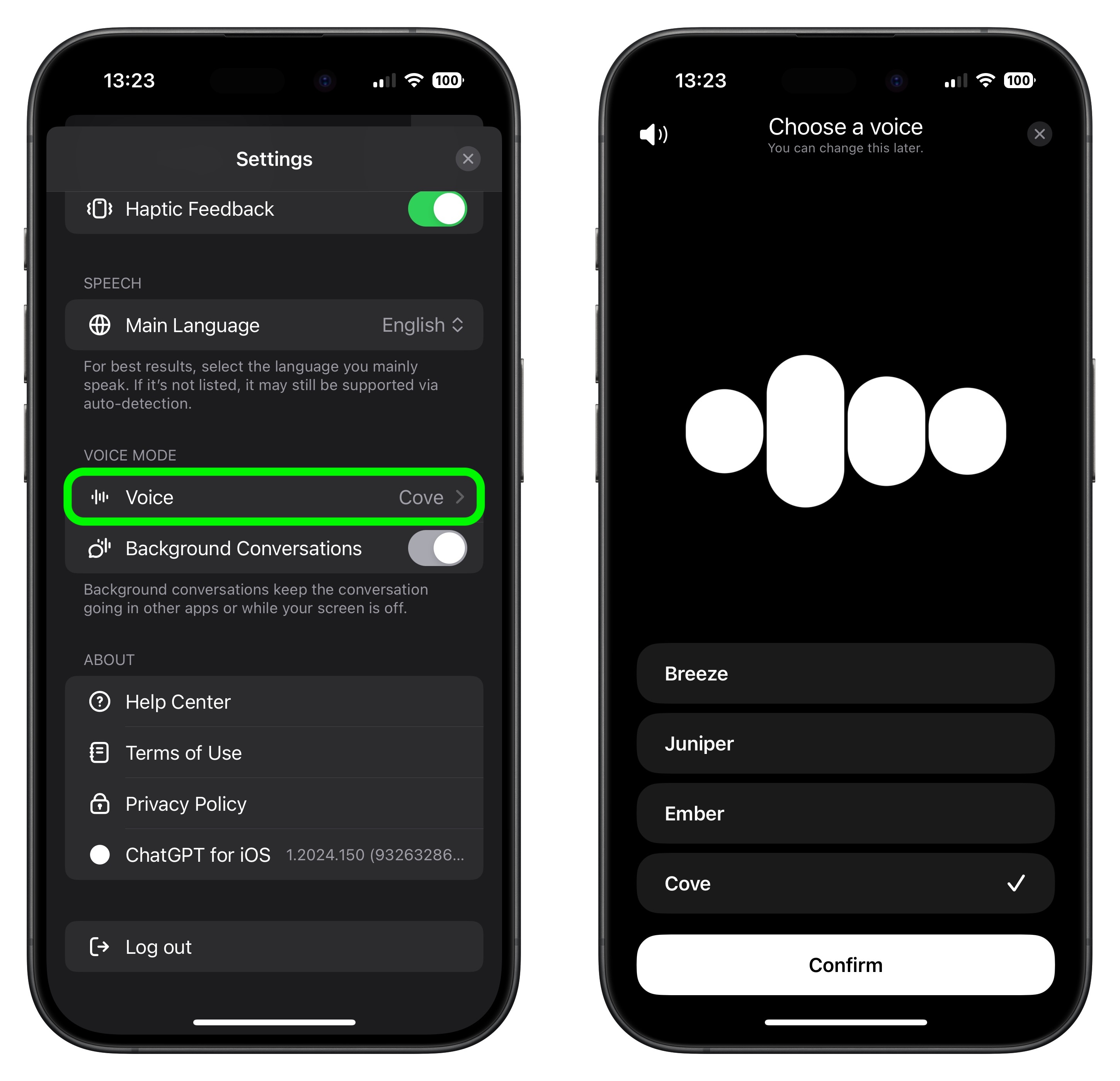
Voice chat was created with a range of voice actors (perhaps you heard about the recent ScarJo controversy) and there are a handful to choose from if the current voice doesn’t jibe with you.
- Tap the sidebar icon in the top-left corner of the main ChatGPT window.
- Tap your account profile to open Settings.
- Under the “Voice Mode” section, tap Voice.
- Choose from Breeze, Juniper, Ember, and Cove. You’ll get a sample of the voice when you tap it.
- Hit Confirm to confirm your voice choice.
Assign Voice Mode to iPhone Action Button
If you have an iPhone with an Action Button (iPhone 15 Pro models, for example) you can easily assign ChatGPT’s Voice Mode to it for quick access.
- Open the Settings app.
- Tap Action Button.
- Swipe to the Shortcut option, then tap the action selector.
- Search for “ChatGPT,” then select the Start voice conversation shortcut.
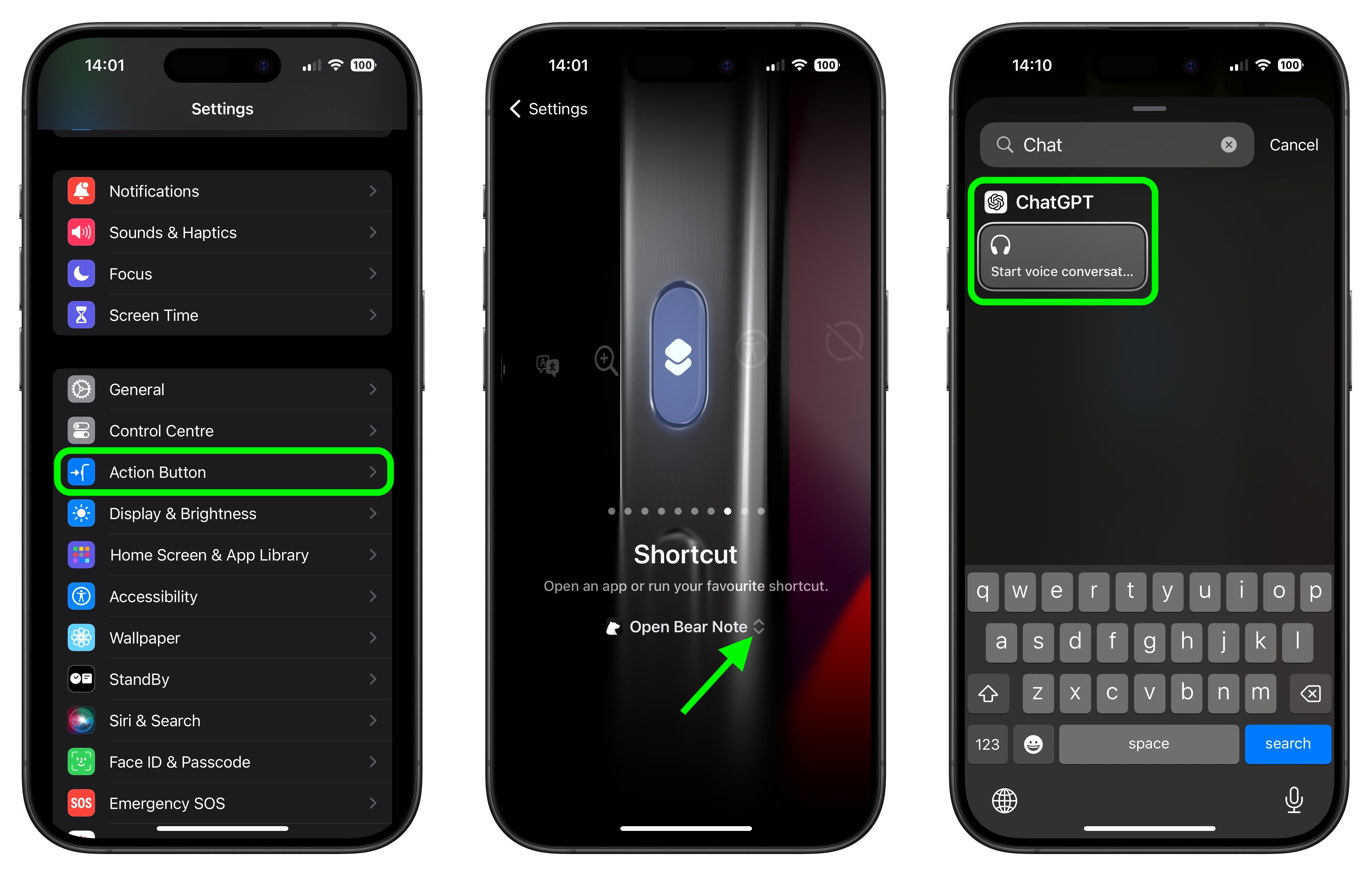
That’s all there is to it. Now you can simply long press the Action button on your iPhone to begin a voice conversation, whether you’re in another app or if your device is locked.
If you have privacy concerns about the feature, but still want to use the ChatGPT app, there’s good news: This week, OpenAI quietly deployed a new option to turn off Background Conversations. You can find the toggle in Settings under the “Voice Mode” section. You’ll know that it’s disabled because the orange dot indicating mic activity won’t be visible in the top-right corner of your iPhone’s screen.
Voice Mode Is About to Get Better
Some exciting features in GPT-4’s voice mode are on the horizon but haven’t gone live yet. These include advanced controls for changing the emotion and tone of responses, making interactions feel even more natural. While you can already customize voices to some extent, the full integration of voice and visual inputs, which promises richer and more interactive experiences, is still in the works.
OpenAI also says developers will soon get access to a wider range of APIs to better tailor voice interactions for their needs, enhancing applications like customer service. Enhanced support for different accents and dialects is also coming, making the system more accessible globally. Finally, more detailed privacy controls for managing and reviewing voice data are being rolled out gradually. All in all, these updates will make GPT-4’s voice mode even more versatile and user-friendly.
This article, "How to Speak With ChatGPT in the Background on iPhone" first appeared on MacRumors.com
Discuss this article in our forums

