
In macOS Sequoia, Apple has some additional features in Safari 18 that are likely to be welcomed by Mac users. Here’s a quick rundown of what’s new.
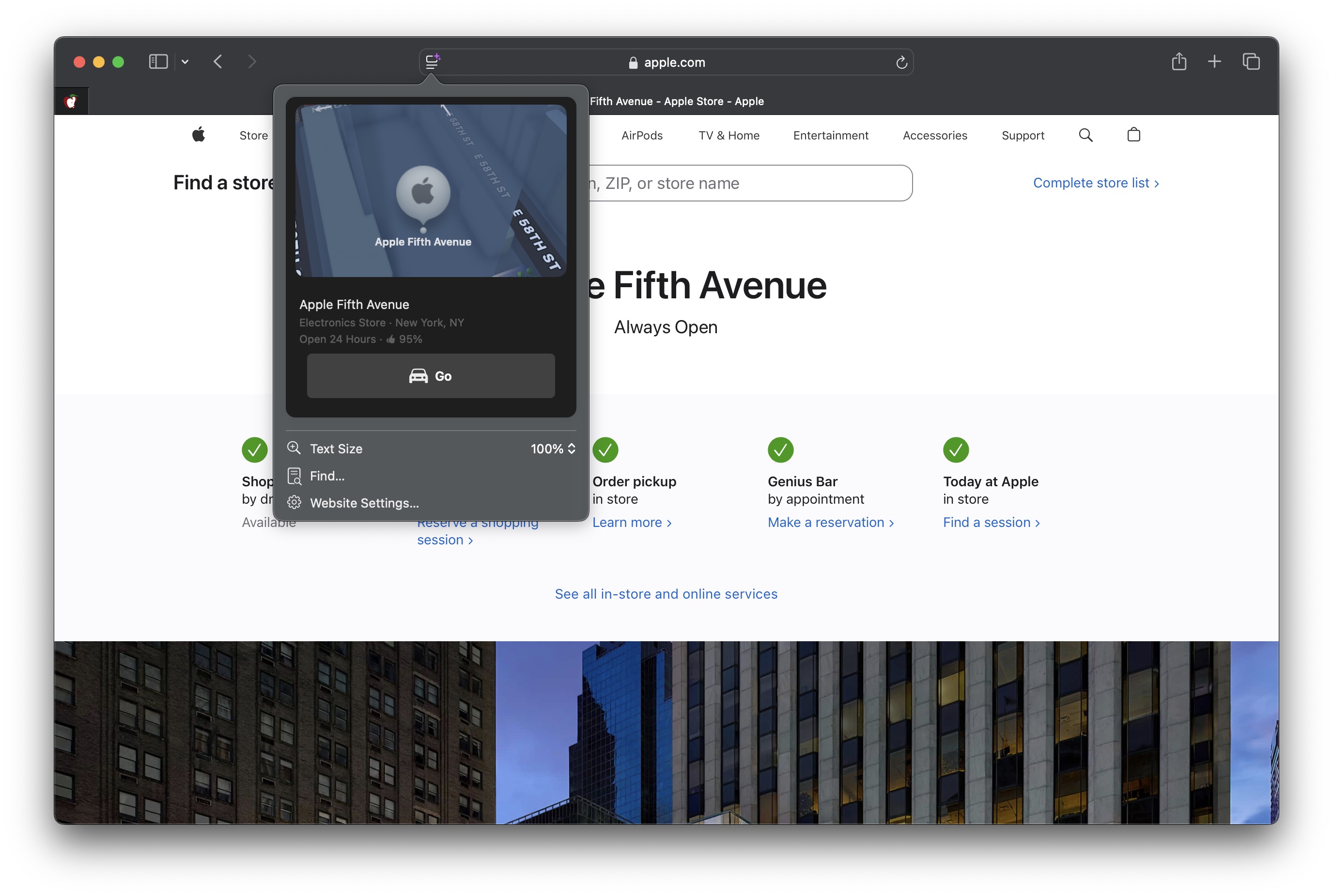
Safari’s headline feature in macOS 15 is something called Highlights, which aims to make it easier to discover information on the web.
Highlights can be accessed via a new site menu icon that appears in the address bar, from which you can quickly pull up relevant information about a site, such as directions, summaries, or quick links to learn more about people, music, movies, and TV shows.
As of writing this, Highlights does not appear to work outside of the United States, so it is likely to be region-specific at this early state. However, there are other changes to Safari that are live wherever you are located.
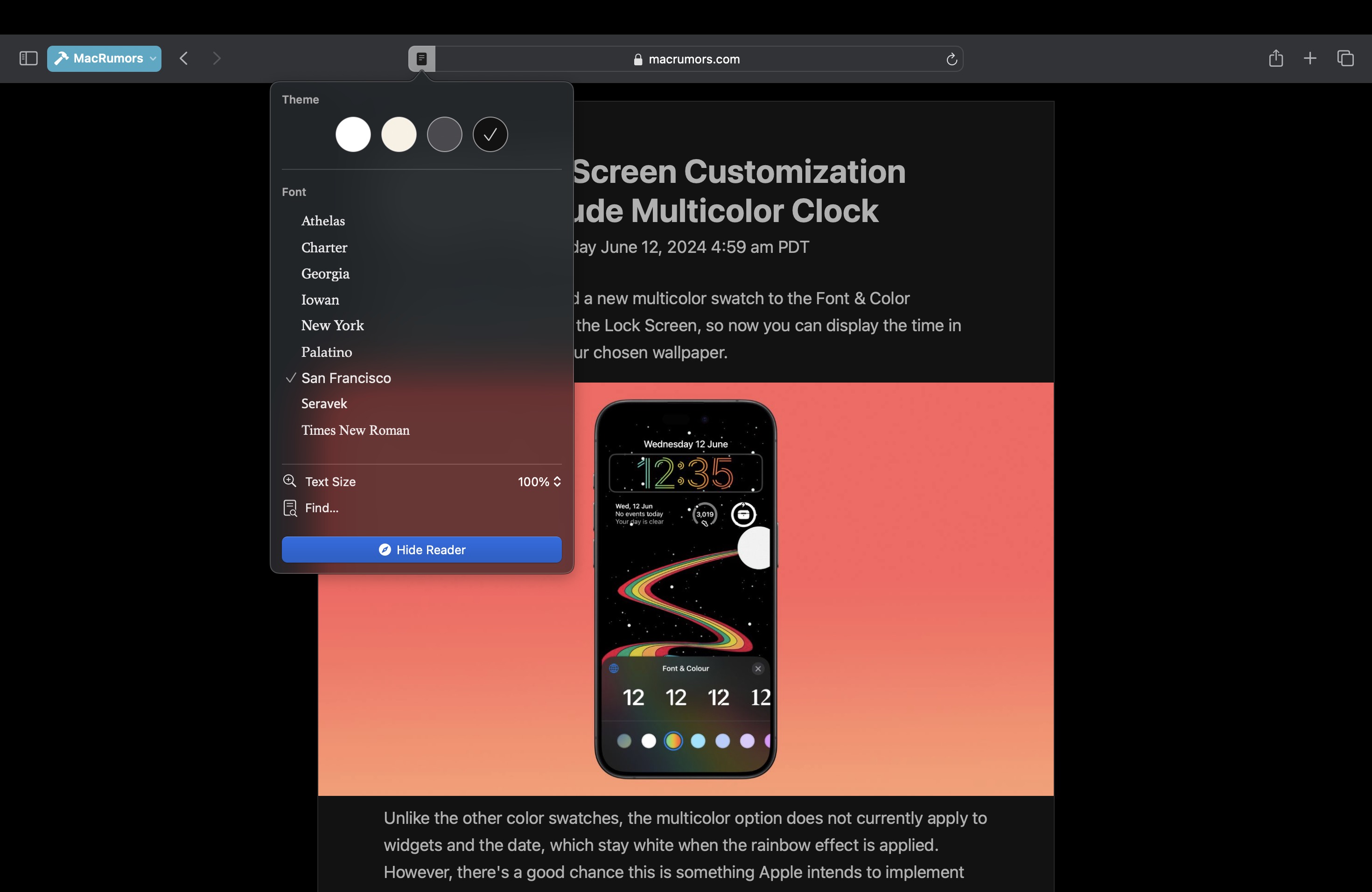
The Reader mode in Safari has received an overhaul, and now offers more customization options once you have enabled it on a site using the Reader button in the address bar.
If you click the button again, a dropdown menu lets you change the theme (white, off-white, gray, black) and choose your preferred font (Athelas, Charter, Georgia, Iowan, New York, Palatino, San Fransisco, Seravek, and Times New Roman).
In this menu, you can also find text size options by percentage (from 50% to 300%), as well as a “Find…” option to find a word or phrase on a page, and a button to Hide Reader mode.
Apple says that Reader can also provide a summary of an article, along with a table of contents in a sidebar, but we could not get this to work, likely because it is an aspect of Apple Intelligence, which will not be introduced until later in the year.
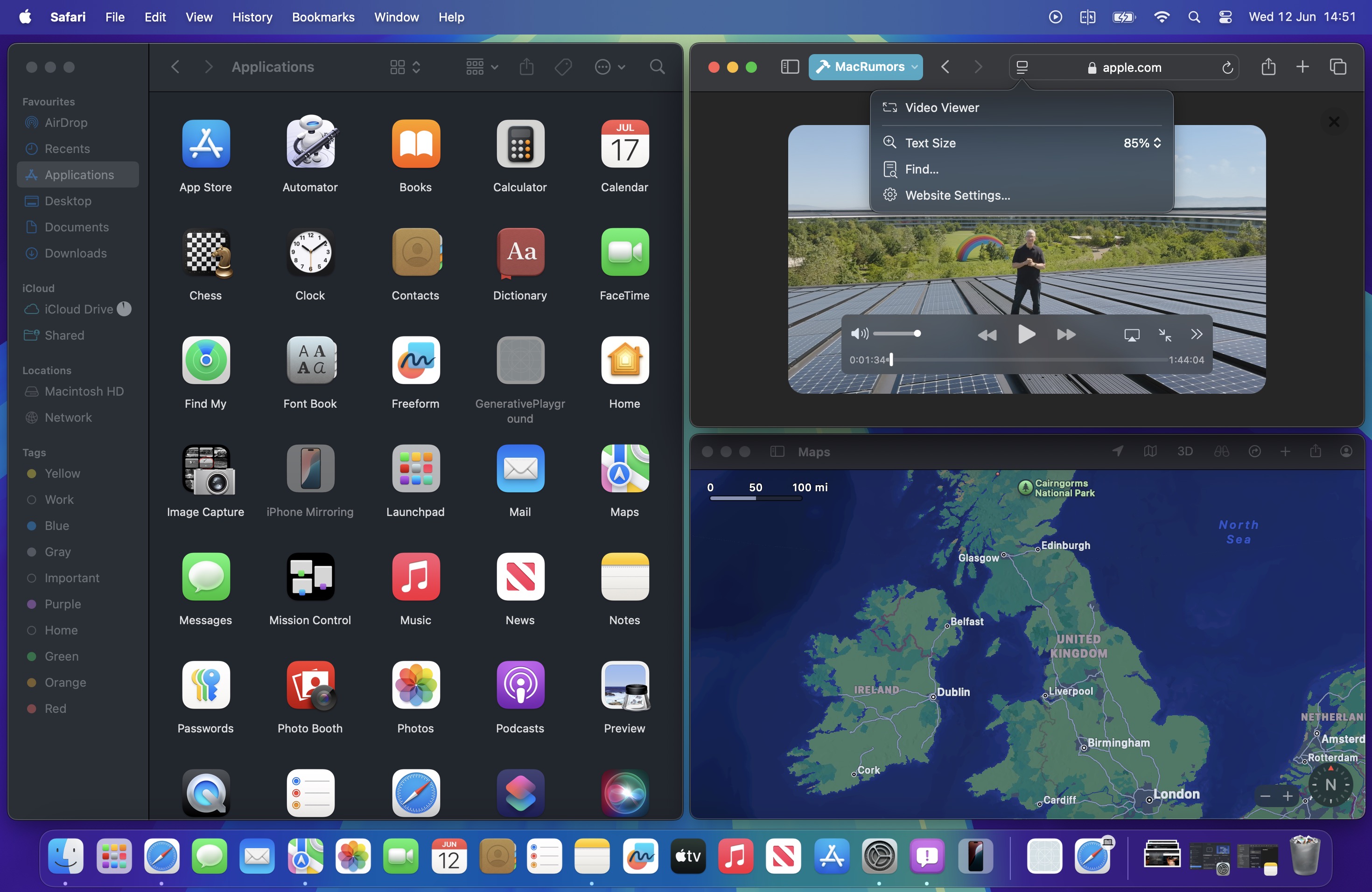
Meanwhile, when Safari detects a video on the page, a new Video Viewer mode puts the media front and center, which allows you to adjust the window without obscuring the video. It also helpfully presents system playback controls within an overlay, including Picture in Picture.
In other Safari-related changes, macOS Sequoia beta adds support for opening links directly in web apps. Now, when you click a link, that link should open in the web app instead of your default web browser. You can also now personalize web apps on Mac with Safari Web Extensions and Content Blockers.
Lastly, Safari 18 beta for iOS, iPadOS, visionOS, macOS Sequoia and macOS Sonoma brings inline predictive text to the web, and you can now set which Safari profile should be used to open particular websites.
This article, "Safari 18 Features: Highlights, New Reader Mode, and Video Viewer" first appeared on MacRumors.com
Discuss this article in our forums

