
OpenAI has expanded the capabilities of its ChatGPT app for macOS, adding support for Apple Notes and a range of popular third-party apps. The update builds on last month's release

OpenAI has expanded the capabilities of its ChatGPT app for macOS, adding support for Apple Notes and a range of popular third-party apps. The update builds on last month’s release that introduced the ability to read on-screen content from select Mac apps.
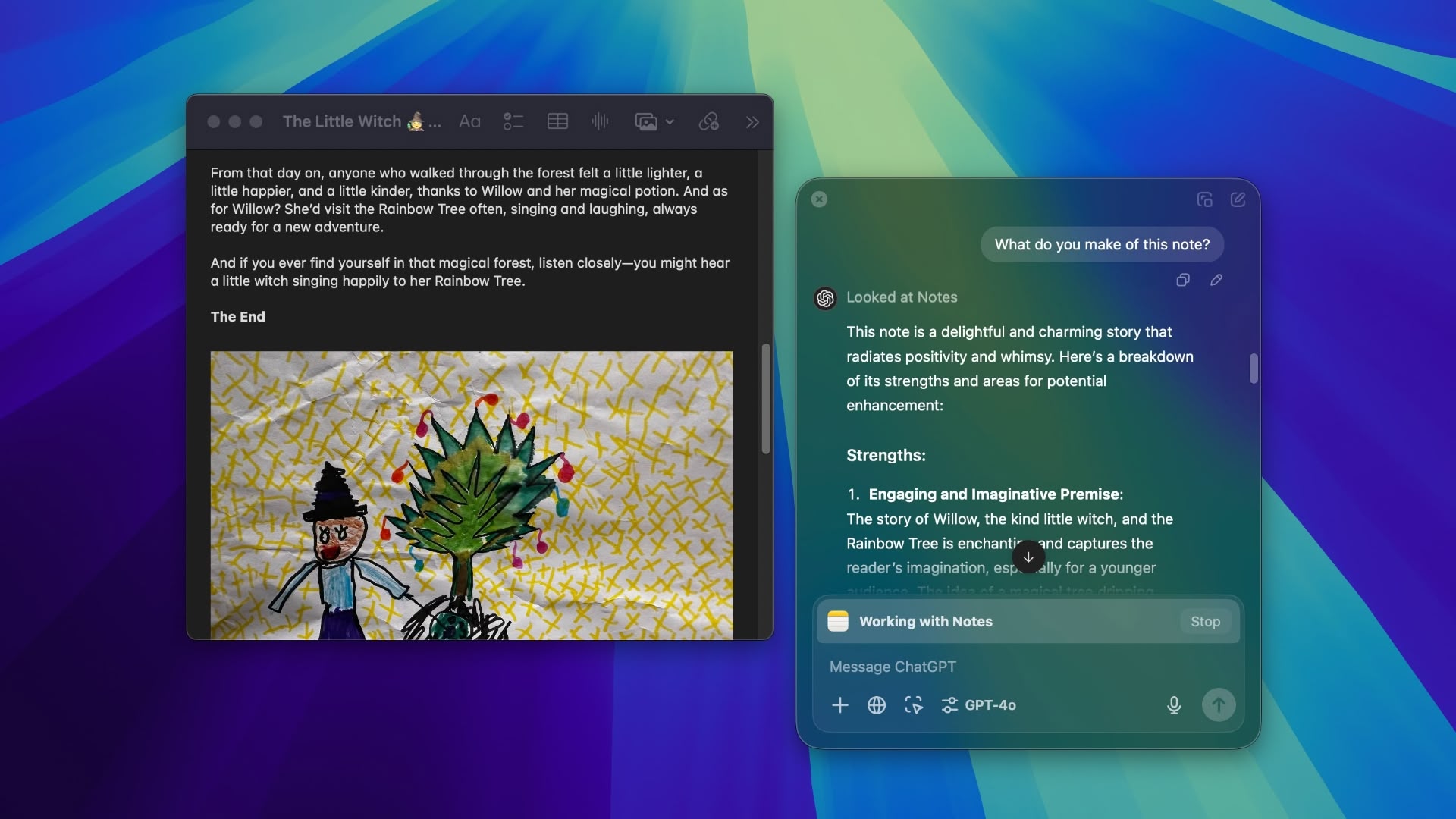


This expansion should broaden ChatGPT’s utility for both casual users and developers using macOS, as the AI assistant can now interact with content in Apple Notes, Notion, and Quip, alongside numerous development environments including BBEdit, Android Studio, and various JetBrains IDEs.

For developers, the update also adds support for additional IDEs including VSCode forks (VSCodium, Cursor, WindSurf) and terminal apps like Prompt and Warp. The AI can analyze code from multiple apps simultaneously, offering suggestions for improvements without manual copy-pasting.

OpenAI says that users maintain full control over which apps ChatGPT can access, and all data handling follows the same OpenAI privacy protocols as the app’s regular conversation history. The expanded app integration feature remains exclusive to paid subscribers, including ChatGPT Plus, Pro, Team, Enterprise, and Edu users.
chatgpt

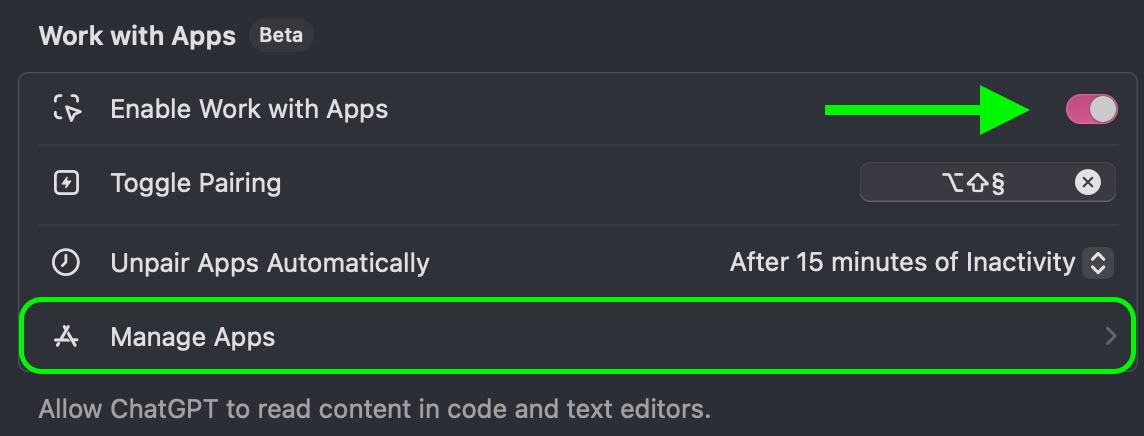
To get ChatGPT working with apps, enable the Work with Apps option in ChatGPT ➝ Settings and allow the necessary permissions via Manage Apps. Then you can access ChatGPT within supported apps in the following way:

  1. With ChatGPT open, open a supported app (such as Apple Notes).
  2. Press Option + Shift + 1 to invoke the ChatGPT bar.
  3. Type queries or use advanced voice mode for hands-free interaction.

The advanced voice mode is especially useful in this context, since it allows you to speak handsfree to ChatGPT and get suggestions or modifications to your on-screen content. OpenAI recently demonstrated the feature using a holiday party planning scenario, where ChatGPT provided song recommendations and party ideas using a Santa voice persona.

The ChatGPT app for macOS is available for download from OpenAI’s website.

This article, "ChatGPT for Mac Can Now Read Your Apple Notes – Here's How" first appeared on MacRumors.com

Discuss this article in our forums


You may also be interested in this

AppleCare Support Advisor…

Apple is testing a new ChatGPT-like generative AI tool called “Ask,” that, if testing is successful, will aid technical support employees to offer faster support in the future. Joe Rossignol

Apple showcases new AI fe…

The company said the technology will power new tools including those that can generate text and images and have the ability to retrieve and analyze information across its apps.

Google’s ‘God…

Dr. Geoffrey Hinton has resigned from his post at Google to raise awareness about the dangers of artificial intelligence and to advocate for international regulations.Dr. Hinton is worried about ChatGPT

iOS 17: These five new fe…

Macworld Apple just announced iOS 17 at WWDC, and what has been rumored to be little more than a “maintenance release” focused on performance and reliability is a whole lot

OpenAI on Track to Unveil…

OpenAI is "on track" to unveil its first AI device in the second half of this year, Axios reported this week. The comment was given to the publication by OpenAI's

Discover a new way to wri…

If you've ever worked with AI tools, you might have noticed how hard it is to get the exact response to a prompt that you were look (via Cult of

Apple wants Xcode to writ…

Apple has said for years that everyone should be able to code, and its been working since 2016 to get Machine Learning up to speed to make it easier to

OpenAI employees warn of …

Still from “Terminator 2: Judgment Day” A Right to Warn about Advanced Artificial Intelligence: ‎ We are current and former employees at frontier AI companies, and we believe in the
X

A whimsical homage to the days in black and white, celebrating the magic of Mac OS. Dress up your blog with retro, chunky-grade pixellated graphics to evoke some serious computer nostalgia. Supports a custom menu, custom header image, custom background, two footer widget areas, and a full-width page template. I updated Stuart Brown's 2011 masterpiece to meet the needs of the times, made it responsive , got dark mode, custom search widget and more.You can download it from tigaman.com, where you can also find more useful code snippets and plugins to get even more out of wordpress.
