
There are several ways to search the web in Apple’s Safari browser. In this article, we’re going to highlight a way of searching specific websites using a lesser-known Safari feature called Quick Website Search.
The option is designed to work with sites that have a built-in search field, like the one you can find at the top of the main page at MacRumors.com. Here’s how it works.
Let’s say you want to look up articles on MacRumors that mention device benchmarks. You might do this by typing “macrumors benchmarks” into Safari’s address bar to get results from whichever search engine the browser is configured to use.
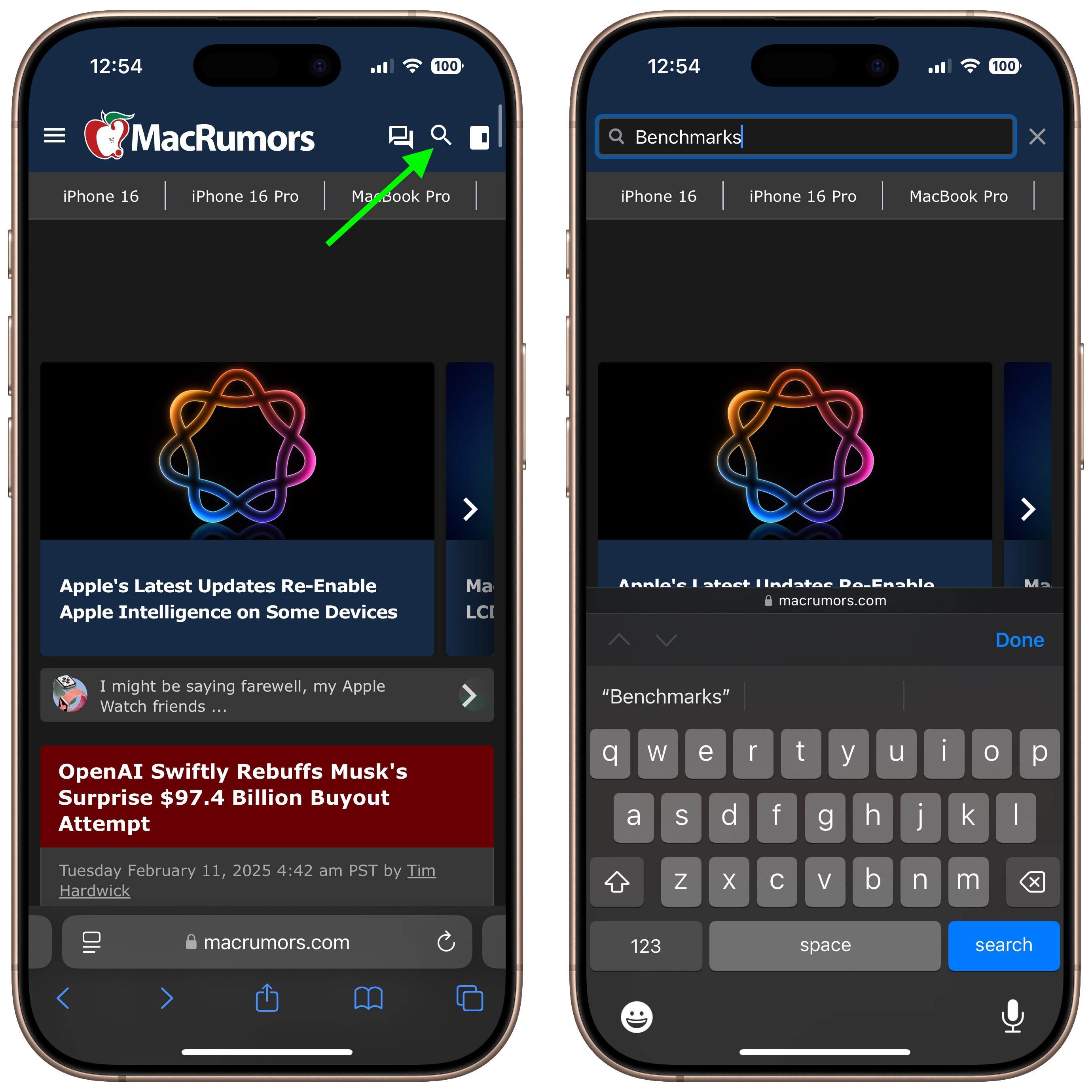
If you’re a bit more search savvy, you might even type “site:macrumors.com benchmarks” to limit the search to MacRumors. But ideally you’d just navigate to MacRumors.com and use the search field provided at the top of the page. If you take the latter option and Quick Website Search is enabled, Safari will remember that you’ve used the MacRumors search field and offer to use it again in future searches that include the website’s name.
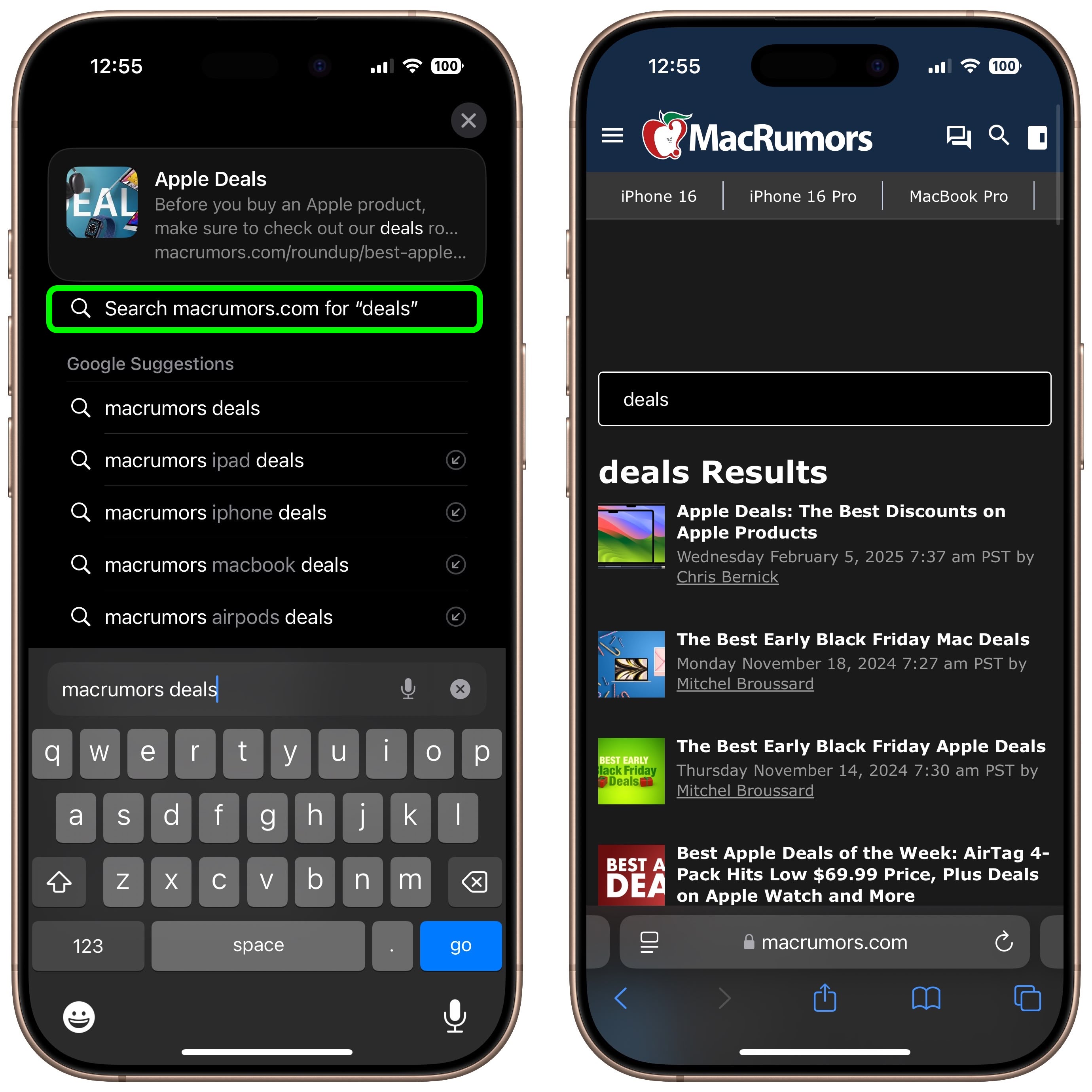
For example, if you typed “macrumors” followed by “deals” directly into Safari’s address bar, you could tap the option Search macrumors.com for “deals” in the suggestions box, as shown above, and you’d get instant results from MacRumors’ own on-site search function.
How to Enable Quick Website Search in iOS
The functionality of Quick Website Search depends on how a given site implements its search field, but we’ve found that it works with most popular websites that offer them, so it’s worth making sure you have the feature enabled. To do this on iPhone and iPad, launch the Settings app, tap through to Apps ➝ Safari ➝ Quick Website Search and slide the Quick Website Search toggle to the green ON position.
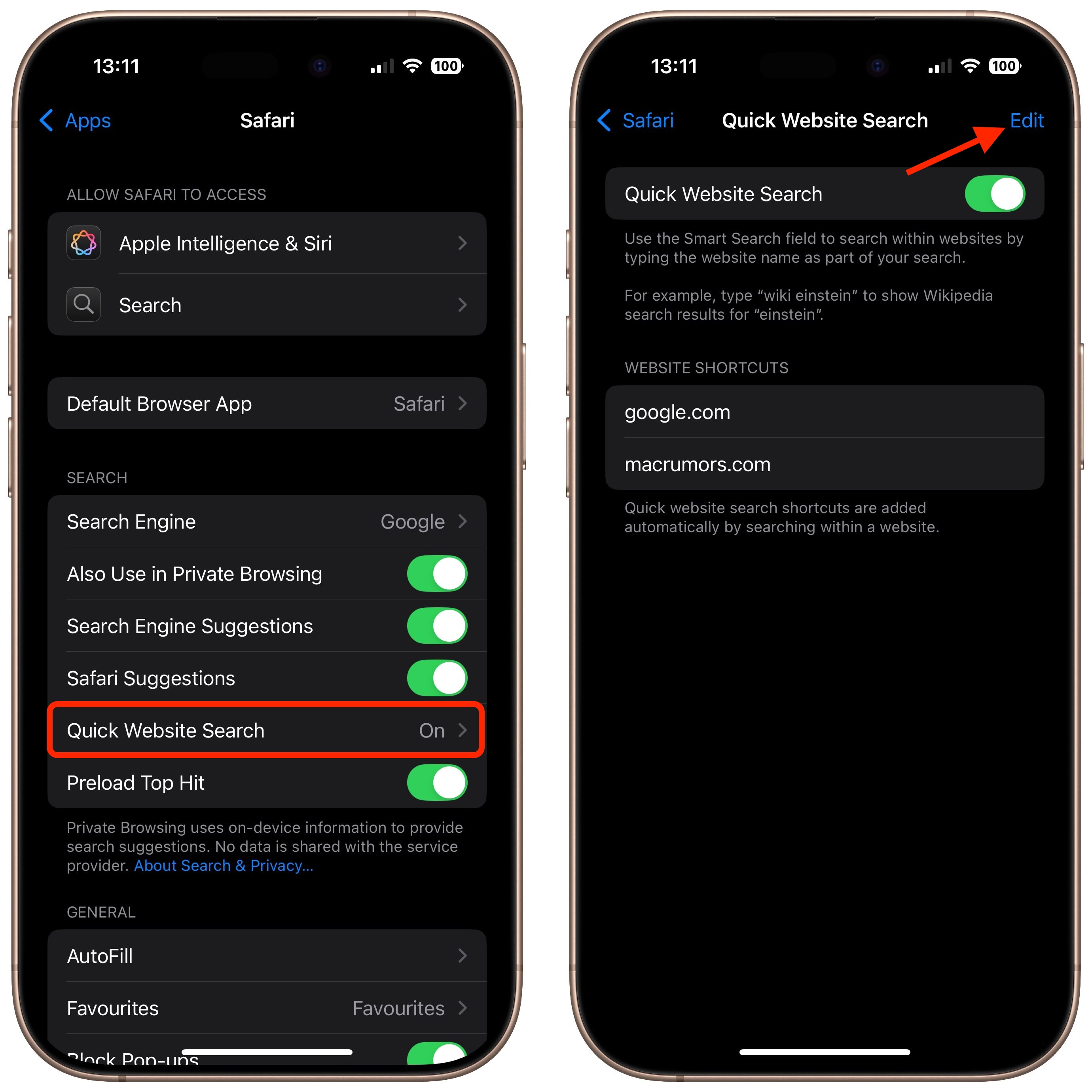
Notice on this screen that you can also tap Edit to remove websites from the list of shortcuts that Safari automatically adds to whenever you use a site-specific search field.
How to Enable Quick Website Search on Mac
The feature works the same way in Safari for macOS. To see if it’s enabled in the browser, select Safari ➝ Settings… from the menu bar, choose the Search tab, and make sure the checkbox is ticked next to Enable Quick Website Search.
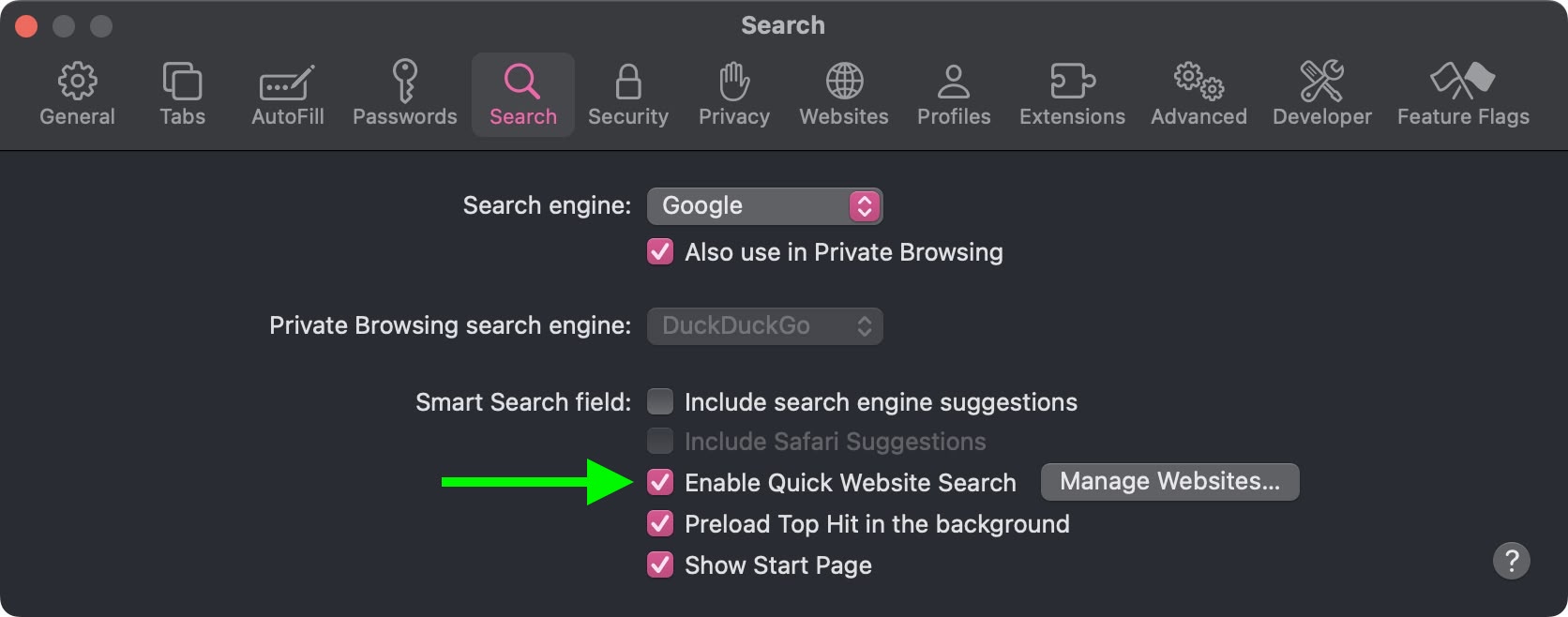
Lastly, if you click the Manage Websites… button next to the checkbox, you can view Safari’s list of website shortcuts, remove individual websites, or clear the list completely.
This article, "Use Safari Quick Website Search for Faster Site-Specific Results" first appeared on MacRumors.com
Discuss this article in our forums

