
Apple on February 21 withdrew its Advanced Data Protection feature from the United Kingdom following government demands for backdoor access to encrypted user data. The move came after UK officials reportedly ordered Apple in secret to provide unrestricted access to encrypted iCloud not just in the UK, but worldwide.

The development has naturally left some Apple device users in the UK asking questions about the security of their data and whether their digital privacy has been affected. Keep reading to learn the answers.
What is Advanced Data Protection?
Advanced Data Protection (ADP) was introduced in 2022, and is Apple’s highest level of cloud data security. It is an opt-in feature that expands the number of iCloud data categories protected by end-to-end encryption – a security measure where data is encrypted in such a way that only the user can access it on their trusted devices, and no one else, not even Apple, can decrypt it.
We don’t know how many people use ADP (Apple has never released figures) but it is likely that most casual Apple device users have not enabled the feature, either because they don’t know it exists or they have old Apple devices that are running older software, making them incompatible with ADP. (ADP requires updated software on all of the devices linked to an Apple Account.)
Without ADP enabled, many iCloud data categories use standard encryption. This means categories like iCloud Mail, Contacts, and Calendars are always encrypted regardless of whether ADP is enabled. The difference is that Apple also holds the encryption keys for these categories and can access the data if legally compelled to do so.
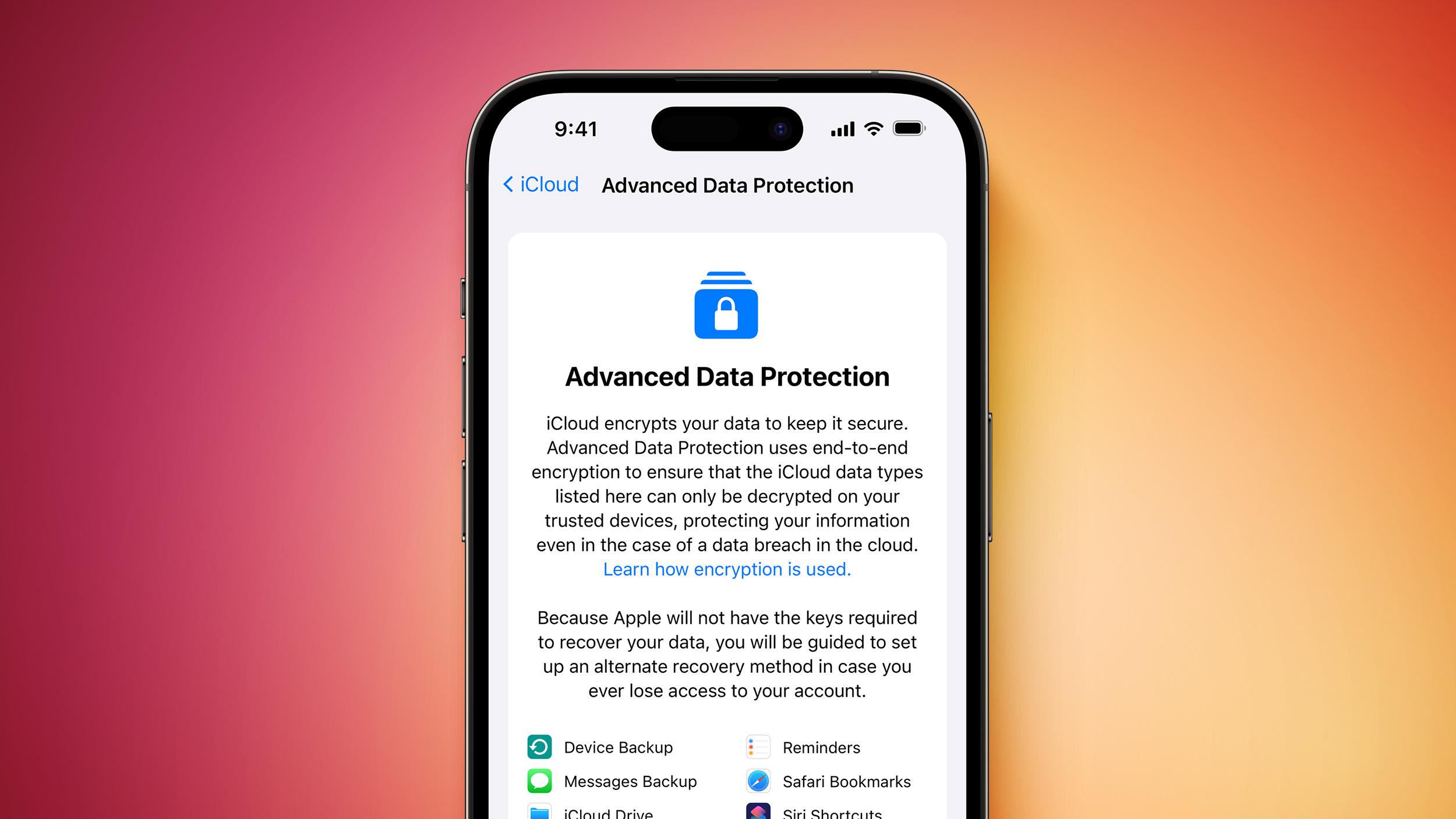
ADP removes this possibility, since the encryption keys exist only on users’ trusted devices. In other words, with ADP enabled, even if Apple receives a court order to provide user data, the company technically cannot access it. End-to-end encryption essentially creates a mathematical lock that not even Apple can break.
This difference is in how the encryption keys are stored:
| Protection Level | Encryption | Key Storage |
|---|---|---|
| Standard data protection | In transit and on server | Apple |
| Advanced Data Protection (ADP) | End-to-end | Trusted devices only |
Unlike standard encryption, ADP applies end-to-end encryption to additional iCloud data categories including:
- iCloud Backup (including device and Messages backup)
- iCloud Drive
- Photos
- Notes
- Reminders
- Safari Bookmarks
- Siri Shortcuts
- Voice Memos
- Wallet passes
- Freeform
Who Is Affected by Apple’s Decision?
Apple’s move affects two groups of UK users:
- New users: As of February 21, UK users can no longer enable Advanced Data Protection on their accounts. When attempting to activate ADP, they’ll see a notice stating “Apple can no longer offer Advanced Data Protection in the United Kingdom to new users.”
- Existing users: Those who already had ADP enabled will need to manually disable it during an unspecified grace period to maintain their iCloud accounts. Apple has stated it “does not have the ability to automatically disable it on their behalf” and will provide additional guidance to affected users in the future.

UK users who never enabled ADP will see no change to their current iCloud security. Their data remains protected by Apple’s standard encryption, where the company holds the keys and can access the data if legally required.
Which iCloud Features Remain Protected?
It’s important to understand that not all iCloud security is affected by this change. Several Apple services remain end-to-end encrypted by default in the UK, including:
- Messages in iCloud*
- iMessage communications
- FaceTime calls
- Passwords and Keychain
- Health app data
- Journal data
- Home data
- Payment information and Apple Pay transactions
- Maps
- QuickType Keyboard learnt vocabulary
- Safari (History, Tab Groups, and iCloud Tabs)
- Screen Time
- W1 and H1 Bluetooth keys
- Wi-Fi passwords
- Siri information
- Memoji
* Messages in iCloud is end-to-end encrypted when iCloud Backup is disabled. When iCloud Backup is enabled, backups include a copy of the Messages in iCloud encryption key to help users recover their data.
Why Did Apple Make This Decision?
The UK government issued a “technical capability notice” under the Investigatory Powers Act (IPA), demanding that Apple create a backdoor allowing British security officials to access encrypted user data globally. This order was made secretly because the IPA makes it illegal for companies to disclose the existence of such government demands.
The order would have required Apple to create a backdoor to its end-to-end encryption system, granting UK officials access to user data worldwide, not just within the UK. Worse, Apple would have been legally bound to keep this capability secret, preventing users from knowing about its existence – which would be basically lying to them about the security of their data.
Cybersecurity experts have consistently warned that creating any backdoor to encrypted content weakens security, not just targeted individuals, but for everyone. They often use the analogy of leaving house keys under a doormat – it creates a vulnerability that can be exploited by anyone who discovers it.
Rather than comply with the UK government’s demand, which would compromise security worldwide, Apple chose to withdraw the feature from the UK market entirely.
In a statement accompanying the withdrawal of ADP, Apple said that it “remains committed to offering our users the highest level of security for their personal data and are hopeful that we will be able to do so in the future in the United Kingdom.”
This article, "Apple's Data Encryption Changes in the UK Explained" first appeared on MacRumors.com
Discuss this article in our forums
You may also be interested in this
New MacBook Pros With OLE…
AirTag 4-Pack Hits Best-E…
New ‘iPhone 17 Air&…
Why Apple’s Foldabl…
AirPods 4 Drop to $89.99 …
Data Privacy and Security…
Here’s What’s…
Apple Watch Series 10 Hit…

