
iOS 18.4 includes a new Safari feature that puts your searches front and center, showing your recent search history whenever you open up a new Safari tab and tap into

iOS 18.4 includes a new Safari feature that puts your searches front and center, showing your recent search history whenever you open up a new Safari tab and tap into the search field.
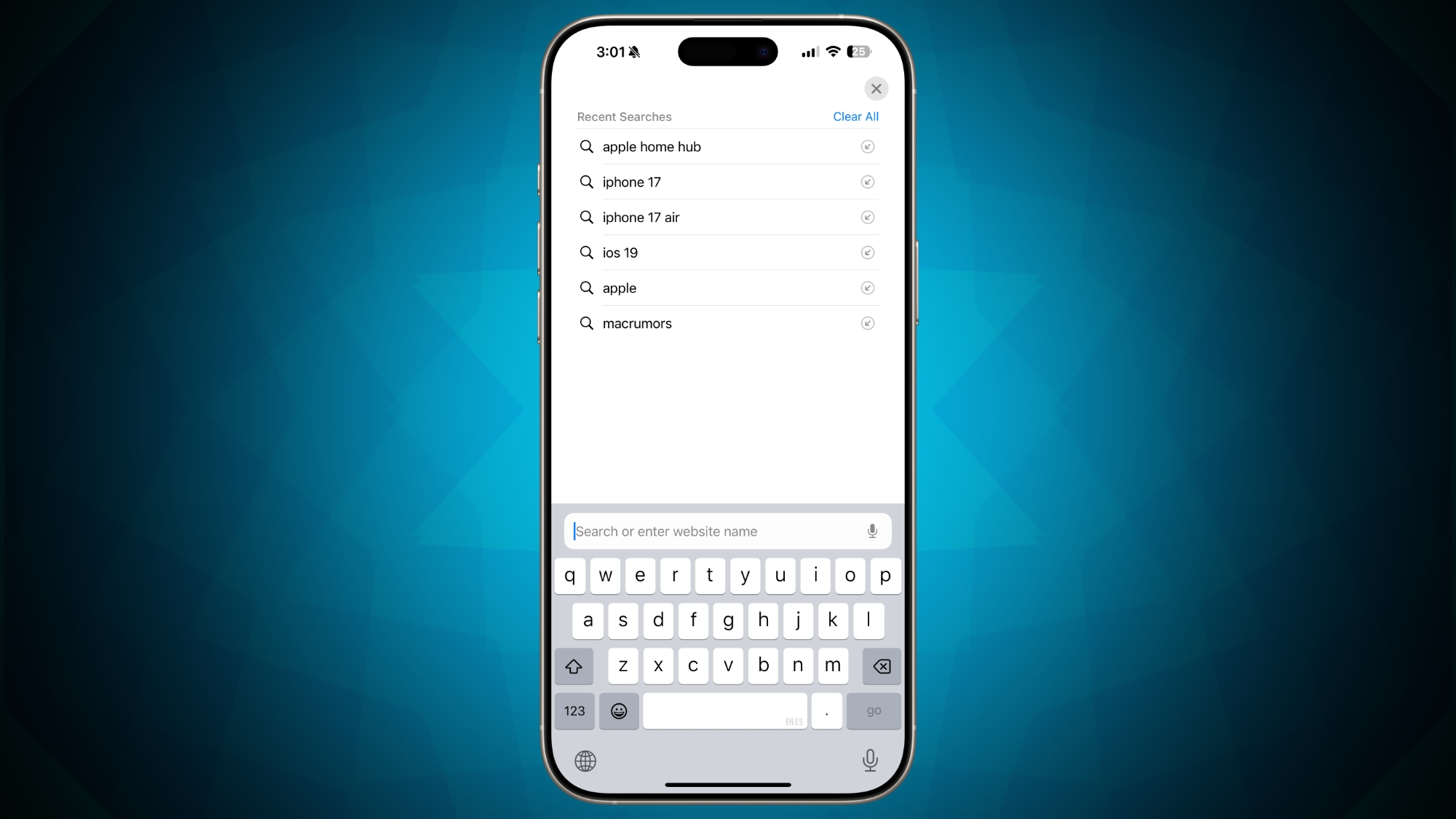


When the feature first came out in the iOS 18.4 beta, there was no option to disable it, but Apple rectified that with the fourth beta update. In the Safari section of the Settings app, there is now a “Show Recent Searches” option that can be toggled off.

Disabling Show Recent Searches returns the Safari search interface to its iOS 18.3.2 behavior, where recent searches are not shown when tapping into the search window of a new tab.

Apple appears to have added the option to toggle off the search feature after receiving feedback during the iOS 18.4 beta testing period.

While some users may like the option to have recent searches readily available when opening up a new Safari tab, having searches so visible may not be desirable for those who sometimes need to hand over their iPhones and iPads to someone else.

iOS 18.4 is still being beta tested, with Apple aiming for an early April launch date. The update also includes new emoji characters, Apple Intelligence Priority Notifications, Visual Intelligence for the iPhone 15 Pro, a Vision Pro app, and more. All of the features in the update are listed in our iOS 18.4 beta guide.

Related Roundups: iOS 18, iPadOS 18
Tag: Safari
Related Forums: iOS 18, iPadOS 18

This article, "Latest iOS 18.4 Beta Lets You Turn Off Privacy-Compromising Search Feature" first appeared on MacRumors.com

Discuss this article in our forums


You may also be interested in this

iOS 17 guide: Latest leak…

Macworld Each year Apple releases a major update for iOS, the operating system on your iPhone. The current version, released last year, is iOS 16, and it doesn’t take a

Today in Apple history: S…

June 11, 2007: At WWDC, Apple CEO Steve Jobs unveils Safari 3 for Windows, bringing the company’s web browser to PCs for the first time. Apple pitches Safari as the

The best iOS 17 changes a…

Macworld Apple had plenty of great things to show off when it unveiled iOS 17 at WWDC. We’re psyched about vastly improved autocorrect, StandBy, Live Voicemail transcriptions, custom contact posters,

How to make AppleInsider …

You've long been able to turn any website into an app on your Mac, but with macOS Sonoma, Apple has made it so easy that you're going to do it.

How to use Safari Profile…

Apple has added a new Profiles feature to Safari in macOS Sonoma, which is meant to be a quick way to separate work and home browsing, and to help with

How to use Safari Private…

Once more, Apple's updates to security in Safari are small, yet useful. Here's what's new in macOS Sonoma, and what Private Browsing can do.Beth Dakin, Apple's Senior Manager, Safari Software

Best VPN for iPhone 2023

Macworld There are two main reasons why someone might want to install a VPN on an iPhone. One important reason is to protect their privacy and increase their security. Another

How to use Safari Profile…

Apple has added a new Profiles feature to Safari in macOS Sonoma, which is meant to be a quick way to separate work and home browsing, and to help with
X

A whimsical homage to the days in black and white, celebrating the magic of Mac OS. Dress up your blog with retro, chunky-grade pixellated graphics to evoke some serious computer nostalgia. Supports a custom menu, custom header image, custom background, two footer widget areas, and a full-width page template. I updated Stuart Brown's 2011 masterpiece to meet the needs of the times, made it responsive , got dark mode, custom search widget and more.You can download it from tigaman.com, where you can also find more useful code snippets and plugins to get even more out of wordpress.
