
In iOS 17 and later, Apple includes an accessibility setting that makes the haptic feedback feature activate faster than in previous versions of its mobile operating system. If you fondly

In iOS 17 and later, Apple includes an accessibility setting that makes the haptic feedback feature activate faster than in previous versions of its mobile operating system. If you fondly hearken back for the days of 3D Touch, you might just prefer it.


As many iPhone users might remember, ‌3D Touch‌ was an interactive haptic feature that Apple introduced in 2015 with the ‌iPhone‌ 6s. When the iPhone XR was released in 2018, Apple kiboshed 3D Touch‌ to the dismay of some users, and instead implemented the simplified ‌Haptic Touch, which offers less functionality‌.

‌3D Touch‌ supported multiple levels of pressure for different interactions depending on how hard you pressed, with Apple implementing “Peek and Pop” gestures. In contrast, ‌Haptic Touch‌ supports just a single level of pressure for the long press gesture.

‌Haptic Touch‌ has always worked slower than ‌3D Touch‌ because of the two levels of pressure that ‌3D Touch‌ allowed for. The first ‌3D Touch‌ pressure level activated quickly when pressing on the display, so those who became used to ‌3D Touch‌ may have found the ‌Haptic Touch‌ replacement to be too sluggish.

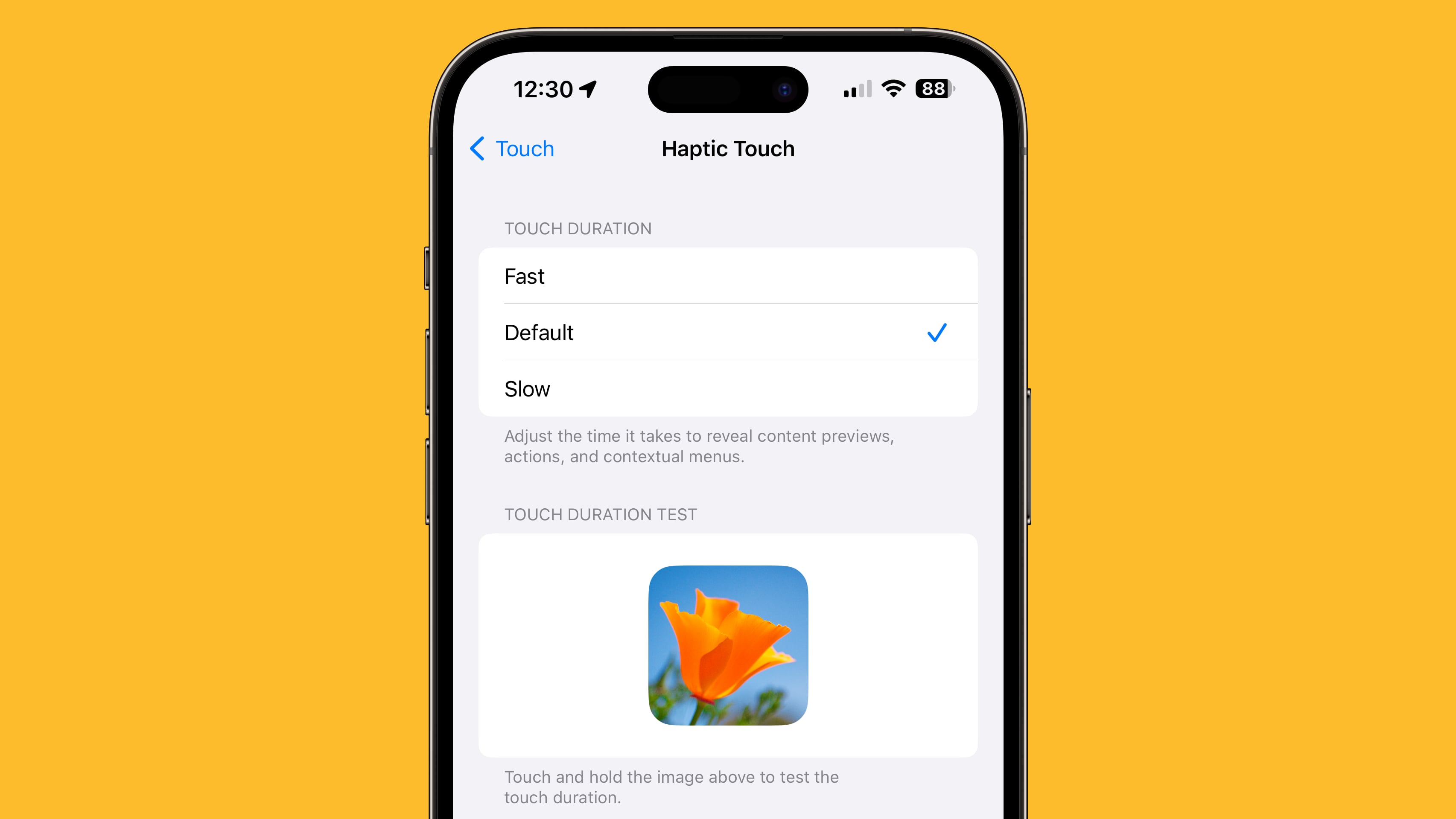
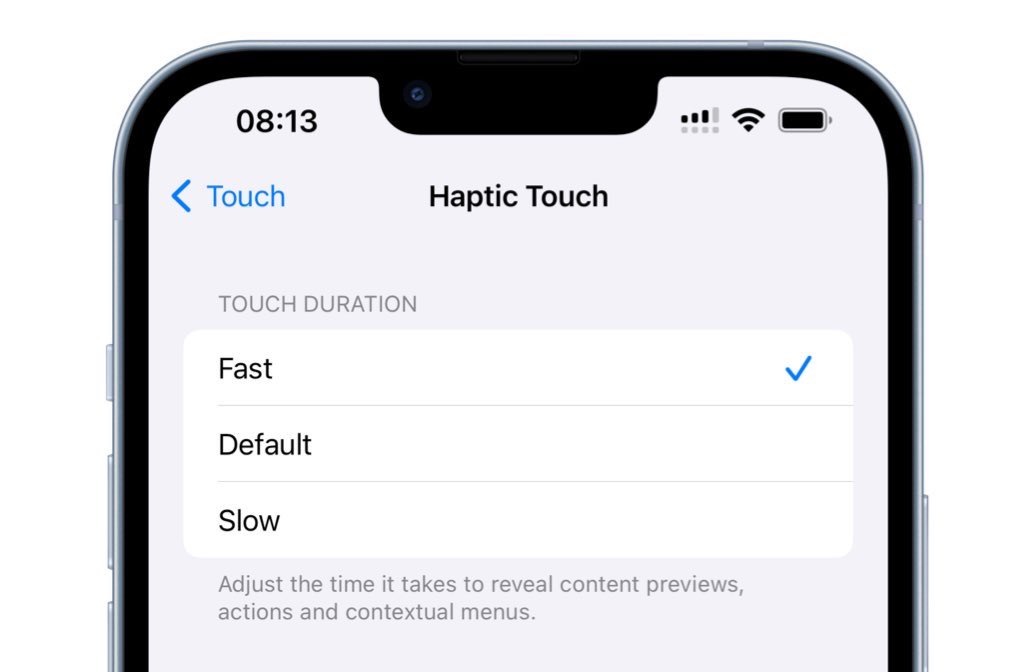
The good news is that setting ‌Haptic Touch‌ to the Fast option makes a noticeable difference in how quick haptic menus pop up under the finger when an icon or on-screen element is long pressed. The speed brings ‌Haptic Touch‌ interactions closer to 3D Touch interactions. Here’s how to enable it on iPhones running iOS 17 and newer.

  1. Open the Settings app and tap Accessibility.
  2. Under “Physical and Motor,” tap Touch.
  3. Tap Haptic Touch.
  4. Select from Fast, Default, and Slow. Note that when you select a speed, you can test it using the flower image on the same screen.
It’s still not entirely clear why Apple got rid of ‌3D Touch. Some have argued that it suffered from a lack of discoverability, similar to the Apple Watch’s Force Touch functionality, which suffered the same fate. Others have speculated that Apple eliminated it in order to bring gesture parity to the ‌iPhone‌ and the iPad. Either way, the change allowed Apple to remove the capacitive layer that used to be integrated into every ‌‌iPhone‌‌ display.

This article, "iPhone Long Press Too Slow? Speed Up Haptic Touch in Seconds" first appeared on MacRumors.com

Discuss this article in our forums


You may also be interested in this

Apollo for Reddit is shut…

Illustration: Alex Castro / The Verge Apollo, one of the most beloved iOS apps used to browse Reddit, will be shutting down due to the company’s new API pricing that

Apple Launches Second Lim…

Apple has begun selling the Hikawa Phone Grip and Stand, a new limited-edition iPhone accessory designed with accessibility in mind. Designed by LA-based Bailey Hikawa to celebrate the 40th anniversary

How screen refresh rates …

Illustration by Samar Haddad / The Verge When you read a review of a smartphone, you will usually be hit with a long list of screen specs: the display type,

Report: Apple Preparing …

Apple is planning to allow users to natively control iPhones, iPads, and other devices using brain signals later this year, The Wall Street Journal reports. The initiative involves a partnership

New Apple feature will re…

Vehicle Motion Cues Coming in iOS 18 this fall, Apple’s “Vehicle Motion Cues” is a new experience for iPhone and iPad that can help reduce motion sickness for passengers in

Made for iPhone hearing a…

As part of a flurry of new accessibility improvements announced by Apple today, the company says that Made for iPhone hearing aids can pair directly with Macs for the first

The iPhone 8, 8 Plus, and…

Sorry, iPhone X owners. | Photo by James Bareham / The Verge Apple’s just-announced iOS 17 won’t be coming to the iPhone X, the device that ushered in the era

iOS 17 accessibility feat…

Hear about iOS 17's new accessibility features, the WWDC "special activity," and the iCloud Drive woes that led your host to wipe his MacBook Pro on the AppleInsider Podcast.iOS 17
X

A whimsical homage to the days in black and white, celebrating the magic of Mac OS. Dress up your blog with retro, chunky-grade pixellated graphics to evoke some serious computer nostalgia. Supports a custom menu, custom header image, custom background, two footer widget areas, and a full-width page template. I updated Stuart Brown's 2011 masterpiece to meet the needs of the times, made it responsive , got dark mode, custom search widget and more.You can download it from tigaman.com, where you can also find more useful code snippets and plugins to get even more out of wordpress.
