
Apple updated many of its built-in apps in iOS 26, and Safari is one of the apps that has several notable changes. There’s a new look, an updated layout, and a new feature set.

This guide features all of the changes you can expect to see in Safari when iOS 26 launches to the public this fall.
Liquid Glass Design
Safari adopts the same Liquid Glass design as the rest of Apple’s apps, and you’ll primarily see it in the address bar, tab view, and buttons.
The buttons and tab bar have the Liquid Glass translucent look, and more of the background of each website is visible beneath them. The tab bar is more compact and it takes up less space, and everything is rounder.
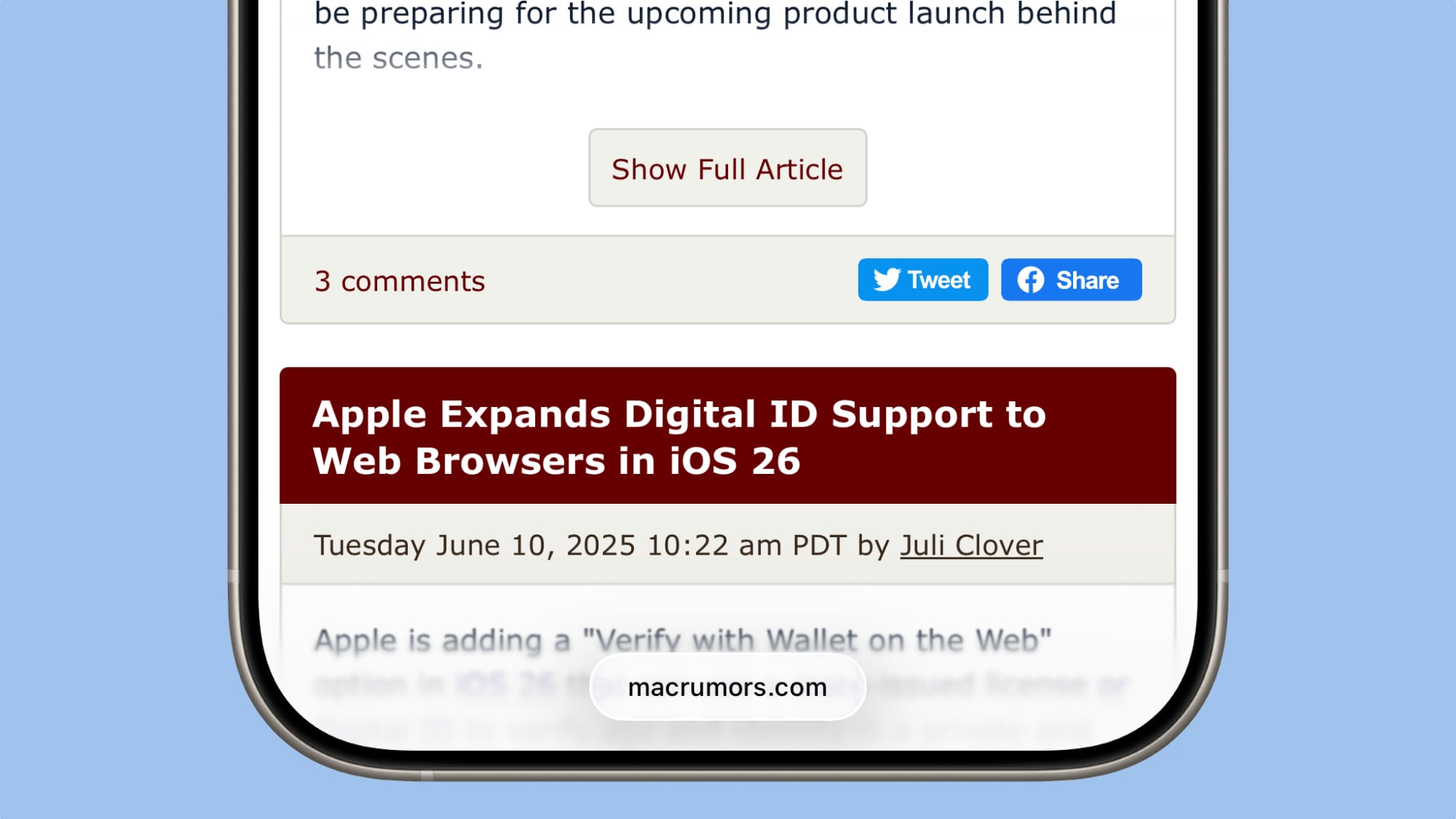
When you scroll down, the tab bar collapses down and you just see a small bar with the website URL, so the entire focus is on the website content. Scrolling back up returns the tab bar to its full size.
Updated Layout
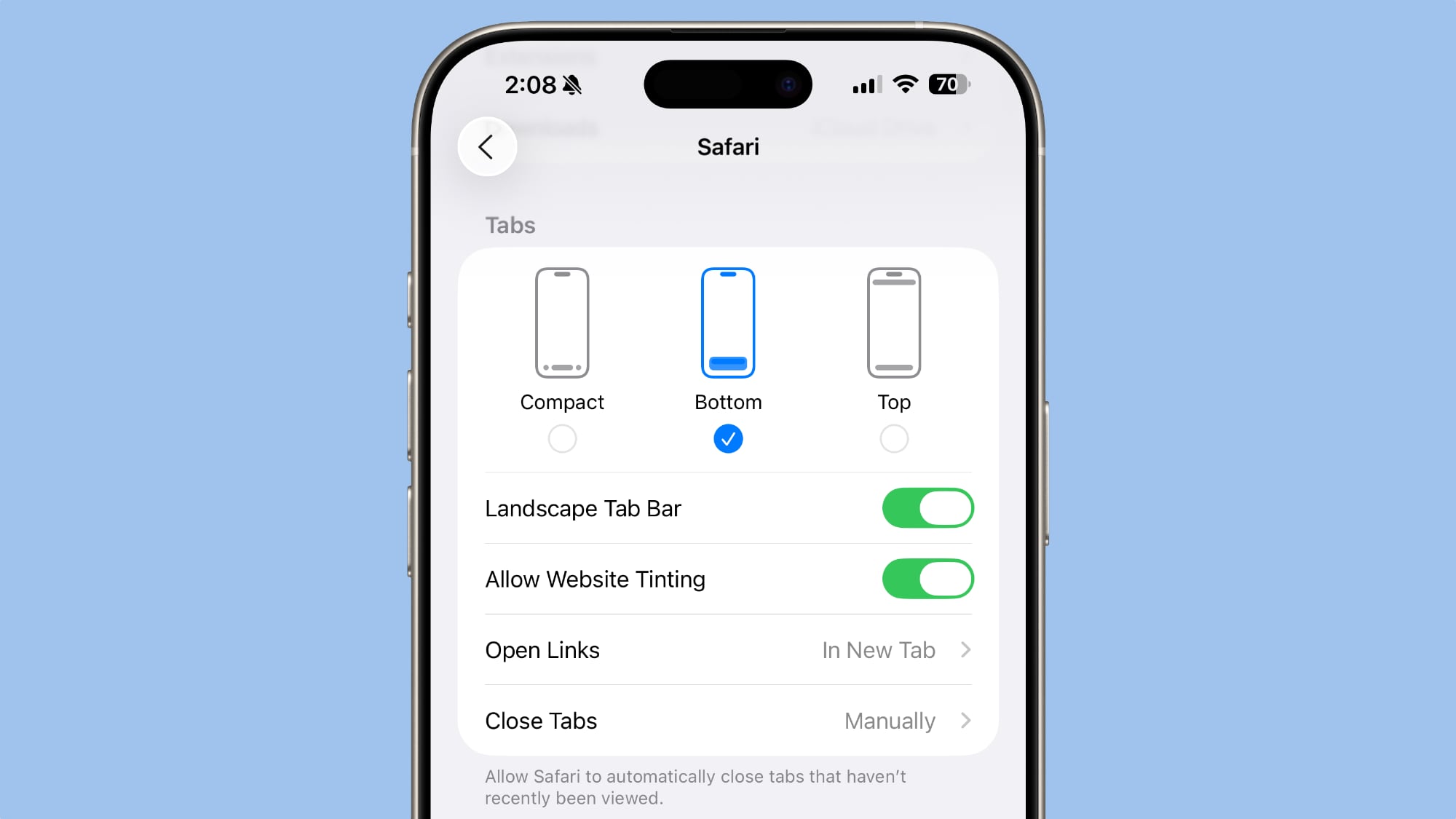
There is a new compact design option in iOS 26, but Apple left the option to use the previous Top and Bottom tab view layouts if you prefer those. Layout options are available in the Safari section of the Settings app.
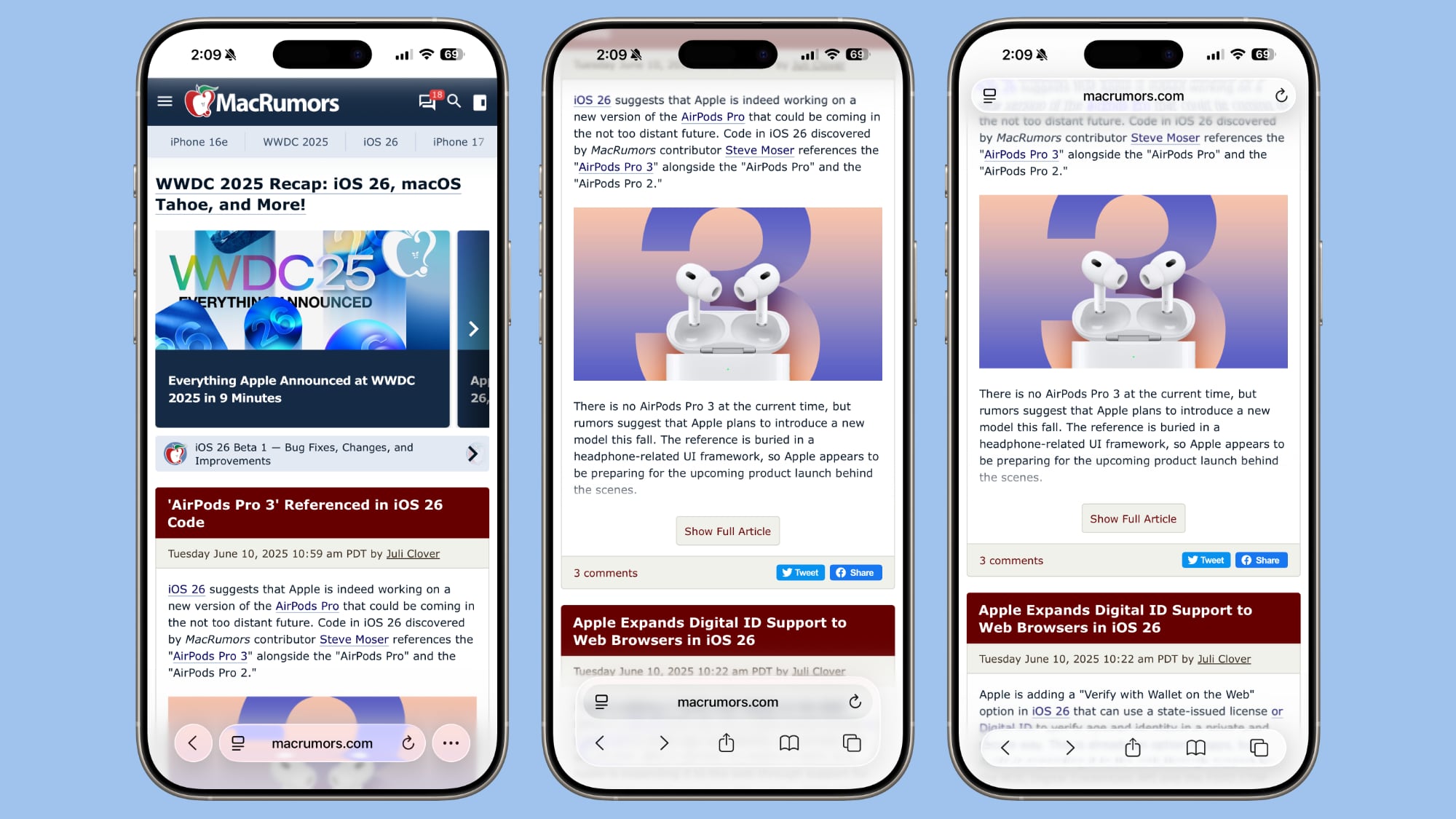
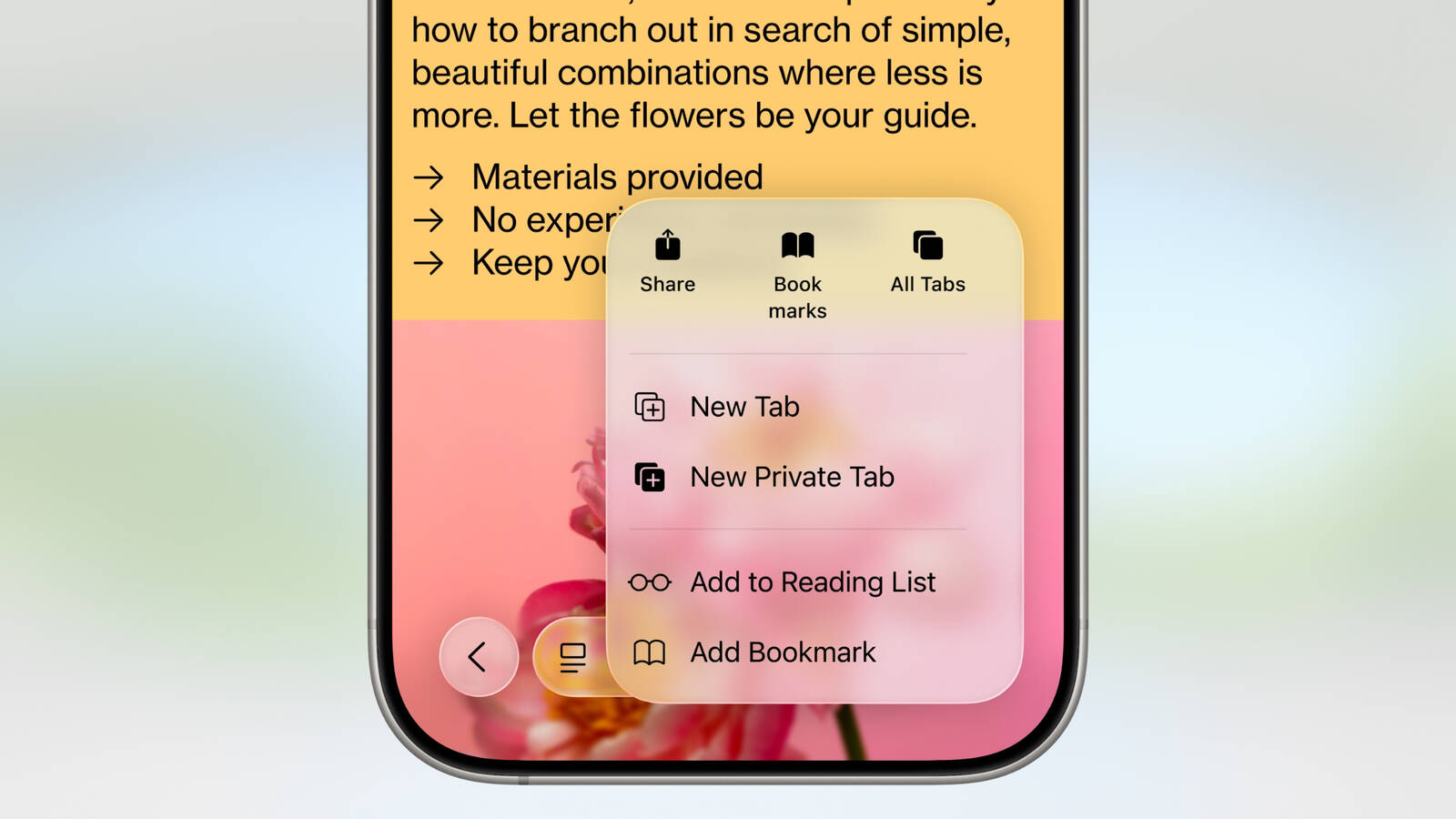
Compact tucks away the share, bookmark, and tab options behind the three-dot button on the left of the tab bar. It’s a cleaner look, but it may be frustrating if you often need to access features like the tab menu. There is a back arrow, which splits into forward and back arrow options when you’re navigating through content. Settings like Translate and Reader mode are still available by tapping on the small icon next to the URL.
The Top and Bottom views offer the same setup that’s available in iOS 18, but with a new Liquid Glass look. Both bars are slimmed down, and no longer take up the full width of the display.
Tab management has been overhauled with the same design changes. The “+” button to open a new tab is still located on the left, and there’s now a blue checkmark when you’re done interacting with tabs. In the center of the tab view, there’s a slider bar that shows your current number of open tabs in the tab group that you’re in.
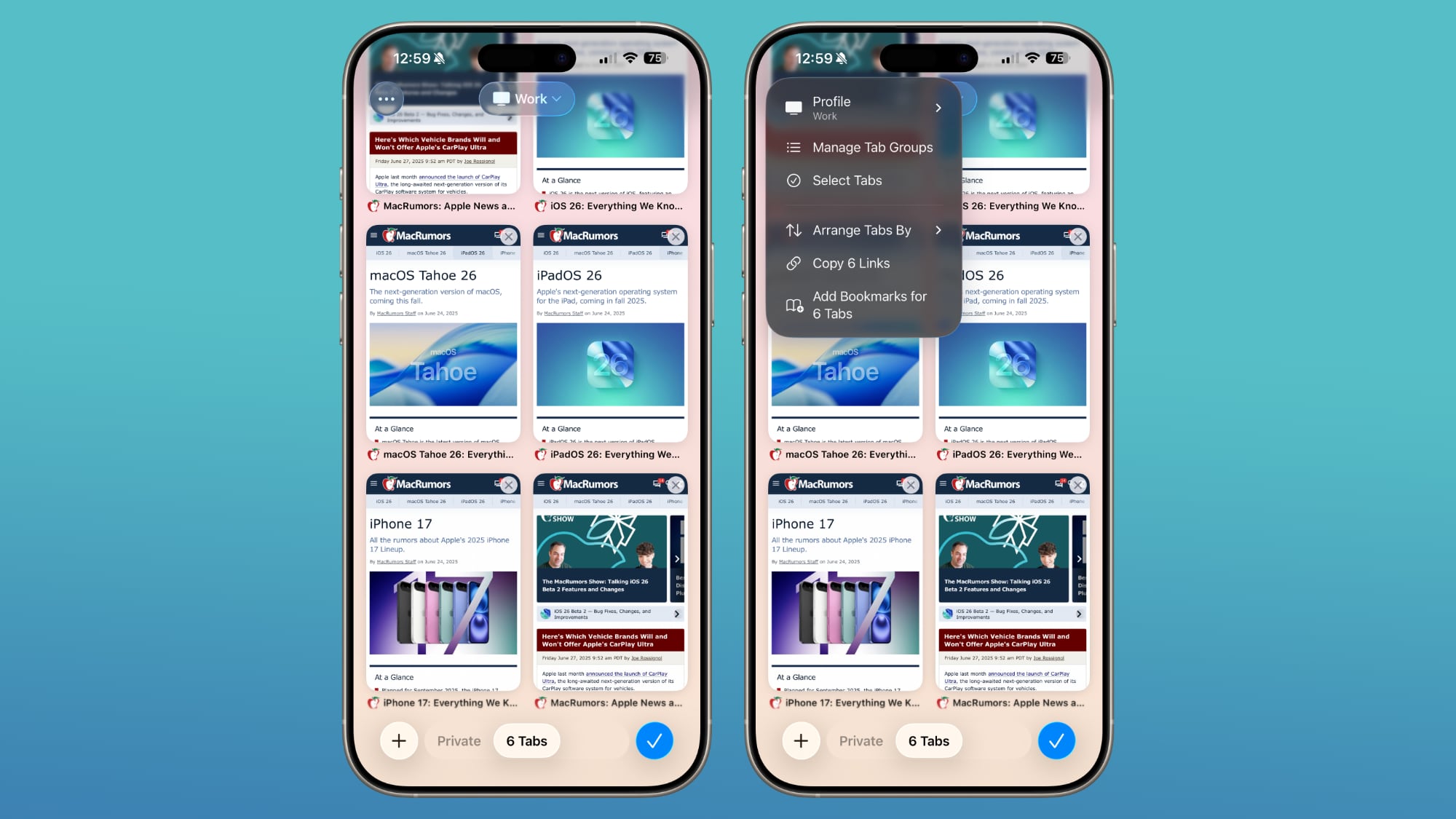
Swiping from left to right allows you to quickly swap between your tab groups. Changing profiles can be done with a dropdown menu at the top of the display, and other tab management tools are available by tapping on the “···” icon.
Web Apps
When you add a website to your Home Screen in iOS 26, it will always open as a web app. Web apps have been supported on the Home Screen in earlier versions of iOS, but web developers needed to configure them to operate as web apps.
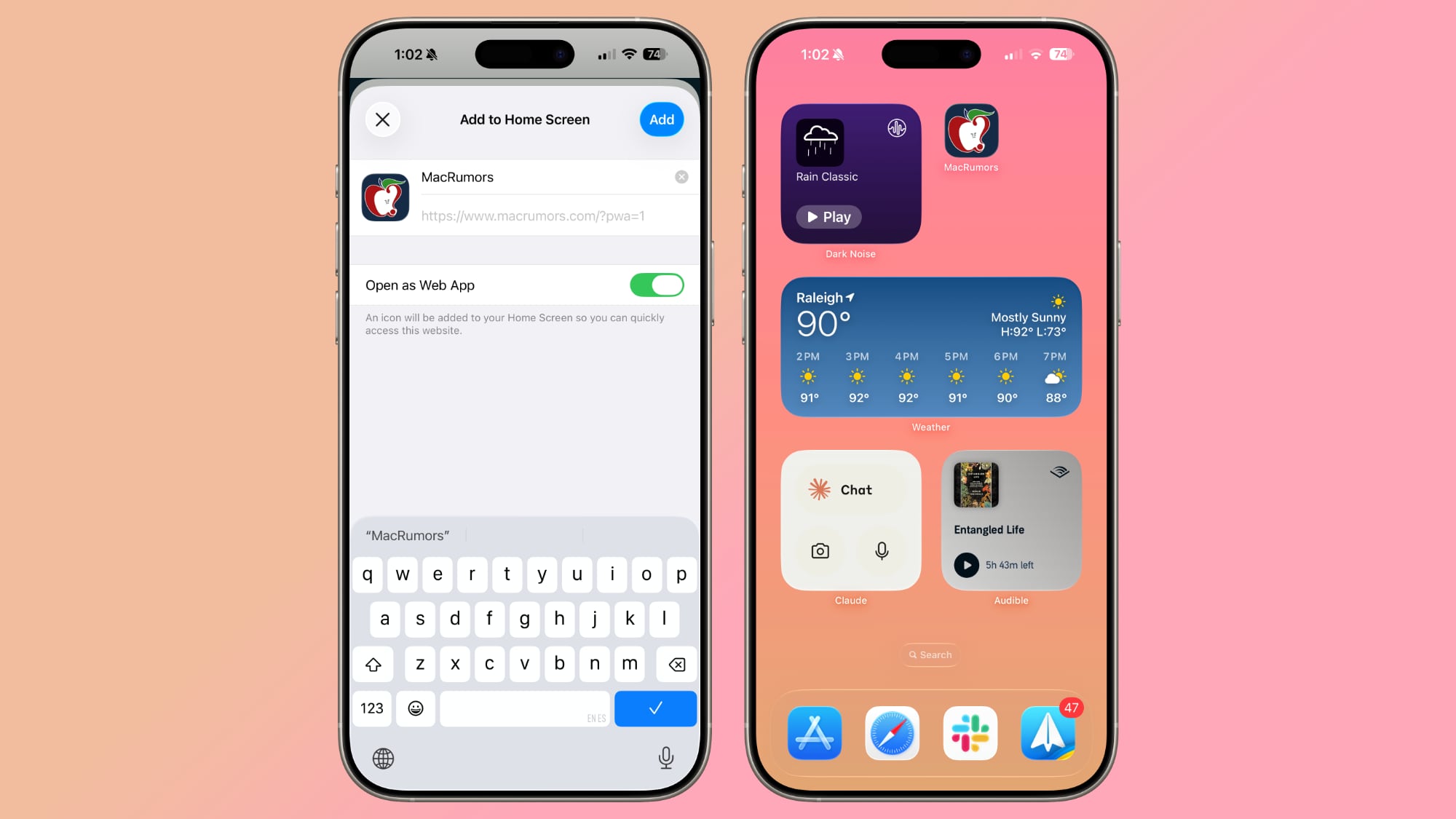
If websites weren’t configured properly, they would open in Safari when added to the Home Screen. Now a website will open as a dedicated web app, even if it hasn’t been explicitly set up to work that way.
There is an Open as Web App option that can be toggled off when adding a website to a Home Screen if you prefer that websites open up in Safari.
Tracking Prevention
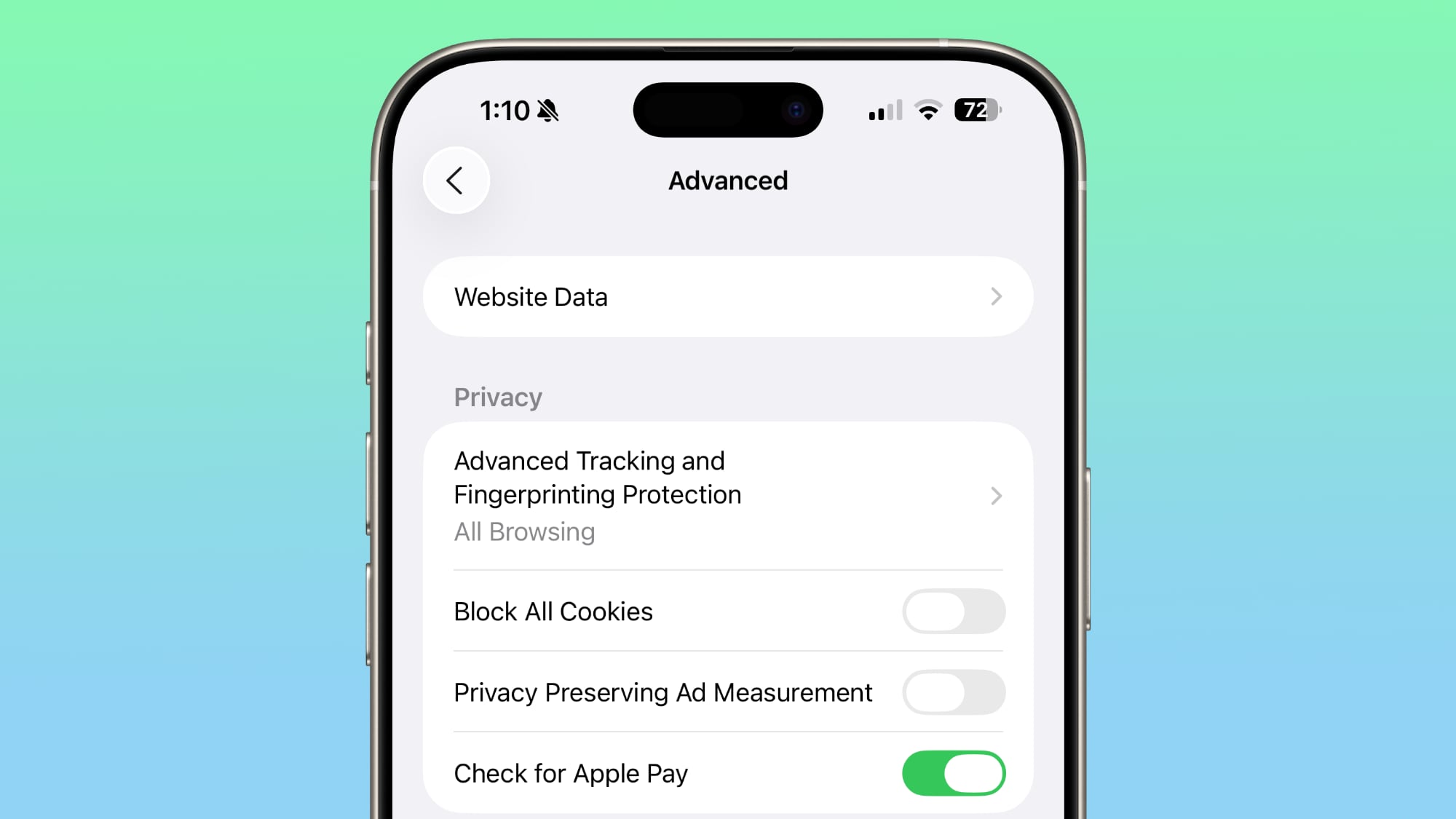
Advanced fingerprinting protection now extends to all browsing by default, rather than only being turned on by default for private web browsing. Apple’s fingerprinting protection features are meant to keep websites from tracking your device usage across websites.
HDR Images
iOS 26 adds HDR image support to Safari. HDR images have a wider dynamic range for brighter whites and deeper blacks, along with improved color gamut. P3 HDR images will now appear as intended in Safari on iPhones with XDR displays.
SVG Icons
Safari supports the SVG file format for icons wherever icons appear in the interface, including the start page, web apps, Safari tabs, menus, and more.
SVGs are superior to PNGs because they can be scaled up without a loss of quality, and in Safari, icons often need to appear at multiple different sizes.
WebGPU
Safari in iOS 26 includes WebGPU, a feature that Apple has been testing in Safari Technology Preview. WebGPU is similar to WebGL, but it maps more directly to Metal and the underlying iPhone hardware. WebGPU isn’t a user facing feature that you’ll be able to use directly, but there will be benefits from it.
Web-based games will be able to achieve higher frame rates and better effects with lower CPU load, plus photo editors, 3D modeling sites, CAD viewers, and websites that do on-device ML should run faster while using less battery. WebGPU requires an iPhone 15 Pro or later.
Digital Credentials API
Apple added support for the W3C Digital Credentials API to Safari, which means a website is able to request identity documents like a driver’s license from Apple Wallet for private and secure identity and age verification.
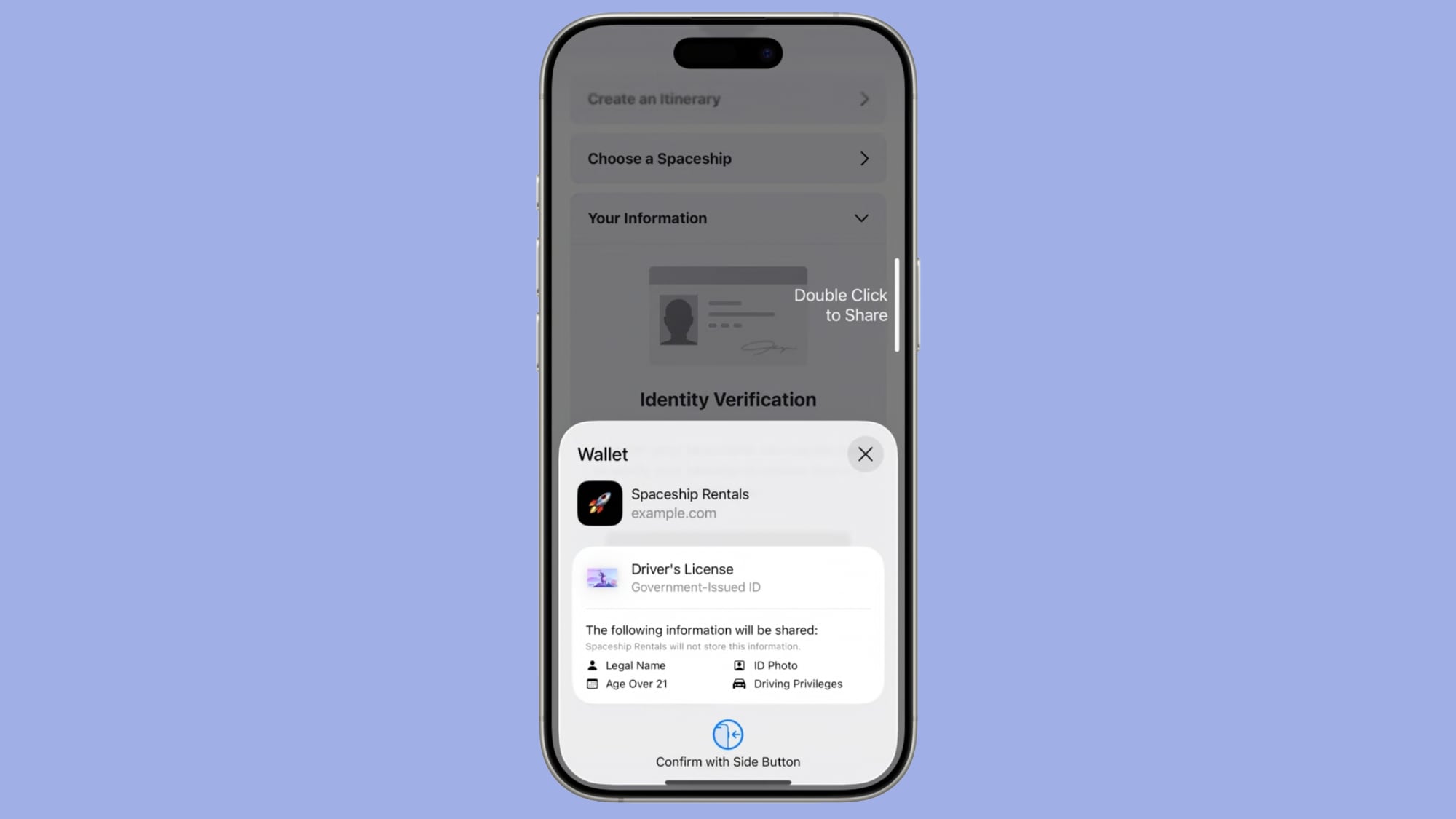
The Verify with Wallet on the Web feature in iOS 26 uses the Digital Credentials API and takes advantage of biometric authentication. Websites can ask customers for information like date of birth without receiving unnecessary extra data, and customers can approve the data sharing with Face ID or Touch ID.
The first websites that will support the Verify with Wallet on the Web feature include Chime, Turo, Uber Eats, and U.S. Bank.
Privacy Improvements
The iOS 26 version of Safari prevents known fingerprinting scripts from accessing web APIs that can reveal device characteristics like screen dimensions, cutting down on the ways that advertisers can track you across websites. These scripts are also blocked from setting long-lived storage like cookies, and from reading query parameters that could be used for navigational tracking.
Reporting Website Compatibility Issues
A new feature lets you report an issue if you’re having trouble with a webpage. In the Page menu, Apple is adding a “Report a Website Issue” option that lets you share information with Apple to improve Safari.
Release Timing
iOS 26 is available to developers right now, and Apple plans to release a public beta in July. After a few months of testing, iOS 26 will launch alongside new iPhones in September.
Read More
We have a dedicated iOS 26 roundup that goes into detail on all of the new features that are available in the update.
This article, "Safari in iOS 26: Everything New From Design to Privacy" first appeared on MacRumors.com
Discuss this article in our forums

