
Apple doesn't currently allow iPhone users to change the Side button's Siri functionality to another assistant, but owners of iPhone 15 Pro and newer models can assign ChatGPT to the

Apple doesn’t currently allow iPhone users to change the Side button’s Siri functionality to another assistant, but owners of iPhone 15 Pro and newer models can assign ChatGPT to the Action button instead. Keep reading to learn how.


OpenAI’s free ChatGPT app for iPhone lets you interact with the chatbot using text or voice. What’s more, if you assign voice mode directly to the Action button, you can use it to jump straight into a spoken conversation, giving you quick, handsfree access to a far more capable assistant.

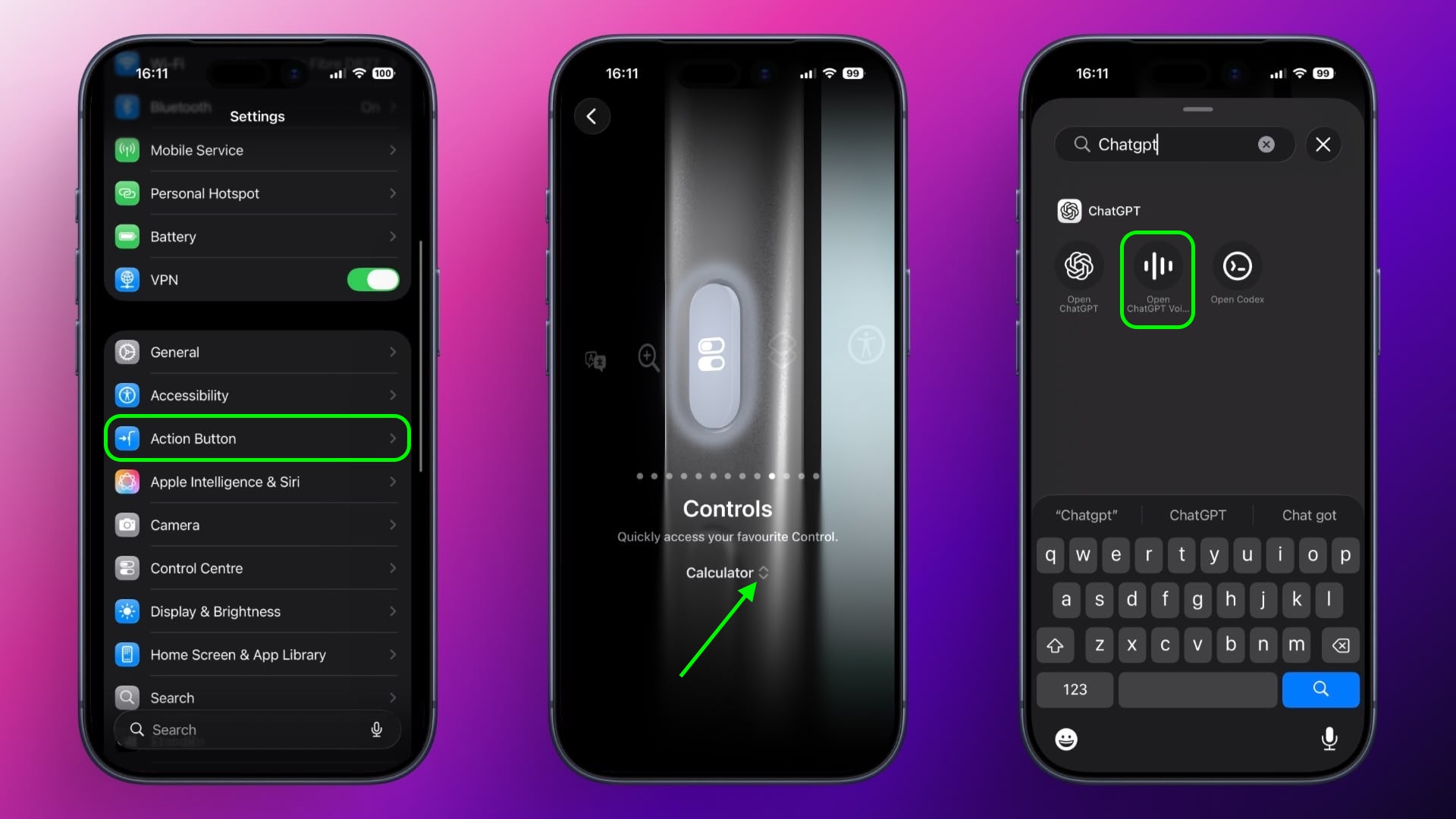
  1. Install the ChatGPT app, then sign into your account or create a new one.
  2. Next, open the Settings app.
  3. Tap Action Button.
  4. Swipe to Controls, then tap the two chevrons beside the currently assigned control.
  5. Using the control search field, type “ChatGPT.”
  6. Select the control Open ChatGPT Voice.
A long press of the Action button will now open ChatGPT’s voice mode. The first time you activate it, the app may request microphone access. Tap Allow to proceed. After that, you can begin speaking immediately.

A recent update means voice conversations now take place inside the same chat window as text-based prompts, instead of switching to a separate voice-only interface. Responses appear in real time, combining spoken output with on-screen text and any visuals the model generates. This keeps your conversation’s context intact and makes switching between typing and speaking smoother.

Continue the Conversation Anywhere

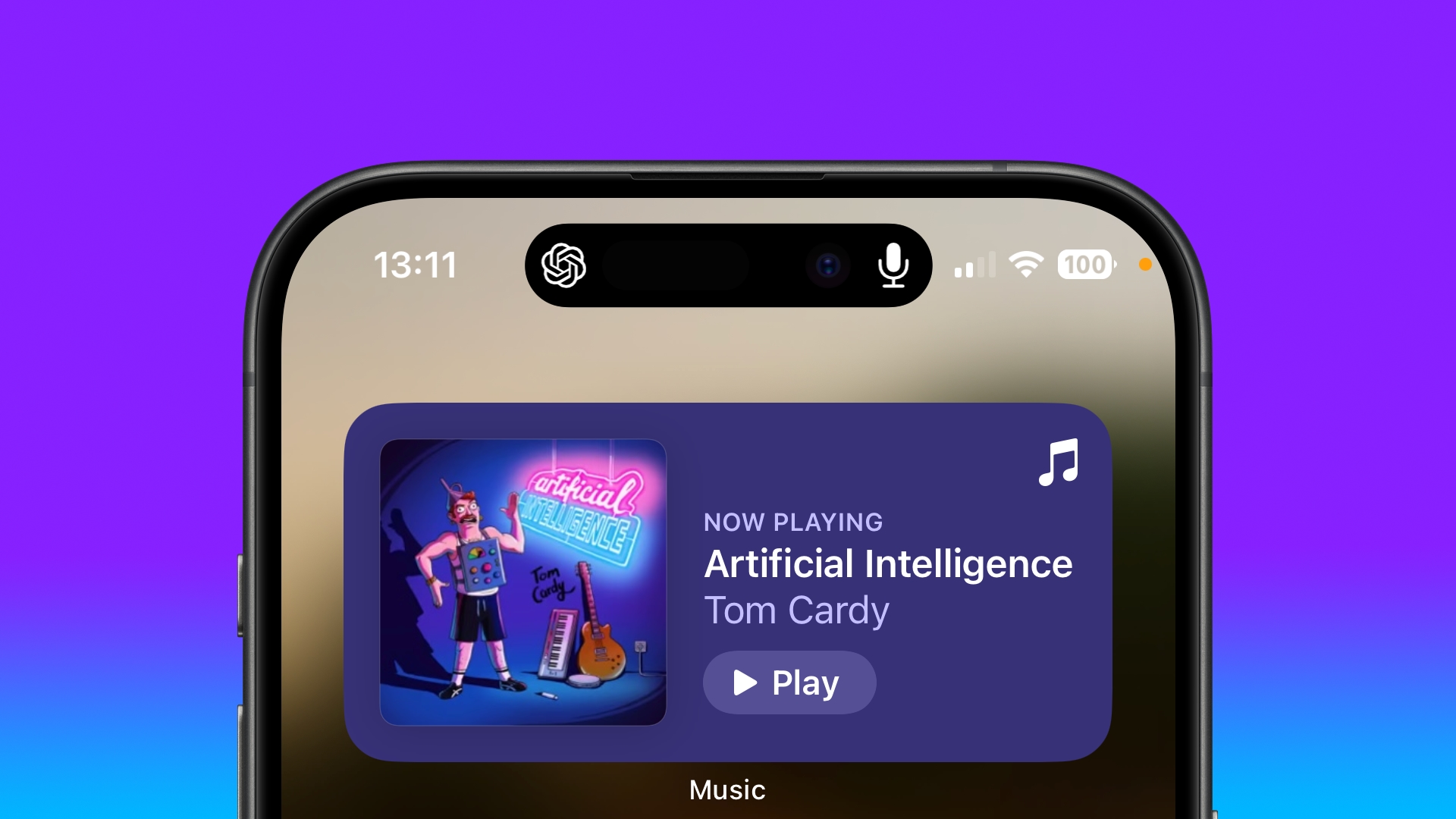
You can also leave the ChatGPT app during a voice session without ending it. When you swipe away, the conversation continues and appears in the Dynamic Island as long as the assistant is listening and preparing a response. To stop, tap the Dynamic Island to return to the app, then tap End.

Note that while this setup gives you a fast, physical shortcut to a richer, more context-aware assistant, ChatGPT can’t perform Siri-like system actions like accessing your calendar or setting an alarm.

Tag: ChatGPT

This article, "Use ChatGPT as Your iPhone's Action Button Assistant" first appeared on MacRumors.com

Discuss this article in our forums


You may also be interested in this

Second macOS Tahoe 26.3 B…

Apple today provided the second beta of an upcoming macOS Tahoe 26.3 update to developers for testing purposes, with the update coming four weeks after the launch of the first

Apple’s 2026 Smart …

It's been over a decade since Apple's HomeKit smart home platform launched, and it is overdue for an update. ‌HomeKit‌ and the Home app can no longer keep up with

Hands-On With iPad Pro in…

There are two notable design changes for the new iPad Pro models introduced today: they are the thinnest Apple products ever released, and they are available in a new Space

The MacRumors Show: The L…

On this week's episode of The MacRumors Show, we catch up on all of the latest Apple rumors for the remainder of 2024. Subscribe to The MacRumors Show YouTube channel

Amazon Introduces First D…

Amazon today has introduced the first major discounts on Apple's new iPad mini. All of the deals on the iPad mini 7 in this article require you to clip an

tvOS 26.2 Lets You Create…

With tvOS 26.2, Apple is changing the way that profiles work on the Apple TV. It's now possible to create a profile without an Apple Account, which is particularly useful

8GB RAM in M3 MacBook Pro…

Apple's new MacBook Pro models are powered by cutting-edge M3 Apple silicon, but the base configuration 14-inch model starting at $1,599 comes with just 8GB of working memory. In 2012,

Samsung Kicks Off Week-Lo…

Samsung has begun a new week-long savings event, and it includes discounts on TVs, smartphones, monitors and memory, wearables, appliances, and more. Note: MacRumors is an affiliate partner with Samsung.
X

A whimsical homage to the days in black and white, celebrating the magic of Mac OS. Dress up your blog with retro, chunky-grade pixellated graphics to evoke some serious computer nostalgia. Supports a custom menu, custom header image, custom background, two footer widget areas, and a full-width page template. I updated Stuart Brown's 2011 masterpiece to meet the needs of the times, made it responsive , got dark mode, custom search widget and more.You can download it from tigaman.com, where you can also find more useful code snippets and plugins to get even more out of wordpress.
