Thanks to Apple's Sound Recognition feature, the HomePod mini and second-generation HomePod can send you notifications when they recognize smoke or carbon monoxide alarm sounds. Keep reading to learn how

Thanks to Apple’s Sound Recognition feature, the HomePod mini and second-generation HomePod can send you notifications when they recognize smoke or carbon monoxide alarm sounds. Keep reading to learn how it works.
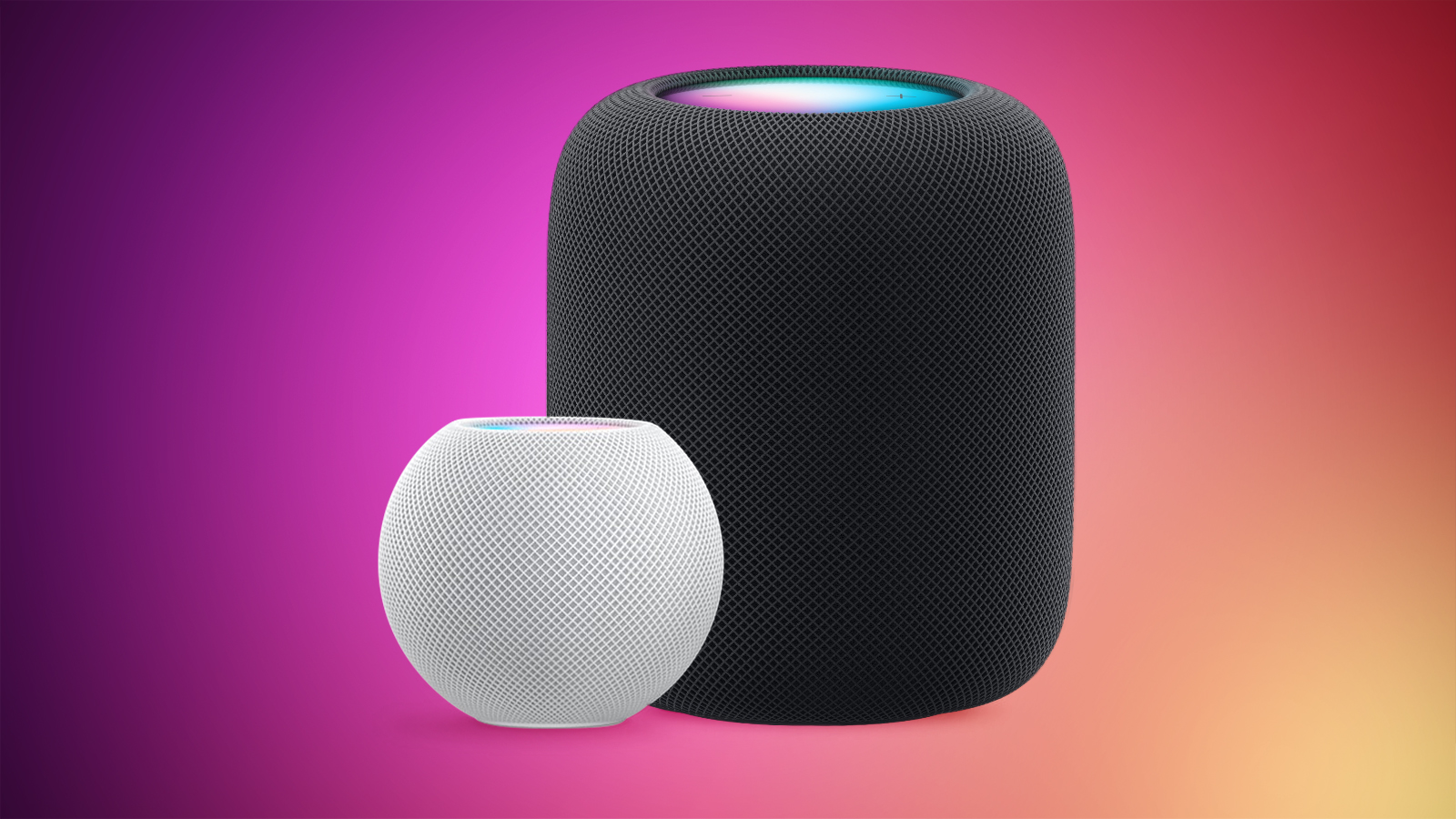


With Sound Recognition, HomePod can detect the sound of a smoke or carbon monoxide alarm in your home, and alert you by sending a notification to your iPhone, iPad or Apple Watch.

It’s a neat addition if you don’t own a smart detector, although Apple warns that the feature should not be relied upon “in circumstances where users may be harmed or injured,” or in “high-risk or emergency situations.”

The Sound Recognition feature is accessible in the Home app. If your Home system is connected to a smart camera, it will also display live video of your home, so you can see what’s happening in real time.

Here’s how to enable the feature. Note that Sound Recognition on HomePods requires Apple’s updated Home app architecture that was introduced in 2022 as part of iOS 16.4 and iPadOS 16.4.

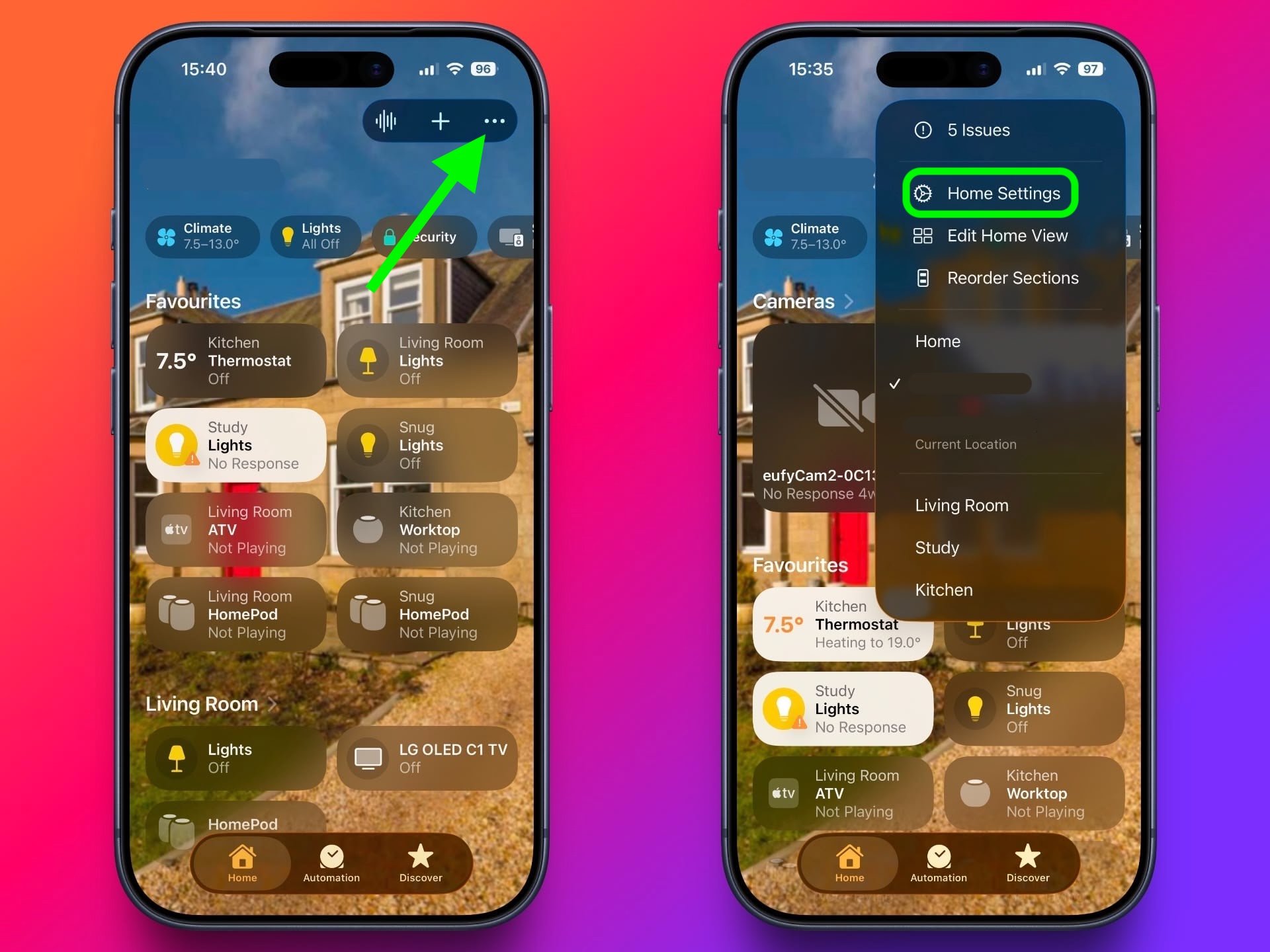
  1. In the Home app, tap the ellipsis button (three dots) in the top-right corner of the screen.
  2. Tap Home Settings.

    home

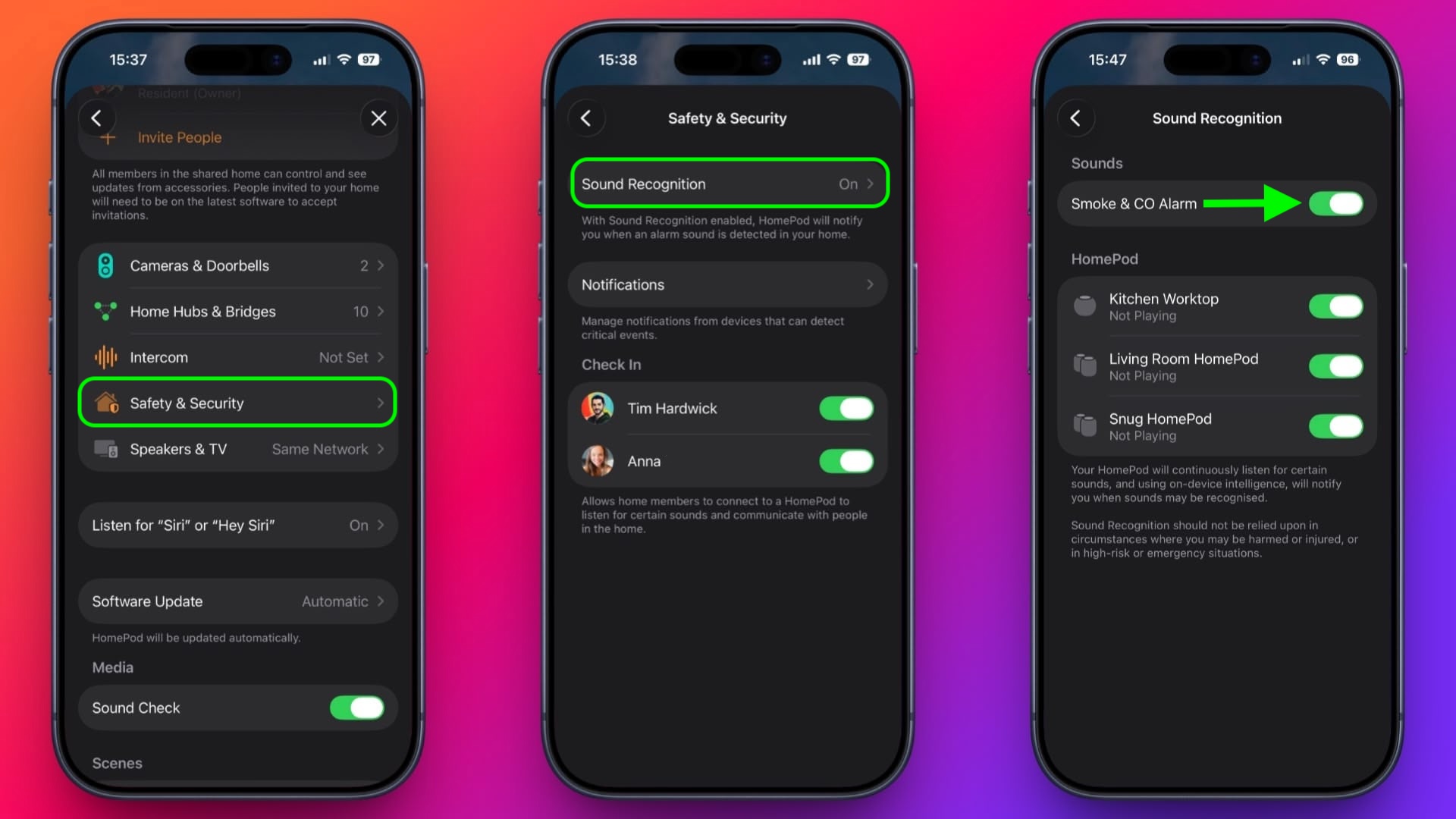
  3. Tap Safety & Security ➝ Sound Recognition.
  4. Under “Sounds,” make sure the Smoke & CO Alarm toggle is in the green ON position.
  5. Toggle on the switches next to the HomePod devices that you want to enable Sound Recognition for.
    home

That’s all there is to it. Note that you can also access the Sound Recognition menu via the Home app’s menu cards for individual HomePods.

Sound Recognition was first introduced on the iPhone in 2020 and can detect a wide variety of sounds on that device, including a doorbell, running water, a baby crying, a car horn, a door knock, a cat meowing or dog barking, and more.
This article, "Make HomePod Alert You to Smoke Alarms" first appeared on MacRumors.com

Discuss this article in our forums


You may also be interested in this

Apple Seeds Third Betas o…

Apple today seeded the third betas of upcoming iOS 26.3 and iPadOS 26.3 updates to developers for testing purposes, with the software coming a week after the release of the

AirPods Pro 4 Could Featu…

Apple's next-generation AirPods Pro will feature cameras to see around a user, according to the leaker and prototype collector known as "Kosutami." In a new post on X, Kosutami said

Apple Seeds Second Betas …

Apple today released the second betas of upcoming iOS 17.2 and iPadOS 17.2 updates to developers for testing purposes, with the software coming two weeks after Apple released the first

Top Stories: Major iOS 17…

Huge news this week for iOS users in the European Union, with major changes to Apple's policies coming with iOS 17.4 related to alternative app stores, default browsers, NFC payment

Apple Says There Won̵…

Apple has confirmed to The Verge and some other publications that it has no plans to release a new 27-inch iMac with Apple silicon. Apple discontinued both the Intel-based 27-inch

Here’s How Web Apps…

In macOS Sonoma, currently in beta, you can create individual web apps for any website that you frequent in Safari, and have them sit beside other apps in your Dock.

Awe Dropping: Everything …

Apple is holding its annual iPhone-centric event on Tuesday, September 9 at 10:00 a.m. Pacific Time. This is the biggest Apple event of the year, and we'll see Apple unveiling

Everything New in iOS 26.…

Apple provided developers with the third beta of an upcoming iOS 26.2 update, and there are still new features that are being added with each beta that we get. We've
X

A whimsical homage to the days in black and white, celebrating the magic of Mac OS. Dress up your blog with retro, chunky-grade pixellated graphics to evoke some serious computer nostalgia. Supports a custom menu, custom header image, custom background, two footer widget areas, and a full-width page template. I updated Stuart Brown's 2011 masterpiece to meet the needs of the times, made it responsive , got dark mode, custom search widget and more.You can download it from tigaman.com, where you can also find more useful code snippets and plugins to get even more out of wordpress.