
WWDC session for developers, Apple has provided more details about these features.

Pointer Control

Pointer Control will allow the Vision Pro to be controlled based on head, wrist, or index finger position rather than eye tracking. Users will be able to adjust movement sensitivity to further fit their individual needs.

Dwell Control will provide on-screen options for Tap, Scroll, Long Press, and Drag, allowing for users to interact with the interface without using their hands.

Dwell Control

There's also Guided Access, an accessibility feature that will promote focus by restricting visionOS to a single app at one time. Apple says the feature aims to minimize distractions by backgrounding other apps, removing non-essential UI elements, and suppressing hardware button events that could be distracting.

Guided Access

Apple's screen reader VoiceOver will be available on the Vision Pro. Users will be able to set up a VoiceOver shortcut in the Settings app on visionOS that allows for the feature to be activated with a triple press of the Digital Crown.

Vision Pro is launching in early 2024 in the U.S. for $3,499, and more details about the headset are available in our Vision Pro roundup. For more details about the accessibility features, check out Apple's WWDC session.
Related Roundup: Apple Vision Pro
Related Forum: Apple Vision Pro

This article, "Apple Highlights Vision Pro's Accessibility Features with Head, Wrist, and Index Finger Controls" first appeared on MacRumors.com

Discuss this article in our forums
WWDC session for developers, Apple has provided more details about these features.

Pointer Control

Pointer Control will allow the Vision Pro to be controlled based on head, wrist, or index finger position rather than eye tracking. Users will be able to adjust movement sensitivity to further fit their individual needs.

Dwell Control will provide on-screen options for Tap, Scroll, Long Press, and Drag, allowing for users to interact with the interface without using their hands.

Dwell Control

There's also Guided Access, an accessibility feature that will promote focus by restricting visionOS to a single app at one time. Apple says the feature aims to minimize distractions by backgrounding other apps, removing non-essential UI elements, and suppressing hardware button events that could be distracting.

Guided Access

Apple's screen reader VoiceOver will be available on the Vision Pro. Users will be able to set up a VoiceOver shortcut in the Settings app on visionOS that allows for the feature to be activated with a triple press of the Digital Crown.

Vision Pro is launching in early 2024 in the U.S. for $3,499, and more details about the headset are available in our Vision Pro roundup. For more details about the accessibility features, check out Apple's WWDC session.
Related Roundup: Apple Vision Pro
Related Forum: Apple Vision Pro

This article, "Apple Highlights Vision Pro's Accessibility Features with Head, Wrist, and Index Finger Controls" first appeared on MacRumors.com

Discuss this article in our forums
WWDC session for developers, Apple has provided more details about these features.

Pointer Control

Pointer Control will allow the Vision Pro to be controlled based on head, wrist, or index finger position rather than eye tracking. Users will be able to adjust movement sensitivity to further fit their individual needs.

Dwell Control will provide on-screen options for Tap, Scroll, Long Press, and Drag, allowing for users to interact with the interface without using their hands.

Dwell Control

There's also Guided Access, an accessibility feature that will promote focus by restricting visionOS to a single app at one time. Apple says the feature aims to minimize distractions by backgrounding other apps, removing non-essential UI elements, and suppressing hardware button events that could be distracting.

Guided Access

Apple's screen reader VoiceOver will be available on the Vision Pro. Users will be able to set up a VoiceOver shortcut in the Settings app on visionOS that allows for the feature to be activated with a triple press of the Digital Crown.

Vision Pro is launching in early 2024 in the U.S. for $3,499, and more details about the headset are available in our Vision Pro roundup. For more details about the accessibility features, check out Apple's WWDC session.
Related Roundup: Apple Vision Pro
Related Forum: Apple Vision Pro

This article, "Apple Highlights Vision Pro's Accessibility Features with Head, Wrist, and Index Finger Controls" first appeared on MacRumors.com

Discuss this article in our forums
WWDC session for developers, Apple has provided more details about these features.

Pointer Control

Pointer Control will allow the Vision Pro to be controlled based on head, wrist, or index finger position rather than eye tracking. Users will be able to adjust movement sensitivity to further fit their individual needs.

Dwell Control will provide on-screen options for Tap, Scroll, Long Press, and Drag, allowing for users to interact with the interface without using their hands.

Dwell Control

There's also Guided Access, an accessibility feature that will promote focus by restricting visionOS to a single app at one time. Apple says the feature aims to minimize distractions by backgrounding other apps, removing non-essential UI elements, and suppressing hardware button events that could be distracting.

Guided Access

Apple's screen reader VoiceOver will be available on the Vision Pro. Users will be able to set up a VoiceOver shortcut in the Settings app on visionOS that allows for the feature to be activated with a triple press of the Digital Crown.

Vision Pro is launching in early 2024 in the U.S. for $3,499, and more details about the headset are available in our Vision Pro roundup. For more details about the accessibility features, check out Apple's WWDC session.
Related Roundup: Apple Vision Pro
Related Forum: Apple Vision Pro

This article, "Apple Highlights Vision Pro's Accessibility Features with Head, Wrist, and Index Finger Controls" first appeared on MacRumors.com

Discuss this article in our forums
Apple's new Vision Pro headset is controlled with eye and hand movements by default. For those with accessibility needs, however, features like VoiceOver, Pointer Control, and Dwell Control will allow

Apple’s new Vision Pro headset is controlled with eye and hand movements by default. For those with accessibility needs, however, features like VoiceOver, Pointer Control, and Dwell Control will allow users to interact with visionOS in other ways. In a WWDC session for developers, Apple has provided more details about these features.
Pointer Control

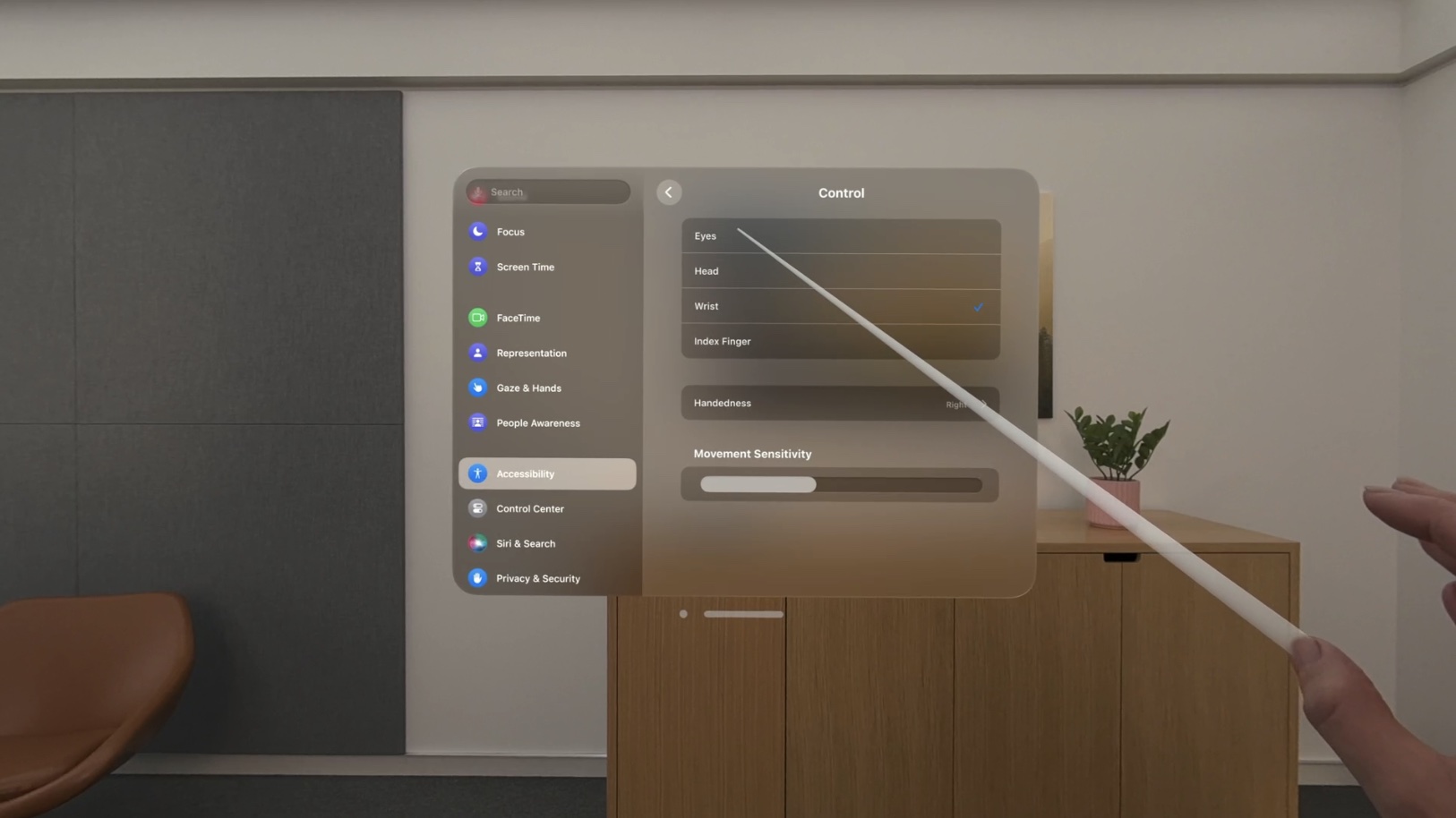
Pointer Control will allow the Vision Pro to be controlled based on head, wrist, or index finger position rather than eye tracking. Users will be able to adjust movement sensitivity to further fit their individual needs.

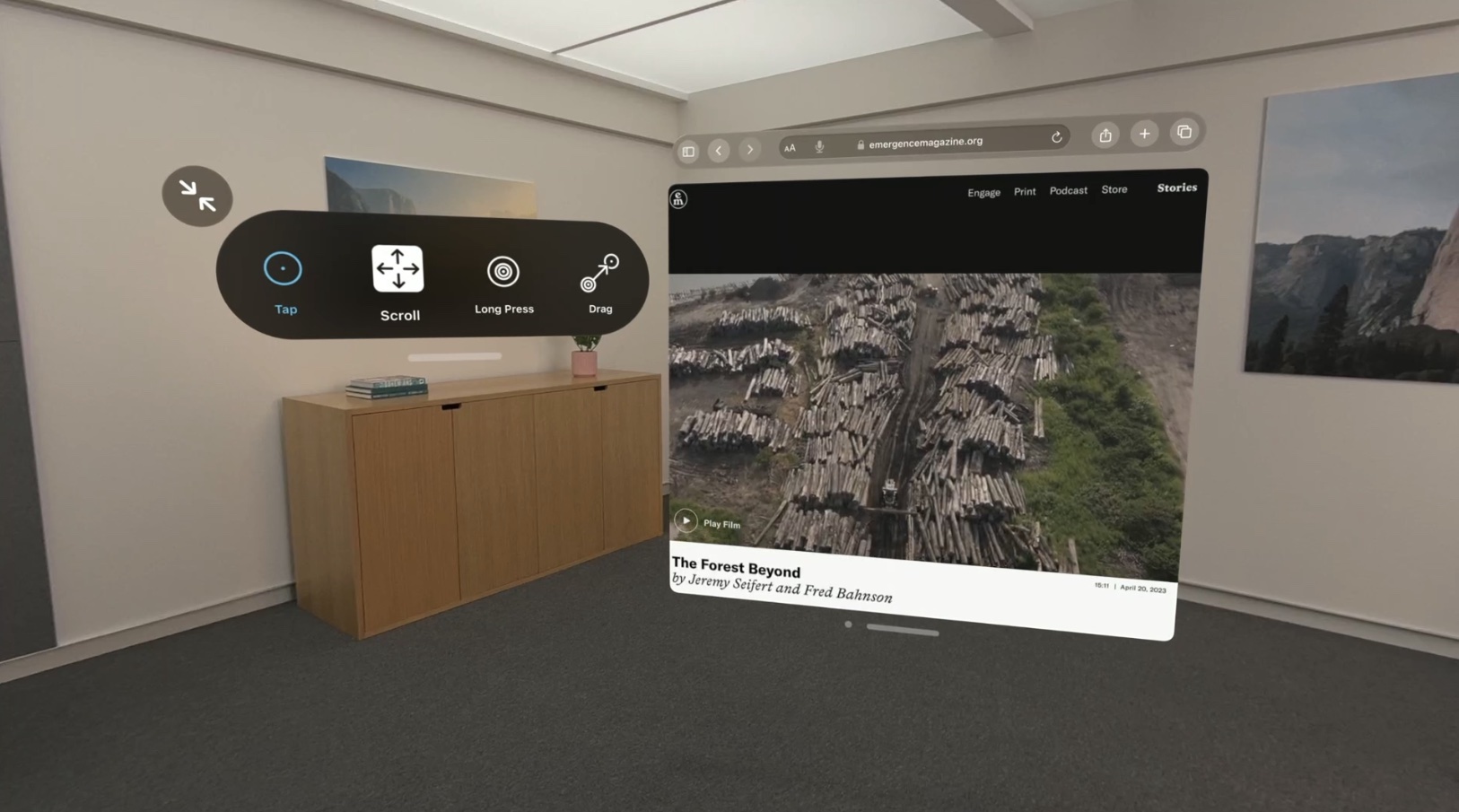
Dwell Control will provide on-screen options for Tap, Scroll, Long Press, and Drag, allowing for users to interact with the interface without using their hands.
Dwell Control

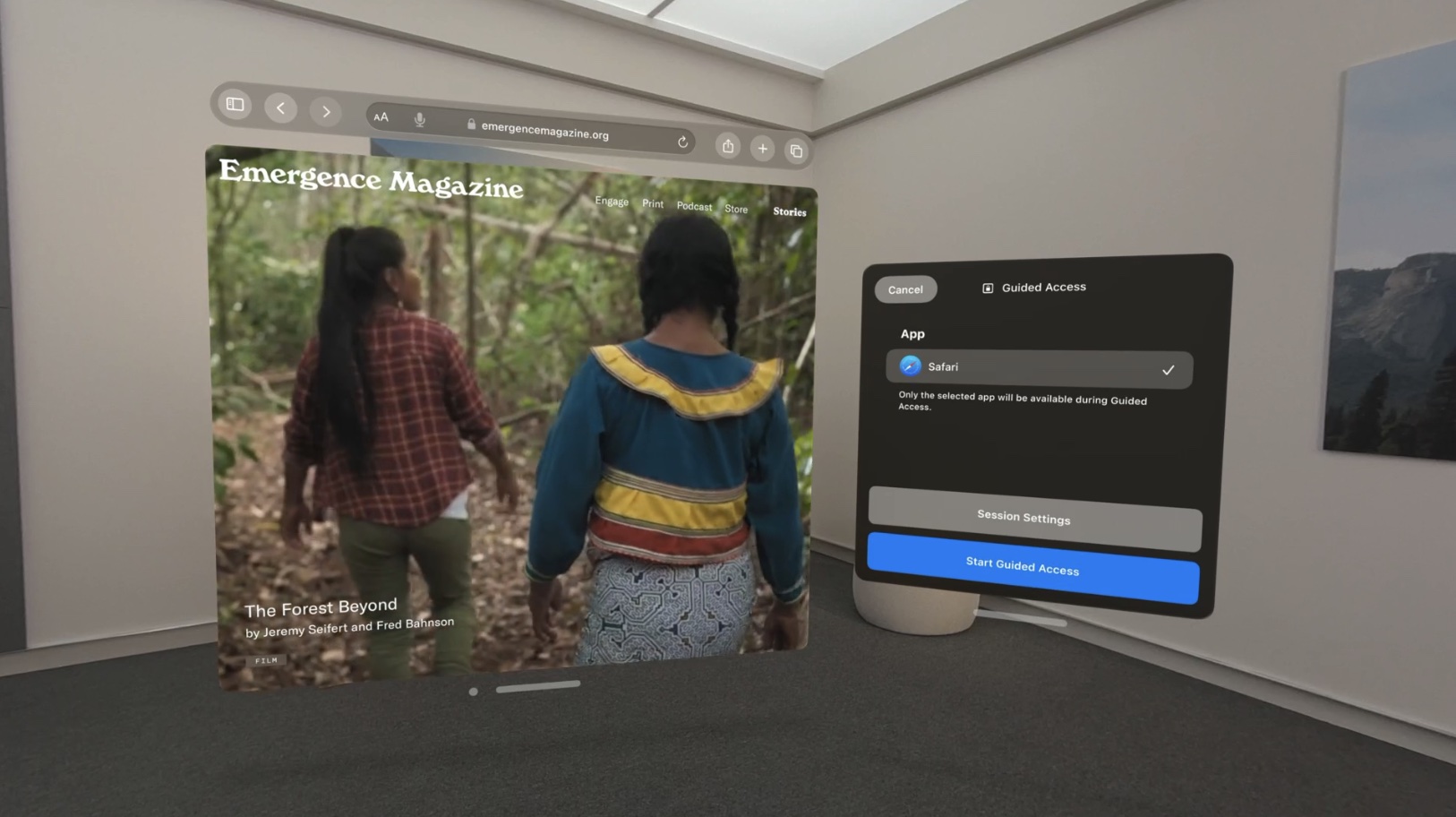
There’s also Guided Access, an accessibility feature that will promote focus by restricting visionOS to a single app at one time. Apple says the feature aims to minimize distractions by backgrounding other apps, removing non-essential UI elements, and suppressing hardware button events that could be distracting.
Guided Access

Apple’s screen reader VoiceOver will be available on the Vision Pro. Users will be able to set up a VoiceOver shortcut in the Settings app on visionOS that allows for the feature to be activated with a triple press of the Digital Crown.

Vision Pro is launching in early 2024 in the U.S. for $3,499, and more details about the headset are available in our Vision Pro roundup. For more details about the accessibility features, check out Apple’s WWDC session.

Related Roundup: Apple Vision Pro
Related Forum: Apple Vision Pro

This article, "Apple Highlights Vision Pro's Accessibility Features with Head, Wrist, and Index Finger Controls" first appeared on MacRumors.com

Discuss this article in our forums


You may also be interested in this

Evercore raises Apple tar…

Apple stock hit a new all-time high in Monday morning trading and is in position to close at a record high early Monday as investors awaited the expected launch of

How to back up your iPhon…

Image: Samar Haddad / The Verge Yes, of course you want to back up your iPhone. As we all know, despite phone cases and the latest protective glass and careful

You can kind of try visio…

Have a Meta Quest sitting around? You can now experience a rough estimation of what using visionOS on an actual headset will be like. No need to spend $3,500 on

New Mac Pro Features Upgr…

Following the introduction of the Apple silicon Mac Pro, Apple today added SSD upgrade kits to its online store. The kits offer 2TB, 4TB, and 8TB of storage space for

Apple’s unique head…

Despite suppliers hitting significant production roadblocks with curved components, Apple's headset is still rumored for a WWDC reveal with mass production later in 2023.Apple's headset is a challenge for manufacturersApple's

Apple Maps redesign expec…

Public testing of redesigned Apple Maps for Taiwan has begun, but the full release isn't expected until June.Apple Maps image of Taipei, Taiwan. Image source: Justin O'BeirneFirst-party mapping data collected

Why don’t the iPhone Pro …

My deep purple iPhone is deeply disappointing. Here it is next to some purple items within arm’s reach of my desk. | Photo by Victoria Song / The Verge I

Apple Park needed an expa…

A pair of buildings have popped up inside and outside of Apple Park, with one built to house a demonstration area for its hotly-anticipated mixed-reality headset.Apple Park's new structures [Cider
X

A whimsical homage to the days in black and white, celebrating the magic of Mac OS. Dress up your blog with retro, chunky-grade pixellated graphics to evoke some serious computer nostalgia. Supports a custom menu, custom header image, custom background, two footer widget areas, and a full-width page template. I updated Stuart Brown's 2011 masterpiece to meet the needs of the times, made it responsive , got dark mode, custom search widget and more.You can download it from tigaman.com, where you can also find more useful code snippets and plugins to get even more out of wordpress.