There are several ways to search the web in Apple's Safari browser. In this article, we're going to highlight a way of searching specific websites using a lesser-known Safari feature
There are several ways to search the web in Apple's Safari browser. In this article, we're going to highlight a way of searching specific websites using a lesser-known Safari feature called Quick Website Search.


The option is designed to work with sites that have a built-in search field, like the one you can find at the top of the main page at MacRumors.com. Here's how it works.

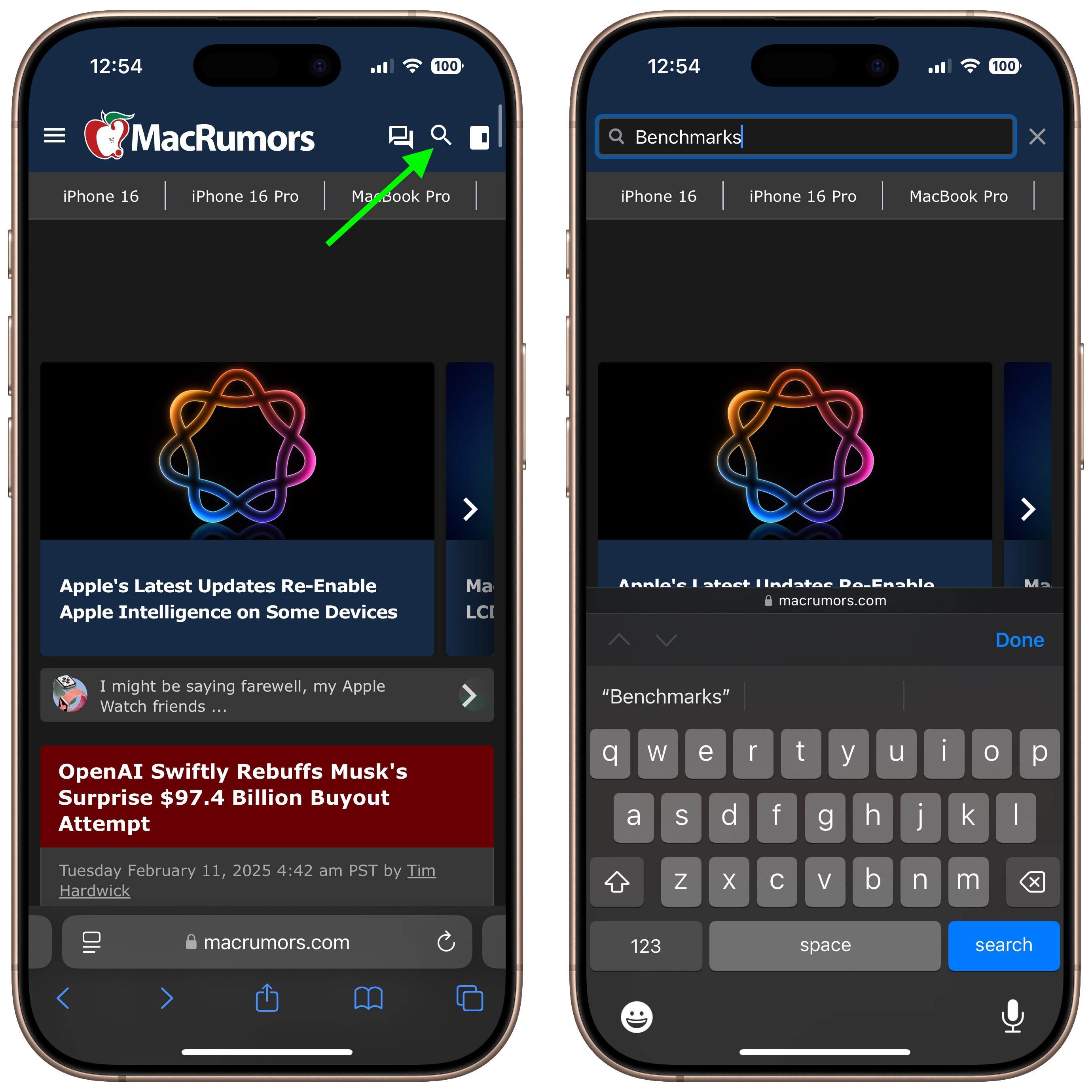
Let's say you want to look up articles on MacRumors that mention device benchmarks. You might do this by typing "macrumors benchmarks" into Safari's address bar to get results from whichever search engine the browser is configured to use.
safari
If you're a bit more search savvy, you might even type "site:macrumors.com benchmarks" to limit the search to MacRumors. But ideally you'd just navigate to MacRumors.com and use the search field provided at the top of the page. If you take the latter option and Quick Website Search is enabled, Safari will remember that you've used the MacRumors search field and offer to use it again in future searches that include the website's name.

safari
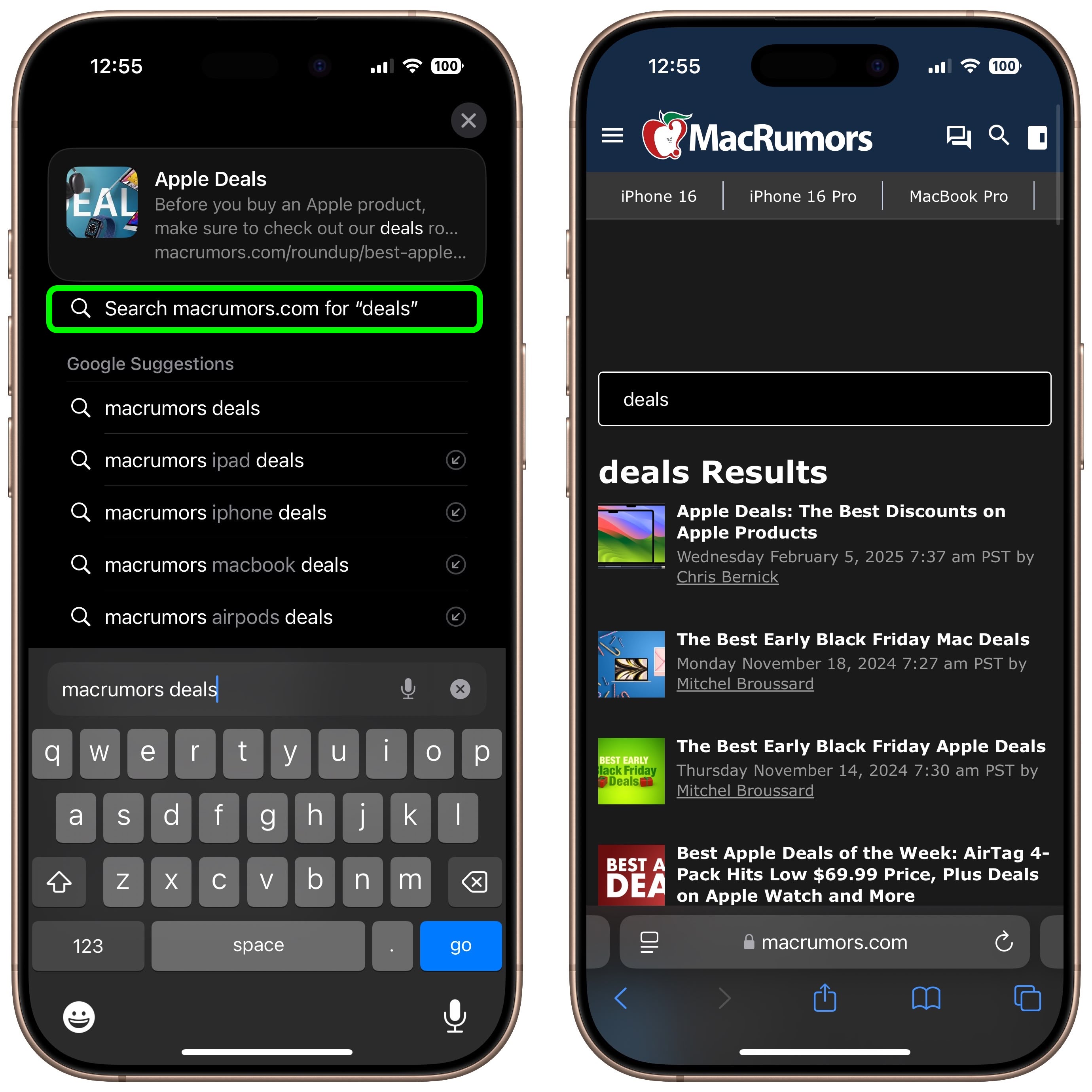
For example, if you typed "macrumors" followed by "deals" directly into Safari's address bar, you could tap the option Search macrumors.com for "deals" in the suggestions box, as shown above, and you'd get instant results from MacRumors' own on-site search function.

How to Enable Quick Website Search in iOS


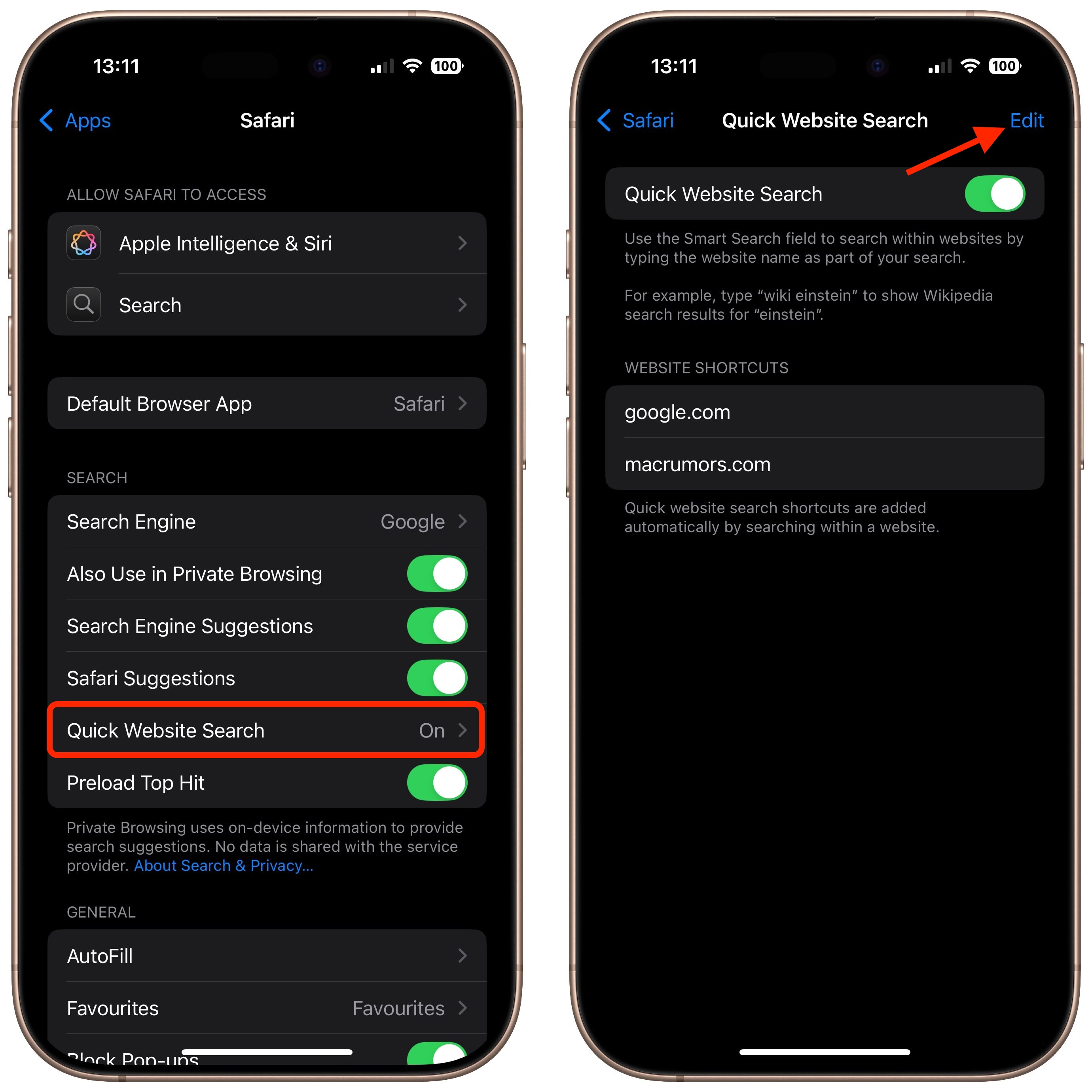
The functionality of Quick Website Search depends on how a given site implements its search field, but we've found that it works with most popular websites that offer them, so it's worth making sure you have the feature enabled. To do this on iPhone and iPad, launch the Settings app, tap through to Apps ➝ Safari ➝ Quick Website Search and slide the Quick Website Search toggle to the green ON position.
settings
Notice on this screen that you can also tap Edit to remove websites from the list of shortcuts that Safari automatically adds to whenever you use a site-specific search field.

How to Enable Quick Website Search on Mac


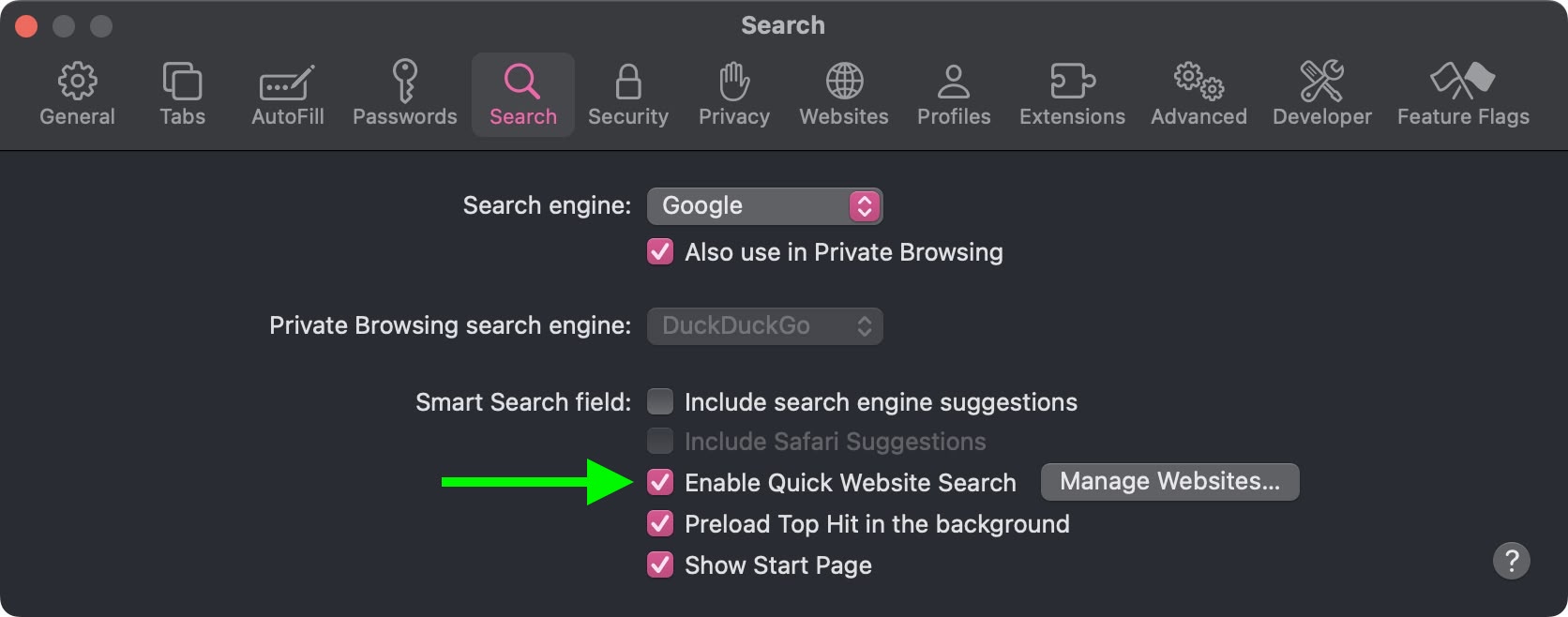
The feature works the same way in Safari for macOS. To see if it's enabled in the browser, select Safari ➝ Settings... from the menu bar, choose the Search tab, and make sure the checkbox is ticked next to Enable Quick Website Search.
safari
Lastly, if you click the Manage Websites... button next to the checkbox, you can view Safari's list of website shortcuts, remove individual websites, or clear the list completely.
Tag: Safari

This article, "Use Safari Quick Website Search for Faster Site-Specific Results" first appeared on MacRumors.com

Discuss this article in our forums

original link


You may also be interested in this

Craig Federighi outlines …

Along with the software and hardware announcements at WWDC, Apple executive Craig Federighi emphasized the company's ongoing commitment to privacy, exemplified by features such as "Check In," and why he

How to make AppleInsider …

You've long been able to turn any website into an app on your Mac, but with macOS Sonoma, Apple has made it so easy that you're going to do it.

App Store Review Guidelin…

Apple has refined its App Store Review Guidelines and other developer-related documents, with changes taking aim against inappropriate advertising, apps that impersonate others, and Safari extensions.In an email to developers

Hidden iOS 26 features Ap…

Beyond its Liquid Glass design, iOS 26 packs several small, hidden features that will meaningfully improve your iPhone experience. (via Cult of Mac - Your source for the latest Apple

All about Apple’s ‘Rapid …

Apple’s ‘Rapid Security Responses’ for iOS, iPadOS, and macOS deliver important security improvements between software updates. Rapid Security Responses are a new type of software release for iPhone, iPad, and

Apple releases new ‘Distr…

Apple’s Safari icon Apple has debited a new feature called “Distraction Control” which allows people to hide content that covers web pages as they browse using the company’s Safari browser.

How to join Apple’s beta …

Macworld If you’ve ever wanted to take an early look at new versions of Apple’s operating systems before they launch, and maybe help shape them in the process, then Apple’s

WWDC 2023: what to expect…

Image: Apple Apple’s upcoming Worldwide Developers Conference (WWDC) is expected to be one of its biggest yet. After years of rumors and leaks, Apple could finally take the wraps off
X

A whimsical homage to the days in black and white, celebrating the magic of Mac OS. Dress up your blog with retro, chunky-grade pixellated graphics to evoke some serious computer nostalgia. Supports a custom menu, custom header image, custom background, two footer widget areas, and a full-width page template. I updated Stuart Brown's 2011 masterpiece to meet the needs of the times, made it responsive , got dark mode, custom search widget and more.You can download it from tigaman.com, where you can also find more useful code snippets and plugins to get even more out of wordpress.