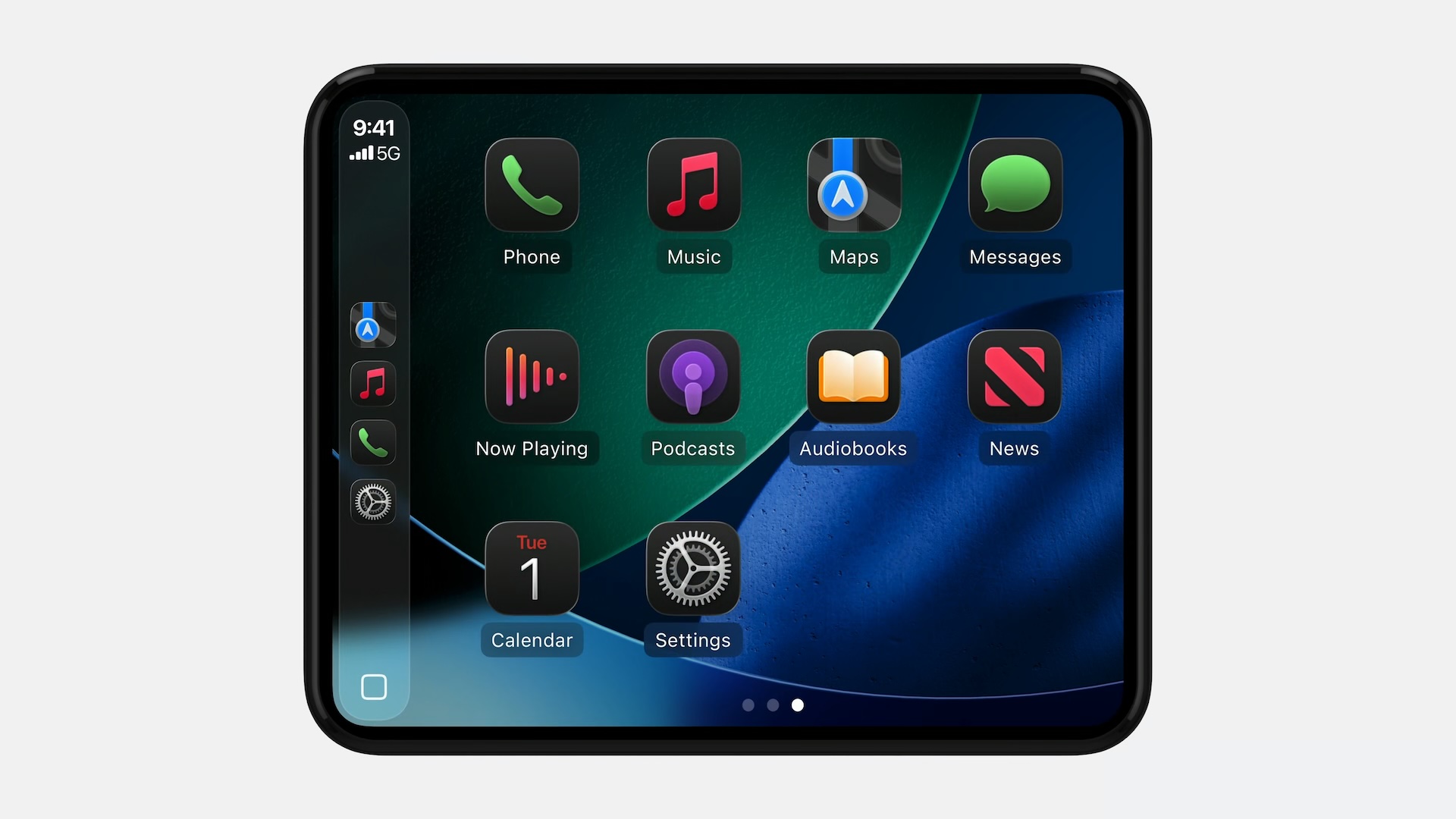
iOS 26 adds a new Smart Display Zoom setting to CarPlay. When the setting is enabled, CarPlay will be automatically resized to better fit the shape and size of your

iOS 26 adds a new Smart Display Zoom setting to CarPlay.
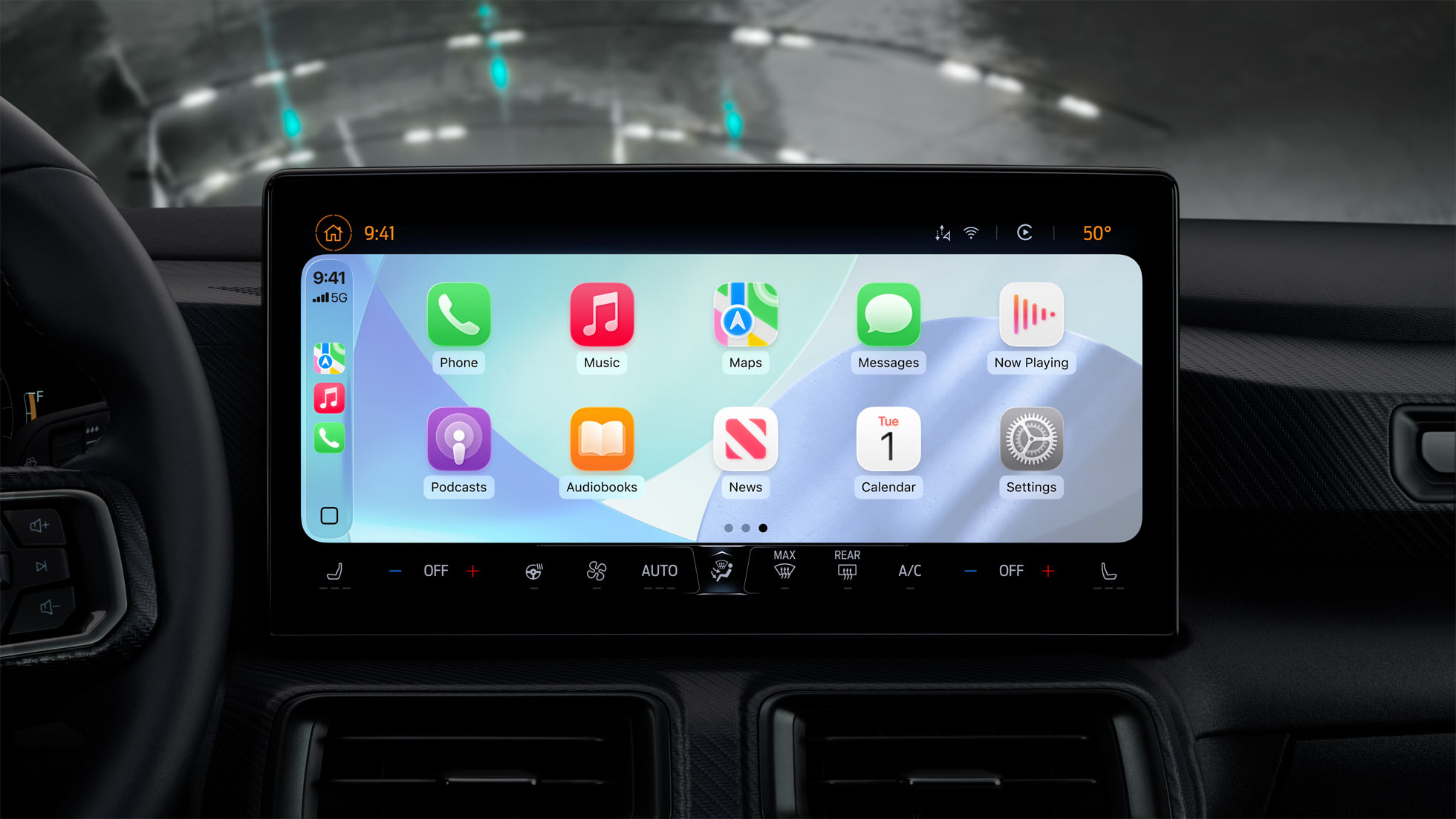


When the setting is enabled, CarPlay will be automatically resized to better fit the shape and size of your vehicle’s dashboard screen, if possible.

The images below show what CarPlay looks like before and after the Smart Display Zoom setting is enabled. With the setting turned on, all of the user interface elements become smaller, allowing for an extra row of app icons to fit on the screen.
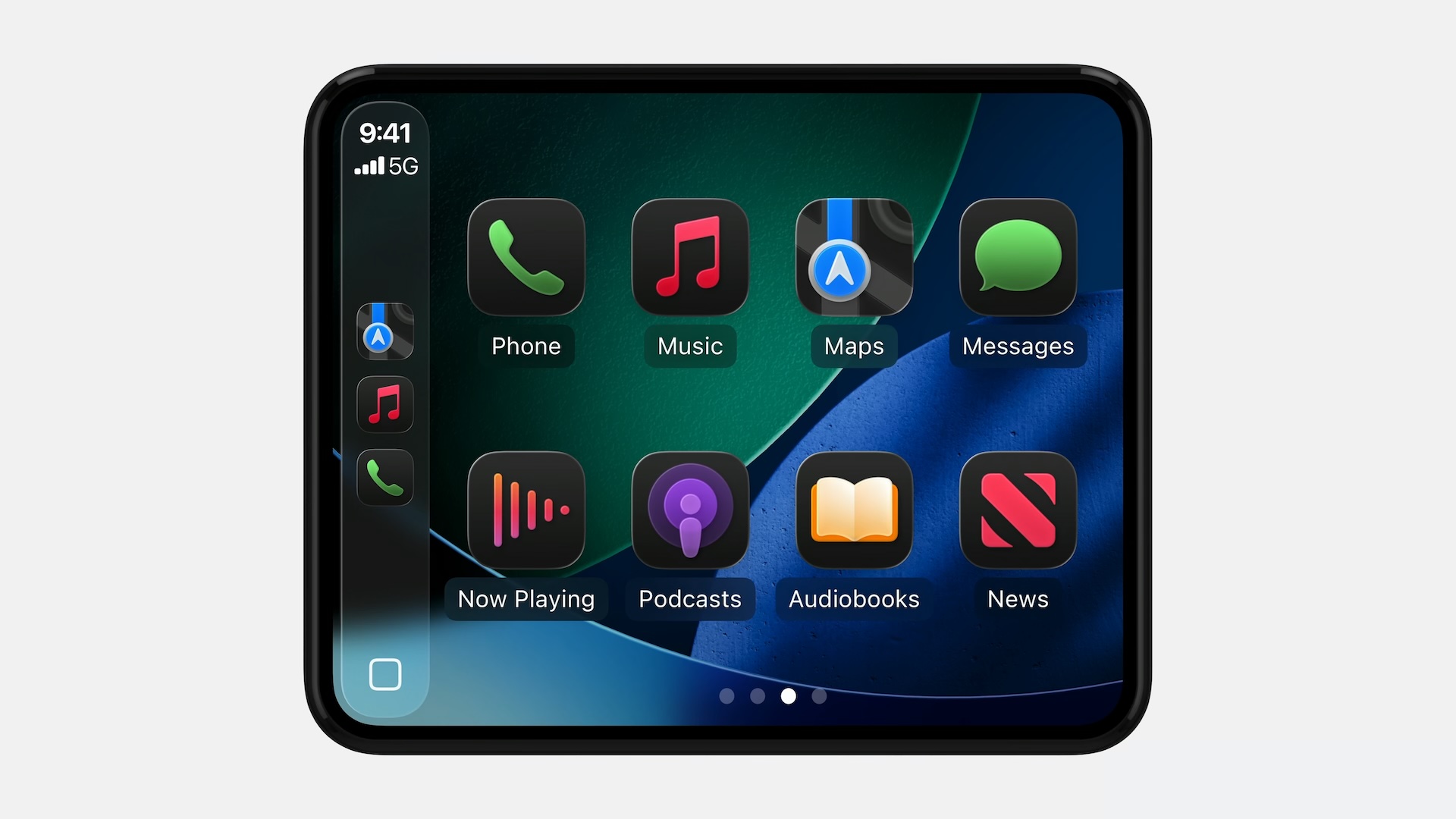
Before
After

Apple highlighted the setting in a WWDC 2025 video for developers this week.

“Vehicle screens come in many shapes and sizes,” said Olivia Hess, a CarPlay software engineer. “In iOS 26, some screen configurations allow drivers to adjust their display scale with Smart Display Zoom configurable within Settings in CarPlay. When Smart Display Zoom is enabled, your CarPlay app will be automatically resized to the new display scale.”

To see this new CarPlay setting, you will need to be using an iPhone running iOS 26, which is currently in developer beta. A public beta will be available next month, and the update should be released in September for the iPhone 11 and newer.

CarPlay is gaining many other new features with iOS 26, including a Liquid Glass design, Live Activities on the Dashboard screen, a new widgets screen, Tapbacks and pinned conversations in the Messages app, multi-touch support in mapping apps, the ability to play videos from an iPhone via AirPlay while the vehicle is parked, and more.

Related Roundups: CarPlay, iOS 26, WWDC 2025

This article, "iOS 26 Adds New Zoom Setting to CarPlay" first appeared on MacRumors.com

Discuss this article in our forums


You may also be interested in this

All the CarPlay upgrades …

iOS 26 will give CarPlay a new look and make it more functional with support for widgets and Live Activities. (via Cult of Mac - Your source for the latest

Apple has to start thinki…

Macworld Welcome to our weekly Apple Breakfast column, which includes all the Apple news you missed last week in a handy bite-sized roundup. We call it Apple Breakfast because we

The Touch Bar lives (sort…

This week on Cult of Mac's podcast: An interesting new gadget called the Flexbar takes Apple's doomed Touch Bar idea and runs with it. (via Cult of Mac - Apple

CarPlay Ultra Solves One …

The next generation of CarPlay is finally starting to roll out, and it includes a new feature that solves one of regular CarPlay's longstanding limitations. Apple last week announced the

Deals: $50 off new MacBoo…

Today's top deals include $50 off the M2 MacBook Air 15-inch, Vizio 65" Class V-Series 4K LED Smart TV for $398, 27% off a 40" Vizio D-Series HD Smart TV,

Rivian CEO Doubles Down o…

On the latest episode of The Verge's Decoder podcast, Rivian CEO RJ Scaringe told guest host Joanna Stern why the EV maker continues to pass on Apple's CarPlay — both

Apple’s CarPlay Ult…

Last year, Apple launched CarPlay Ultra, the long-awaited next-generation version of its CarPlay software system for vehicles. Nearly nine months later, CarPlay Ultra is still limited to Aston Martin's latest

Apple’s List of iOS…

iOS 19 will not be unveiled until June, but Apple today previewed a long list of new accessibility features that will be coming with the software update, including two CarPlay
X

A whimsical homage to the days in black and white, celebrating the magic of Mac OS. Dress up your blog with retro, chunky-grade pixellated graphics to evoke some serious computer nostalgia. Supports a custom menu, custom header image, custom background, two footer widget areas, and a full-width page template. I updated Stuart Brown's 2011 masterpiece to meet the needs of the times, made it responsive , got dark mode, custom search widget and more.You can download it from tigaman.com, where you can also find more useful code snippets and plugins to get even more out of wordpress.