
Apple doesn't currently allow iPhone users to change the Side button's Siri functionality to another assistant, but owners of iPhone 15 Pro and newer models can assign ChatGPT to the

Apple doesn’t currently allow iPhone users to change the Side button’s Siri functionality to another assistant, but owners of iPhone 15 Pro and newer models can assign ChatGPT to the Action button instead. Keep reading to learn how.


OpenAI’s free ChatGPT app for iPhone lets you interact with the chatbot using text or voice. What’s more, if you assign voice mode directly to the Action button, you can use it to jump straight into a spoken conversation, giving you quick, handsfree access to a far more capable assistant.

  1. Install the ChatGPT app, then sign into your account or create a new one.
  2. Next, open the Settings app.
  3. Tap Action Button.
  4. Swipe to Controls, then tap the two chevrons beside the currently assigned control.
  5. Using the control search field, type “ChatGPT.”
  6. Select the control Open ChatGPT Voice.
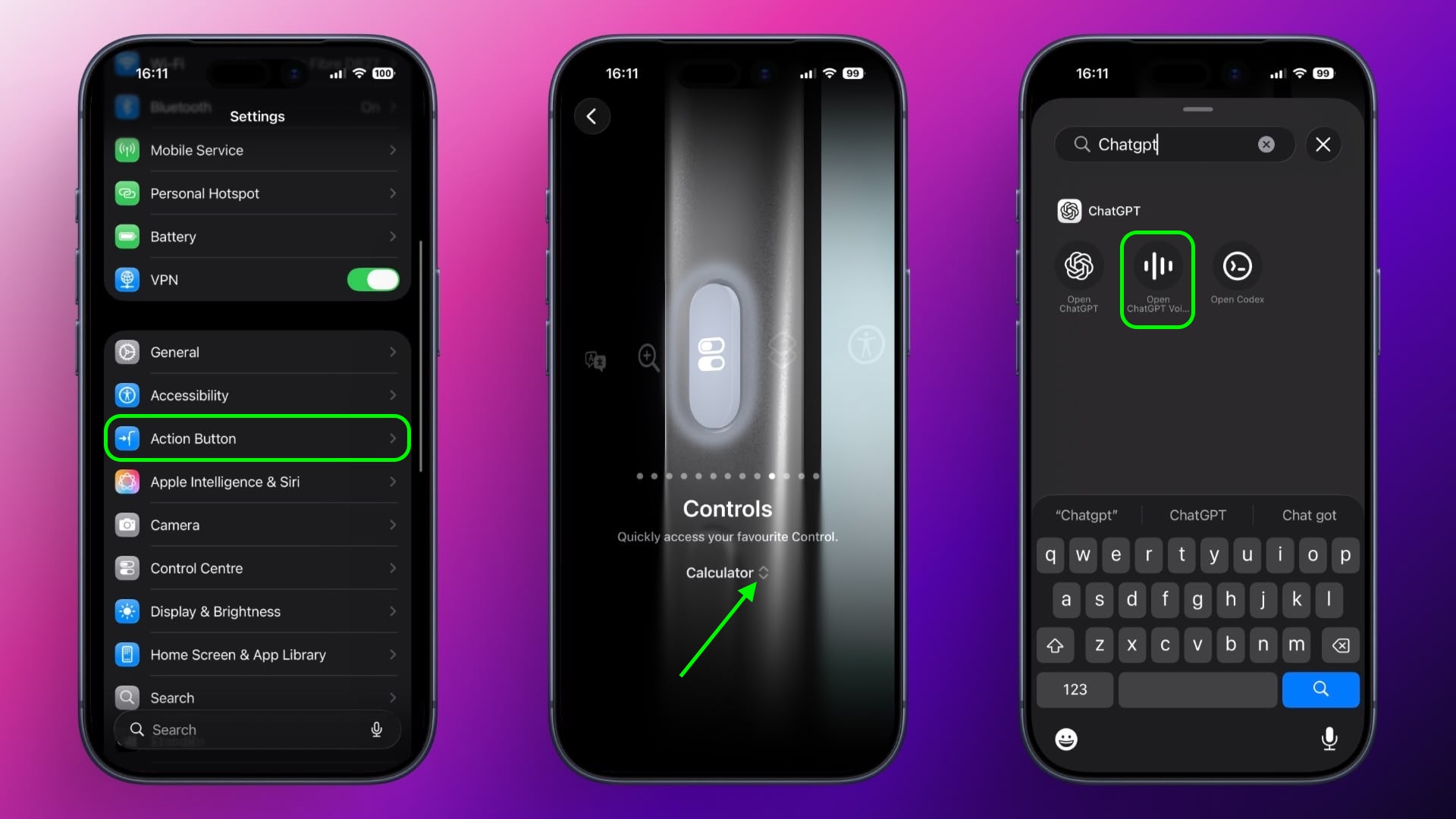
A long press of the Action button will now open ChatGPT’s voice mode. The first time you activate it, the app may request microphone access. Tap Allow to proceed. After that, you can begin speaking immediately.

A recent update means voice conversations now take place inside the same chat window as text-based prompts, instead of switching to a separate voice-only interface. Responses appear in real time, combining spoken output with on-screen text and any visuals the model generates. This keeps your conversation’s context intact and makes switching between typing and speaking smoother.

Continue the Conversation Anywhere

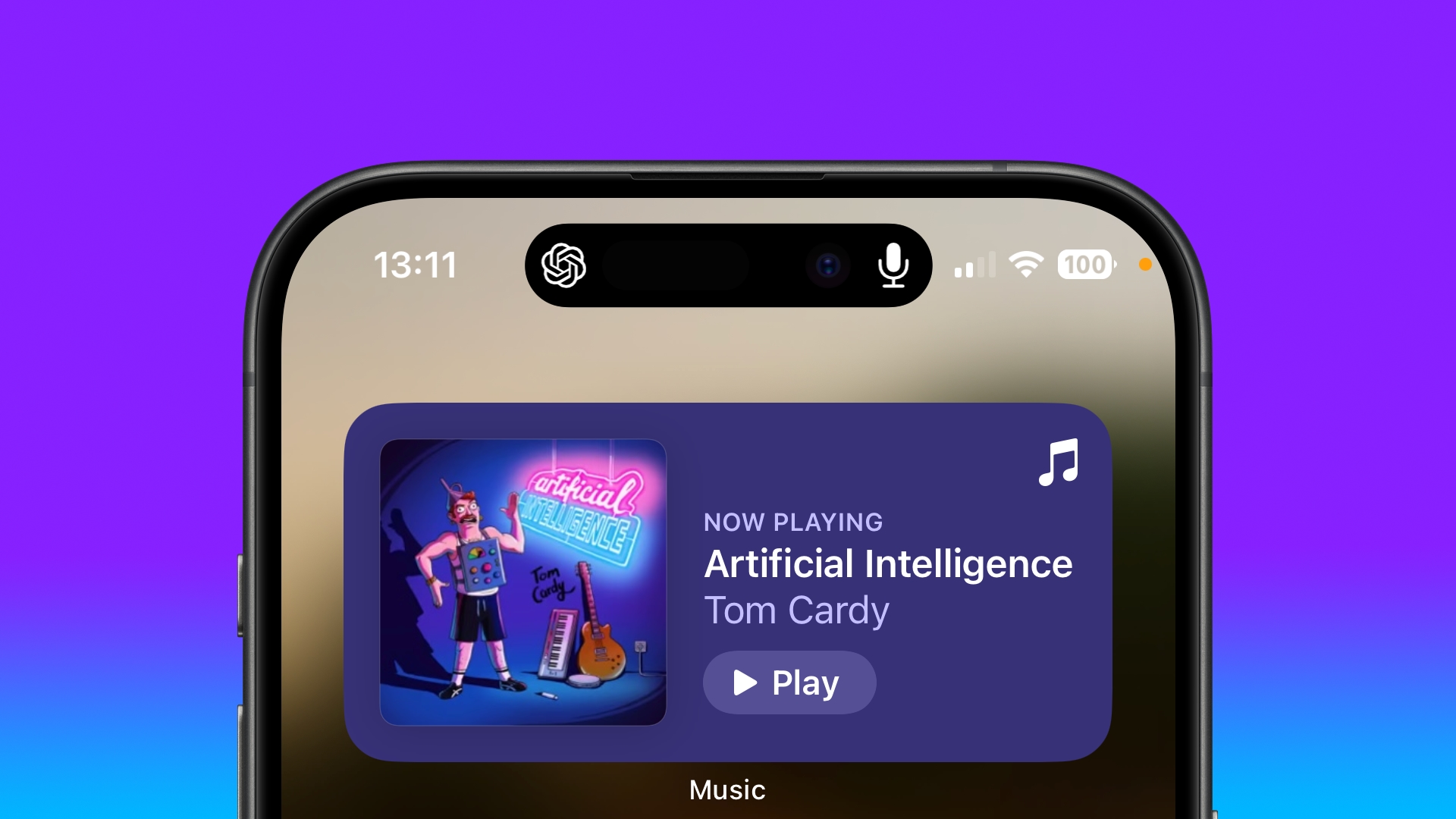
You can also leave the ChatGPT app during a voice session without ending it. When you swipe away, the conversation continues and appears in the Dynamic Island as long as the assistant is listening and preparing a response. To stop, tap the Dynamic Island to return to the app, then tap End.

Note that while this setup gives you a fast, physical shortcut to a richer, more context-aware assistant, ChatGPT can’t perform Siri-like system actions like accessing your calendar or setting an alarm.

Tag: ChatGPT

This article, "Use ChatGPT as Your iPhone's Action Button Assistant" first appeared on MacRumors.com

Discuss this article in our forums


You may also be interested in this

Apple Seeds Third Betas o…

Apple today seeded the third betas of upcoming iOS 17.4 and iPadOS 17.4 to developers for testing purposes, with the updates coming one week after Apple seeded the second betas.

M4 vs. M5 Chip Buyer̵…

Apple's newly introduced M5 chip takes Apple silicon to the next level, delivering meaningful gains across CPU, GPU, and AI workloads, but how does it compare to the M4? Compared

Best Apple Deals of the W…

Some of this week's best Apple deals include all-time low prices for the Apple Studio Display and M4 iPad Pro, both of which are available on Amazon. We're also tracking

Kuo: Apple Vision Pro to …

Apple is likely to launch its Vision Pro headset outside the United States before WWDC 2024, analyst Ming-Chi Kuo today reports. In a new post on Medium, Kuo explained that

macOS Sonoma 14.4: Reason…

Since Apple unveiled macOS Sonoma 14.4 on March 7, the transition to the latest software update has not been entirely smooth for everyone, and a number of issues have been

You Can Give Siri a New N…

Apple in iOS 18 added a Vocal Shortcuts accessibility feature, and now that ‌iOS 18‌ is available in a beta capacity, users have figured out that this option can be

The easiest way for Mac o…

Macworld Why you need your own website If small-business owners didn’t understand the value of an online presence before lockdown, they certainly do now. Being online is key to growing

Will Apple Ever Make AR S…

There have been multiple signs suggesting that Apple's mixed reality Vision Pro headset is struggling to take off, both due to the super high price and the heavy design that
X

A whimsical homage to the days in black and white, celebrating the magic of Mac OS. Dress up your blog with retro, chunky-grade pixellated graphics to evoke some serious computer nostalgia. Supports a custom menu, custom header image, custom background, two footer widget areas, and a full-width page template. I updated Stuart Brown's 2011 masterpiece to meet the needs of the times, made it responsive , got dark mode, custom search widget and more.You can download it from tigaman.com, where you can also find more useful code snippets and plugins to get even more out of wordpress.
